

WP Odoo Form Integrator
Odoo is an Open Source ERP and CRM. WP Odoo Form Integrator plugin is a bridge between Odoo and several highly used form plugins.
Plugin info
Maintenance & Compatibility
Maintenance score
Possibly abandoned • Last updated 3297 days ago
Is WP Odoo Form Integrator abandoned?
Possibly abandoned (last update 3297 days ago).
Compatibility
Similar & Alternatives
Explore plugins with similar tags, and compare key metrics like downloads, ratings, updates, support, and WP/PHP compatibility.
Description
Odoo is an Open Source ERP and CRM. WP Odoo Form Integrator plugin is a bridge between Odoo and several highly used form plugins.
WP Odoo Form Integrator provides the ability to WordPress admin to bind any Odoo model with any form of the supported types. Once form fields are mapped with Odoo model fields, whenever the form is submitted, the same will also be submitted to Odoo as per the field mapping.
No programming knowledge is required. Anyone who knows the Odoo model that he/she wants to bind can do the integration with WP forms.
A few notes about the sections above:
- Easy setup and integration
- Store data from your WordPress contact plugin in Odoo
- Simple to use UI to map the form fields with the Odoo model fields.
- Keep the data map even if you delete or deactivate the plugin
Compatibility
WP Odoo Form Integrator plugin currently works with the following plugins;
Open source plugins
- Contact Form 7 Supported Version(s): 4.6, 4.7
- Ninja Forms Supported Version(s): 3.0
- Formidable Forms Supported Version(s): 2.0
Installation
Automatic Installation
- Visit Plugins > Add New
- Search for WP Odoo Form Integrator
- Activate WP Odoo Form Integrator from your Plugins page.
Manual Installation
- Download WP Odoo Form Integrator Plugin.
- Upload the wp-odoo-form-integrator directory to your /wp-content/plugins/ directory, using your favorite method (ftp, sftp, scp)
- Activate WP Odoo Form Integrator from your Plugins page.
Manual Installation
- Download WP Odoo Form Integrator Plugin.
- Visit Plugins > Add New
- Click on upload plugin button.
- Click on browse button and select plugin zip file. After file select click on Install Now button.
- Click on Activate Plugin button.
Frequently Asked Questions
Installation Instructions
Automatic Installation
- Visit Plugins > Add New
- Search for WP Odoo Form Integrator
- Activate WP Odoo Form Integrator from your Plugins page.
Manual Installation
- Download WP Odoo Form Integrator Plugin.
- Upload the wp-odoo-form-integrator directory to your /wp-content/plugins/ directory, using your favorite method (ftp, sftp, scp)
- Activate WP Odoo Form Integrator from your Plugins page.
Manual Installation
- Download WP Odoo Form Integrator Plugin.
- Visit Plugins > Add New
- Click on upload plugin button.
- Click on browse button and select plugin zip file. After file select click on Install Now button.
- Click on Activate Plugin button.
Do you support other form types other than Contact Form 7?
The development is in progress. You can expect support for other form types soon. However, please leave your recommended form types in the Support section.
Is Odoo knowledge needed to configure Odoo-Form Mapping?
You must be at least aware of Odoo model fields before doing Odoo-Form Mapping. i.e, However some Odoo fields are marked as required, Odoo would still accept null values.
Review feed
Screenshots
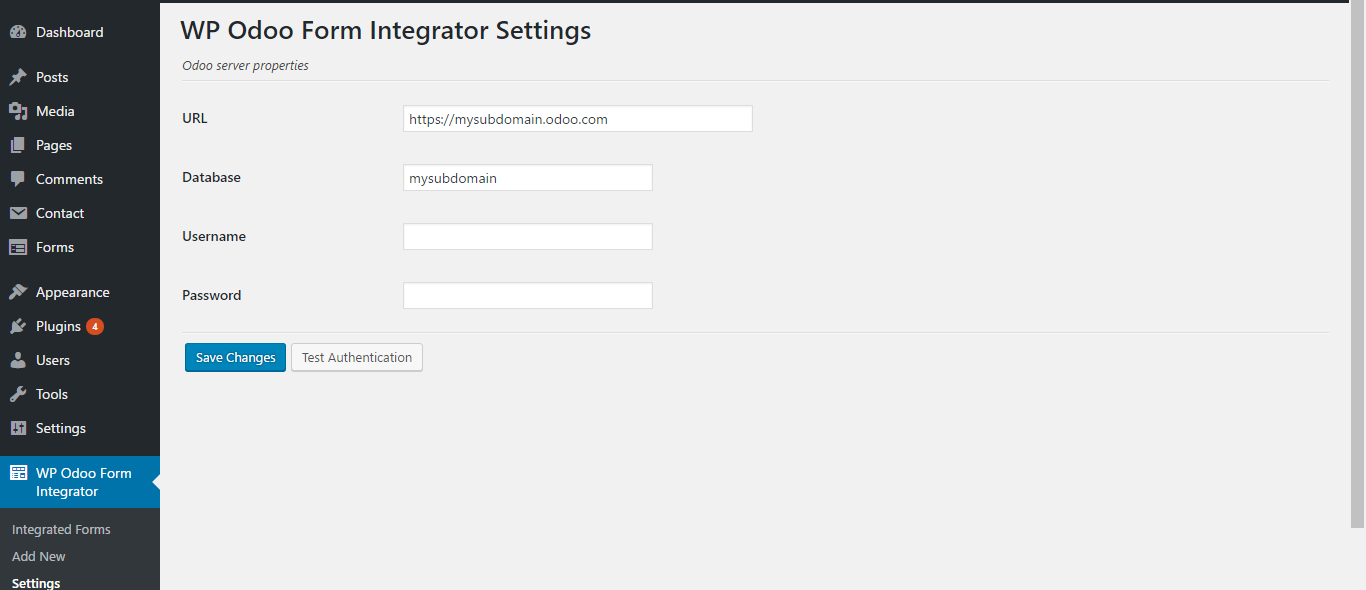
screenshot-1.png

screenshot-2.png

screenshot-3.png