

WP-PluginsUsed
Display WordPress plugins that you currently have (both active and inactive) onto a post/page.
Maintenance 22/100968d since update
Active installs
80
Downloads
31,564
Reviews
4
Age
18.6y
Plugin info
Total downloads: 31,564
Active installs: 80
Total reviews: 4
Average rating: 4.8
Support threads opened: 0
Support threads resolved: 0 (0%)
Available in: 2 language(s)
Contributors: 2
Last updated: 8/9/2023 (968 days ago)
Added to WordPress: 8/14/2007 (18 years old)
Minimum WordPress version: 2.8
Tested up to WordPress version: 6.3.7
Minimum PHP version: f
Maintenance & Compatibility
Maintenance score
Possibly abandoned • Last updated 968 days ago • 4 reviews
22/100
Is WP-PluginsUsed abandoned?
Possibly abandoned (last update 968 days ago).
Compatibility
Requires WordPress: 2.8
Tested up to: 6.3.7
Requires PHP: f
Developers
Languages
Similar & Alternatives
Explore plugins with similar tags, and compare key metrics like downloads, ratings, updates, support, and WP/PHP compatibility.
No similar plugins found yet.
Description
General Usage
- To create a Plugins Used Page
- Go to
WP-Admin -> Pages -> Add New - Type any title you like in the page’s title area
- Copy and paste the following in the page’s content area:
[stats_pluginsused]
Active Plugins
[active_pluginsused]
Inactive Plugins
[inactive_pluginsused]
- Click ‘Publish’
Build Status
Development
https://github.com/lesterchan/wp-pluginsused/
Translations
http://dev.wp-plugins.org/browser/wp-pluginsused/i18n/
Credits
Donations
- I spent most of my free time creating, updating, maintaining and supporting these plugins, if you really love my plugins and could spare me a couple of bucks, I will really appreciate it. If not feel free to use it without any obligations.
Installation
No installation instructions available
Frequently Asked Questions
- Open
wp-pluginsused.php - Find:
define('PLUGINSUSED_SHOW_VERSION', true); - Replace:
define('PLUGINSUSED_SHOW_VERSION', false);
- Open
wp-pluginsused.php - Find:
$pluginsused_hidden_plugins = array(); - Replace:
$pluginsused_hidden_plugins = array('Plugin Name 1', 'Plugin Name 2'); - Replace
Plugin Name 1andPlugin Name 2with the plugin name you want to hide.
Review feed
No reviews available
Screenshots
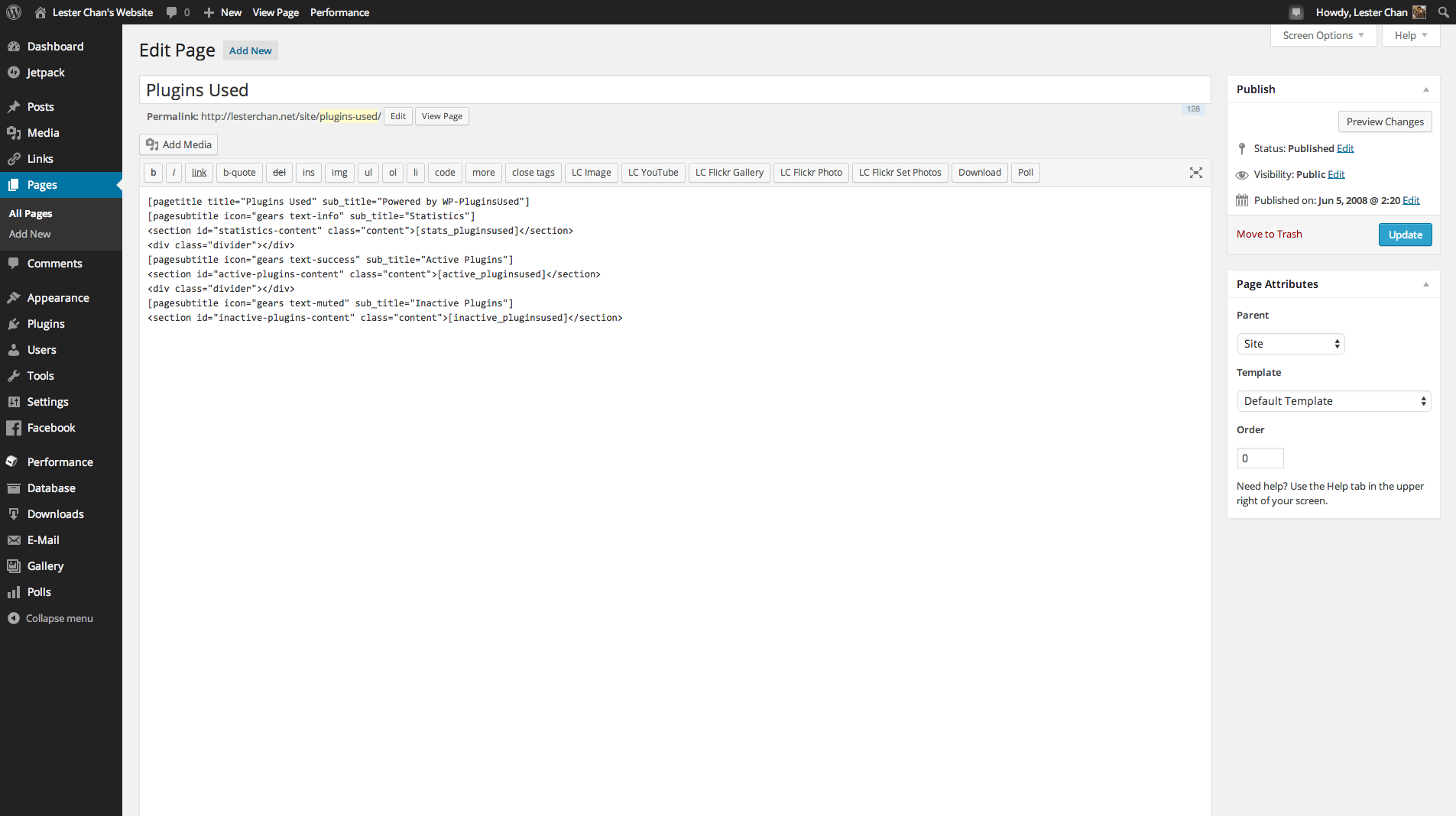
Embed ShortCode Into Page

Active Plugins

Inactive Plugins
Changelog
Version 1.50.2
- FIXED: Remove create_function
Version 1.50 (01-06-2009)
- NEW: Use _n() Instead Of __ngettext() And _n_noop() Instead Of __ngettext_noop()
- NEW: Hide Plugins
Version 1.40 (12-12-2008)
- NEW: Works For WordPress 2.6 Only
- NEW: Better Translation Using __ngetext() by Anna Ozeritskaya
- NEW: Right To Left Language Support by Kambiz R. Khojasteh
- NEW: Uses number_format_i18n()
Version 1.31 (16-07-2008)
- NEW: Works For WordPress 2.6
Version 1.30 (01-06-2008)
- NEW: Works With WordPress 2.5 Only
- NEW: Uses ShortCode API
- NEW: Uses /wp-pluginsused/ Folder Instead Of /pluginsused/
- NEW: Uses wp-pluginsused.php Instead Of pluginsused.php
- NEW: Added Option To Hide Plugins Version Number
- FIXED: Strip Away HTML Codes In Plugin Descriptions
Version 1.00 (01-10-2007)
- NEW: Initial Release