
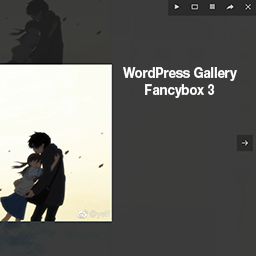
WP Post Gallery Fancybox
WP Post Gallery Fancybox is a WordPress plugin that converts the default WordPress Media Gallery into a Fancybox Gallery.
Plugin info
Maintenance & Compatibility
Maintenance score
Possibly abandoned • Last updated 2706 days ago
Is WP Post Gallery Fancybox abandoned?
Possibly abandoned (last update 2706 days ago).
Compatibility
Similar & Alternatives
Explore plugins with similar tags, and compare key metrics like downloads, ratings, updates, support, and WP/PHP compatibility.
Description
WP Post Gallery Fancybox is a WordPress plugin that converts the default WordPress Media Gallery into a Fancybox Gallery.
Just add the gallery shortcode to display the thumbnails in your posts/pages and this plugin does the rest, It makes your gallery to appear as a Fancybox Gallery.
Touch Enabled and Fully Responsive Lightbox.
Slideshow and Full screen options available.
Features
- Mobile optimized
- Responsive, touch-enabled and customizable.
- Multiple instances (Add Multiple Galleries on a single page)
Credits
The FancyBox jQuery plugin is written by Janis Skarnelis:
https://fancyapps.com/fancybox/3/
Installation
- Unzip and upload contents of the plugin to your ‘/wp-content/plugins/’ directory
- Activate the plugin through the ‘Plugins’ menu in WordPress
Frequently Asked Questions
What browsers are supported?
- Chrome
- Firefox
- IE10/11
- Edge
- iOS Safari
- Android 7.0 Tablet
jQuery Dependencies
jQuery 3+ is preferred, but fancybox works with jQuery 1.9.1+ and jQuery 2+
Can I use captions on each images
Yes, WP Post Gallery Fancybox 3 plugin displays the images captions as a Fancybox slide captions.
What if WP Gallery Fancybox doesn’t work for any reason? What would visitors see?
A visitor would see the default WordPress Gallery
What licensing terms are associated with WP Post Gallery Fancybox 3?
WP Post Gallery Fancybox 3 is Licensed under the Apache License, Version 3.0 (the “License”).
Please visit (https://www.gnu.org/licenses/gpl-3.0.en.html) for details.
Review feed
Screenshots

Create default WordPress Media Gallery.

Select Multiple images and insert in Post / Page.

Rearrange the images as per your choice.

Slidehow gallery on Post/Page.

Image Captions are displayed as slideshow captions.
Changelog
1.0.0
- First Public Release.