

Plugin info
Maintenance & Compatibility
Maintenance score
Possibly abandoned • Last updated 970 days ago • 41 reviews
Is WP-Print abandoned?
Possibly abandoned (last update 970 days ago).
Compatibility
Developers
Similar & Alternatives
Explore plugins with similar tags, and compare key metrics like downloads, ratings, updates, support, and WP/PHP compatibility.
Description
Once installed take the following steps to set it up:
- WP-Print settings page is located in WP-Admin -> Settings -> Print
- You Need To Re-Generate The Permalink (WP-Admin -> Settings -> Permalinks -> Save Changes)
- Refer To Usage For Further Instructions
Usage
- Open
wp-content/themes/. You should place it in single.php, post.php, page.php, etc also if they exist./index.php - Find:
- Add Anywhere Below It:
- The first value is the text for printing post.
- The second value is the text for printing page.
- Default: print_link(”, ”)
- Alternatively, you can set the text in ‘WP-Admin -> Settings -> Print’.
- If you DO NOT want the print link to appear in every post/page, DO NOT use the code above. Just type in [print_link] into the selected post/page content and it will embed the print link into that post/page only.
Build Status
Development
https://github.com/lesterchan/wp-print
Translations
http://dev.wp-plugins.org/browser/wp-print/i18n/
Credits
- Plugin icon by SimpleIcon from Flaticon
- Icons courtesy of FamFamFam
Donations
I spent most of my free time creating, updating, maintaining and supporting these plugins, if you really love my plugins and could spare me a couple of bucks as my school allowance, I will really appreciate it. If not feel free to use it without any obligations.
Installation
Frequently Asked Questions
- Open
wp-content/themes/<YOUR THEME NAME>/index.php
You may place it in single.php, post.php, page.php, etc also. - Find:
<?php while (have_posts()) : the_post(); ?> - Add Anywhere Below It:
<?php if(function_exists('wp_print')) { print_link(); } ?>
Simply add this code inside the loop ### where you want the print link to display:
if(function_exists('wp_print')) {
    print_link();
}
[donotprint]Text within this tag will not be displayed when printing[/donotprint]
- The text within [donotprint][/donotprint] will not be displayed when you are viewing a printer friendly version of a post or page.
- However, it will still be displayed as normal on a normal post or page view.
- Do note that if you are using WP-Email, any text within [donotprint][/donotprint] will not be emailed as well.
- WP-Print will load ‘print-css.css’, ‘print-posts.php’ and ‘print-comments.php’ from your theme’s directory if it exists.
- If it doesn’t exists, it will just load the respective default file that comes with WP-Print.
- This will allow you to upgrade WP-Print without worrying about overwriting your printing styles or templates that you have created.
Review feed
I wish there was an option to open the preview in a new tab.
Screenshots
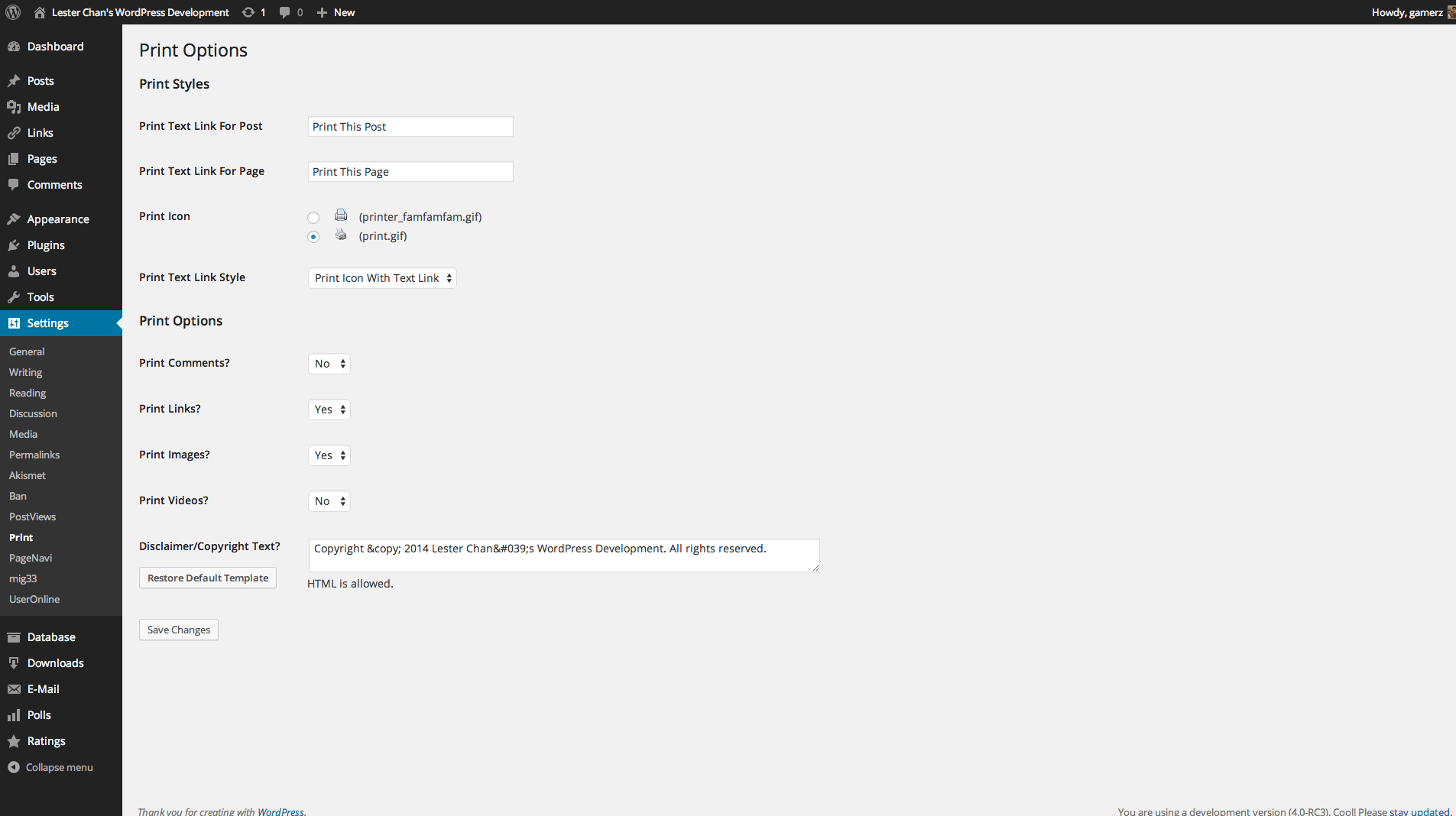
Admin Print Options
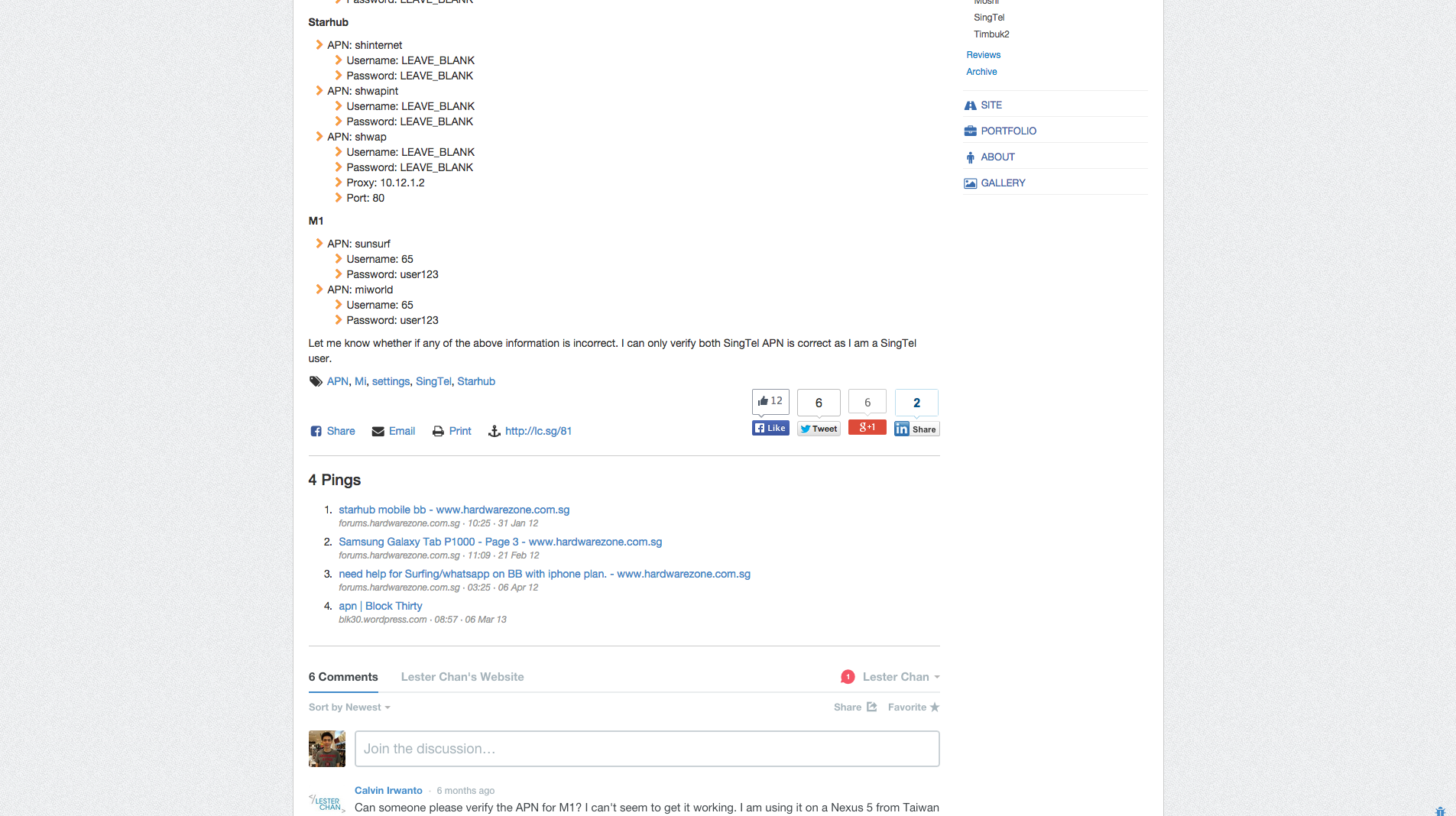
Print Post Link
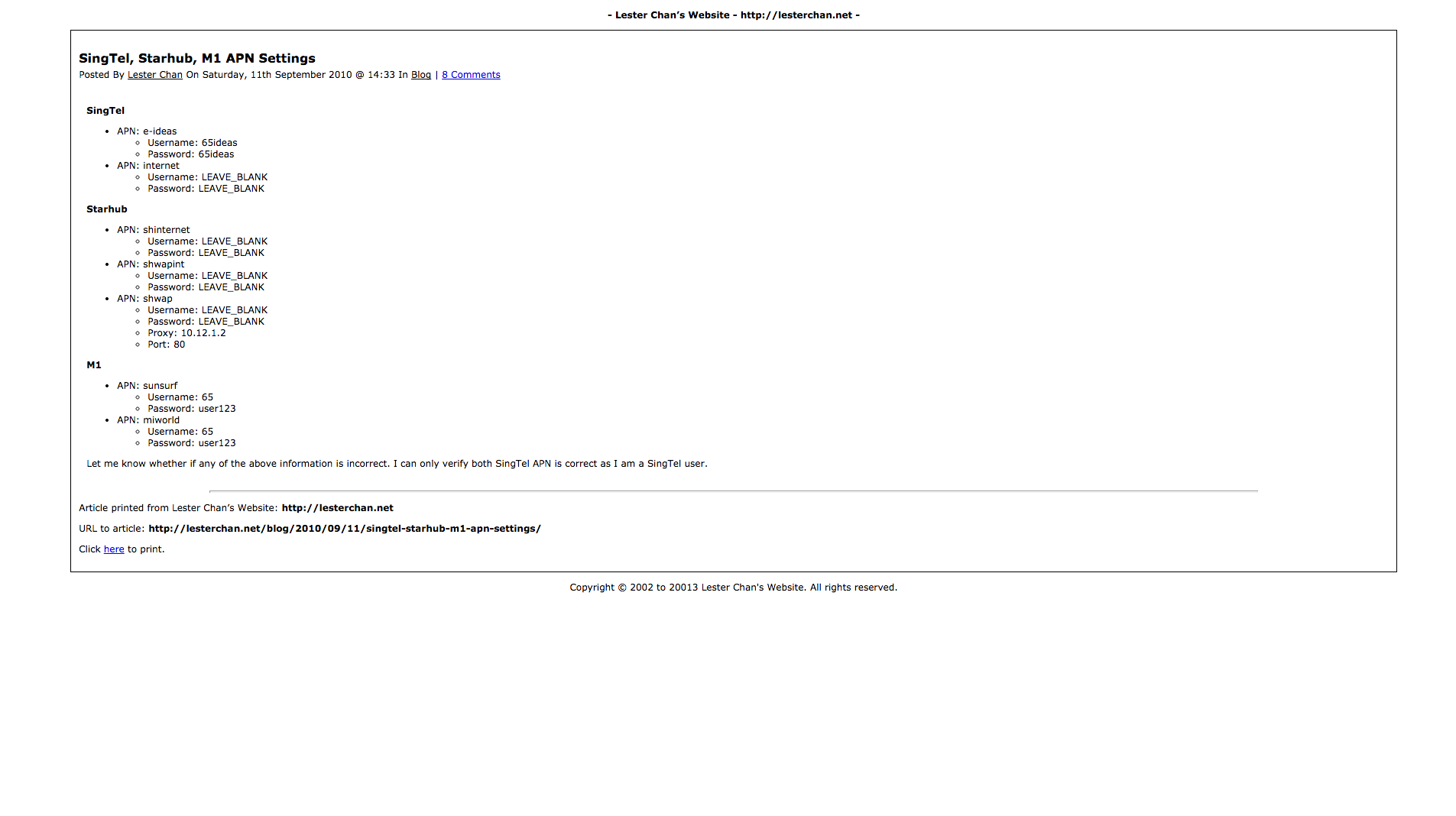
Print Page
Changelog
2.58.1
- FIXED: Strip iframe tags as well.
2.58
- NEW: Ability to print thumbnail. Props @MatthieuMota.
2.57.2
- FIXED: Check both parent and child theme
2.57.1
- NEW: Use translate.wordpress.org to translate the plugin
- FIXED: Unable to update options
2.57
- FIXED: Notices
2.56
- NEW: Updated print HTML code. Props @Luanramos
2.55
- NEW: Bump to 4.1
- FIXED: get_the_category_list() optional secondary argument
- FIXED: Replace font with p
2.54
- NEW: Finally there is custom post type support. Props nimmolo.
- NEW: Allow Multisite Network Activate
- NEW: Uses WordPress uninstall.php file to uninstall the plugin
2.53
- FIXED: Use get_stylesheet_directory() instead of TEMPLATEPATH
2.52
- FIXED: Added nonce to Options. Credits to Charlie Eriksen via Secunia SVCRP.
2.51
- NEW: Support for links that start with “//”
- FIXED: Unable to load WP-Print on Password Protected posts
2.50
- NEW: Uses jQuery Framework
- NEW: [donotprint][/donotprint] ShortCode Will Not Be Displayed As Well When Using WP-Email (Refer To Usage Tab)
- NEW: Use _n() Instead Of __ngettext() And _n_noop() Instead Of __ngettext_noop()
- FIXED: Uses $_SERVER[‘PHP_SELF’] With plugin_basename(FILE) Instead Of Just $_SERVER[‘REQUEST_URI’]
- FIXED: Nested ShortCode Issues