

WP Protect Content
A very useful wordpress plugin to give extra protection for your website content. This plugin give you an option to Disable Copy content or prevent co …
Plugin info
Maintenance & Compatibility
Maintenance score
Possibly abandoned • Last updated 925 days ago • 16 reviews
Is WP Protect Content abandoned?
Possibly abandoned (last update 925 days ago).
Compatibility
Similar & Alternatives
Explore plugins with similar tags, and compare key metrics like downloads, ratings, updates, support, and WP/PHP compatibility.
Description
A very useful wordpress plugin to give extra protection for your website content. This plugin give you an option to Disable Copy content or prevent copy, Disable Right Click, Disable F12 functional key, Allow right click for links, Disable print page(Ctrl+P), Disable save page(Ctrl+S), Disable view page source(Ctrl+U) and Disable save image via drag/drop. In this plugin you will have an option to disable restriction for some specific pages.
Features
* Disable Copy Content
* Disable Mouse Right Click
* Disable F12 Functional Key (Inspect Element)
* Modern Alert Popup Box
* Disable Alert Message Box
* Debug Mode (Disable Restriction for Registered User)
Note: If you are using any cache plugin on your website then please clear site cache after enable/update plugin settings
Please don’t forget to leave your valuable feedback and suggestions to make our plugin much better compared to other plugins.
Have you any suggestion? share it
Video Tutorial:
We have released an Add-on of this plugin which not only demonstrates the flexibility of free version, but also added given below important features:
FLAT 15% DISCOUNT ON ADDON! No Coupon Code Required. Hurry! Limited Time Offer!
= Pro Features =
* Disable Copy Content(Ctrl+C)
* Disable F12 Functional Key(Inspect Element)
* Disable Right Click
* Allow Right Click for Links
* Disable Print Page (Ctrl+P)
* Disable Save Page HTML (Ctrl+S)
* Disable View Page Source (Ctrl+U)
* Disable Save Image via Drag/Drop
* Page Specific Settings
* Stylish Alert Box Window
* Faster Support
Add-on Features Video Tutorial:
Installation
Installing the plugin:
- Unzip the plugin’s directory into
wp-content/plugins. - Activate the plugin through the ‘Plugins’ menu in WordPress.
- The settings page will be available under settings menu (Settings >> WP Protect Content)
Frequently Asked Questions
* Yes, you need to check the corresponding check box from the plugin settings page.
* Yes,you need to check the corresponding checkbox from the plugin settings page.
* Yes,you need to check the corresponding checkbox from the plugin settings page.
* Yes, This feature is available in add-on of plugin, click here to download addon file
* Yes,This feature is available in add-on of plugin, click here to download addon file
* Yes, This feature is available in add-on of plugin, click here to download addon file
* Yes, This feature is available in add-on of plugin, click here to download addon file
* Yes, You can update the settings for any individual page. i.e If you want to allow copy content for any specific page then you can do it easily But This feature is available in plugin add-on , Click here to download add-on
Review feed
Screenshots
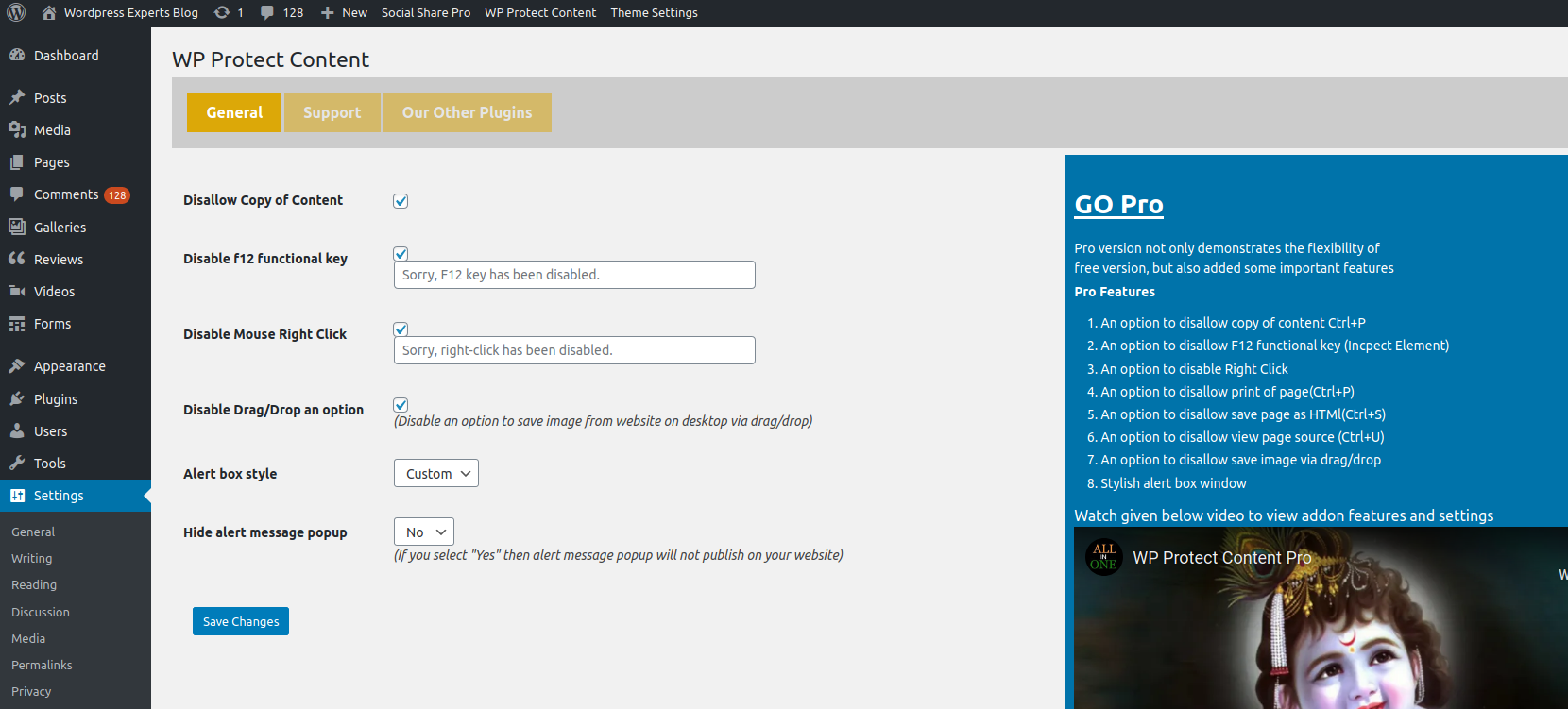
Plugin Settings Page
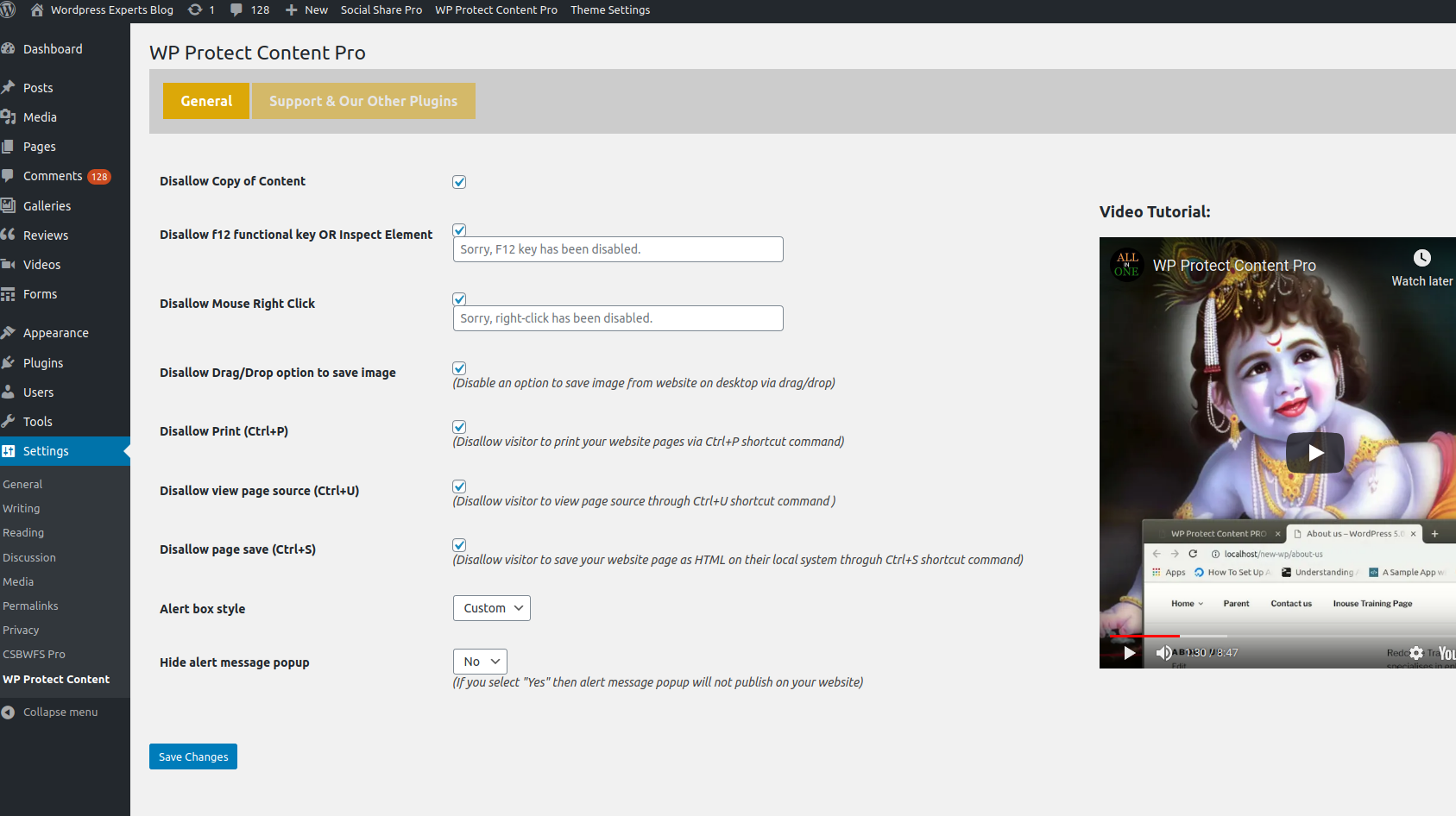
Pro Settings Page
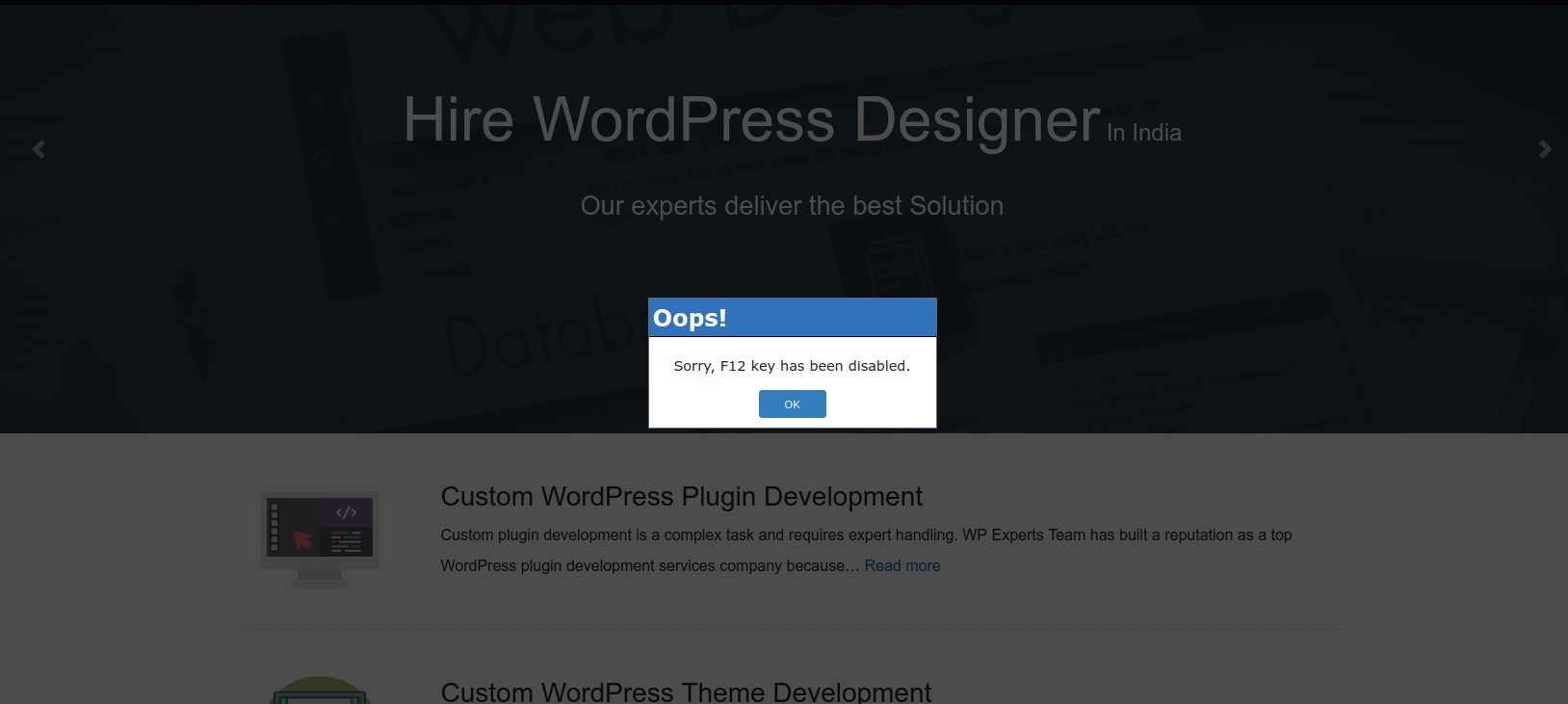
Front End
Changelog
2.6
* Tested with wordpress 5.9.3
* Optimized code
2.4
* Tested with wordpress 5.5
* Fixed error with new wp version
2.3
* Tested with wordpress 5.4.2
* Added debug mode
2.2
* Tested with wordpress 5.4.1
* Optimized code
2.1
* Tested with wordpress 5.2.3
* Fixed form field click issue for Mozilla Firefox browser
2.0
* Fixed copy content error for ios device
1.9
* Tested with wordpress 5.1.1
* Fixed F12 error
1.7
* Tested with wordpress 5.0.2
* Optimized code
* Released ADDON
1.6
* Tested with wordpress 5.0
* Added an option to disable print option
* Added an option to disable drag save image feature
1.5
* Tested with wordpress 4.9.8
* Added an option to disable alert box popup
1.4
* Fixed css conflict issues
1.3
* Tested with wordpress 4.9.7
* Added an option to disable f12 key
1.2
* Tested with wordpress 4.9.1
* Optimized code
1.1
* Tested with wordpress 4.8.1
* Optimized code
1.0
First release