

WP Remove Query Strings From Static Resources
It will remove query strings from static resources like CSS and JS files.
Plugin info
Maintenance & Compatibility
Maintenance score
Possibly abandoned • Last updated 574 days ago • 5 reviews
Is WP Remove Query Strings From Static Resources abandoned?
Possibly abandoned (last update 574 days ago).
Compatibility
Similar & Alternatives
Explore plugins with similar tags, and compare key metrics like downloads, ratings, updates, support, and WP/PHP compatibility.
Description
As it’s name, it will remove query string from static resources. Static resources are JavaScript, CSS files. It improves speed of WordPress website. And also it improves speed score in website testing tools like Pingdom, GTmetrix, PageSpeed and YSlow.
Benefits of removing query strings
It is a part of search engine optimization. So it will improve ranking of your website in search engines. And also it will improve speed score in website testing tools. it improves performance of your website and bring more website visitors.
Installation
There are 3 different ways to install any WordPress plugin including WP Remove Query Strings From Static Resources.
Simplest: Using WordPress Dashboard
- Open Dashboard of your WordPress website and then add new plugin page here: Dashboard > Plugins > Add New.
- Now search for ‘WP Remove Query Strings From Static Resources’.
- Click ‘Install Now’
- Activate the plugin on the Plugin dashboard
Uploading on Dashboard
- Download plugin zip file from: https://wordpress.org/plugins/wp-remove-query-strings-from-static-resources/
- Now open Dashboard and then add new plugin page here: Dashboard > Plugins > Add New.
- Now click on ‘Upload Plugin’ button.
- Click on ‘Browse…’ to select downloaded zip file. Now simply install and activate it.
Uploading using FTP
- Download plugin zip file from: https://wordpress.org/plugins/wp-remove-query-strings-from-static-resources/
- Extract this zip file to find folder ‘wp-remove-query-strings-from-static-resources’
- Now upload ‘wp-remove-query-strings-from-static-resources’ folder inside plugins directory here: ‘–WP-ROOT–/wp-content/plugins/’
- Now open Dashboard and then plugins page. Find this plugin and activate it.
Frequently Asked Questions
This plugin does not have any option. It will stat working after plugin activation. And it will stop working after deactivation.
Yes, it works for all WordPress websites.
Please create support topic Here
Review feed
Plugin Support
Screenshots
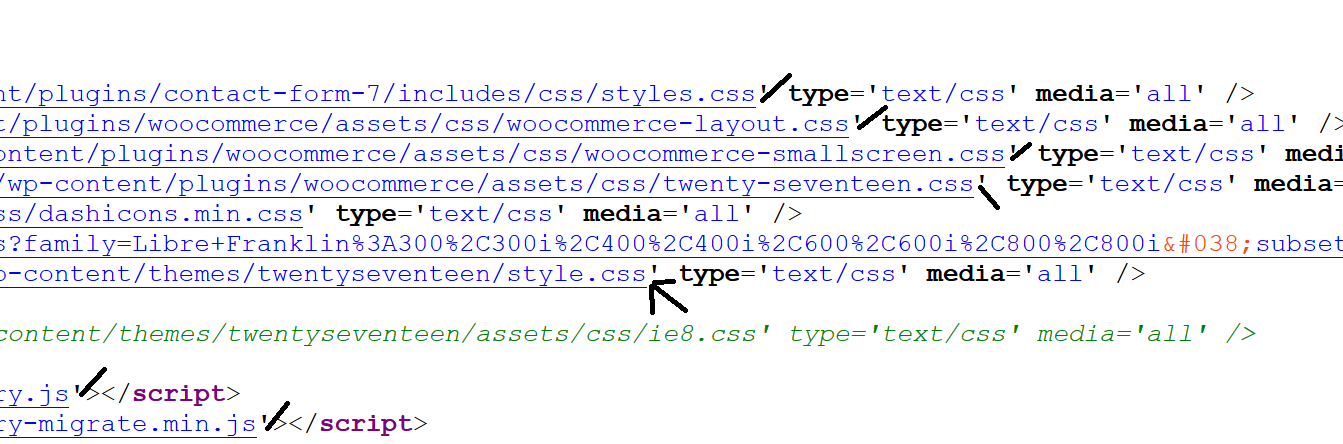
Code View
Changelog
1.8
- Remove additional class
1.7
- Added additional class
1.6
- Tested for WP 6.6
1.5
- Tested for WP 6.3
1.4
- Compatibility WP 6.0
1.3
- 23 Feb, 2019
- Text improved
- Increase Version
1.2
- 3 July, 2017
- Code improved
1.1
- 3 July, 2017
- Compatibility issue
1.0
- 29 June, 2017
- First Release