

Plugin info
Maintenance & Compatibility
Maintenance score
Maintained • Last updated 160 days ago
Is WP Replicate Post abandoned?
Likely maintained (last update 160 days ago).
Compatibility
Languages
Similar & Alternatives
Explore plugins with similar tags, and compare key metrics like downloads, ratings, updates, support, and WP/PHP compatibility.
Description
This plugin has been developed by Yudiz Solutions Ltd. It will help you to replicate pages, posts as well as custom posts.
How to use this plugin?
1) In edit posts/pages, you can click on ‘Replicate’ link which will create a replica of that particular post/page and return back to the list.
2) This plugin also retains the state of the original post/page. To exemplify, if we create replica of post/page, it will be in the draft state with ‘Replica’ name.
3) If you need to edit the replica then it can be done in the same manner as you do with regular post/page.
4) In order to replicate in bulk, you need to select all those posts/pages and then afterward choose ‘Replicate’ option from the ‘Bulk Actions’ dropdown that appears on the top of the list.
5) Download Source Code from here.
Installation
- Install and activate the plugin.
- Select the options from the plugin settings.
- Click on the replicate link which appears whenever you hover over the post/page that you want to replicate.
- You are good to go now.
Frequently Asked Questions
Review feed
Screenshots
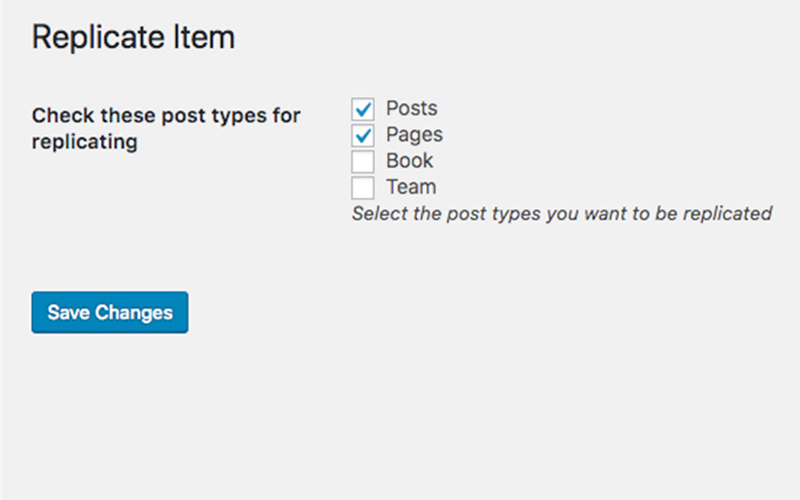
screenshot-1.png

screenshot-2.png

screenshot-3.png

screenshot-4.png
Changelog
4.1
Security Updates
4.0.1
WordPress Update
4.0
WordPress Update
3.1
WordPress Update
1.0
Initial release