

WP Responsive Slideshows
WP Responsive Slideshows Plugin for Adding Multiple Resposive Slideshow into WP Sites.
Maintenance 22/1004187d since update
Active installs
30
Downloads
2,887
Reviews
4
Age
11.5y
Plugin info
Total downloads: 2,887
Active installs: 30
Total reviews: 4
Average rating: 4.8
Support threads opened: 0
Support threads resolved: 0 (0%)
Available in: 1 language(s)
Contributors: 1
Last updated: 10/16/2014 (4187 days ago)
Added to WordPress: 10/14/2014 (11 years old)
Minimum WordPress version: 3.7
Tested up to WordPress version: 4.0.38
Minimum PHP version: f
Maintenance & Compatibility
Maintenance score
Possibly abandoned • Last updated 4187 days ago • 4 reviews
22/100
Is WP Responsive Slideshows abandoned?
Possibly abandoned (last update 4187 days ago).
Compatibility
Requires WordPress: 3.7
Tested up to: 4.0.38
Requires PHP: f
Similar & Alternatives
Explore plugins with similar tags, and compare key metrics like downloads, ratings, updates, support, and WP/PHP compatibility.
Organic Builder Widgets – Simple WordPress Page Builder
Rating 4.8/5 (85 reviews) • Active installs 4,000
Theme Blvd Sliders
Rating 0.0/5 (0 reviews) • Active installs 1,000
Bamboo Slides
Rating 0.0/5 (0 reviews) • Active installs 50
Image Flicker
Rating 0.0/5 (0 reviews) • Active installs 40
SP Clients Carousel – Client Showcase Slider
Rating 0.0/5 (0 reviews) • Active installs 30
SDAC Post Slideshows
Rating 0.0/5 (0 reviews) • Active installs 10
Description
WP Responsive Slideshows Plugin for Adding Multiple Resposive Slideshow into WP Sites.
Installation
This section describes how to install the plugin and get it working.
- Install plugin from WordPress add new plugin
- Activate the plugin through the ‘Plugins’ menu in WordPress
- Place [WRS slideshow_id=id] on posts and pages
Frequently Asked Questions
A question that someone might have
Review feed
No reviews available
Screenshots

Add New Slideshow Panel.
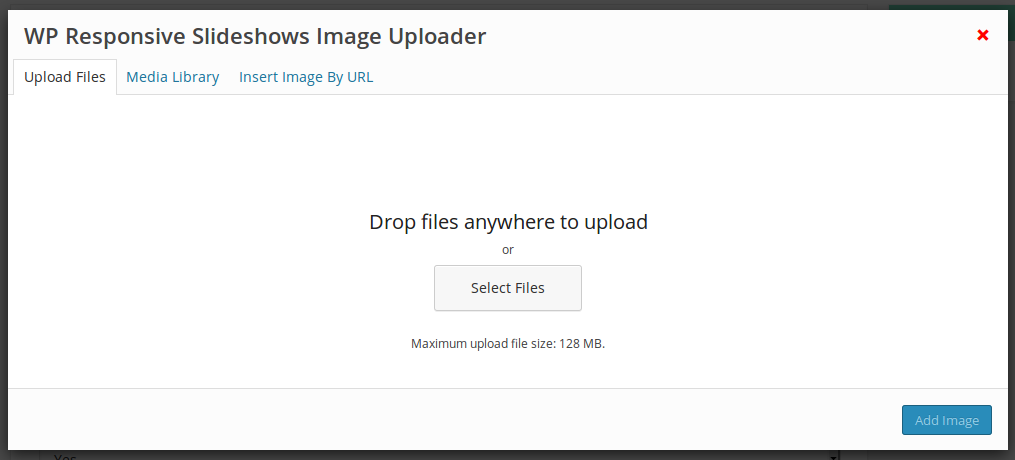
Add Slideshow Images Panel.

Add Slideshow Images By URL Panel.

Add Slideshow Videos Panel.

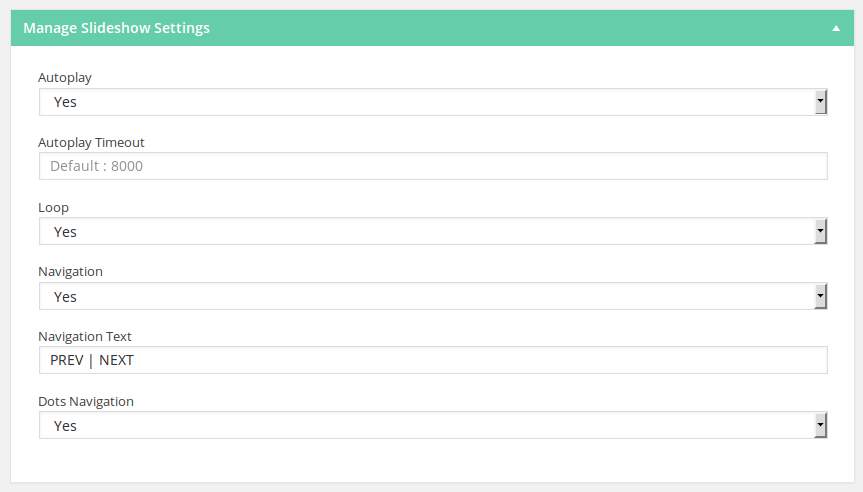
Add Slideshow Settings Panel.
Add Slideshow Shortcode Button on Posts and Pages WP Editor.

Add Slideshow Shortcode Panel.
Changelog
No changelog available