

REST API Authentication for WP – JWT Auth and more
Secure and protect your REST API endpoints from unauthorized access using JWT token, Basic Authentication, API Key, OAuth 2, or external token.
Plugin info
Maintenance & Compatibility
Maintenance score
Stale • Last updated 181 days ago • Support resolved 0% • 71 reviews
Is REST API Authentication for WP – JWT Auth and more abandoned?
Likely maintained (last update 181 days ago).
Compatibility
Similar & Alternatives
Explore plugins with similar tags, and compare key metrics like downloads, ratings, updates, support, and WP/PHP compatibility.
Description
WordPress REST API endpoints are open and unsecured by default through which anyone can access your site data. With our REST API Authentication for WP plugin, secure your WordPress APIs from unauthorized users.
Protect WP REST API endpoints from public access by:
– JWT Authentication
– Basic Authentication
– API Key Authentication
– OAuth 2.0 Authentication
– External Token based Authentication 2.0/OIDC/JWT/Firebase provider’s token authentication methods.
Benefits of Refresh Token
- Enhances security by keeping access tokens short-lived.
- Improves user experience with uninterrupted sessions.
- Reduces login frequency.
Benefits of Revoke Token
- Protects against token misuse if a device is lost or compromised.
- Enables admin-triggered logouts or session control.
- Useful for complying with stricter session policies.
This plugin will make sure that only after successful authentication, the user is allowed to access your site’s resources. REST API Authentication will make your WordPress endpoints secure from unauthorized access.
Along with the default and standard WordPress REST API endpoints, with REST API Authentication for WP, you can authenticate custom-developed REST endpoints and third-party plugin REST API endpoints like that of Woocommerce, Learndash, Buddypress, Gravity Forms, CoCart, etc.
REST API Authentication Methods in our WordPress plugin
- JWT Authentication
To maintain a seamless user experience without frequent logins needed due to token expiry, you can use our Refresh and Revoke token mechanisms feature.
When the access token expires, instead of forcing the user to log in again, the client can request a new access token using a valid refresh token. - API Key Authentication
- Basic Authentication:
– 1. Username: Password
– 2. Client-ID: Client-Secret - OAuth 2.0 Authentication [Most Secure]
– 1. Password Grant
– 2. Client Credentials Grant - Third Party Provider Authentication
Following are some of the integrations that are possible with REST API Authentication:
Learndash API Authentication
- This plugin allows you to securely access Learndash user profiles, courses, groups & other Learndash API endpoints.
Custom Built REST API Endpoints Authentication
- The plugin supports authentication for your own built custom REST API routes/endpoints. You can secure these API endpoints using the plugin’s highly secured authentication methods.
BuddyPress API Authentication
- Securely access BuddyPress REST API endpoints via authentication using different authentication methods like JWT token (JSON Web Token), API Keys etc.
WooCommerce API Authentication
- REST API Authentication for WP allows you to authenticate the WooCommerce store APIs with your mobile or desktop application & extend the features and functionality of your eCommerce store.
Gravity Form API Authentication
- This plugin supports interaction with Gravity Forms from an external client application which can be your Android/iOS application.
External/Third-party plugin API endpoints integration in WordPress
- These integrations can be used to fetch/update the data from the third-party side into WordPress that can be used to display it on the WordPress site as well, and this data can be processed further to use with any other plugin or WordPress events.
FEATURES
FREE PLAN
- Authenticate only default WordPress REST API endpoints.
- Basic Authentication with username and password.
- JWT Authentication (JSON Web Token Authentication).
- Selective API protection.
- Restrict non-logged-in users to access REST API endpoints.
PREMIUM PLANS
- Authenticate all REST API endpoints (Default WP, Custom APIs,Third-Party plugins)
- JWT Token Authentication (JSON Web Token Authentication)
- **Refresh and Revoke token endpoints
- API Key Authentication
- Basic Authentication (username/password and email/password)
- OAuth 2.0 Authentication
- Universal API key and User-specific API key for authentication
- Selective API protection.
- Time-based token expiry
- Role-based authentication
- Custom Header support rather than just Authorization to increase security.
- Create users in WordPress based on third-party provider access tokens (JWT tokens) authentication.
Our Other Popular REST API Integrations
-
Custom API for WP plugin to create and connect external APIs to your WordPress site.
-
Sync products to WooCommerce | Import WooCommerce products using API to connect to your Supplier, Inventory, ERP, and CRM APIs to sync the products to your WooCommerce store with all the product data automatically.
-
Sync Custom Posts using External API to automatically sync the data to custom posts in WordPress from the external REST API data.
-
WordPress JWT Single Sign-On (SSO) Auto login to sync user sessions or auto-login to WordPress and other connected sites
Privacy
This plugin does not store any user data.
Installation
This section describes how to install the REST API Authentication for WP and get it working.
From your WordPress dashboard
- Visit
Plugins > Add New - Search for
REST API Authentication. Find and Install theapi authenticationplugin by miniOrange - Activate the plugin
From WordPress.org
- Download REST API Authentication for WP.
- Unzip and upload the
wp-rest-api-authenticationdirectory to your/wp-content/plugins/directory. - Activate REST API Authentication for WP from your Plugins page.
Frequently Asked Questions
The REST API authentication prevents unauthorized access to your WordPress APIs. It reduces potential attack factors.
This plugin supports 5 methods: i) authentication through JWT token, ii) authentication through user credentials passed as an encrypted token, iii) authentication through API Key, iv) authentication through OAuth 2.0 protocol and v) authentication via JWT token obtained from the external OAuth/OpenId providers which include Google, Facebook, Azure, AWS Cognito, Apple etc and also from Firebase.
Yes, our plugin supports API authentication through JWT (JSON Web Token). The JWT is validated every time an API request is made; only the requested resource for the API call is allowed to access it if the JWT validation is successful.
You just have to select your Authentication Method in the plugin.
Based on the method you have selected, you will get the authorization code/token after sending the token request.
Access your REST API with the code/token you received in the previous step.
Yes, the plugin provides Basic authentication with the following 2 methods –
a.) WP Username & Password b.) Client Credentials.
The plugin provides you with more security for Basic auth token validation using a highly secure HMAC algorithm.
Yes, the plugin supports the authentication for custom-built REST endpoints using rest_api_init or register_rest_route.
Yes, this plugin by default disables all the WP REST APIs, which can only be accessed with allowed authentication and authorization, but it provides a feature where you can choose which particular endpoints you want to disable and which ones to make accessible publicly.
This plugin provides this HTTP POST endpoint wp-json/api/v1/token, also called as WordPress login API endpoint, in which you can pass the user’s WordPress credentials and this endpoint will validate the user and return you with the appropriate response.
The plugin also supports the authentication and authorization of WordPress users’ register REST API.
You can access draft posts using Basic Auth, OAuth 2.0(using Username: Password), JWT authentication, and API Key auth(using Universal Key) methods. Pages/posts need to access with the status. The default status used in the request is ‘Publish’, and any user can access the published post.
To access the pages/posts stored in the draft, you need to append the ?status=draft to the page/post request.
For Example:
You need to use the below URL format while sending a request to access different types of posts
1. Access draft posts only
https:///wp-json/wp/v2/posts?status=draft
2. Access all types of posts
https:///wp-json/wp/v2/posts?status=any
You just have to change the status(draft, pending, any, publish) as per your requirement. You do not have to pass the status parameter to access published posts.
This plugin provides you with an authentication method called the ‘Third Party Provider’ authentication method, in which the JWT token or access token is obtained from external identities(OAuth/OIDC/JWT/JWKS providers) like Firebase, Okta, Azure, Keycloak, ADFS, AWS Cognito, Google, Facebook, Apple, etc., can be passed along with API request in the header, and the plugin validates that JWT / access token directly from these external sources/providers.
This plugin provides a way to bypass Woocommerce security and instead authenticate APIs using the authentication methods, hence improving the security and preventing Woocommerce credentials from getting compromised. The authentication token passed in the API request will validate the user and result in user-specific data only. For more information, please contact us at [email protected]
You can enable API access in WooCommerce using our REST API Authentication for WP plugin. Please reach out to us at [email protected] for more information.
To achieve the auto-login and session sharing, we have another plugin WordPress Login & Register using JWT
Yes, with the premium plan, the plugin provides the REST API endpoint for the complete forgot password/password reset functionality securely.
Review feed
Great plugin, does as it says!
Screenshots
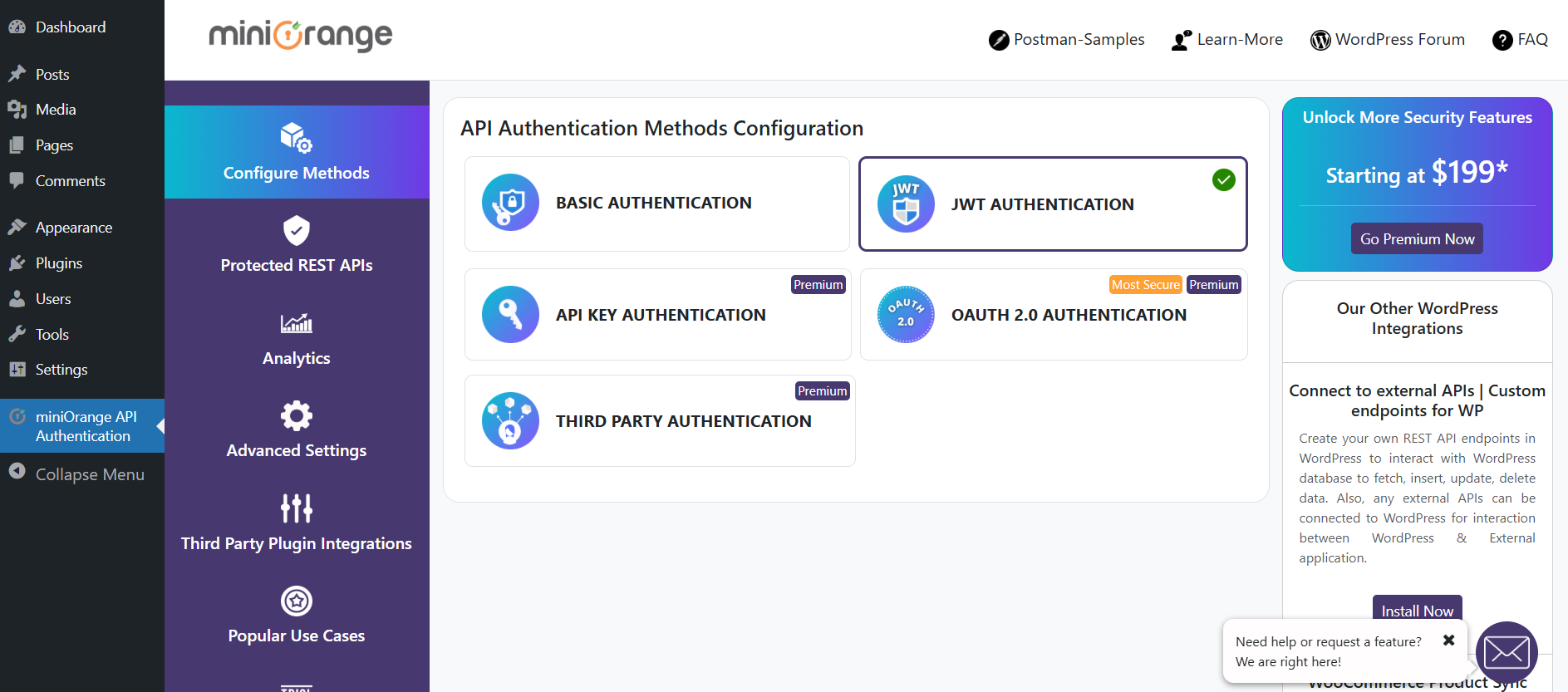
List of API Authentication Methods
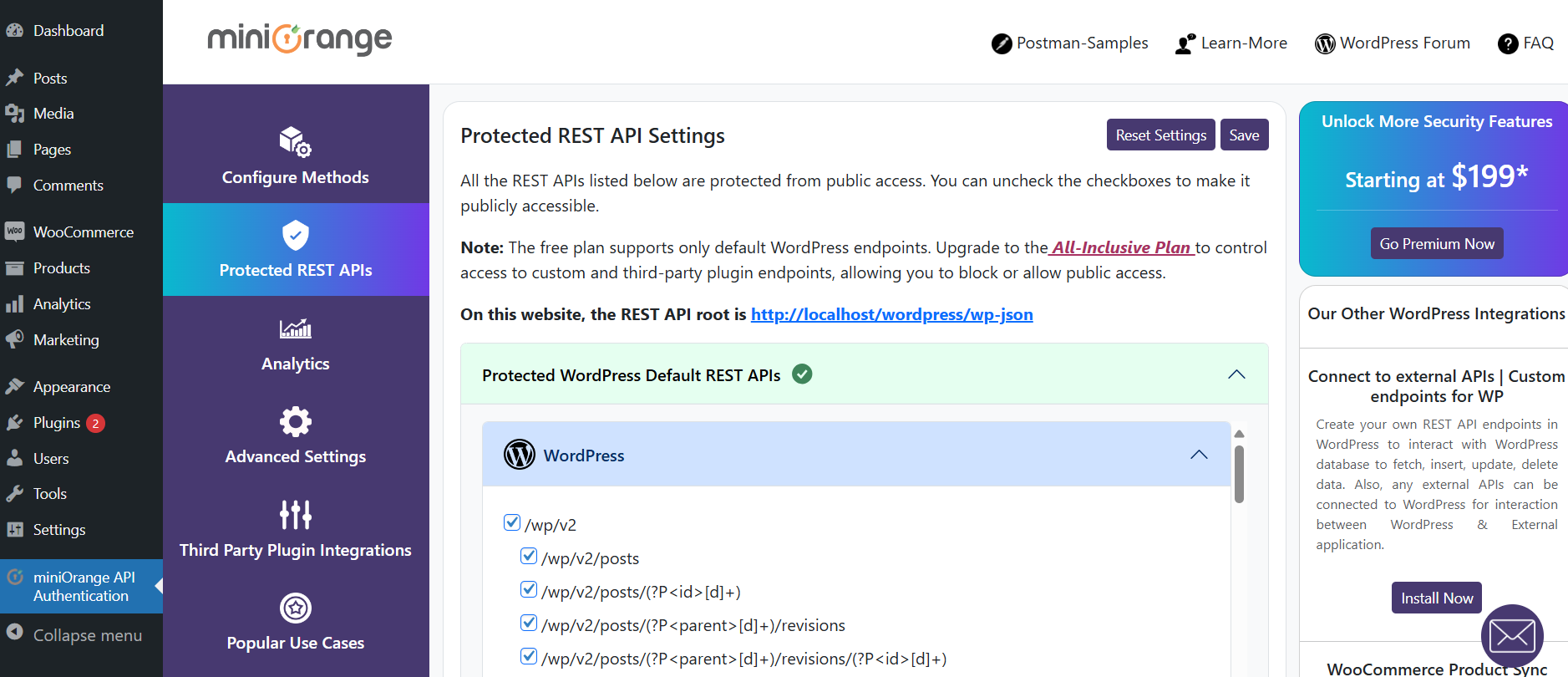
List of Protected WP REST APIs
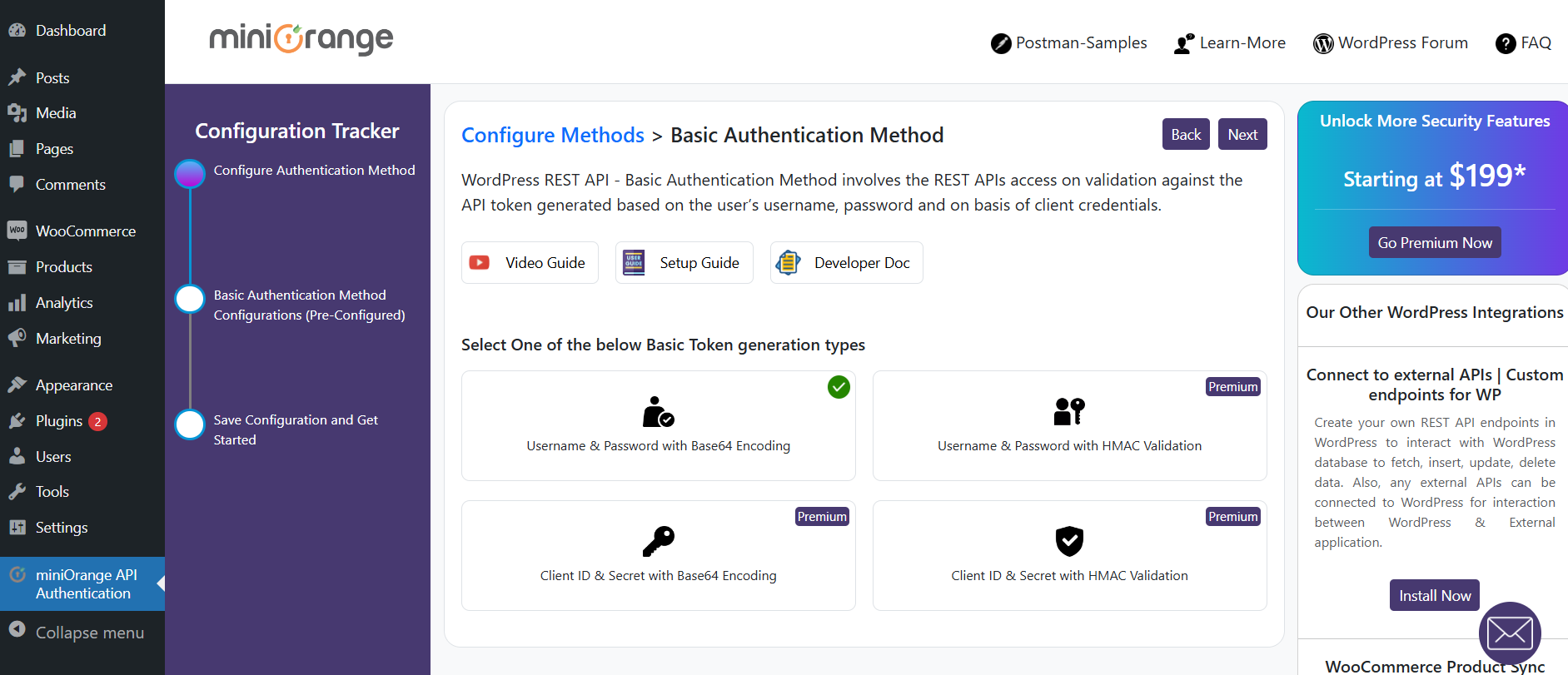
Basic Authentication method configuration
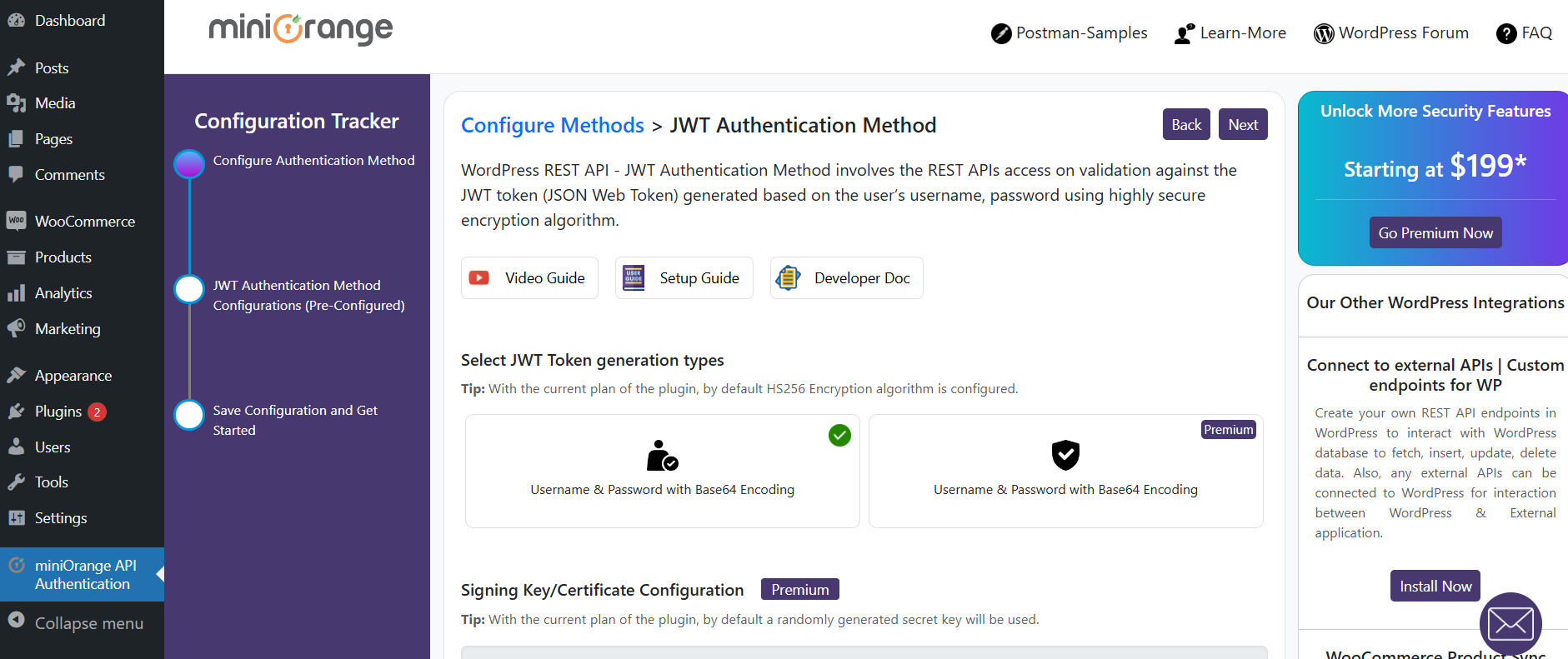
JWT Authentication method configuration
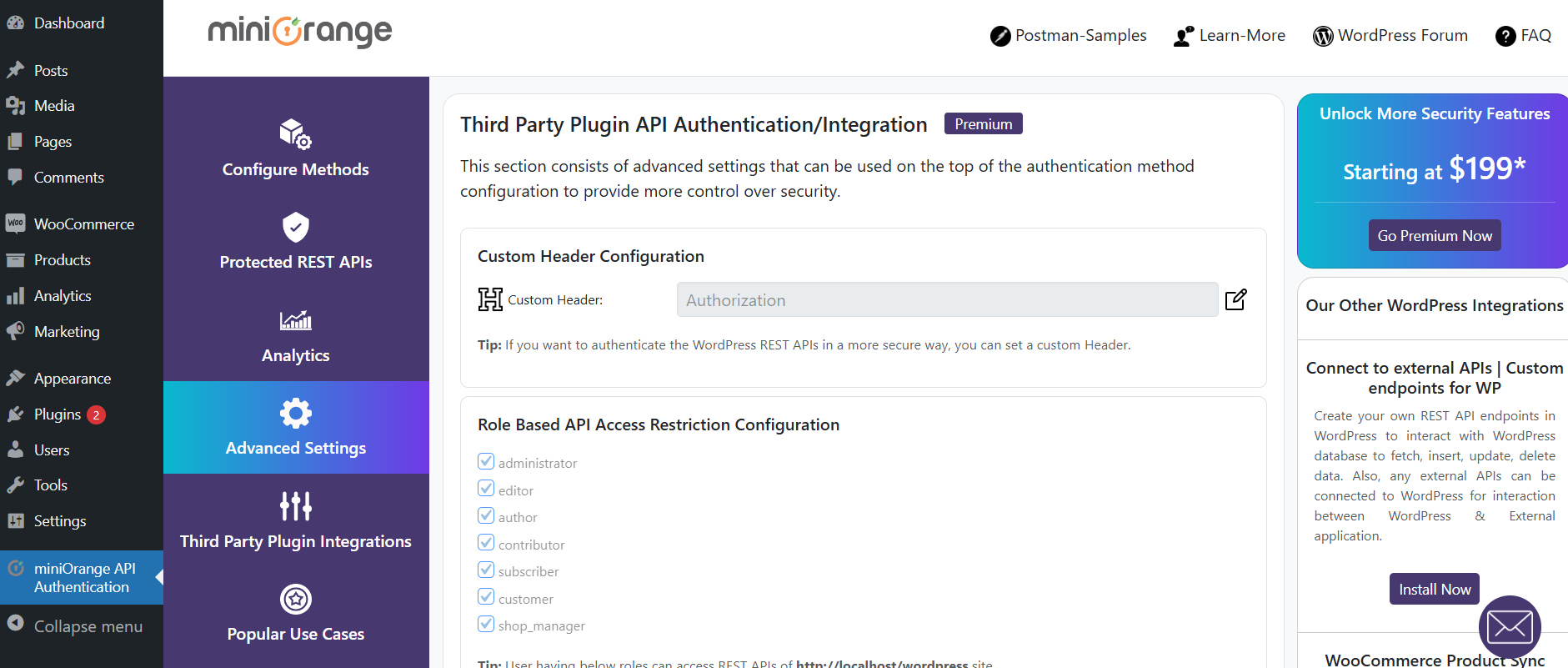
Advanced Settings
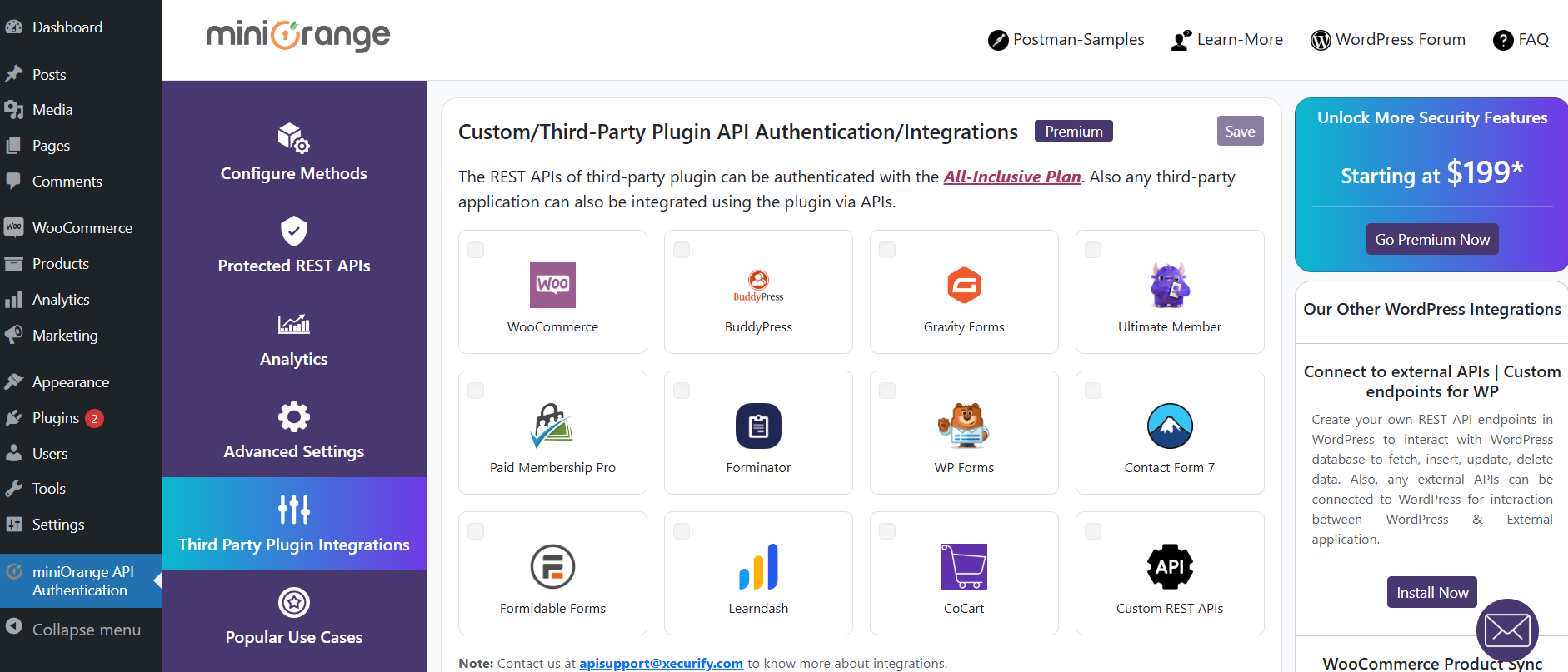
Custom API Integration
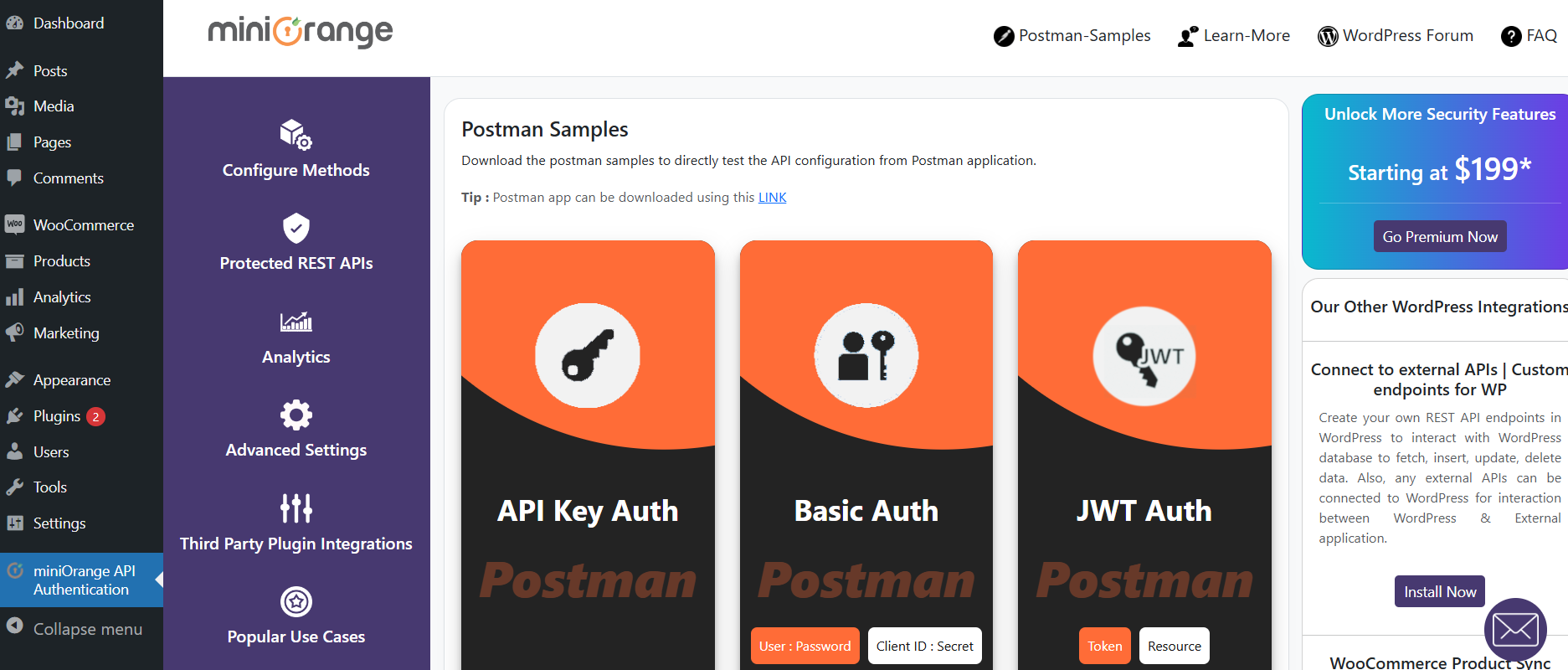
Postman Sample Settings
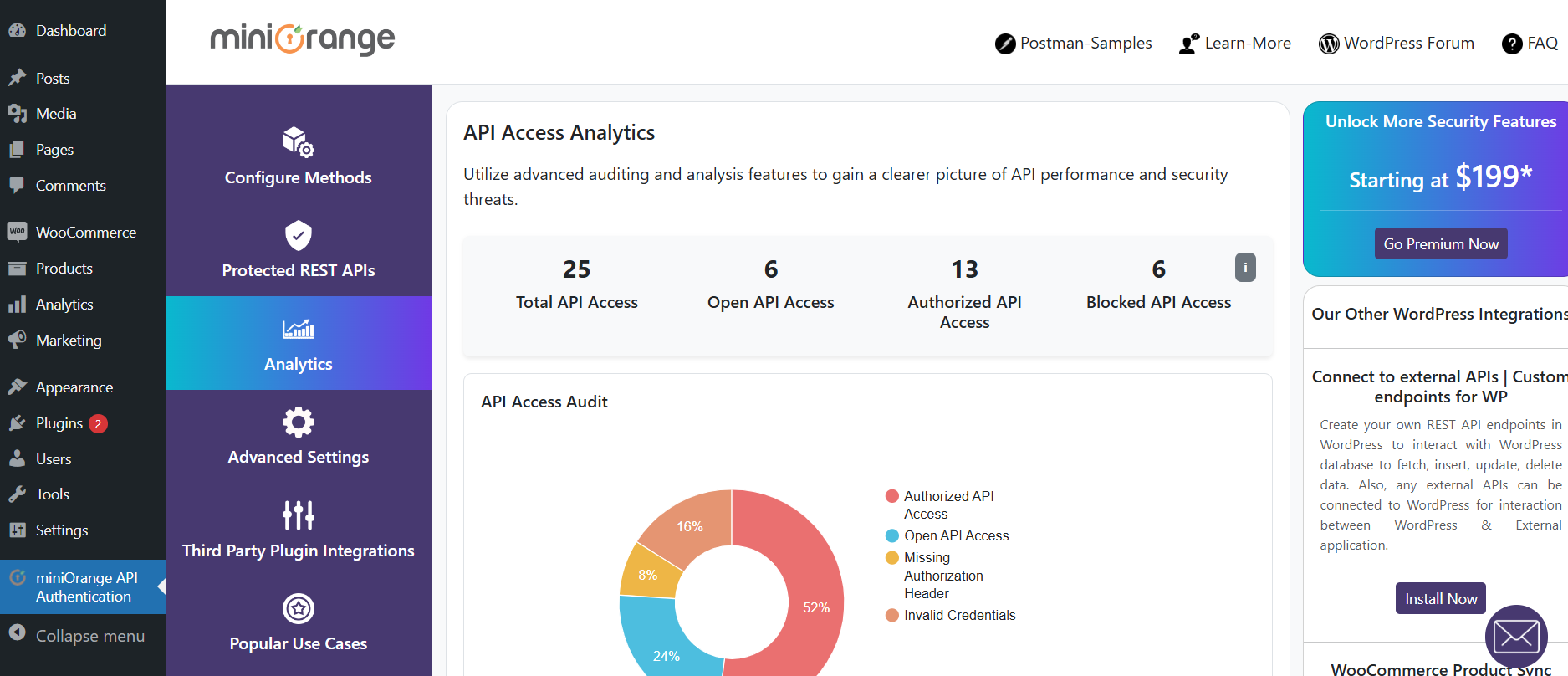
API Access Auditing analytics
Changelog
4.0.0
- Security enhancements.
3.9.0
- UI Improvements
3.8.0
- Plugin name changes
- UI Improvements
3.7.2
- Bug fix related to CORS response headers
- Optimization fixes related to repetitive database queries
- UI Improvements
3.7.1
- Bug fixes related to some icons not showing up correctly.
3.7.0
- Plugin name changes
3.6.5
- Compatibility with WordPress 6.8
- URL migration
3.6.4
- Bug fixes
3.6.3
- UI improvements related to the REST API Access analytics show in the dashboard
3.6.2
- Bug fixes for file includes
3.6.1
- Bug fixes
3.6.0
- Code improvements.
- Compatibility with WP 6.7.*
3.5.4
- Added analytics logs for logged-in users.
- Added fix for plugin not getting deactivated after clicking the Skip button.
3.5.3
- Minor Bug fix
3.5.2
- Major bug fix for 401 response on edit, update and delete API requests (Requires saving the “Protected REST APIs” Settings in the plugin again for changes to be in effect)
- Usability improvements for API Access analytics
3.5.1
- Bug fix for file includes
3.5.0
- Auditing and analytics for REST API access
- Bug fixes for Basic Authentication
- UI Updates
3.4.0
- Compatibility with WordPress 6.6
- UI Updates
3.3.1
- Major Release with UI and UX improvements
3.3.0
- Major Release with UI and UX improvements
3.2.0
- Compatibility with WordPress 6.5
- Fix related to the CORS issue
3.1.0
- Minor UI Improvements
3.0.0
- Compatibility with WordPress 6.4
2.9.1
- Quick fix related to permalinks settings
2.9.0
- Usability improvements
- UI updates
2.8.0
- WordPress 6.3 compatibility
- Added support for the WordPress.com environment for API authentication
- UI Improvements
2.7.0
- WordPress 6.2 compatibility
- UI Changes
2.6.0
- Security Fixes
- UI Improvements & Fixes
2.5.1
- PHP Warning for incorrect JWT fixed
2.5.0
- Security Fixes
- UI Improvements
2.4.2
- Bug Fixes
2.4.1
- WordPress 6.1 compatibility
- Added a JWT token endpoint for the JWT authentication method
- Security fixes
2.4.0
- Minor Bug Fixes
2.3.0
- WordPress 6.0 compatibility
- Improvised Test Configuration User experience
- Minor Bug Fixes
2.2.1
- Bug fixes for Test API Configuration
- Bug fixes for API key configuration
- UI fixes
2.2.0
- UI improvements
- Introduced a feature for Test API Configuration
- Added the Third-party plugin integration section
- Bug fixes
2.1.0
- Major UI updates
- Usability improvements and bug fixes
- Compatibility with WordPress 5.9.1
- Compatibility with PHP 8+
1.6.7
- Compatibility with WordPress 5.9
1.6.6
- UI Updates
1.6.5
- WordPress 5.8.2 compatibility
- UI Changes
1.6.4
- Security Improvements
1.6.3
- WordPress 5.8.1 compatibility
- Readme Updates
1.6.2
- WordPress 5.8 compatibility
- Bug Fixes
- Usability Improvements
- UI Updates
1.6.1
- Bug Fixes
- Modifications for Custom API auth capabilities
1.6.0
- Minor fixes
- UI updates
- Usability improvements
1.5.2
- Minor fixes
- Remove extra code
1.5.1
- Minor fixes
- Security fixes
1.5.0
- Minor fixes
- Security fixes
1.4.2
- UI updates
1.4.1
- UI updates
- Minor fixes
1.4.0
- WordPress 5.6 compatibility
1.3.10
- Allow all REST APIs to authenticate
- Added Postman samples
- Minor Bugfix
1.3.9
- Minor Bugfix
1.3.8
- Added compatibility for WP 5.5
1.3.7
- Bundle plan release
- Minor Bugfix
1.3.6
- Added compatibility for WP 5.4
1.3.5
- Minor Bugfix
1.3.4
- Minor Bugfix
1.3.2
- Minor Bugfix
1.3.1
- Minor Fixes
1.3.0
- Added UI Changes
- Updated plugin licensing
- Added New features
- Added compatibility for WP 5.3 & PHP7.4
- Minor UI & feature fixes
1.2.1
- Added fixes for undefined getallheaders()
1.2.0
- Added UI changes for Signing Algorithms and Role-Based Access
- Added Signature Validation
- Minor fixes
1.1.2
- Added JWT Authentication
- Fixed role-based access to REST APIs
- Fixed common class conflicts
1.1.1
- Fixes to Create, Posts, Update Publish Posts
1.1.0
- Updated UI and features
- Added compatibility for WordPress version 5.2.2
- Added support for accessing draft posts as per User’s WordPress Role Capability
- Allowed Logged In Users to access posts through /wp-admin Dashboard
1.0.2
- Added Bug fixes
1.0.0
- Updated UI and features
- Added compatibility for WordPress version 5.2.2