

WP REST API Controller
Enable a UI to toggle visibility and customize properties in WP REST API requests.
Plugin info
Maintenance & Compatibility
Maintenance score
Possibly abandoned • Last updated 1107 days ago • 12 reviews
Is WP REST API Controller abandoned?
Possibly abandoned (last update 1107 days ago).
Compatibility
Languages
Similar & Alternatives
Explore plugins with similar tags, and compare key metrics like downloads, ratings, updates, support, and WP/PHP compatibility.
Description
WP REST API Controller allows admins to toggle the visibility of, and customize the endpoints for, all core and custom post types and taxonomies within WordPress with an easy-to-use graphical interface. Additionally, you can tweak visibility and customize the meta data attached to the API response.
Note: This plugin requires WordPress Version 4.7 or later to work.
Features:
- Enable/Disable REST API endpoints for post types and taxonomies.
- Enable/Disable post type/taxonomy meta data (add or remove meta fields from API requests).
- Rename post type/taxonomy base endpoints.
- Rename post type/taxonomy meta data names in API requests so they are more user friendly.
- Manipulate and control post types/taxonomies and their data created by third party plugins and themes.
- Granular control of API responses without writing a single line of PHP code.
- Filters included to alter and extend default functionality.
- Localized and ready for translations.
Installation
- Download the plugin .zip file and make note of where on your computer you downloaded it to.
- In the WordPress admin (yourdomain.com/wp-admin) go to Plugins > Add New or click the “Add New” button on the main plugins screen.
- On the following screen, click the “Upload Plugin” button.
- Browse your computer to where you downloaded the plugin .zip file, select it and click the “Install Now” button.
- After the plugin has successfully installed, click “Activate Plugin” and enjoy!
- Find the WP REST API Controller Settings screen under the Tools menu in the WordPress Admin
Frequently Asked Questions
Yes! You can quickly and easily toggle the endpoints, so they are either accessible or inaccessible to API requests. Using our interface you can enable the post types you need, while disabling the ones you don’t.
Yes, you can alter all core public post types and taxonomies using this plugin. You can enable/disable all public post types and taxonomies on your site, and enable/disable/customize their meta data using this plugin.
Yes! Our plugin simply filters the rest_base parameter for the custom post type, so you can setup or alter REST endpoints for every custom post type on your site!
Our plugin allows you to customize all of the post types within WordPress.
Yes! Users can enable or disable custom meta data assigned to each post type. You can also change the name of the property for each meta data in the API request. If you assign custom meta fields to your posts using Advanced Custom Fields, CMB2 or add_meta_box() you can adjust the visibility, and customize the name, of the property in API requests.
Yes! Version 1.3 of this plugin is compatible with WordPress 4.7.
Note: All properties in the API request are populated using get_post_meta() or get_term_meta(). If you need to filter a meta value, you can use the wp_rest_api_controller_api_property_value filter provided by this plugin.
Review feed
I wish I could give you 10 stars
Screenshots
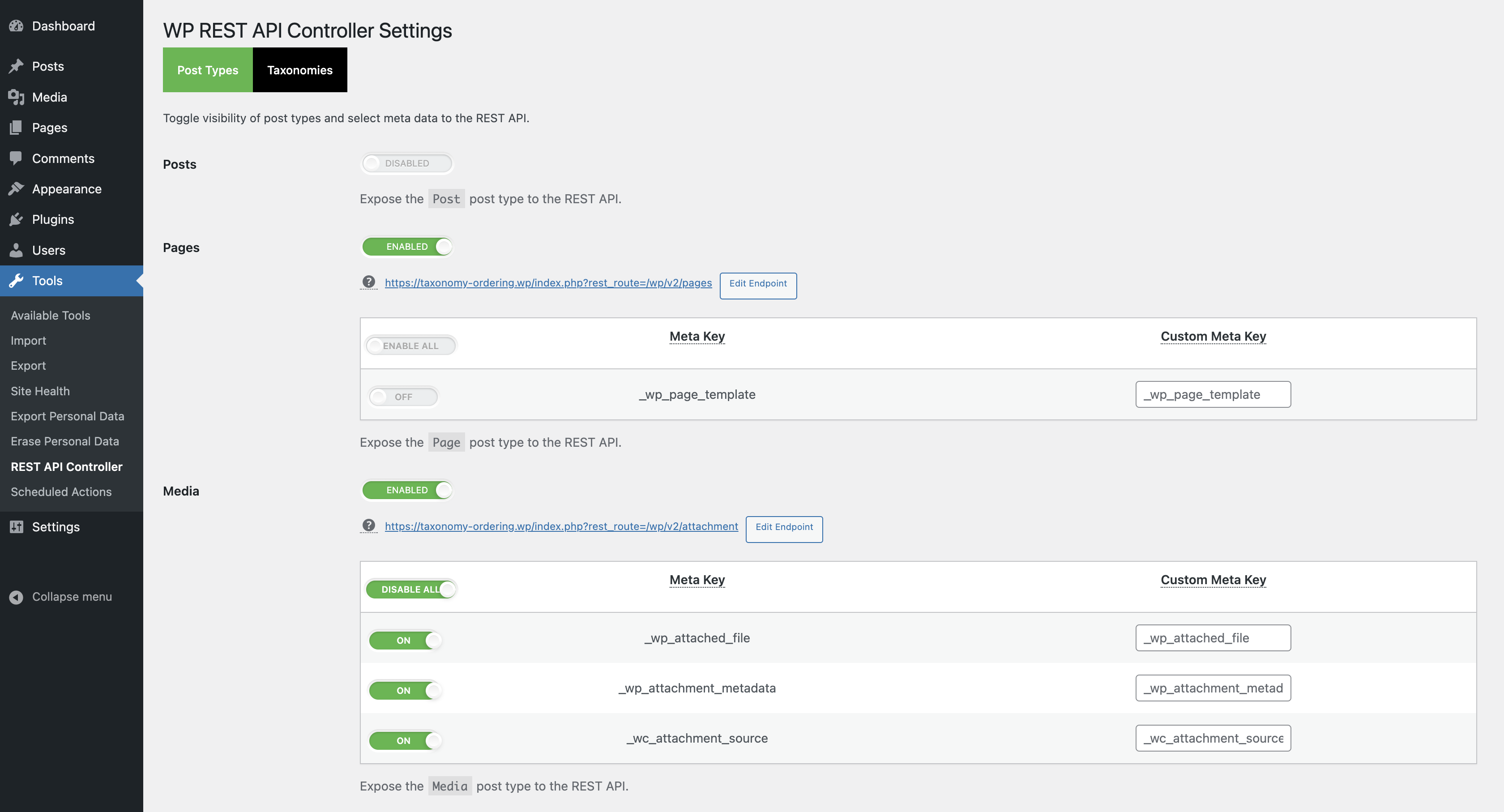
WP REST API Controller settings page.
Changelog
- Fixed the REST API endpoint when the
rest_basevalue is empty when a post type is registered.