

WP REST Cache
Enable caching of the WordPress REST API and auto-flush caches upon wp-admin editing.
Plugin info
Maintenance & Compatibility
Maintenance score
Maintained • Last updated 172 days ago • Support resolved 25% • 42 reviews
Is WP REST Cache abandoned?
Likely maintained (last update 172 days ago).
Compatibility
Similar & Alternatives
Explore plugins with similar tags, and compare key metrics like downloads, ratings, updates, support, and WP/PHP compatibility.
Description
Are you facing speed issues, using the WordPress REST API? This plugin will allow WordPress to cache the responses of the REST API, making it much faster.
This plugin offers:
- Caching of all default WordPress REST API
GET-endpoints. - Caching of (custom) post type endpoints.
- Caching of (custom) taxonomy endpoints.
- Automated flushing of caches if (some of) its contents are edited.
- Manual flushing of all caches.
- Manual flushing of specific caches.
- A counter how many times a cache has been retrieved.
- Specifying after what time the cache should be timed out.
- Registering custom endpoints for caching.
- Automatic cache regeneration.
WP REST Cache Pro
For more advanced features, check out our WP REST Cache Pro plugin:
- Configure custom endpoints for caching through the wp-admin interface.
- Configure relationships within endpoints.
- No coding required.
Installation from within WordPress
- Visit ‘Plugins > Add New’ (or ‘My Sites > Network Admin > Plugins > Add New’ if you are on a multisite installation).
- Search for ‘WP REST Cache’.
- Activate the WP REST Cache plugin through the ‘Plugins’ menu in WordPress.
- Go to “after activation” below.
Installation manually
- Upload the
wp-rest-cachefolder to the/wp-content/plugins/directory. - Activate the WP REST Cache plugin through the ‘Plugins’ menu in WordPress.
- Go to “after activation” below.
After activation
- Visit ‘Plugins > Must-Use’ (or ‘My Sites > Network Admin > Plugins > Must-Use’ if you are on a multisite installation).
- Check if the ‘WP REST Cache – Must-Use Plugin’ is there, if not copy the file
wp-rest-cache.phpfrom the/sourcesfolder of the WP REST Cache Plugin to the folder/wp-content/mu-plugins/.
Optionally:
The default timeout for caches generated by the WP REST Cache plugin is set to 1 year. If you want to change this:
- Visit ‘Settings > WP REST Cache’.
- Change the Cache timeout.
Installation
Frequently Asked Questions
No, the plugin will automatically flush all cache related to the page/post you just edited.
Yes, the plugin will automatically cache the endpoint of custom post types. Unless you have created a custom WP_REST_Controller for it, then it will not automatically cache the endpoint.
Yes, the plugin will automatically cache the endpoint of custom taxonomies. Unless you have created a custom WP_REST_Controller for it, then it will not automatically cache the endpoint.
No, the plugin will not cache your custom endpoint unless you tell it to cache it using our WP REST Cache Pro plugin or the hook wp_rest_cache/allowed_endpoints (See ‘Can I register my own endpoint for caching?’). Please keep in mind that once you do so the plugin will not automatically flush the cache of that endpoint if something is edited (it has no way of knowing when to flush the cache). It will however try to determine the relations and for the determined relations it will flush the cache automatically once the relation is edited.
Yes you can! You can use our WP REST Cache Pro plugin to easily register your own endpoints for caching through the wp-admin interface. Or you can do it programmatically by using the hook wp_rest_cache/allowed_endpoints like this:
/**
 * Register the /wp-json/acf/v3/posts endpoint so it will be cached.
 */
function wprc_add_acf_posts_endpoint( $allowed_endpoints ) {
    if ( ! isset( $allowed_endpoints[ 'acf/v3' ] ) || ! in_array( 'posts', $allowed_endpoints[ 'acf/v3' ] ) ) {
        $allowed_endpoints[ 'acf/v3' ][] = 'posts';
    }
    return $allowed_endpoints;
}
add_filter( 'wp_rest_cache/allowed_endpoints', 'wprc_add_acf_posts_endpoint', 10, 1);
Please note: the WP REST Cache plugin will try to detect relations in the cached data to automatically flush the cache when related items are edited, but this detection is not flawless so your caches might not be flushed automatically.
Yes you can! Use the hook wp_rest_cache/allowed_endpoints like this:
/**
 * Unregister the /wp-json/wp/v2/comments endpoint so it will not be cached.
 */
function wprc_unregister_wp_comments_endpoint( $allowed_endpoints ) {
    if ( isset( $allowed_endpoints[ 'wp/v2' ] ) && ( $key = array_search( 'comments', $allowed_endpoints[ 'wp/v2' ] ) ) !== false ) {
        unset( $allowed_endpoints[ 'wp/v2' ][ $key ] );
    }
    return $allowed_endpoints;
}
add_filter( 'wp_rest_cache/allowed_endpoints', 'wprc_unregister_wp_comments_endpoint', 100, 1);
Yes you can! Add the GET-parameter skip_cache=1 to your call and no caching will be used.
Yes you can! Use the hook wp_rest_cache/determine_object_type like this:
function wprc_determine_object_type( $object_type, $cache_key, $data, $uri ) {
    if ( $object_type !== 'unknown' || strpos( $uri, $your_namespace . '/' . $your_rest_base ) === false ) {
        return $object_type;
    }
    // Do your magic here
    $object_type = 'website';
    // Do your magic here
    return $object_type;
}
add_filter( 'wp_rest_cache/determine_object_type', 'wprc_determine_object_type', 10, 4 );
Yes they can! Go to Settings > WP REST Cache, on the Settings tab you can check Enable cache regeneration, this will activate a cron job which will check if there are any expired (or flushed) caches and regenerate them. Using the Regeneration interval you can determine how often this regeneration process should run. The Max number regenerate caches limits the number of regenerated caches per regeneration process, this is so your server doesn’t get flooded with the regeneration calls.
Yes you can! Use the hook wp_rest_cache/display_clear_cache_button like this:
function wprc_display_clear_cache_button( $show ) {
    return false;
}
add_filter('wp_rest_cache/display_clear_cache_button', 'wprc_display_clear_cache_button', 10, 1);
Yes you can! There are two options for this:
1. Go to Settings > WP REST Cache and add Global cacheable request headers. This is a comma seperated list. These headers will be used for ALL endpoints.
2. Use the hook wp_rest_cache/cacheable_request_headers to specify per endpoint which request headers should be used. Like this:
function wprc_add_cacheable_request_headers( $cacheable_headers ) {
    $cacheable_headers['wp/v2/posts'] = 'LANG';
    return $cacheable_headers;
}
add_filter('wp_rest_cache/cacheable_request_headers', 'wprc_add_cacheable_request_headers', 10, 1);
Yes you can! Use the hook wp_rest_cache/settings_capability like this:
function wprc_change_settings_capability( $capability ) {
    // Change the capability to users who can edit posts.
    return 'edit_posts';
}
add_filter('wp_rest_cache/settings_capability', 'wprc_change_settings_capability', 10, 1);
Yes you can! Use the wp wp-rest-cache flush command to flush caches. Type wp wp-rest-cache flush --help to see all options.
We are using the WordPress transient API, so as long as you are using a Redis Object Cache plugin which enables Redis caching through the transients API it is supported.
You can report security bugs through the Patchstack Vulnerability Disclosure Program. The Patchstack team helps validate, triage and handle any security vulnerabilities. Report a security vulnerability.
Review feed
Very good plugin, very good support
top
Works well with headless WordPress and Nuxt 3
Does the job
Screenshots
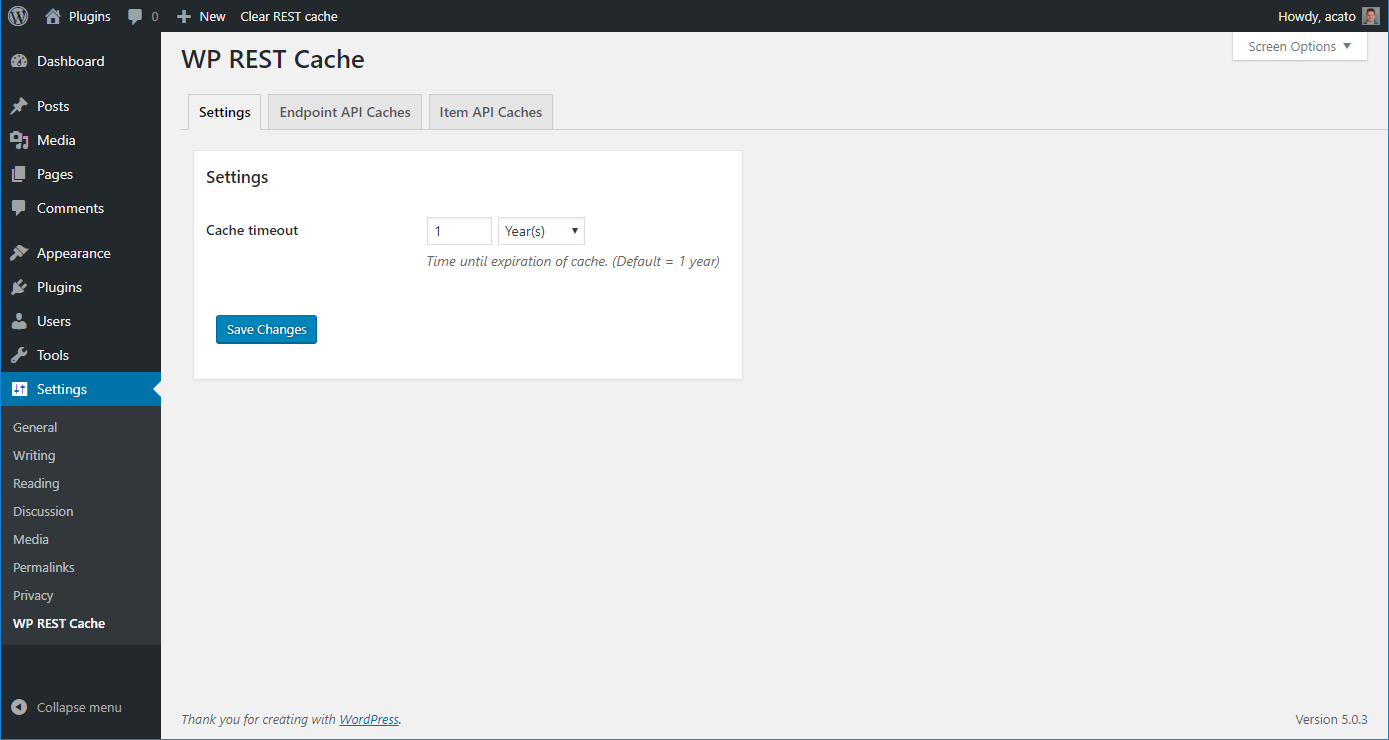
Settings for the WP REST Cache plugin.
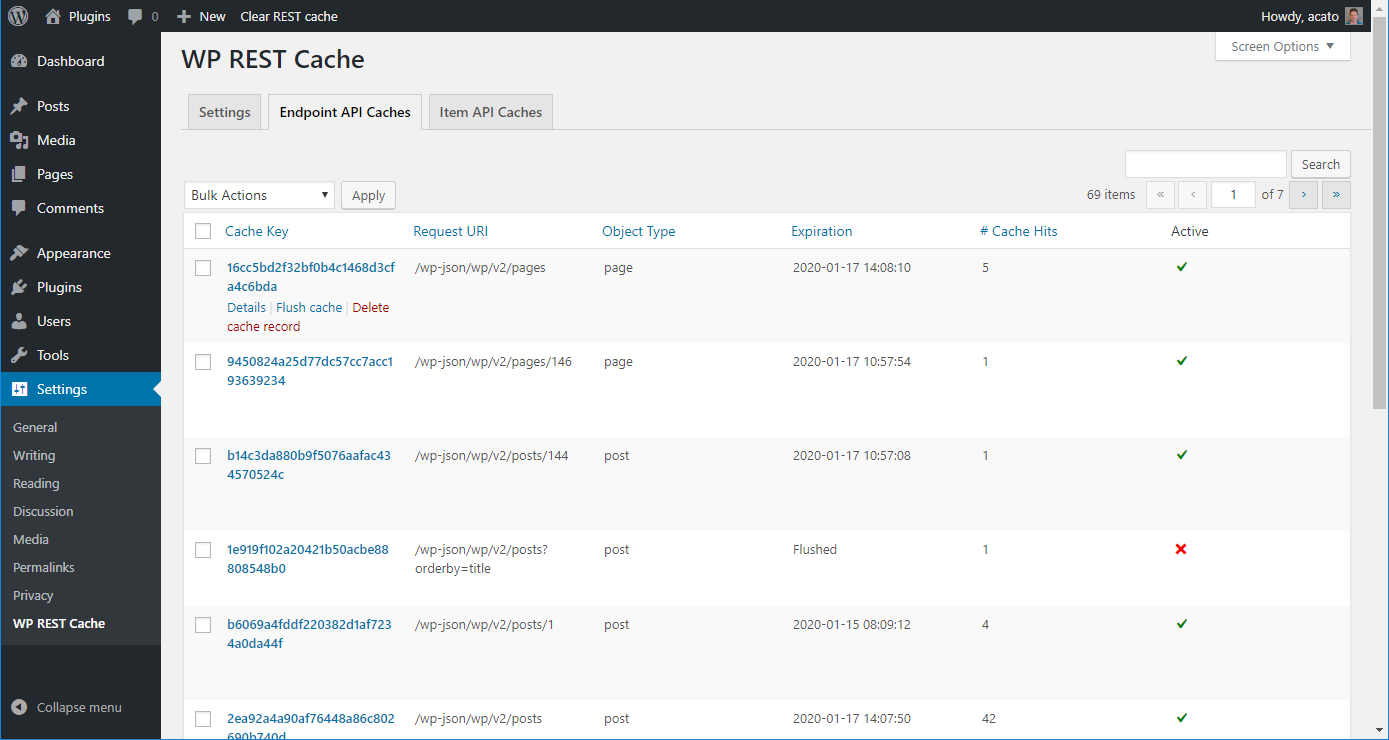
An overview of cached endpoint calls.
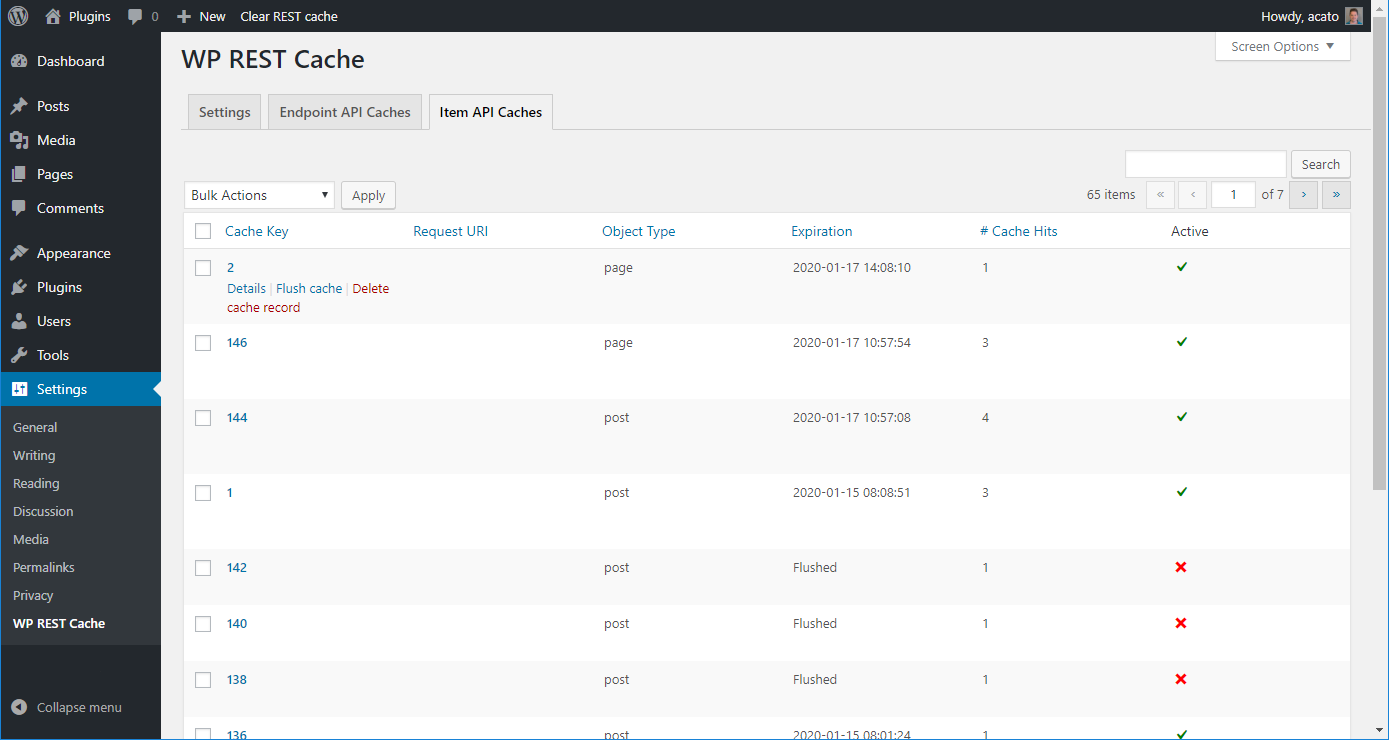
An overview of cached single items.
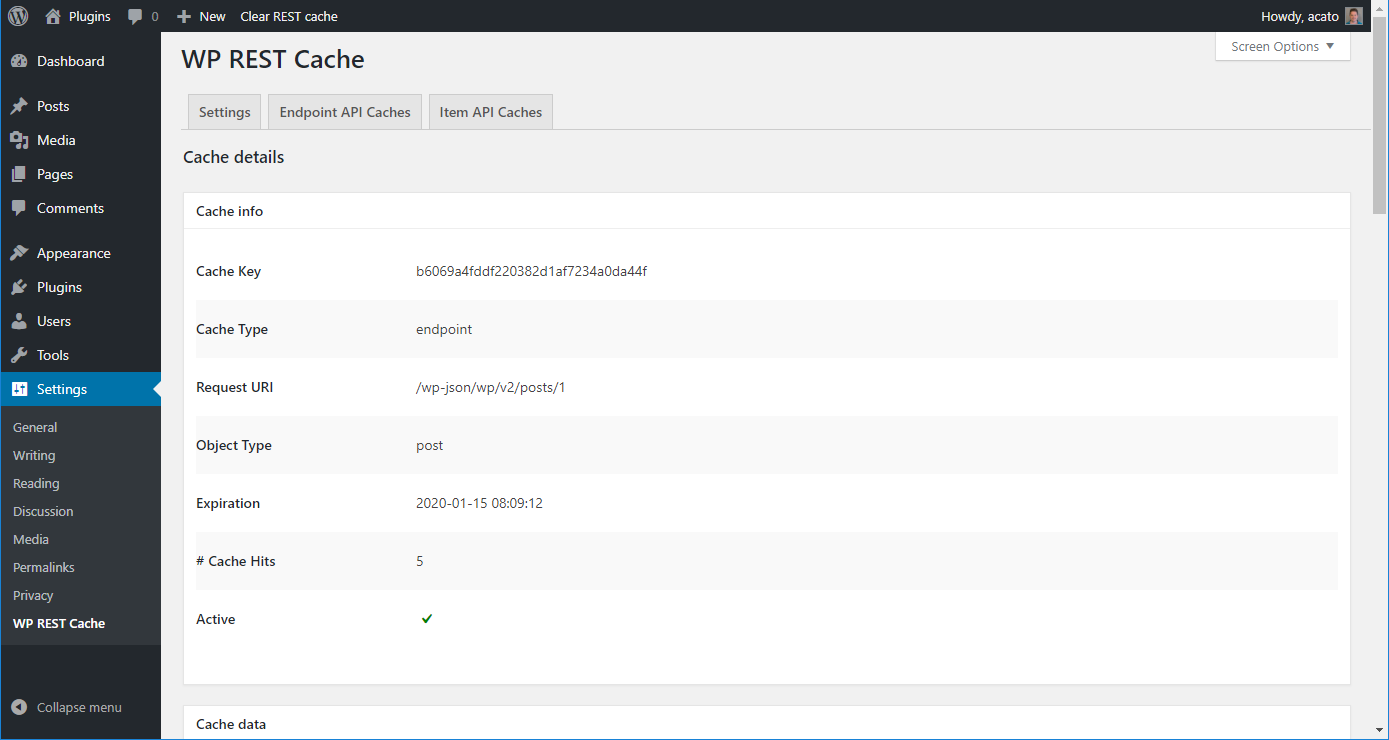
Cache details page - Cache info.
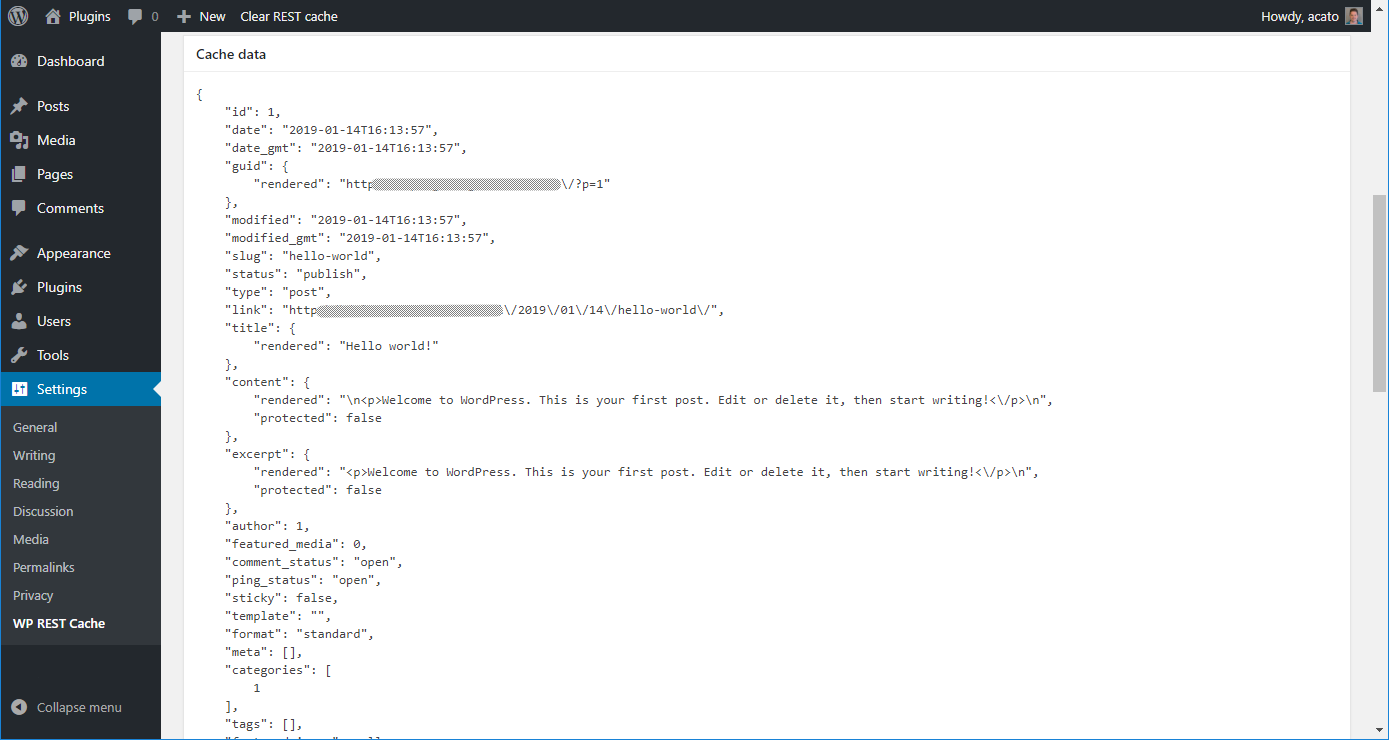
Cache details page - Cache data.
Changelog
2025.1.8
Release Date: October 14th, 2025
Improvement: Add option to flush or delete cache to cache details page.
2025.1.7
Release Date: September 1st, 2025
Fix: Incorrect loading of translations in some cases.
2025.1.6
Release Date: August 19th, 2025
Fix: Remove load_plugin_textdomain as it is no longer needed as of WP 4.6
2025.1.5
Release Date: August 18th, 2025
Fix: incorrect url when regenerating expired caches
Fix: PHP Notice _load_textdomain_just_in_time was called incorrectly
2025.1.4
Release Date: June 25th, 2025
Fix: Better checking of existing primary key before updating it.
2025.1.3
Release Date: June 25th, 2025
Fix: Check if primary key exists before dropping it.
2025.1.2
Release Date: June 11th, 2025
Fix: Make sure comment endpoints are flushed when the corresponding post is deleted or unpublished.
Improvement: Add VDP to FAQ.
2025.1.1
Release Date: June 6th, 2025
Fix: A path-traversal vulnerability in the plugin was discovered and fixed. It was reported by Darius Sveikauskas.
2025.1.0
Release Date: April 10th, 2025
Improvement: Flush media endpoint caches when a new media has been uploaded.
Earlier versions
For the changelog of earlier versions, please refer to the changelog on Github.