

Plugin info
Maintenance & Compatibility
Maintenance score
Stale • Last updated 273 days ago • 13 reviews
Is WP Revisions Control abandoned?
Likely maintained (last update 273 days ago).
Compatibility
Developers
Similar & Alternatives
Explore plugins with similar tags, and compare key metrics like downloads, ratings, updates, support, and WP/PHP compatibility.
Description
WordPress 3.6 allows users to control how many revisions are stored for each supported post type. No longer must you rely on the WP_POST_REVISIONS constant, which applied universally. This plugin provides an interface for this new functionality.
With this plugin enabled, simply visit Settings > Writing to specify the number of revisions retained for each post type.
Why is this helpful? Revisions are stored in the database, and if many are stored, can cause bloat. This bloat may lead to slower queries, which can have a noticeable performance impact. The value of these revisions also depends on what is being tracked. For example, I may want to store every revision of the posts I write, but only desire to keep the latest five versions of each page on my site. Starting in WordPress 3.6, this control is available. WordPress doesn’t provide a native interface to specify revisions quantities, so I wrote this quick plugin to do so.
Thanks to Maria Ramos at WebHostingHub, the plugin is also available in Spanish. Many thanks to her for her efforts!
Development is at https://git.ethitter.com/wp-plugins/wp-revisions-control.
Installation
- Upload wp-revisions-control to /wp-content/plugins/.
- Activate plugin through the WordPress Plugins menu.
- Go to Settings > Writing and set the options under WP Revisions Control.
Frequently Asked Questions
Navigate to Settings > Writing in your WordPress Dashboard, and look for the WP Revisions Control section.
Review feed
Promises and Delivers
Screenshots
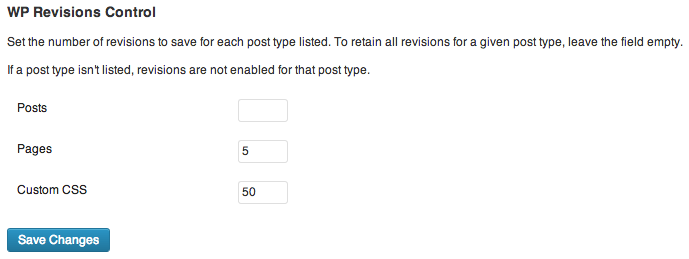
The plugin's settings section, found under Settings > Writing.

The post-level controls for the Classic Editor provided in version 1.2.
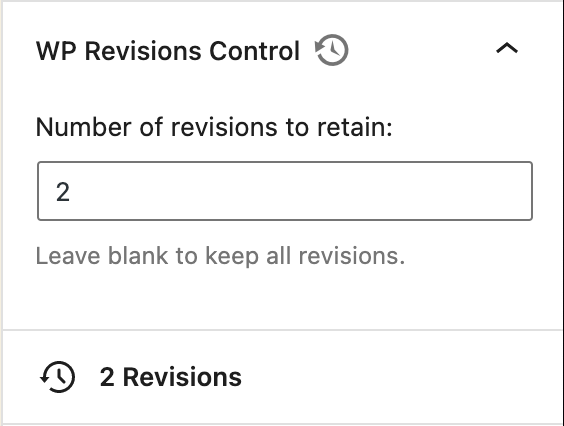
The post-level controls for the Block Editor provided in version 1.4.
Changelog
1.4.4
- Fix error displayed in block editor when post type doesn’t support revisions.
1.4.3
- Fix translations in block editor.
1.4.2
- Fix notice appearing on Widgets Block Editor.
1.4.1
- Update translation text domain to
wp-revisions-control, conforming to WordPress standards. - Add Polish translation thanks to Maciej Gryniuk.
1.4
- Introduce block-editor (Gutenberg) sidebar component for supported post types.
1.3
- Add bulk actions to purge excess or all revisions.
- Introduce unit tests.
- Conform to coding standards.
1.2.1
- Introduce Spanish translation thanks to Maria Ramos at WebHostingHub.
1.2
- Add post-level revision purging and limiting. For any post type that supports revisions, you can now limit the number of revisions retained at a post level.
1.0
- Initial public release