

WP-ShowHide
Allows you to embed content within your blog post via WordPress ShortCode API and toggling the visibility of the content via a link.
Plugin info
Maintenance & Compatibility
Maintenance score
Maintained • Last updated 125 days ago • 43 reviews
Is WP-ShowHide abandoned?
Likely maintained (last update 125 days ago).
Compatibility
Developers
Similar & Alternatives
Explore plugins with similar tags, and compare key metrics like downloads, ratings, updates, support, and WP/PHP compatibility.
Description
By default the content is hidden and user will have to click on the “Show Content” link to toggle it. Similar to what Engadget is doing for their press releases. Example usage: [showhide type="pressrelease"]Press Release goes in here.[/showhide]
Usage
- By default, content within the showhide shortcode will be hidden.
- Example:
[showhide]Press release content goes in here.[/showhide] -
Default Values:
[showhide type="pressrelease" more_text="Show Press Release (%s More Words)" less_text="Hide Press Release (%s Less Words)" hidden="yes"] -
You can have multiple showhide content within a post or a page, just by having a new type.
-
Example:
[showhide type="links" more_text="Show Links (%s More Words)" less_text="Hide Links (%s Less Words)"]Links will go in here.[/showhide] -
If you want to set the default visibility to display.
-
Example:
[showhide hidden="no"]Press release content goes in here.[/showhide] -
You can style the content via CSS that is generated by the plugin. Here is a sample of the generated HTML. Note that pressrelease is the default type.
- With the example above, here are the following styles you can use in your CSS:
.sh-link A { }
.sh-content { }
.pressrelease-link { }
.pressrelease-link.sh-hide A { }
.pressrelease-link.sh-show A { }
.pressrelease-content { }
.pressrelease-content.sh-hide { }
.pressrelease-content.sh-show { }
Development
https://github.com/lesterchan/wp-showhide
Translations
http://dev.wp-plugins.org/browser/wp-showhide/i18n/
Credits
Donations
I spent most of my free time creating, updating, maintaining and supporting these plugins, if you really love my plugins and could spare me a couple of bucks, I will really appreciate it. If not feel free to use it without any obligations.
Installation
Frequently Asked Questions
N/A
Review feed
Works great with WP 6.8.1
Screenshots

Show More - Press Release
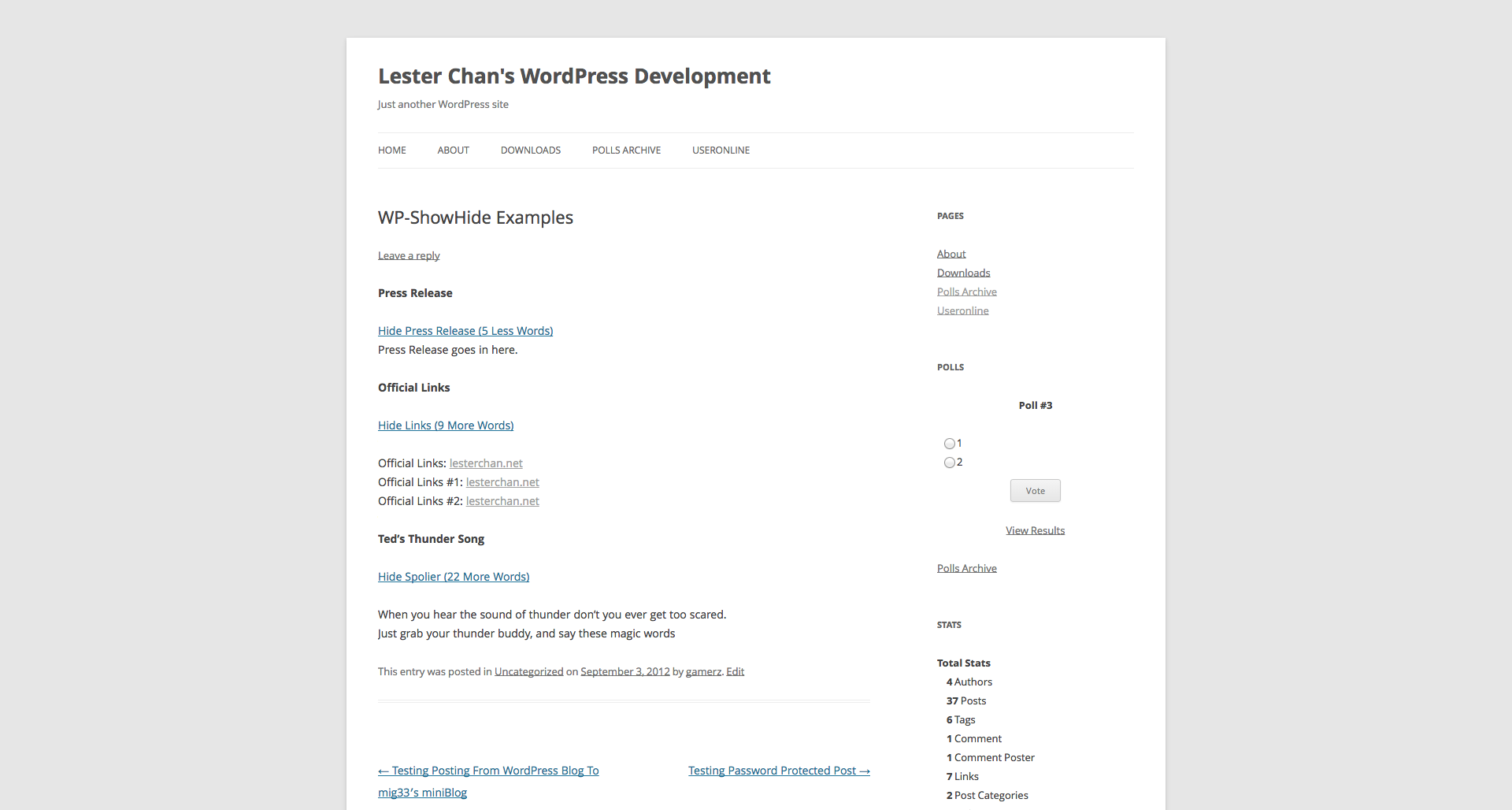
Hide More - Press Release

Editor - Short Code
Changelog
Version 1.06
- FIXED: esc_html() for more text to prevent XSS
Version 1.05
- FIXED: esc_attr type attributes to prevent XSS
Version 1.04
- NEW: Added aria-hidden and aria-expanded to elements
Version 1.03
- NEW: Added
.sh-linkand.sh-contentas a standard class name on top of the type specific class name. - NEW: Added do_shortcode() to allow shortcode to be parsed within ShowHide
Version 1.02
- FIXED: Some theme uses
.hideasdisplay: noneand hence I have changed.showto.sh-showand.hideto.sh-hideto advoid conflicts.
Version 1.01
- NEW: Added additional
showorhideclass to the link and content depending on the visiblity of the content to allow more precise CSS styling.
Version 1.00 (01-05-2011)
- FIXED: Initial Release