

WP Smart Import : Import any XML File to WordPress
The most powerful solution for importing any CSV and XML files to WordPress. Create Posts and Pages any Custom Posttype with content from any XML or C …
Maintenance 54/100124d since update
Active installs
1,000
Downloads
64,676
Reviews
12
Age
7.9y
Plugin info
Total downloads: 64,676
Active installs: 1,000
Total reviews: 12
Average rating: 3.9
Support threads opened: 0
Support threads resolved: 0 (0%)
Available in: 1 language(s)
Contributors: 2
Last updated: 11/29/2025 (124 days ago)
Added to WordPress: 5/24/2018 (7 years old)
Minimum WordPress version: 4.0
Tested up to WordPress version: 6.9
Minimum PHP version: 5.3
Maintenance & Compatibility
Maintenance score
Maintained • Last updated 124 days ago • 12 reviews
54/100
Is WP Smart Import : Import any XML File to WordPress abandoned?
Likely maintained (last update 124 days ago).
Compatibility
Requires WordPress: 4.0
Tested up to: 6.9
Requires PHP: 5.3
Similar & Alternatives
Explore plugins with similar tags, and compare key metrics like downloads, ratings, updates, support, and WP/PHP compatibility.
CSV Page Importer
Rating 3.7/5 (6 reviews) • Active installs 200
VE CSV Importer
Rating 5.0/5 (1 reviews) • Active installs 10
Description
WP Smart Import : Import any XML File to WordPress
The most powerful solution for importing any CSV and XML files to WordPress. Create Posts and Pages any Custom Posttype with content from any XML or CSV file.
Features
- Import any XML file into WordPress
- Import any CSV file into WordPress
- Import data into any post type
- Import Large Files
- Advanced Field mapping using drag and drop UI
- Save import as a template for use it in another import
- Save import file for reuse it later.
- Local and Remote Image (Media) Import
- Manage Import
- Import Insight with data of post create and update
Installation
This plugin can be installed directly from your site.
- Log in and navigate to Plugins & Add New.
- Type “WP Smart Import” into the Search input and click the “Search” button.
- Locate the “WP Smart Import” in the list of search results and click “Install Now”.
- Click the “Activate Plugin” link at the bottom of the install screen.
It can also be installed manually.
- Download the “WP Smart Import” plugin from WordPress.org.
- Unzip the package and move to your plugins directory.
- Log into WordPress and navigate to the “Plugins” screen.
- Locate “WP Smart Import” in the list and click the “Activate” link.
Frequently Asked Questions
No FAQ available
Review feed
informatux
Terribly effective
Excellent plugin for XML Files
Screenshots
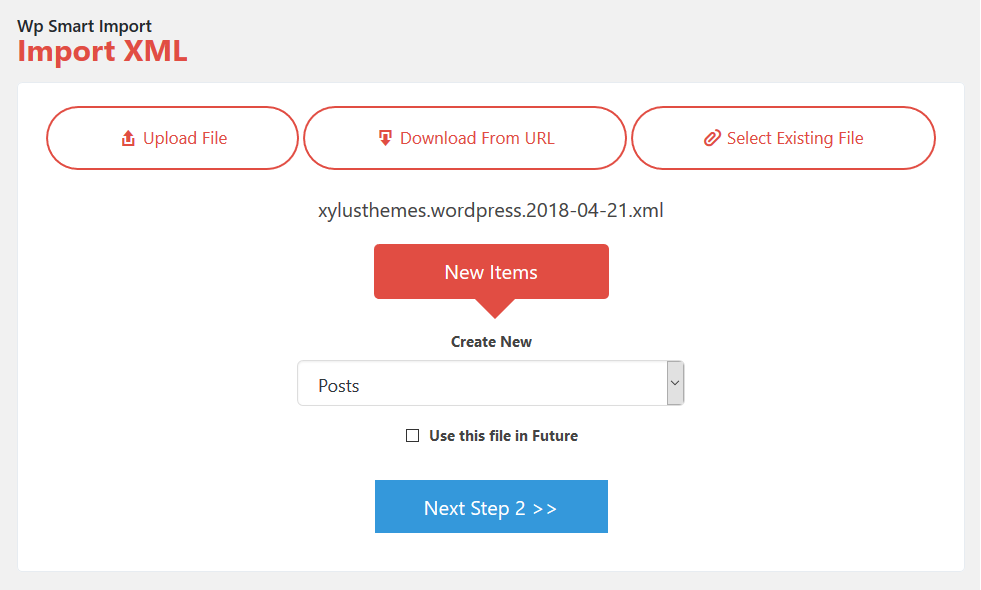
Step 1: Select File ( Upload file, From URL & Select Existing File)
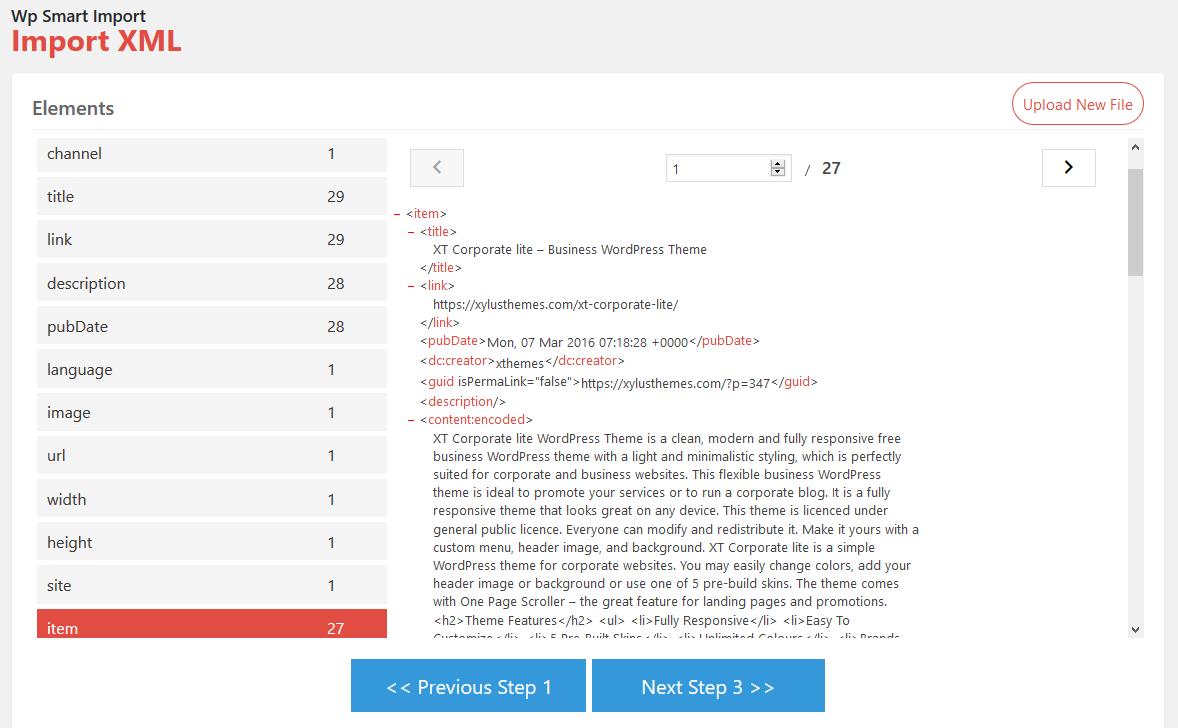
Step 2: View File structure & select element.
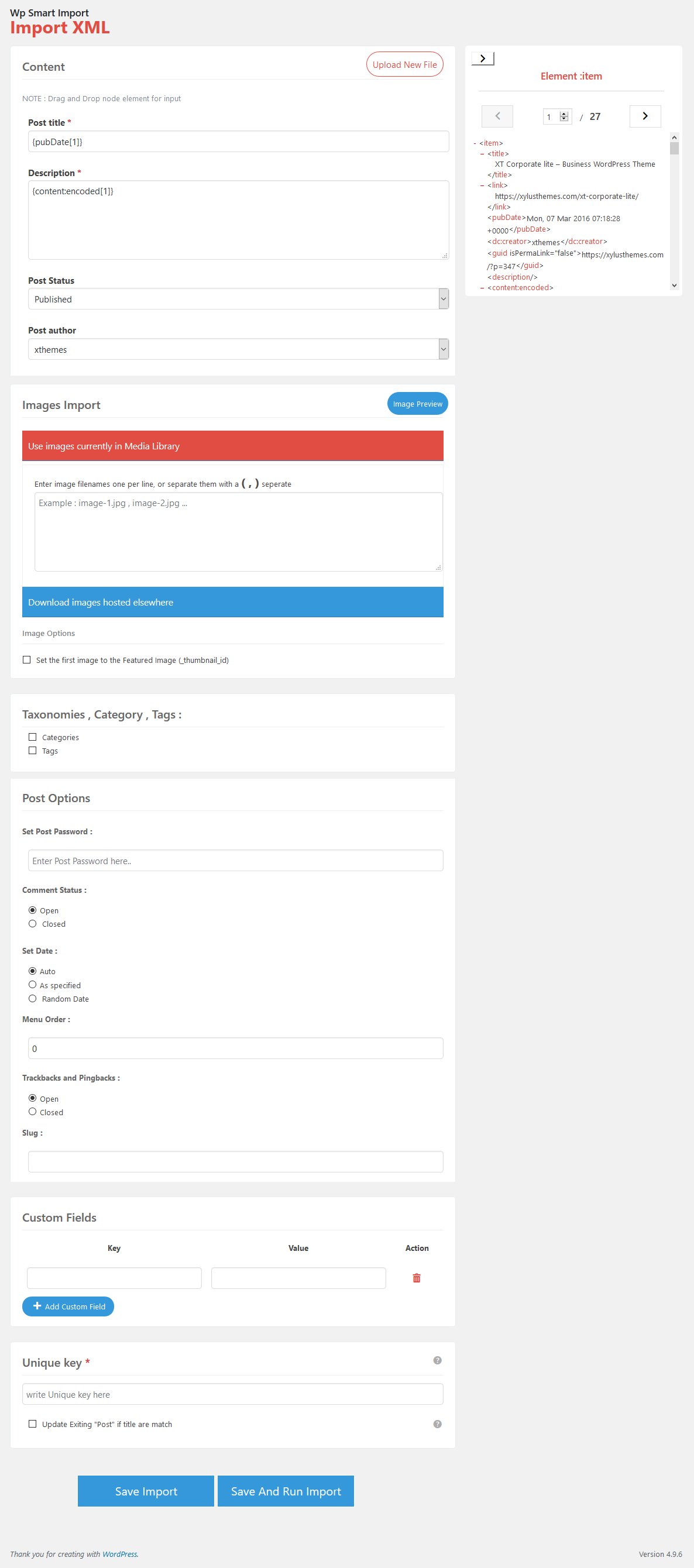
Step 3: Map Fields
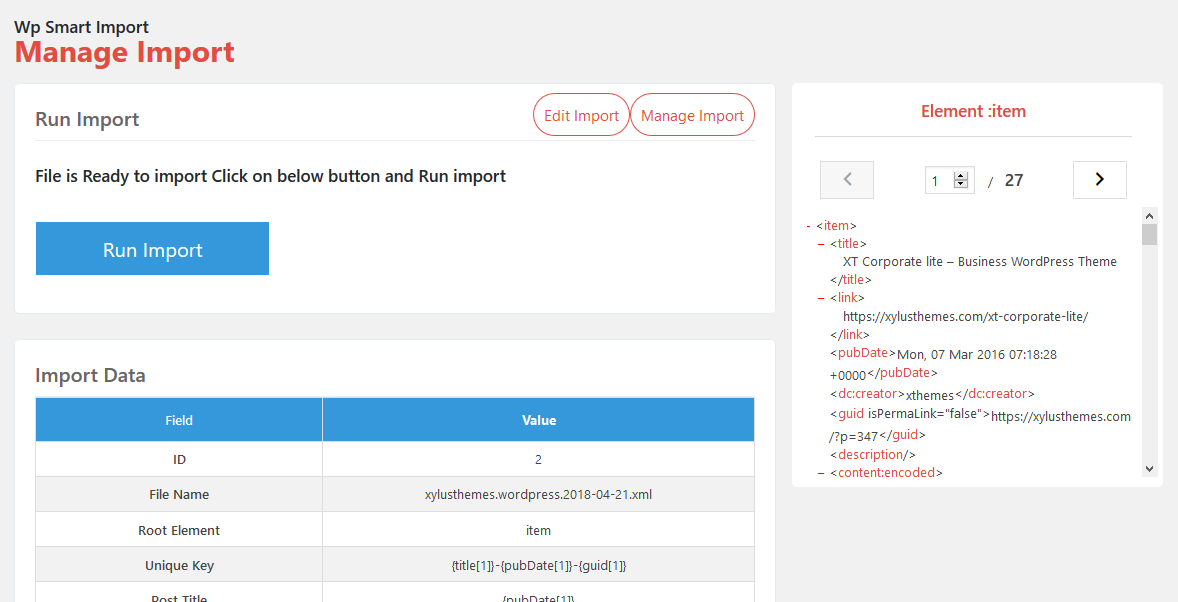
Step 4: Run Import

Import in progress..
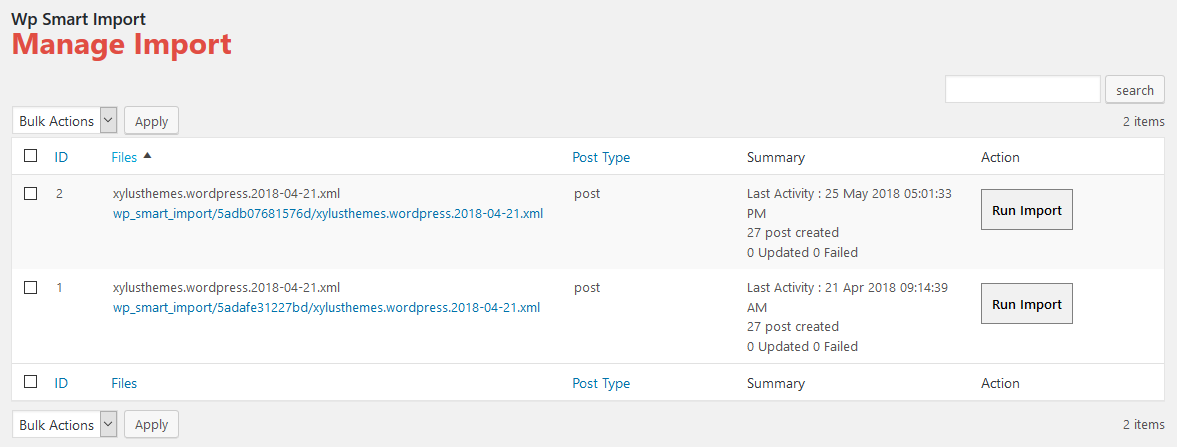
Manage Imports

Manage Files
Changelog
1.1.5
- FIXED: Conflict with WooCommerce admin classes resolved.
1.1.4
- IMPROVEMENTS: Support for WP 6.8
- IMPROVEMENTS: Enhanced security by preventing unauthorized file inclusion, safeguarding against potential exploits.
1.1.3
- IMPROVEMENTS: Enhanced XSS Protection
1.1.2
- FIXED: Select Existing File Option Issue
1.1.1
- FIXED: Download Image Bug
- IMPROVEMENTS: Support for WP 6.7
1.1.0
- IMPROVEMENTS: Enhanced protection for XML file processing vulnerabilities during upload and download.
1.0.7
- IMPROVEMENTS: Fixed XML file processing vulnerabilities during upload to prevent XSS attacks.
1.0.6
- IMPROVEMENTS: Security by fixing XML file processing vulnerabilities during upload.
1.0.5
- IMPROVEMENTS: PHP 8 Bugs
- IMPROVEMENTS: XSS Security Bugs
- IMPROVEMENTS: Support for WP 6.4
1.0.4
- IMPROVEMENTS: Support for PHP 8
- IMPROVEMENTS: Support for WP 6.2
1.0.3
- FIXED: Security bugs
1.0.2
- FIXED: jQuery Error
1.0.1
- FIXED: some bugs.
1.0.0
- Initial Version.