

WP Smart Preloader
A Plugin to add awesome collection of Loaders and Spinners. Delightful and performance-focused Pure CSS animations.
Plugin info
Maintenance & Compatibility
Maintenance score
Possibly abandoned • Last updated 522 days ago • 25 reviews
Is WP Smart Preloader abandoned?
Possibly abandoned (last update 522 days ago).
Compatibility
Languages
Similar & Alternatives
Explore plugins with similar tags, and compare key metrics like downloads, ratings, updates, support, and WP/PHP compatibility.
Description
WP Smart Preloader is a Simple CSS spinners and throbbers made with CSS and minimal HTML markup. It offers visual feedback in the event of content being loaded, thereby managing expectations and reducing the chance of a user abandoning your wordpress website.
You will find following features with this plugin:
- Full Responsive with Cross Broser compatible
- CSS only Preloader no Gif no Image
- Full Customize.
- Faster Loading
- Icon to circle
- No coding necessary. Activate it and play with its settings and you’re Good to go
Installation
- Download and activate the plugin
- Go to
settings=>WP Smart Preloader - Choose the Options of your choice
- Click
Save changesbutton.
Or
- Put the plug-in folder
WP Smart Preloaderinto [wordpress_dir]/wp-content/plugins/ - Go into the WordPress admin interface and activate the plugin
- Go to
settings=>WP Smart Preloader - Choose the Options of your choice
- Click
Save changesbutton.
Have fun!!!
Frequently Asked Questions
- WP Smart Preloader takes a simple, extendable approach to display Simple CSS spinners and throbbers onto your website
Please use support forum or you can directly mail us at
[email protected]
Review feed
I love it, great work
Plugin does exactly what you need it to.
It is not a CSS Only Preloader (as advertised)
Screenshots
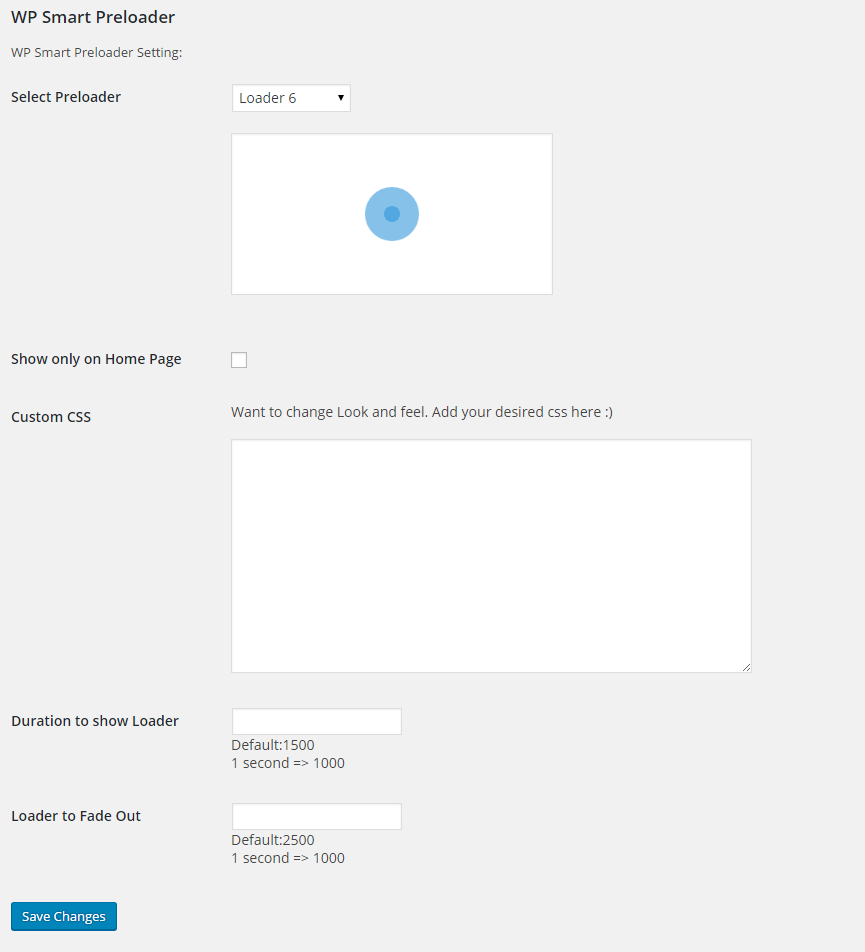
1 WP Smart Preloader Backend Settings

2 WP Smart Preloader Backend Settings with Custom HTML5 animation and CSS
Changelog
1.15.2
frontend script
1.15.2
just changed version 😉
1.15.1
escaping values
1.15
tested upto wordPress 6.0
1.14
resolved deprecated load function
1.13
tested upto WordPress ver 5.6
1.12
Fixed showing loader in elementor active edit state
1.11.6
change ownership
1.11.5
change version
tested upto WordPress ver 5.2
1.11.4
change version
1.11.3
change version
1.11.2
fixed console error and warning for showing ace editor js
1.11.1
fixed console error for showing ace editor js
1.11
fixed js for removing class name after page loads
1.10
Fixed link for editor for html and css textarea
1.9
Add editor for html and css textarea
1.8
Add Custom animation and css for loader
1.7
fixed js for removing class after page loads
1.6
fixed loader 5 border to transparent
1.5
fixed showing preloader on page loading
1.4
fixed js to load
1.3
fixed css if only home page is selected (checked)
1.2
fixed showing page before preloader
1.1
Added function to delete setting after uninstall/deleting plugin
1.0
Initial version