

WP Sort Order
Order terms (Users, Posts, Pages, Custom Post Types and Custom Taxonomies) using a Drag and Drop with jQuery ui Sortable.
Plugin info
Maintenance & Compatibility
Maintenance score
Possibly abandoned • Last updated 450 days ago • 17 reviews
Is WP Sort Order abandoned?
Possibly abandoned (last update 450 days ago).
Compatibility
Similar & Alternatives
Explore plugins with similar tags, and compare key metrics like downloads, ratings, updates, support, and WP/PHP compatibility.
Description
-
Author: Fahad Mahmood
-
Project URI: http://androidbubble.com/blog/wordpress/plugins/wp-sort-order
-
License: GPL 3. See License below for copyright jots and titles.
Order terms (Users, Posts, Pages, Custom Post Types and Custom Taxonomies) using a Drag and Drop with jQuery ui Sortable.
Select sortable items from ‘WP Sort Order’ menu of Setting menu in WordPress.
In addition, You can re-override the parameters of ‘orderby’ and ‘order’, by using the ‘WP_Query’ or ‘pre_get_posts’ or ‘query_posts()’.
The ‘get_posts()’ is excluded.
At a glance by WordPress Mechanic:
License
This WordPress Plugin is free software: you can redistribute it and/or modify it under the terms of the GNU General Public License as published by the Free Software Foundation, either version 2 of the License, or any later version. This free software is distributed in the hope that it will be useful, but WITHOUT ANY WARRANTY; without even the implied warranty of MERCHANTABILITY or FITNESS FOR A PARTICULAR PURPOSE. See the GNU General Public License for more details. You should have received a copy of the GNU General Public License along with this software. If not, see http://www.gnu.org/licenses/gpl-2.0.html.
Installation
- Upload ‘wp-sort-order’ folder to the
/wp-content/plugins/directory. - Activate the plugin through the ‘Plugins’ menu in WordPress.
- Select sortable items from ‘WP Sort Order’ menu of Setting menu in WordPress.
Frequently Asked Questions
On settings page you can select posts/pages and taxonomies to enable sorting.
Yes, you can sort. And there is a shortcode to list users under taxonomy, terms and children. [WPSO_USERS slug=”taxonomy or term slug” id=”taxonomy or term id”]. This shortcode will list users on front-end with your sorted order. No need to write another query for it.
Sub query
By using the ‘WP_Query’, you can re-override the parameters.
-
WP_Query
‘date’,
‘order’ => ‘DESC’,
) ) ?>
Main query
By using the ‘pre_get_posts’ action hook or ‘query_posts()’, you can re-override the parameters.
-
pre_get_posts
function my_filter( $query )
{
if ( is_admin() || !$query->is_main_query() ) return;
if ( is_home() ) {
$query->set( ‘orderby’, ‘date’ );
$query->set( ‘order’, ‘DESC’ );
return;
}
}
add_action( ‘pre_get_posts’, ‘my_filter’ ); -
query_posts()
‘rand’
) ); ?>
Review feed
Always a convenience for backend sortables
Screenshots
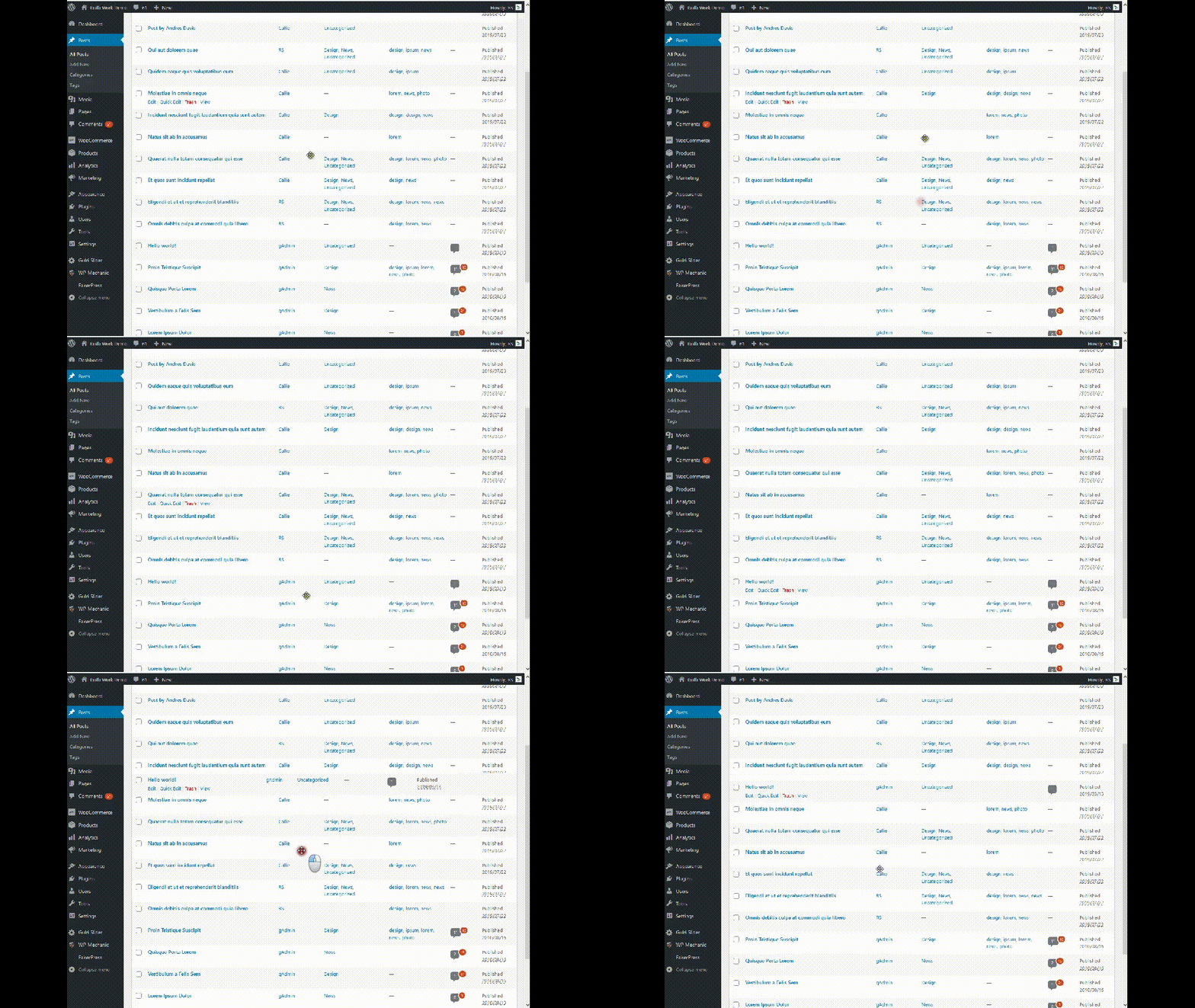
How it works?

Settings Page
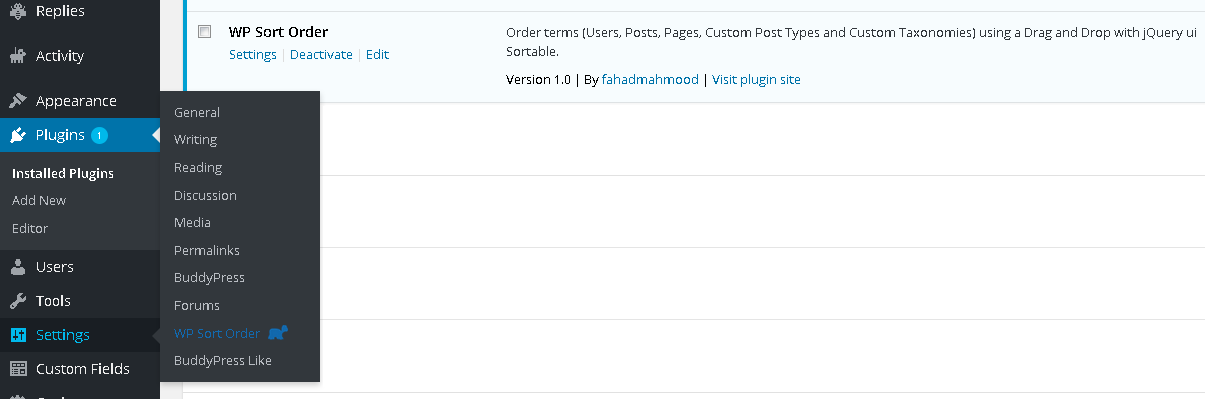
Installation & Activation
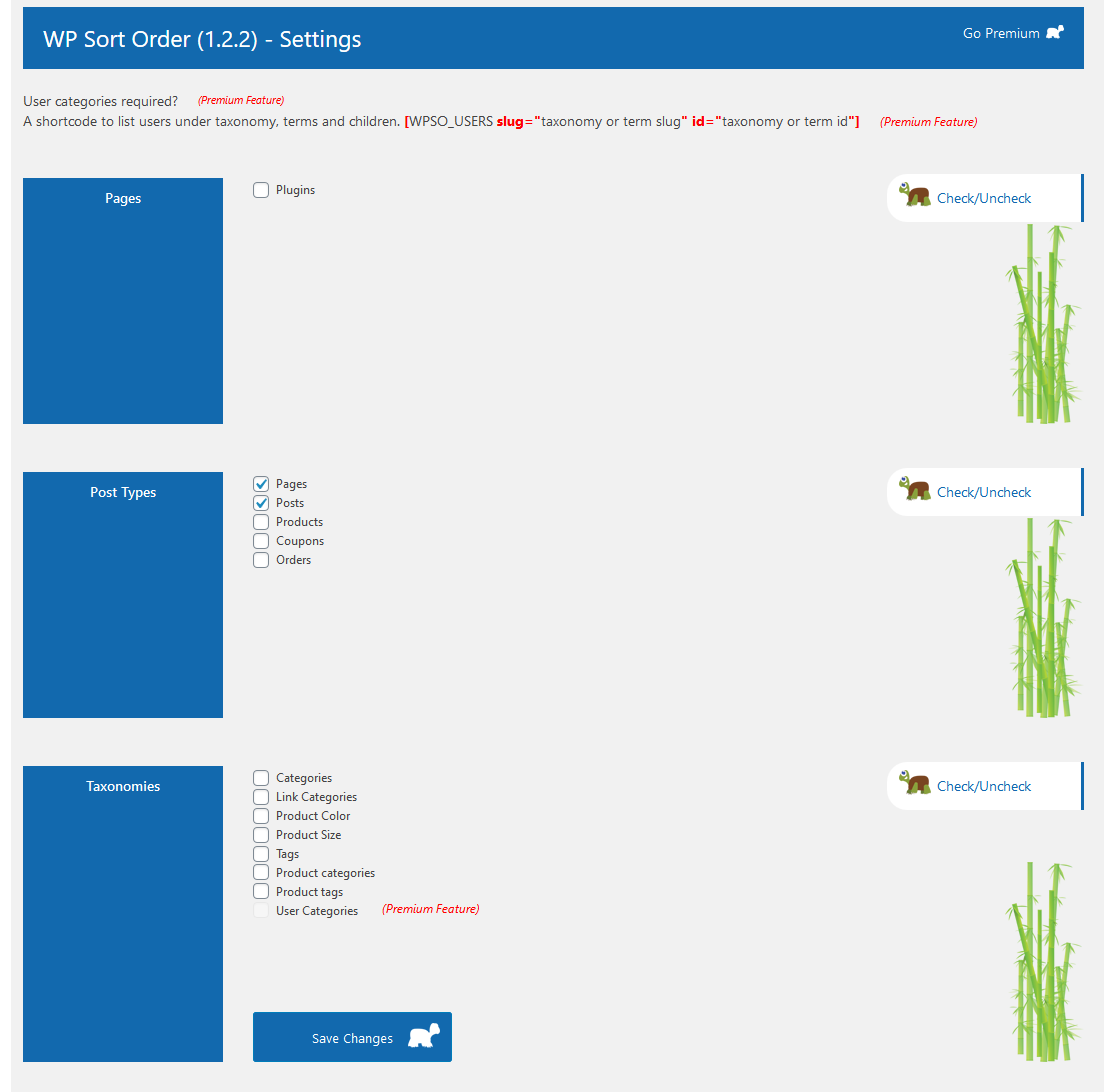
Settings Page - Full
Changelog
1.3.4
- Fix: When enabling the order of the posts, it does not allow me to create new ones and the only way to create new ones was duplicating a previous post. [Thanks to Carlos][30/10/2024]
1.3.3
- Fix: PHP Notice: Function is_home was called incorrectly. [Thanks to @goose1984 / Cotton Jamie][21/05/2024]
1.3.2
- Updated version with the improved security checks. [Thanks to patchstack.com / CatFather][21/01/2024]
1.3.1
- Updated version for WordPress. [24/05/2023]
1.3.0
- Fix: WP Sort Order messing with posts date/order. [Thanks to Gonzalo/@jamposta][11/11/2022]
1.2.9
- Fix: Categories sort order keeps reverting. [Thanks to saschaprinzip][14/07/2022]
1.2.8
- Compatibility added for Stock Locations for WooCommerce. [02/03/2022]
1.2.7
- Ordering not working for taxonomies – undefined offset fixed in hooks.php file. [Thanks to apapadakis][12/01/2022]
1.2.6
- Bootstrap and Fontawesome libraries are updated. [26/10/2021]
1.2.5
- Updated version for WordPress.
1.2.4
- On activation it was taking up some space at the header of the website pages – Fixed. [Thanks to code naira]
1.2.3
- PHP warning fixed. [Thanks to @hastibe]
1.2.2
- New post menu_order implemented with 6 layers check. [Thanks to Fahad Mahmood & Abdul Razzaq]
1.2.1
- New post menu_order and page refresh issue resolved. [Thanks to @thisleenoble]
1.2.0
- get_current_screen() used. [Thanks to ricjoh]
1.1.9
- Languages added. [Thanks to Abu Usman]
1.1.8
- User sort order refined for decimals. [Thanks to Joe Garcia]
1.1.7
- Table prefix issue has been fixed. [Thanks to Columbird]
1.1.6
- User sort order refined. [Thanks to Joe Garcia]
1.1.4
- Sanitized input and fixed direct file access issues.
1.1.3
- Plugins can be sorted as well.
1.1.1
- A few improvements related to WordPress 4.6.
1.1.0
- A few improvements related to WordPress 4.5.0.
Initial Release