

WP Upload Size
By default, WordPress has a modest limit for uploading images, videos, and other files. It's a similar story for your PHP memory limit, which hel …
Plugin info
Maintenance & Compatibility
Maintenance score
Possibly abandoned • Last updated 613 days ago • 8 reviews
Is WP Upload Size abandoned?
Possibly abandoned (last update 613 days ago).
Compatibility
Similar & Alternatives
Explore plugins with similar tags, and compare key metrics like downloads, ratings, updates, support, and WP/PHP compatibility.
Description
By default, WordPress has a modest limit for uploading images, videos, and other files. It’s a similar story for your PHP memory limit, which helps you run plugins and scripts. This plugin increase upload size limit up to more and more.
Rate This Plugin:
Installation
To install “WP Upload Size” using the built-in plugin installer:
1. Go to Plugins > Add New.
2. Type in “WP Upload Size” in Search Plugins box or click a tag link below the screen.
3. find the “WP Upload Size” in the list.
4. Click Install Now to install the WordPress Plugin.
5. Go to Tool menu in wp-admin area.
6. Select WP Upload Size Link.
7. Put Increase Size in Bytes value (put 2048000 bytes to increase size 64MB).
To install “WP Upload Size” manually:
1. Download your WordPress Plugin to your desktop.
2. If downloaded as a zip archive, extract the Plugin folder to your desktop.
3. With your FTP program, upload the Plugin folder to the wp-content/plugins folder in your WordPress directory online.
4. Go to Plugins screen and find the “WP Upload Size” in the list.
5. Click Activate to activate it.
6. Go to Tool menu in wp-admin area.
7. Select WP Upload Size Link.
8. Put Increase Size in Bytes value (put 2048000 bytes to increase size 64MB).
Frequently Asked Questions
Question: Any affect on other Files?
Answer: This will work only for increase upload size.
Review feed
Screenshots
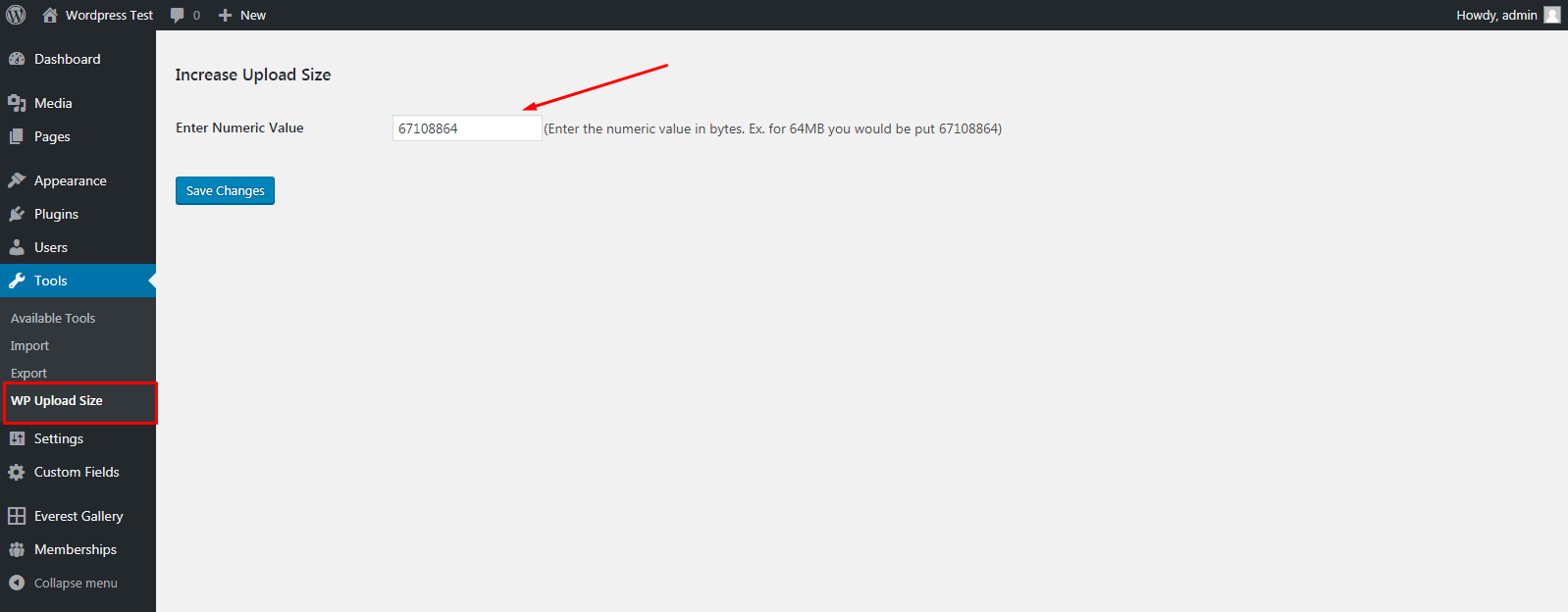
Go to admin area and select WP Upload Size link under the Tools Tab .
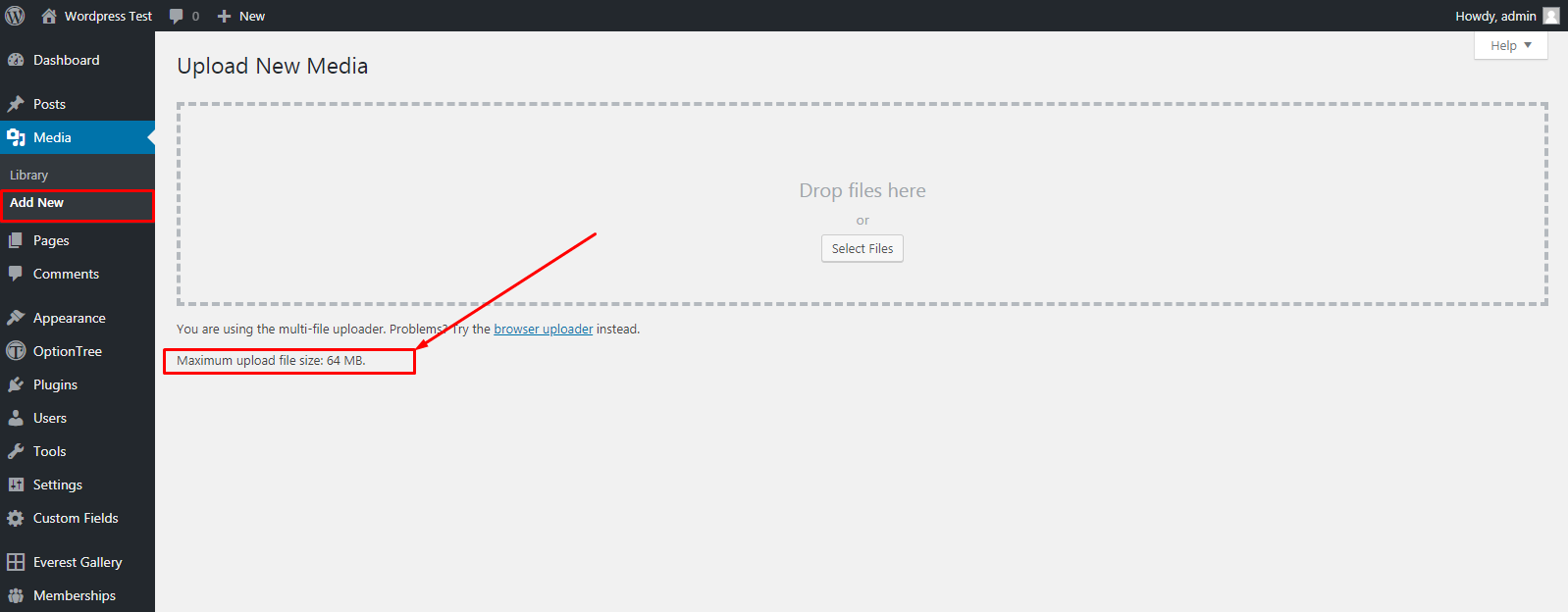
Check Your Upload Size will increased in Media tab.
Changelog
1.0.0
- First release