

WP YouTube Embed
Display YouTube Channels, Playlists and Videos as a Grid, List or Carousel!
Plugin info
Maintenance & Compatibility
Maintenance score
Possibly abandoned • Last updated 1888 days ago • 1 reviews
Is WP YouTube Embed abandoned?
Possibly abandoned (last update 1888 days ago).
Compatibility
Similar & Alternatives
Explore plugins with similar tags, and compare key metrics like downloads, ratings, updates, support, and WP/PHP compatibility.
Description
Embed a responsive YouTube Channel, Playlists or Videos as a Grid, List or Carousel. Display videos based on keyword.
Install the plugin and then checkout the Pro version (http://wordpress-plugin-youtube.cheshirewebsolutions.com/)
- Use Shortcode to display Channel.
- Use Shortcode to display Playlists.
- Use Shortcode to display Videos.
- YouTube Channel Header + Subscribe button
- Social Icons
- Display Videos Thumbnails in Grid, List or carousel
If you have suggestions for a new add-on, feel free to email me at [email protected].
Want regular updates?
follow me on Twitter!
https://twitter.com/CheshireWebSol
Credits
- Google PHP Client Library (https://developers.google.com/api-client-library/php/)
- Slick Carousel (http://kenwheeler.github.io/slick/)
Installation
- Go to WP Admin > Plugins > Add New and upload the instalable ZIP.
- Activate the plugin through the ‘Plugins’ screen in WordPress
- Make your settings, WP Admin -> WP YouTube -> Settings
- Enter your Google API Key
- Use the ‘Embed Channel’ shortcode [cws_ytp_channel username=OfficialMcLarenVids] on a page of your choice.
- Use the ‘Embed PLaylist’ shortcode [cws_ytp_playlistitems plid=’PLdhB2hC90YEt-jqYvDcStJyFLjHeLJVHd’] on a page of your choice.
- Use the ‘Embed Video’ shortcode [cws_ytp_video vid=8wkTc5yy2-M,knx7guByH4I] on a page of your choice.
Frequently Asked Questions
Review feed
Screenshots
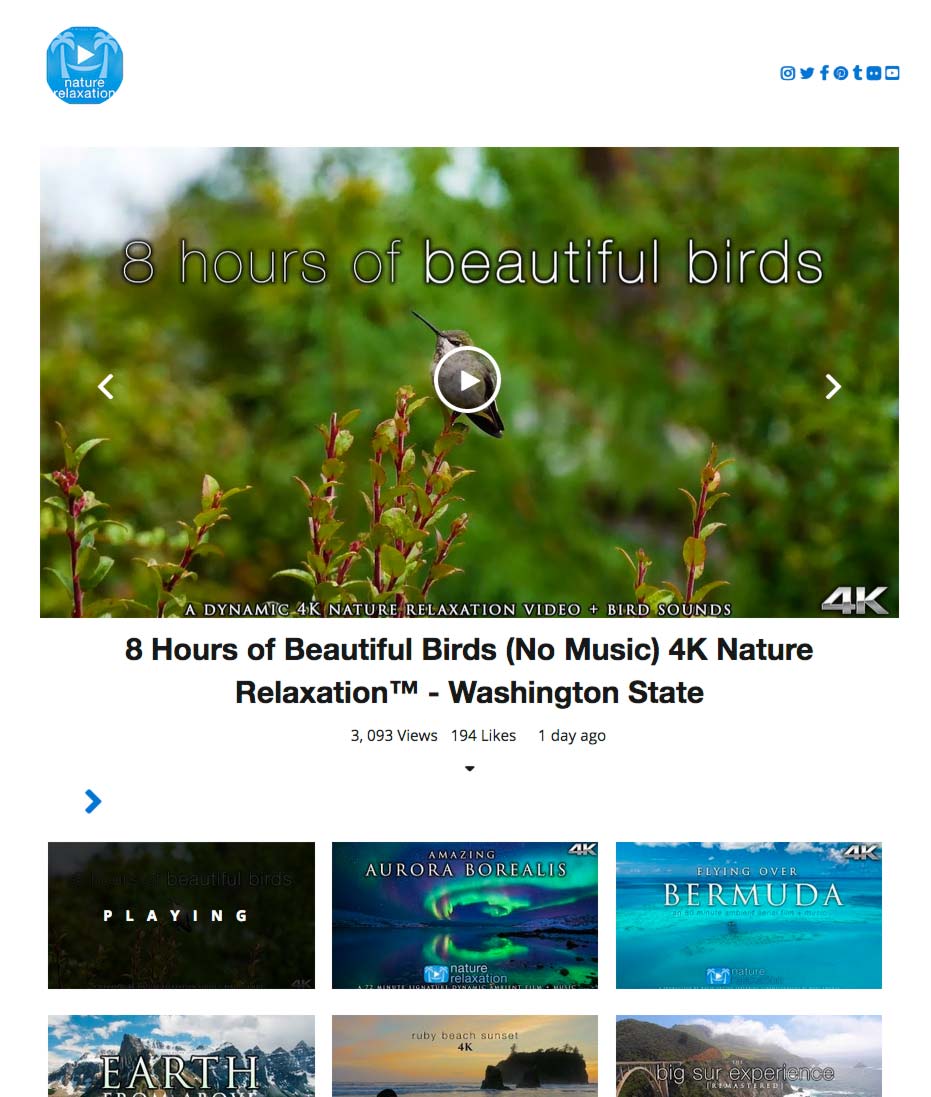
WP YouTube Embed Screenshot 1: Grid layout for Channel, Playlists, Videos or Search
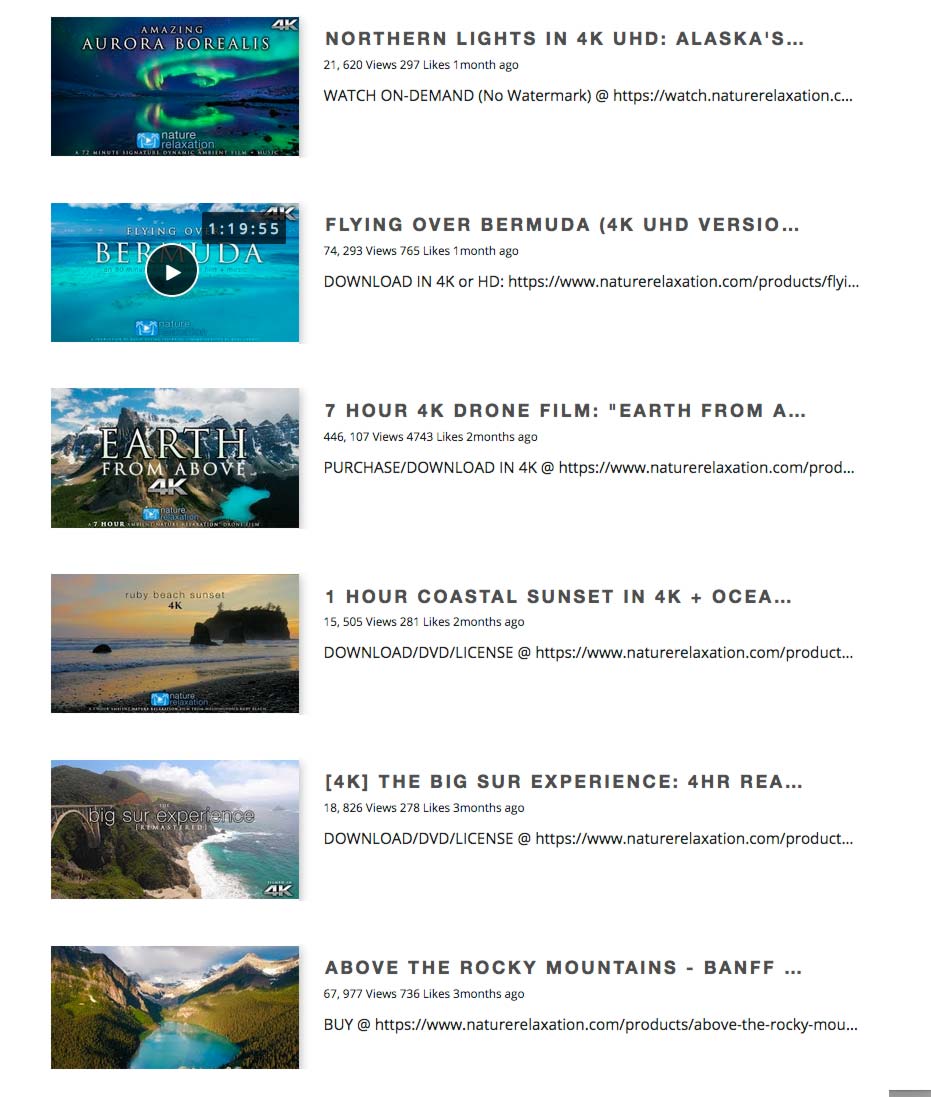
WP YouTube Embed Screenshot 2: List layout for Channel, Playlists, Videos or Search

WP YouTube Embed Screenshot 3: Carousel layout for Channel, Playlists, Videos or Search

WP YouTube Embed Screenshot 4: Video Item hover

WP YouTube Embed Screenshot 5: Channel Details Reveal / Toggle up / down

WP YouTube Embed Screenshot 6: Video Details Reveal / Toggle up / down
Changelog
1.0.0
- Initial Version, be kind.