

Plugin info
Maintenance & Compatibility
Maintenance score
Possibly abandoned • Last updated 3047 days ago • 3 reviews
Is WP YouTube Player abandoned?
Possibly abandoned (last update 3047 days ago).
Compatibility
Similar & Alternatives
Explore plugins with similar tags, and compare key metrics like downloads, ratings, updates, support, and WP/PHP compatibility.
Description
WP Youtube Player allow insert Youtube videos on WordPress using a single quicktag [tube][/tube]
Features
- Easy install
- Embed Youtube movies with simple code
- Panel for easy configuration
- Config Player version (AS2 & AS3)
- Support config themes for player
- Support HTML5 Player
- Support tubePlayer (http://blog.unijimpe.net/tubeplayer/) for play videos.
- Generate
code for Feed compatibility - Generate
code optimized for iPhone
For insert single youtube video on Post Content or Text Widget you can use ‘Youtube URL’, ‘Youtube Embed URL’ or ‘Youtube Video ID’:
[tube]http://www.youtube.com/watch?v=AFVlJAi3Cso[/tube]

[tube]http://www.youtube.com/v/AFVlJAi3Cso[/tube]

[tube]AFVlJAi3Cso[/tube]
To insert video with specific size can user width and height:
[tube]http://www.youtube.com/watch?v=AFVlJAi3Cso, 500, 290[/tube]
To insert video on template, use the php code:
For more information visit plugin website
Installation
This section describes how to install the plugin and get it working.
- Upload folder
wp-youtube-playerto the/wp-content/plugins/directory - Activate the plugin through the ‘Plugins’ menu in WordPress
- Configure plugin into ‘Settings’ -> ‘WP Youtube Player’ menu
Frequently Asked Questions
Review feed
Screenshots
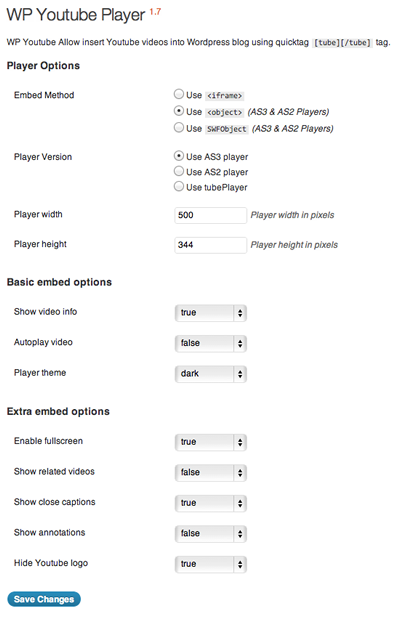
Config panel.
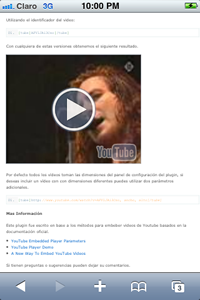
Compatible with iPhone.
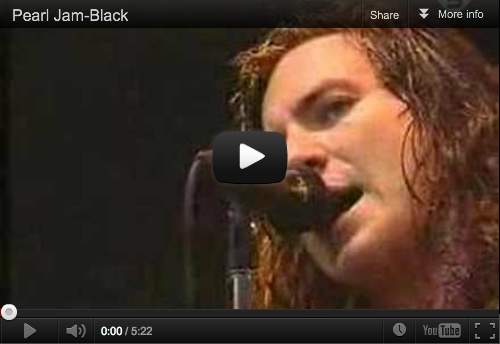
Player with
Darktheme.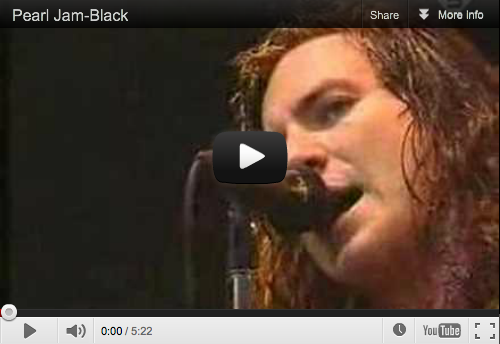
Player with
Lighttheme.
tubePlayer Version.
Changelog
1.7
- Fixed
iframecode - Remove extra class in html code
1.6
- Remove deprecated parameter in
add_optionfunction - Update deprecated parameter in
add_options_pagefunction - Update Configuration panel using jQuery for dependences
- Fixed dependences in options
- Added config parameter:
Player theme - Added config parameter:
Hide Youtube logoin AS3 Player - Removed config parameter:
Window Mode player - Fixed code in all embed methods
1.5
- Support to embed videos on Text Widgets
- Added new php function ‘wp_youtubeplayer’ for use on templates
- Updated Admin page with CSS for WordPress 3.2 UI
- Updated to SWFObject 2.2 Library
- Updated docs
1.4
- Fixed HTML5 Player
- Fixed include SWFObject external file
- Add Support for configure wmode
- Update docs
1.3
- Fixed embed method
1.2
- Fixed fullscreen in SWFObject method
- Add Support for tubePlayer for play videos
- Fixed minor bugs
1.0
- First version