

Show Post ID with Sorting
Enhance your WordPress Dashboard with Show Post ID with Sorting, a plugin to display, sort, and bulk copy Post IDs for Posts, Pages, and Custom Post T …
Plugin info
Maintenance & Compatibility
Maintenance score
Possibly abandoned • Last updated 527 days ago • 1 reviews
Is Show Post ID with Sorting abandoned?
Possibly abandoned (last update 527 days ago).
Compatibility
Similar & Alternatives
Explore plugins with similar tags, and compare key metrics like downloads, ratings, updates, support, and WP/PHP compatibility.
Description
Show Post ID with Sorting introduces a helpful new column in your WordPress admin dashboard, displaying the unique Post ID for all posts, pages, and custom post types. It enables you to sort your content by Post ID, bulk copy multiple IDs, and view the Post ID while editing or even directly from the frontend.
This is ideal for users who need quick access to Post IDs for custom queries, shortcodes, or troubleshooting.
Key Features:
- Adds a sortable Post ID column to the Dashboard for Posts, Pages, and Custom Post Types
- Bulk copy Post IDs with a simple action
- Displays the Post ID next to the Edit Page/Post title
- Shows the Post ID in the WordPress admin bar on the frontend while viewing content
This plugin is perfect for developers, content managers, or anyone needing an easy way to view and use Post IDs without diving into the code.
Installation
- Upload the
show-post-idfolder to the/wp-content/plugins/directory. - Activate the plugin through the ‘Plugins’ menu in WordPress.
Frequently Asked Questions
The Post ID is a unique identifier for every piece of content on your site. It’s necessary for embedding content via shortcodes, creating custom queries, and troubleshooting issues related to posts and pages.
Yes! The Post ID column is fully sortable, allowing you to arrange your posts, pages, or custom post types by their ID.
Definitely! The plugin works seamlessly with standard posts, pages, and custom post types.
This plugin uses standard WordPress hooks and filters, making it compatible with most themes and plugins. If there’s an issue, check with the theme/plugin developer for compatibility.
Many plugins and custom functions rely on Post IDs, like “WP Show Posts”. With Show Post ID with Sorting, finding and copying these IDs is straightforward, saving you time and effort.
Review feed
Works as expected
Screenshots
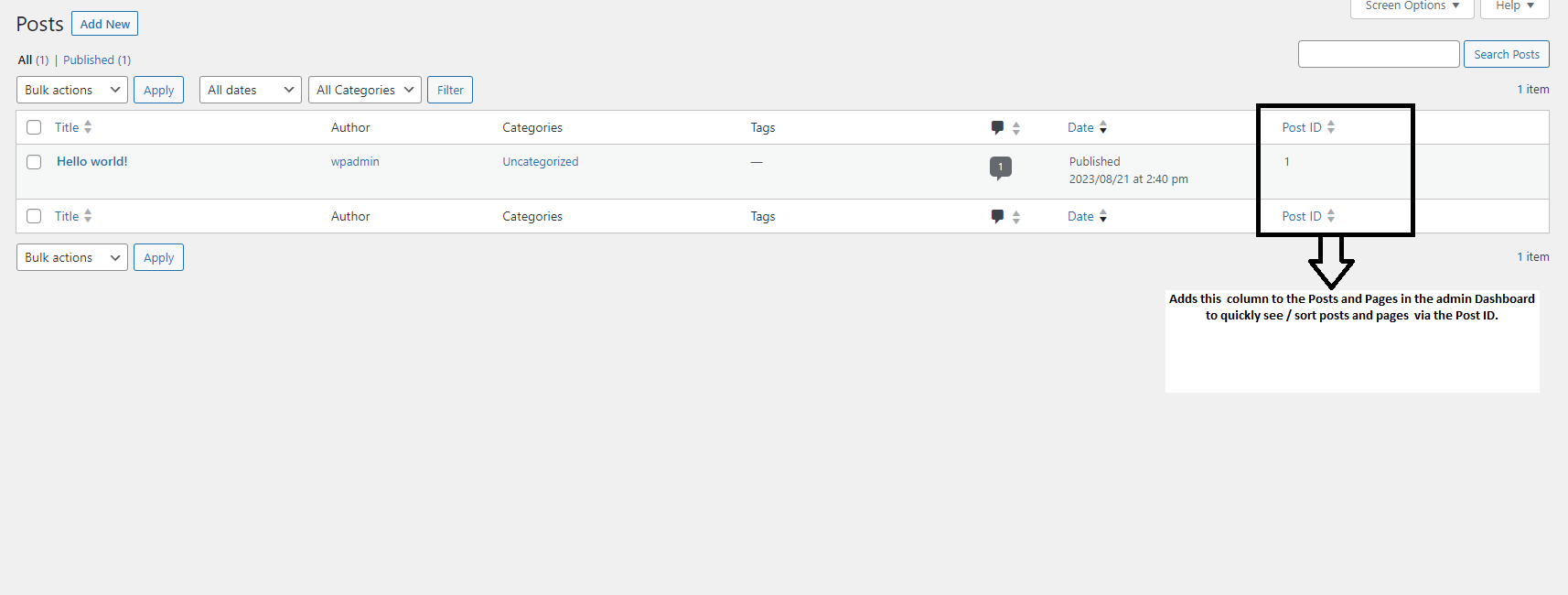
Displaying the Post ID column in the Posts/Pages list.

Post ID visible in the WordPress admin bar on the frontend.

Bulk copy Post IDs from the list by selecting posts and choosing the 'Copy Post ID' action.

Post ID visible next to the Edit Post/Page title in the dashboard.
Changelog
2.0.0
- Added bulk copy functionality for Post IDs.
- Displayed Post ID next to the Edit Page/Post title.
- Post ID now visible in the WordPress admin bar on the frontend.
- General code improvements.
1.0.3
- Added support for custom post types.
- Fixed an issue where Post IDs displayed twice for custom post types.
1.0.0
- Initial release with Post ID display in Posts and Pages list, along with sorting functionality.