

WPCore Plugin Manager
Create plugin collections and install them in one click on any WordPress site.
Maintenance 34/100316d since update
Active installs
10,000
Downloads
166,182
Reviews
32
Age
11.7y
Plugin info
Total downloads: 166,182
Active installs: 10,000
Total reviews: 32
Average rating: 4.8
Support threads opened: 1
Support threads resolved: 0 (0%)
Available in: 1 language(s)
Contributors: 1
Last updated: 5/20/2025 (316 days ago)
Added to WordPress: 7/13/2014 (11 years old)
Minimum WordPress version: 3.5
Tested up to WordPress version: 6.8.3
Minimum PHP version: f
Maintenance & Compatibility
Maintenance score
Stale • Last updated 316 days ago • Support resolved 0% • 32 reviews
34/100
Is WPCore Plugin Manager abandoned?
Likely maintained (last update 316 days ago).
Compatibility
Requires WordPress: 3.5
Tested up to: 6.8.3
Requires PHP: f
Similar & Alternatives
Explore plugins with similar tags, and compare key metrics like downloads, ratings, updates, support, and WP/PHP compatibility.
WP BrowserUpdate
Rating 4.6/5 (16 reviews) • Active installs 1,000
WP Install Profiles
Rating 3.6/5 (9 reviews) • Active installs 500
Product Assembly / Gift Wrap / … Cost for WooCommerce
Rating 4.0/5 (4 reviews) • Active installs 300
Simple blueprint installer
Rating 5.0/5 (7 reviews) • Active installs 20
WordPress Sentinel
Rating 5.0/5 (1 reviews) • Active installs 20
Description
WPCore is a tool that allows you to manage collections of WordPress plugins and then quickly install them on any WordPress site. You can generate your collections at https://wpcore.com and then import them to your WordPress site by copying and pasting your unique collection key in WordPress.
Installation
- Download the plugin via https://wpcore.com/download.
- Upload the ZIP file through the \”Plugins > Add New > Upload\” screen in your WordPress dashboard.
- Activate the plugin through the \’Plugins\’ menu in WordPress
- Generate a plugin collection https://wpcore.com/collections/create
- Add some plugins to that collection
- Copy the unique collection key
- In your WordPress admin panel visit Settings -> WPCore
- Add collection keys
- Install the plugins!
Frequently Asked Questions
You’ll find the FAQ on WPcore.com.
Review feed
Tyler Tork
Plugin works okay, has one error, website is buggy
This plugin works by configuring the list of plugins on the developer's website, which then provides a code you can enter in the plugin's screen on your own website to retrieve the list. It is based on the tgmpa library, which contains a bug that causes an error message during some plugin installs, but the install still works so that's just an irritant.
The main problem is it's difficult to configure the list of plugins on the developer's website. The search function works very poorly, and the list of plugins is displayed in a space-wasting, unsorted way, making it hard to determine whether you have added all the plugins you need. There also doesn't seem to be a distinction between plugins that should just be installed, versus installed and activated.
Rather than a key to reference information on their website, it would actually be more convenient to have a field to paste in a list of the desired plugins. This is a bit too elaborate.
treeflips
Clever idea! Great for quickly installing plugins
Love this plugin! I only use the free version and secretly wish it allowed up to 5 lists. But either way...thanks for making this!
Also wish it could install themes as well.
Screenshots
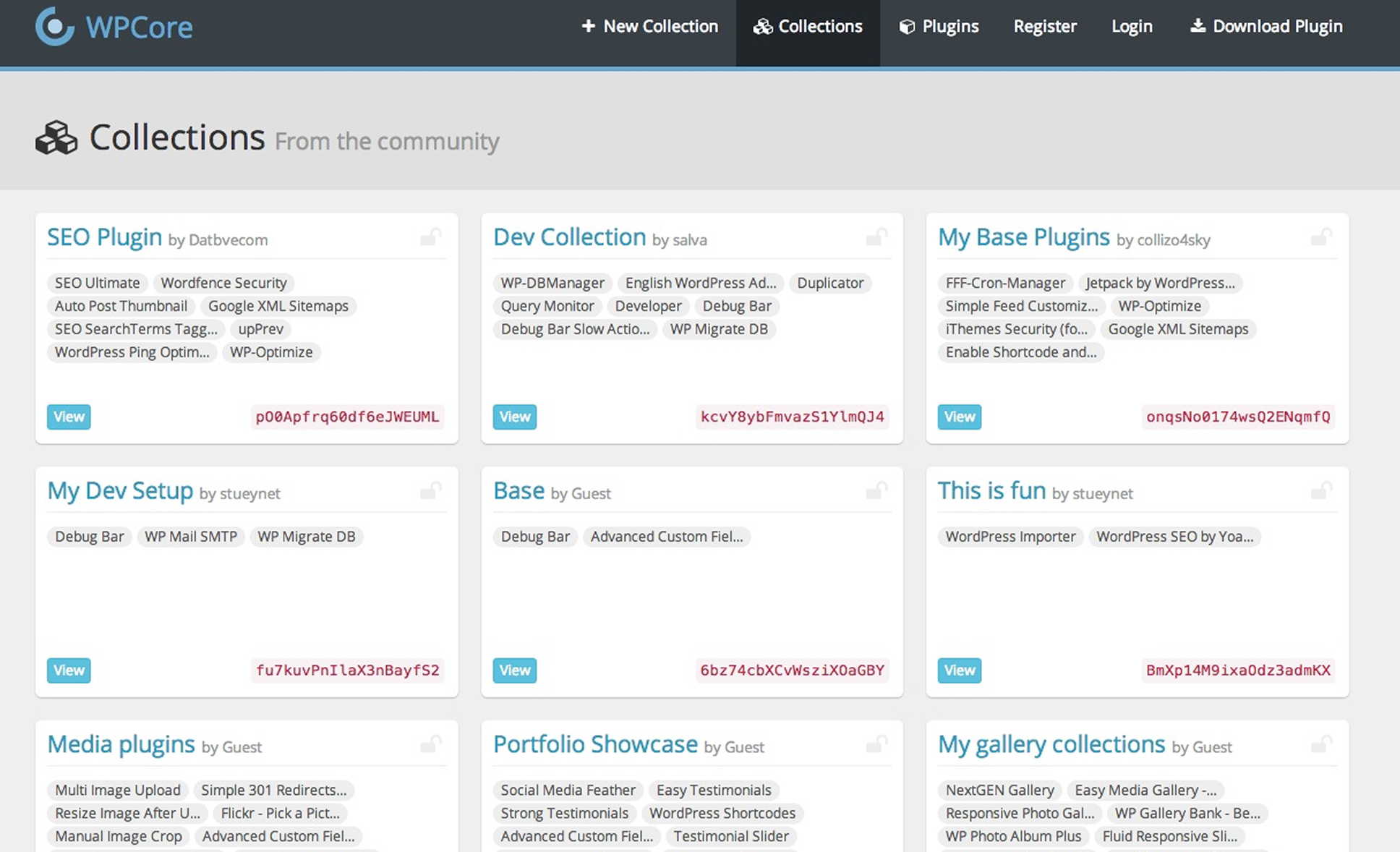
Create plugin collections at wpcore.com
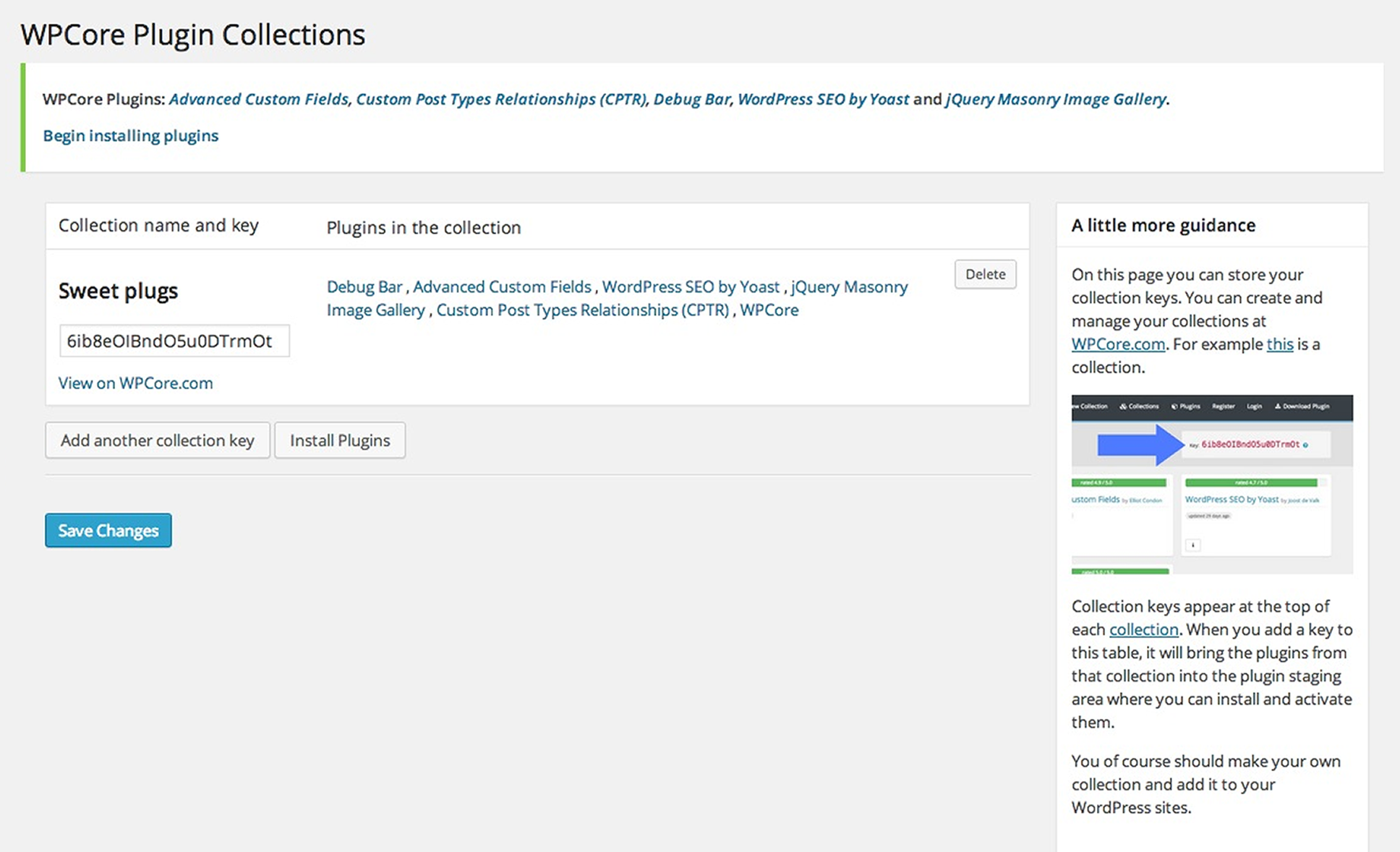
Install them instantly on any WordPress site.
Changelog
1.9.2
- Fixed a bug with PHP 8
1.9.1
- Removed calls to screen_icon
1.9.0
- Added WP-CLI support!
1.8.2
- Update textdomain so you see notices
1.8.1
- Update textdomain so you see notices
1.8.0
- Update to TGM plugin Activation version 2.6.1
1.7.3
- Add ability to export all plugins in addition to active plugins
1.7.2
- Update to version 2.5.2 of http://tgmpluginactivation.com/
1.6.3
- Remove wpcore_keys from options table upon plugin uninstall / delete
1.6.2
- Minor fix to ensure only users with the ‘install_plugins’ capability can see it
1.6.0
- Updated the TGM activation class to 2.4.2
1.5.0
- Fix for error on php 5.3 and below
1.4.9
- Merged pull request from cfoellmann/fixes and updated some urls for https
1.4.8
- Fixed conflict when other plugins or themes use the TGM activation plugin. The install plugins button always works now.
1.4.7
- Export active plugins to a WPCore.com collection.
1.4.6
- Tested on WordPress 3.9.2. Works!
- Added some more input sanity(ization)
1.4.5
- Switched to ssl. Changed timeout.
1.4.0
- Further optimization. Now only 1 API call is made for all your collections. Dramatic speed increase in when saving collection keys.
1.3.3
- Increased cache timeout. Click clear cache button in settings to fetch latest collection info
- Tested with Multisite
1.3.2
- Fixed issue where in some cases users were getting Cannot redeclare wpcore_set_false()
1.3.1
- MAJOR PERFORMANCE UPDATE!
- Completely restructured the plugin to use the WordPress transient cache
- Will only make external calls to WPCore API when you save and edit your collection keys
- Major speed improvement
1.2.8
- Reenabled the admin nag dismiss button.
1.2.7
- Updated Plugin name to alleviate some confusion between this plugin and the WordPress Core.
1.2.6
- Fixed bug that caused all the assets on the WordPress.org SVN to go missing. All good now.
1.2.2
- Updated readme again (sorry)
1.2.1
- Updated readme again (sorry)
1.2
- Updated readme
1.1
- Complete refactor. Adherence to all WP.org coding standards. More Object oriented.
1.0
- Using wp_remote_get and wp_remote_retrieve_body to grab stuff from wpcore.com
0.7
- Organized the menu. Put it near plugins cause that just makes sense.
0.6
- Fixed warning for undefined variable
0.5
- This is the first usable build
- Add and edit multiple keys
- Install tons of plugins all at once
0.4
- Hopefully fixed the changelog
0.3
- Nothing here either
0.2
- Not too much in this one
0.1
- First one