

WPGeared Better Export
Filter and export posts, pages, or custom post types to WXR or CSV with precise date, taxonomy, author, and field controls.
Plugin info
Maintenance & Compatibility
Maintenance score
Maintained • Last updated 129 days ago
Is WPGeared Better Export abandoned?
Likely maintained (last update 129 days ago).
Compatibility
Similar & Alternatives
Explore plugins with similar tags, and compare key metrics like downloads, ratings, updates, support, and WP/PHP compatibility.
Description
WPGeared Better Export is a powerful WordPress plugin that allows you to export your content with advanced filtering options. Perfect for migrating specific content between WordPress sites or exporting data for analysis.
Highlights
- Export straight to WXR for migrations or CSV for spreadsheets, reporting, and BI tools.
- Targeted filtering by date range, post status, taxonomy, author, post type, and limits.
- Select exactly which CSV columns to include, including relative URLs and featured images.
- Built-in quick presets (Last Month, This Year, etc.) keep repetitive workflows fast.
- Familiar WordPress-style interface so teams can adopt it without training.
Key Features
- Dual Export Formats: Export as WXR (WordPress eXtended RSS) for migration or CSV for data analysis
- Advanced Filtering: Filter by date range, post status, categories, tags, author, and more
- Content Type Selection: Export posts, pages, or custom post types
- Selective Field Export: Choose exactly which fields to include in CSV exports
- Featured Images: Include featured images with full attachment data in WXR exports
- Quick Date Presets: Use preset date ranges like “Last Month” or “This Year”
- Custom Filenames: Set custom filenames for your exports
- Export Options: Choose to download CSV files or display data in browser
WXR Export
Export your content in the standard WordPress WXR format for seamless migration between WordPress sites. Includes:
* Full post/page content
* Categories and tags
* Comments
* Custom fields
* Featured images with attachment data
* Author information
CSV Export
Export your content as CSV for data analysis, reporting, or external use. Select from 18+ available fields including:
* Post ID, Title, Slug, URL
* Content and Excerpt
* Categories and Category URLs
* Tags and Tag URLs
* Author information
* Published and Modified dates
* Status and Post Type
* Comment count
* Featured Image URL
Advanced Filtering
- Date Range: Filter by specific date ranges with date pickers
- Quick Presets: Use preset ranges (Last Month, This Year, etc.)
- Post Status: Filter by Published, Draft, Pending, Scheduled, Private, or Trashed
- Categories & Tags: Multi-select dropdowns for easy selection
- Author: Filter by specific authors
- Content Limits: Set maximum number of items to export
Perfect For
- Migrating specific content between WordPress sites
- Creating backups of filtered content
- Exporting data for analysis in Excel or other tools
- Exporting content by date range or category
- Testing exports before full site migration
Why WPGeared Better Export?
- Migration specialists move only the content they need, avoiding bloated XML files.
- Content teams track editorial output with CSV datasets filtered by author or taxonomy.
- Data analysts receive clean, ready-to-query exports for Excel, Google Sheets, or BI tools.
- Agencies streamline QA by exporting smaller test batches before large moves.
Need help or have a feature request? Open a support topic on WordPress.org or visit https://wpgeared.com for priority assistance.
Installation
- In Plugins Add New, search for “WPGeared Better Export” and click Install Now (or upload the ZIP manually).
- Activate the plugin via Plugins Installed Plugins.
- Open Tools Export Posts to access the WXR and Data Export tabs.
- Choose your filters, select WXR or CSV, and click the export button.
Frequently Asked Questions
Go to Tools Export Posts, select your filters, and click “Export Posts (WXR Format)” or use the Data Export tab for CSV format.
Yes! Choose “Pages” or any available custom post type from the Content Type dropdown. The Data Export tab also offers an “All Types” option that bundles posts, pages, and custom post types.
Yes, when you enable “Include Featured Images” in WXR export, all attachment data is included so images download during import. CSV exports can include the Featured Image URL column.
- Use WXR for migrating content to another WordPress site.
- Use CSV for data analysis, reporting, or external use.
You can pick from more than 18 fields (ID, Title, URL, taxonomies, author data, dates, featured image URL, etc.). Only checked columns are included in the final file.
Use the limit option to export batches (e.g., 500 posts at a time), filter by date range, or switch to CSV which streams directly to the browser to avoid timeouts.
Anyone with the standard WordPress export capability (Editors and Administrators by default) can run exports. Use a role manager plugin if you need to grant that capability to custom roles.
Review feed
Screenshots
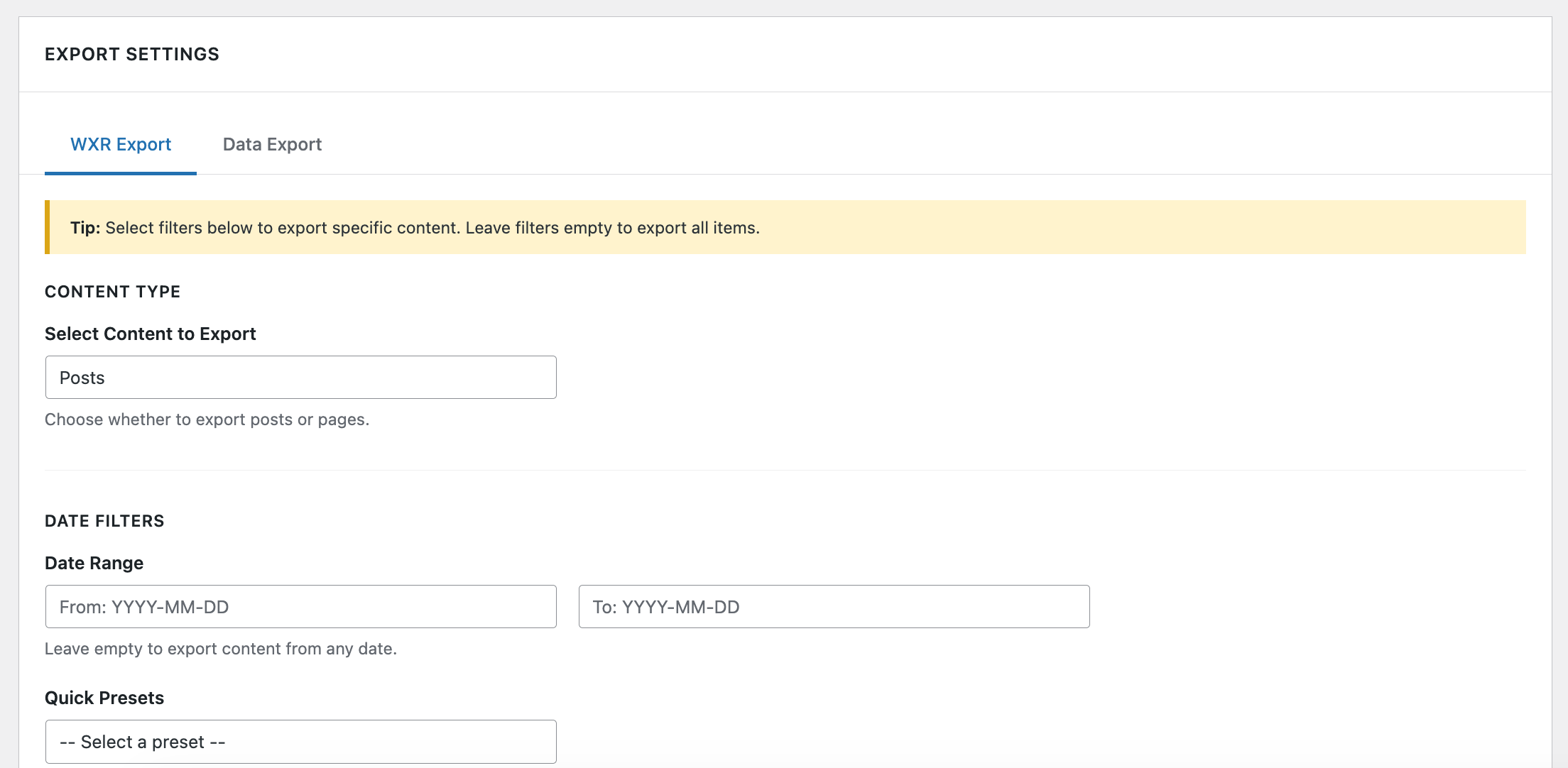
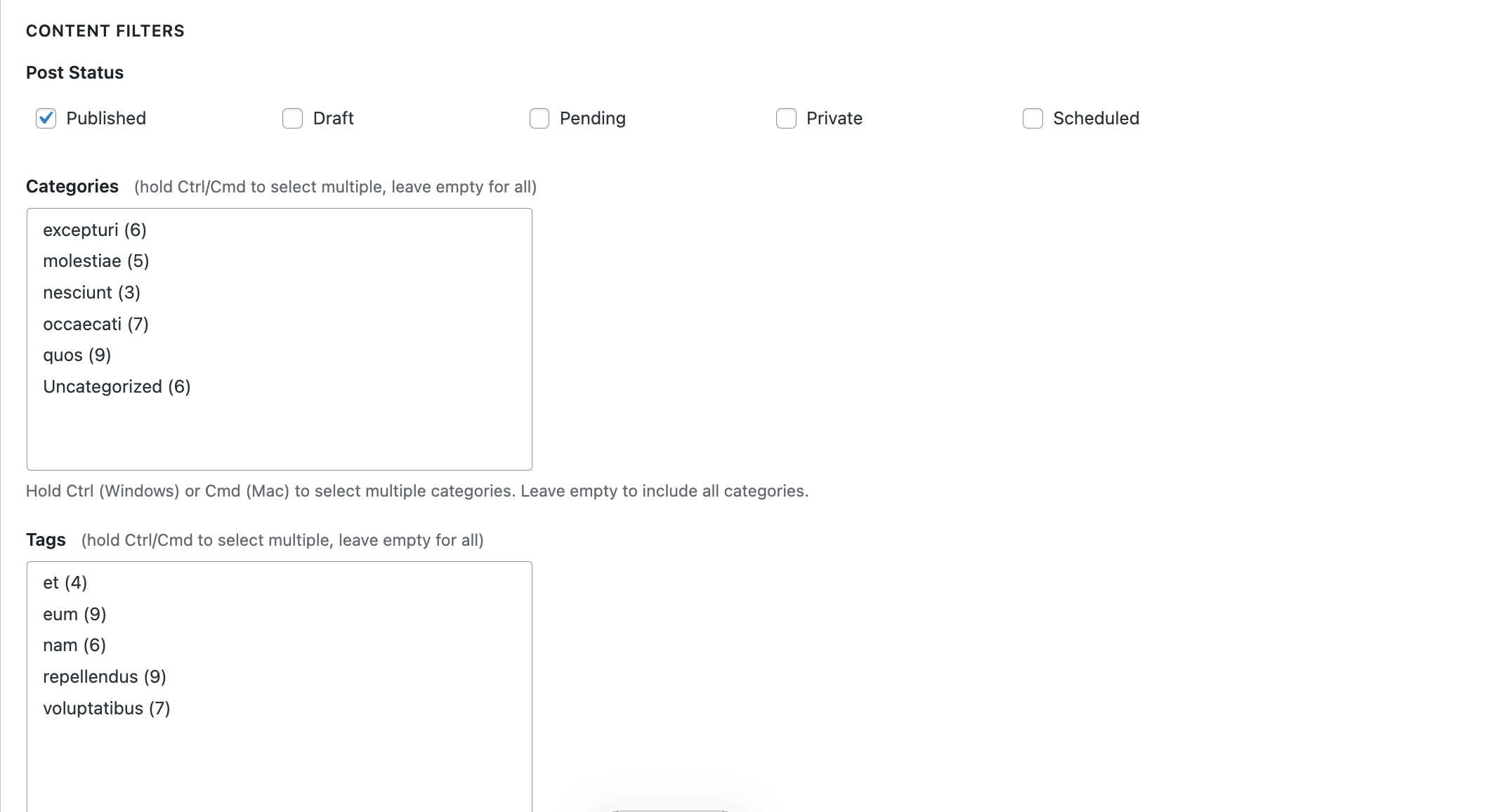
WXR Export tab with date presets, taxonomy filters, and export options.
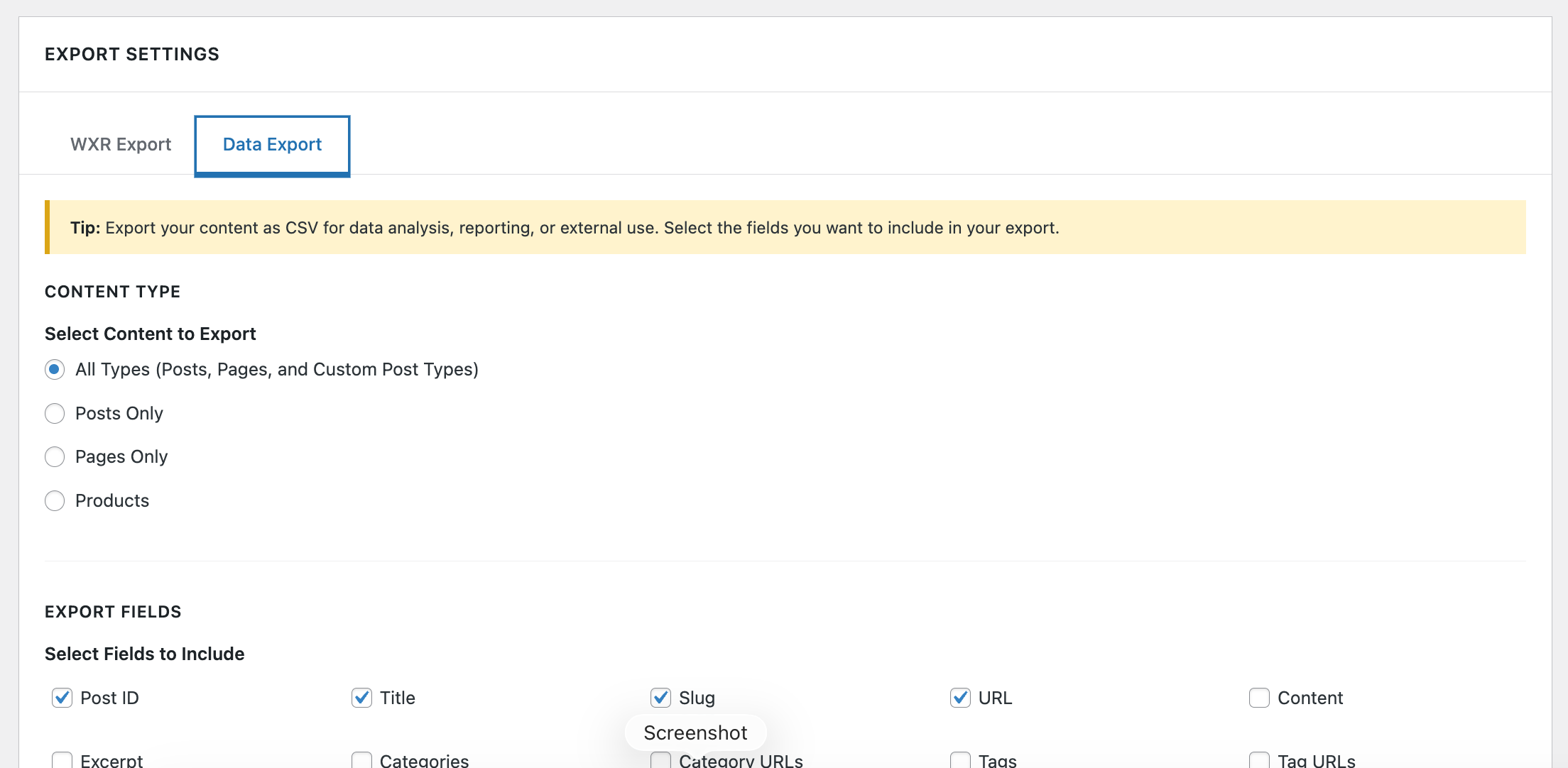
Data Export tab showing selectable CSV fields, author filters, and output options.
Changelog
1.2.4
- Added highlights section and refreshed readme copy for better Plugin Directory visibility.
- Clarified installation and FAQ instructions for WXR/CSV workflows.
- Prepared structure for upcoming banner, icon, and screenshot assets.
1.2.3
- Fixed performance issue – added version parameter to wp_register_style() for proper cache busting
1.2.2
- Fixed coding standards errors for WordPress core hook usage
- Added phpcs:ignore comments for the_title_rss filter (WordPress core hook)
1.2.1
- Updated author information to WPGeared
- Updated author URI to https://wpgeared.com
- Updated contributors to match WordPress.org username
1.2.0
- Fixed deprecated utf8_encode() function – replaced with mb_convert_encoding() for PHP 8.2+ compatibility
- Improved CSS/JS enqueuing – now using wp_add_inline_style() and wp_add_inline_script() following WordPress best practices
- Enhanced encoding detection for better character handling in exports
1.1.0
- Added tabbed interface with WXR and Data Export tabs
- Added CSV export functionality with 18+ field options
- Added support for custom post types
- Improved UI with Better Search Replace style design
- Added multi-select dropdowns for categories and tags
- Added attachment export for featured images
- Fixed PHP 8+ compatibility issues
- Improved security with proper escaping functions
- Fixed UTC timestamp generation
1.1.7
- Fixed InputNotSanitized warnings using phpcs:disable/phpcs:enable blocks
- Improved input sanitization handling for Plugin Repo check
1.1.6
- Fixed MissingUnslash warnings by unslashing directly in assignment
- Improved phpcs:ignore comment placement
1.1.5
- Fixed remaining Plugin Repo input sanitization warnings
- Added phpcs:ignore comments for proper input handling flow
1.1.4
- Fixed array input sanitization warnings for Plugin Repo check
- Improved $_POST array handling with proper isset() checks
1.1.3
- Fixed remaining Plugin Repo coding standards issues
- Fixed array input sanitization warnings
- Improved phpcs:disable/phpcs:enable block usage
1.1.2
- Fixed Plugin Repo coding standards compliance
- Improved phpcs:ignore comment formatting
- Fixed input sanitization warnings
1.1.1
- Fixed WordPress coding standards compliance issues
- Improved security with proper input sanitization
- Fixed escaping issues for better security
1.1.0
- Major update with CSV export, improved UI, and enhanced features
- Added Data Export tab with advanced filtering
- Improved UI design similar to Better Search Replace
- Added multi-select dropdowns for categories and tags
- Enhanced featured image export in WXR format
1.0.0
- Initial release
- WXR export functionality
- Basic filtering options