

Plugin info
Maintenance & Compatibility
Maintenance score
Possibly abandoned • Last updated 448 days ago
Is WPHobby WooCommerce Product Filter abandoned?
Possibly abandoned (last update 448 days ago).
Compatibility
Similar & Alternatives
Explore plugins with similar tags, and compare key metrics like downloads, ratings, updates, support, and WP/PHP compatibility.
Description
WPHobby WooCommerce Product Filter is a flexible WooCommerce Plugin
make your visitors can select products by its categories, products attributes, tags, products taxonomies and price.
This plugin comes with built in widgets that you can use to place as many instances of attributes as you needed.
WPHobby WooCommerce Product Filter Pro
Like WPHobby WooCommerce Product Filter Free Version? Here’s you can get WPHobby WooCommerce Product Filter Premium Version and have more features.
Installation
- Unzip the downloaded zip file.
- Upload the plugin folder into the
wp-content/plugins/directory of your WordPress site. - Activate
WPHobby WooCommerce Product Filterfrom Plugins page.
Frequently Asked Questions
you need to assign the widget to the sidebar of the Shop page. And you also need to have WooCommerce Product Attributes assigned your product.
Review feed
Screenshots
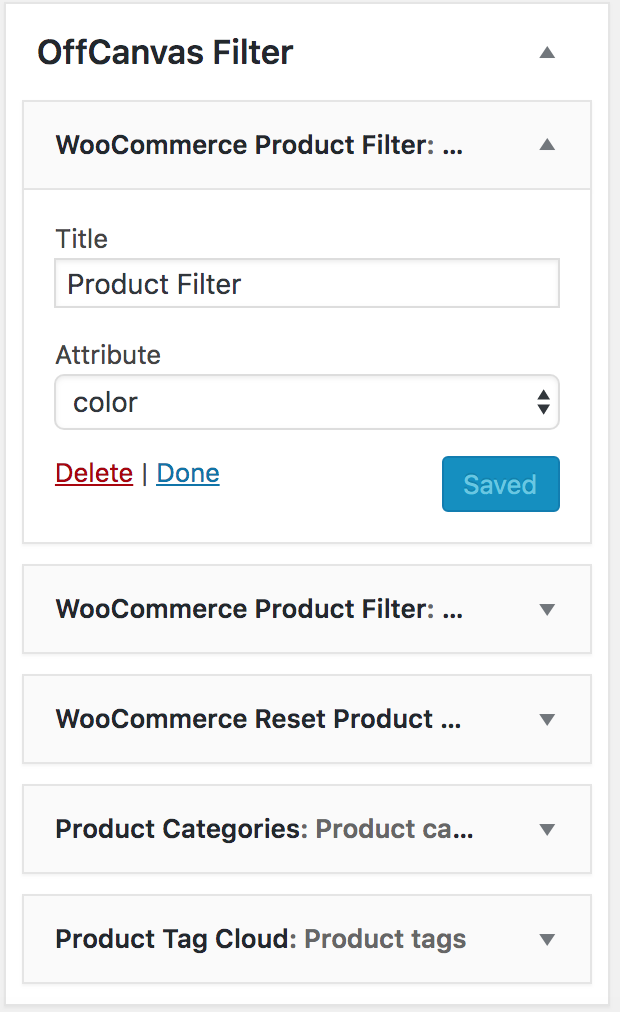
Admin - Appearance -> Widget: WooCommerce Filter Widget List Style

Admin - Appearance -> Widget: WooCommerce Filter Reset Button

Frontend: WooCommerce Widget in off-canvas sidebar

Frontend: Reset button and active filters

Admin - Filter -> General Settings

Admin - Filter -> Help & Guide
Changelog
1.0.0
Initial release