

WPMissionControl
Monitor uptime, SSL, domain, integrity, malware, visual changes, activity, and errors. Lightweight client. Requires a WPMissionControl account.
Plugin info
Maintenance & Compatibility
Maintenance score
Maintained • Last updated 116 days ago
Is WPMissionControl abandoned?
Likely maintained (last update 116 days ago).
Compatibility
Similar & Alternatives
Explore plugins with similar tags, and compare key metrics like downloads, ratings, updates, support, and WP/PHP compatibility.
Description
WPMissionControl delivers full-stack observability, security, and health monitoring for WordPress — without slowing your site down.
The plugin runs as a lightweight client that connects your site to our cloud observability platform. You get uptime checks, SSL monitoring, integrity scanning, visual regressions, and deep error insights — all processed off-site to keep your WordPress fast.
A free WPMissionControl account is required to view your monitoring dashboard.
What WPMissionControl Monitors
Uptime & Performance
Instant alerts when your site goes down or becomes slow.
SSL & Domain Expiration
Never miss an expiring certificate or renewal deadline.
Integrity & Security
Core, theme, and plugin checksum validation to detect tampering or suspicious changes.
AI Malware Scanning
AI-driven detection catches unknown or evolving threats traditional scanners miss.
Visual Regression Monitoring
Automatic screenshot comparisons to spot layout shifts or broken UI components.
Activity Log & Error Tracking (v1.2+)
Monitor and analyze:
– Updates (core, plugins, themes)
– User logins & role changes
– Content changes
– Cron failures
– Database, REST API & AJAX errors
– Fatal errors and config anomalies
Real-Time Alerts
Email, Slack, and SMS notifications (plan-dependent).
Public Status Page
Share an independent, always-up-to-date health overview of your site.
Secure Website Badge
Show visitors your site is monitored and safe.
All monitoring runs on our servers — the plugin remains extremely lightweight.
Disclaimer
This plugins sends information about your website, including it’s core version, health points, and checksums of the core, installed themes and plugins files, and activity log to wpmissioncontrol.com. This information is only sent with the proper API key set, used to assess overall health of your website and is not shared with any thrid party. Consider reading our Privacy Policy and Terms of Service.
Installation
- Install or upload WPMissionControl to the
/wp-content/plugins/directory - Activate the plugin through the ‘Plugins’ menu in WordPress
- Enter your API key on the plugin’s Settings page to connect your website to the system. The code can be generated in your WPMissionControl Dashboard. Refer to detailed instruction
here.
Frequently Asked Questions
No. The plugin is lightweight and optimized for performance. Most monitoring runs externally from our servers without impacting your site speed.
The Activity Log (introduced in v1.1) provides deep visibility into your WordPress site, including: plugin and theme updates, core updates, user logins and role changes, post and content changes, REST API errors, AJAX errors, database errors, missed or failing cron jobs, fatal errors, PHP or configuration issues. It helps diagnose issues, security incidents, or unexpected behavior.
You’ll receive real-time alerts for uptime issues, SSL expiration, domain renewal, malware detection, and more—via email, Slack, or SMS, depending on your plan.
Our system takes regular visual snapshots of your website and compares them to previous versions. If a major visual change is detected, you’ll get an alert.
Yes. WPMissionControl is designed to work alongside any theme or plugin. It only reads data and does not interfere with your site’s output or layout.
Yes. An account is required to access your monitoring dashboard, set up notifications, and view your public status page.
Absolutely. You can monitor multiple websites from a single dashboard. Different plans support different limits—see our pricing page for details.
Each monitored website gets a public-facing status page that shows uptime, SSL status, and overall site health—great for transparency.
You’ll be alerted immediately. Premium users also have access to AI-powered scanning and can request additional cleanup services if needed.
Yes. The Activity Log includes: REST API error logging, AJAX error logging, database error logging, fatal error detection, cron failure detection. This is part of WPMissionControl’s observability layer.
Review feed
Screenshots
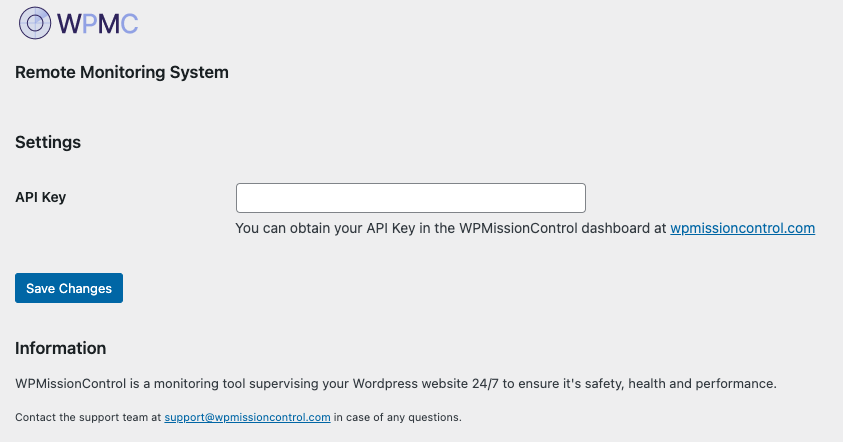
Screenshot of the plugin's Settings page on desktop

Screenshot of the plugin's Settings page on mobile
Changelog
v1.2.2
- Improved: Cron failures detection logic
v1.2.1
- Improved: Cron failures detection logic
- Tested: WordPress 6.9
v1.2.0
- Improved: REST and AJAX error detection now more accurate and lightweight
- Improved: Overall stability and error-handling reliability
- Fixed: Various minor bugs and edge-case issues
v1.1.0
- New: Advanced Observability & Activity Log — captures plugin/theme updates, user logins, post changes, REST API errors, database errors, cron failures, AJAX issues, and fatal errors
v1.0.9
- API connectivity check updated
v1.0.8
- API connectivity check added
- Badge preview and shortcode added
v1.0.7
- Screenshot comparison support scripts added
v1.0.6
- Icon and description update
v1.0.5
- Description update
v1.0.4
- Added Settings link
- Plugin version added to Health Report sent to WPMissionControl
- AI Malware Scan analysis functionality added
v1.0.3
- Description update
v1.0.2
- Compatibility testing
v1.0.1
- Assets update
v1.0.0
- Initial release