

OpenPOS Lite – Point of Sale for WooCommerce
OpenPOS Lite is a powerful and extendable Point of Sale (POS) plugin for WooCommerce, designed to seamlessly connect your online and offline sales.
Plugin info
Maintenance & Compatibility
Maintenance score
Maintained • Last updated 139 days ago • Support resolved 0% • 1 reviews
Is OpenPOS Lite – Point of Sale for WooCommerce abandoned?
Likely maintained (last update 139 days ago).
Compatibility
Similar & Alternatives
Explore plugins with similar tags, and compare key metrics like downloads, ratings, updates, support, and WP/PHP compatibility.
Description
OpenPOS Lite is a free WooCommerce plugin that connects your physical store’s sales with your online WooCommerce store via the OpenPOS cloud service.
Built to integrate seamlessly with WordPress and WooCommerce, OpenPOS Lite includes:
- A fast and intuitive POS panel for quick order creation.
- Barcode scanning via camera or hardware barcode device.
- Save, hold, and resume carts easily.
- Apply coupons, cart discounts, and item-level discounts.
- Manage customers and view real-time stock levels.
- Generate and print barcode labels for products.
- Manage cash transactions and track cash balances.
- View live orders from your outlets.
- Built-in QR code and camera barcode scanner.
- Secure logoff function — cashiers can log out safely without losing session data.
- Real-time synchronization of order and stock data between POS and WooCommerce.
and much more…
After activating the plugin on your WordPress site, you can log in to the POS panel using your WordPress credentials at:
👉 https://pos.wpos.app (Free version only)
💡 Demo Site
https://demo.wpos.app/wordpress/wp-admin/
Demo Account: admin / admin123
🎥 Watch the demo video:
https://youtu.be/zqCd4Ox3NIk?si=CUv6q0m76N4inOMM
Feature Comparison
Feature | Free | Pro
- Real-time Sync: ✅ Yes | ✅ Yes
- Admin POS Order: ✅ Yes | ✅ Yes
- Product Barcode: ✅ Yes | ✅ Yes
- Barcode Scanner: ✅ Yes | ✅ Yes
- Store Staff: ✅ Yes | ✅ Yes
- Weight-based Product: ❌ No | ✅ Yes
- Length-based Product: ❌ No | ✅ Yes
- POS Settings: ⚙️ Limited | ✅ Full customization
- Receipt Template: ❌ 1 fixed template | ✅ Unlimited templates
Advanced Features
- Multiple Outlets: 🏪 Online store only | ✅ Unlimited outlets
- Multiple Registers: 1 register | ✅ Unlimited registers
- POS Hosting: ☁️ Cloud (pos.wpos.app) | ✅ Self-hosted or cloud option
- POS Reports: ❌ No | ✅ Yes
- POS Session Manager: ❌ No | ✅ Yes
- Stock Manager: ❌ Uses WooCommerce default | ✅ Advanced stock control
- Admin Reports: ❌ No | ✅ Yes
- Support: 💬 Community only | 🚀 Priority instant support
Premium Version
Upgrade to OpenPOS Pro to unlock all advanced features and host your POS directly on your own server.
👉 Get the Premium Version on CodeCanyon
Note: The Pro version runs entirely on your WordPress + WooCommerce environment — it does not rely on OpenPOS servers. Login securely using your local credentials only.
Installation
Minimum Requirements
- PHP 5.6 or greater (recommended 7.0+)
- MySQL 5.6 or greater
- WordPress 4.7+
- WooCommerce 3.3+
Automatic Installation
- Log in to your WordPress admin dashboard.
- Navigate to Plugins Add New.
- Search for “OpenPOS Lite”.
- Click Install Now, then Activate.
Once activated, go to Admin POS Lite Store Staff and assign user access to the POS.
Manual Installation
- Download the OpenPOS Lite plugin ZIP file.
- Upload it to your
/wp-content/plugins/directory via FTP or File Manager. - Go to Plugins Installed Plugins and click Activate.
Refer to the WordPress Plugin Installation Guide for more details.
Updating
Automatic updates are supported. As always, back up your site before updating.
Frequently Asked Questions
Review feed
Screenshots
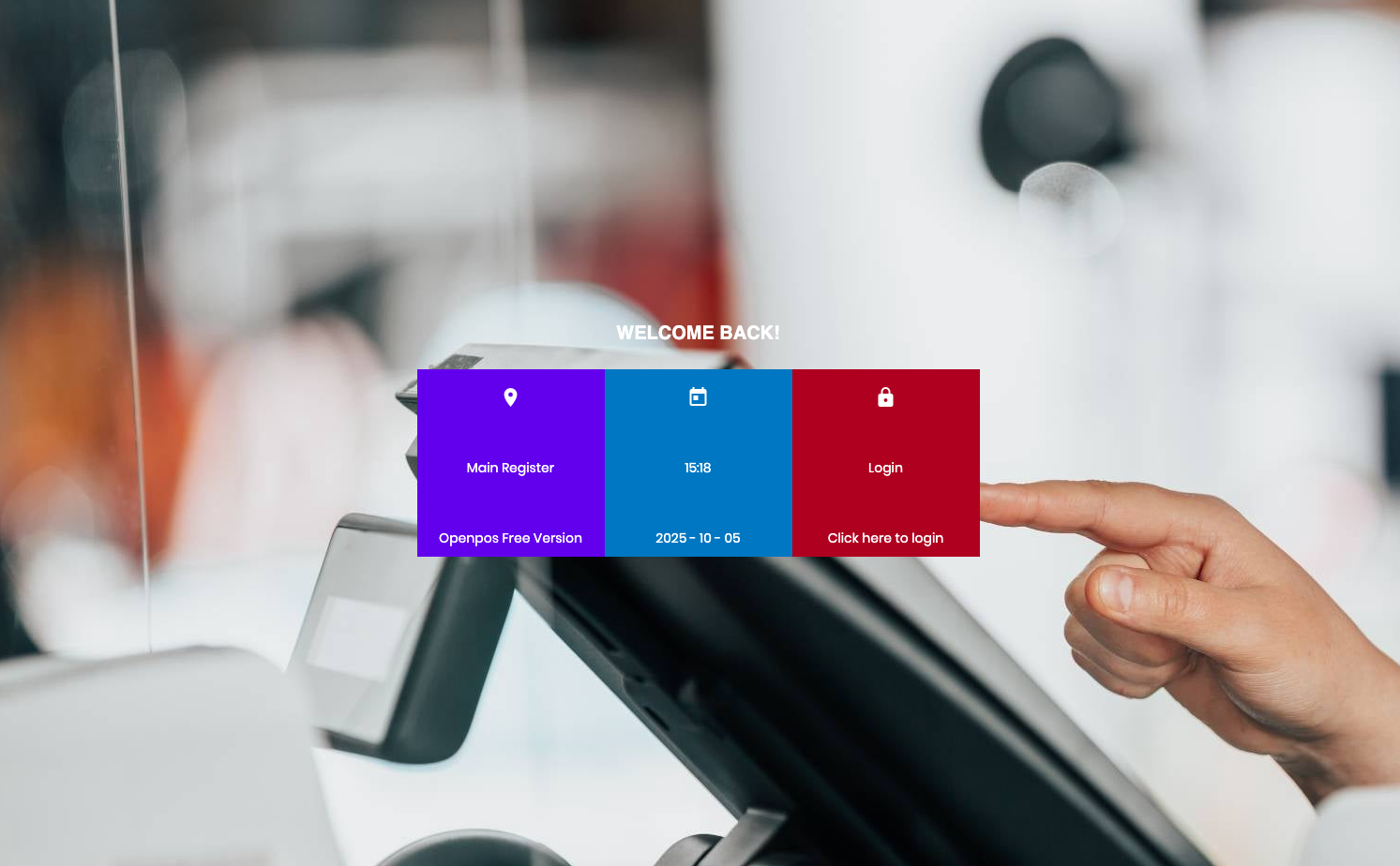
POS Frontend Panel – The live POS interface

Login POS with your site URL
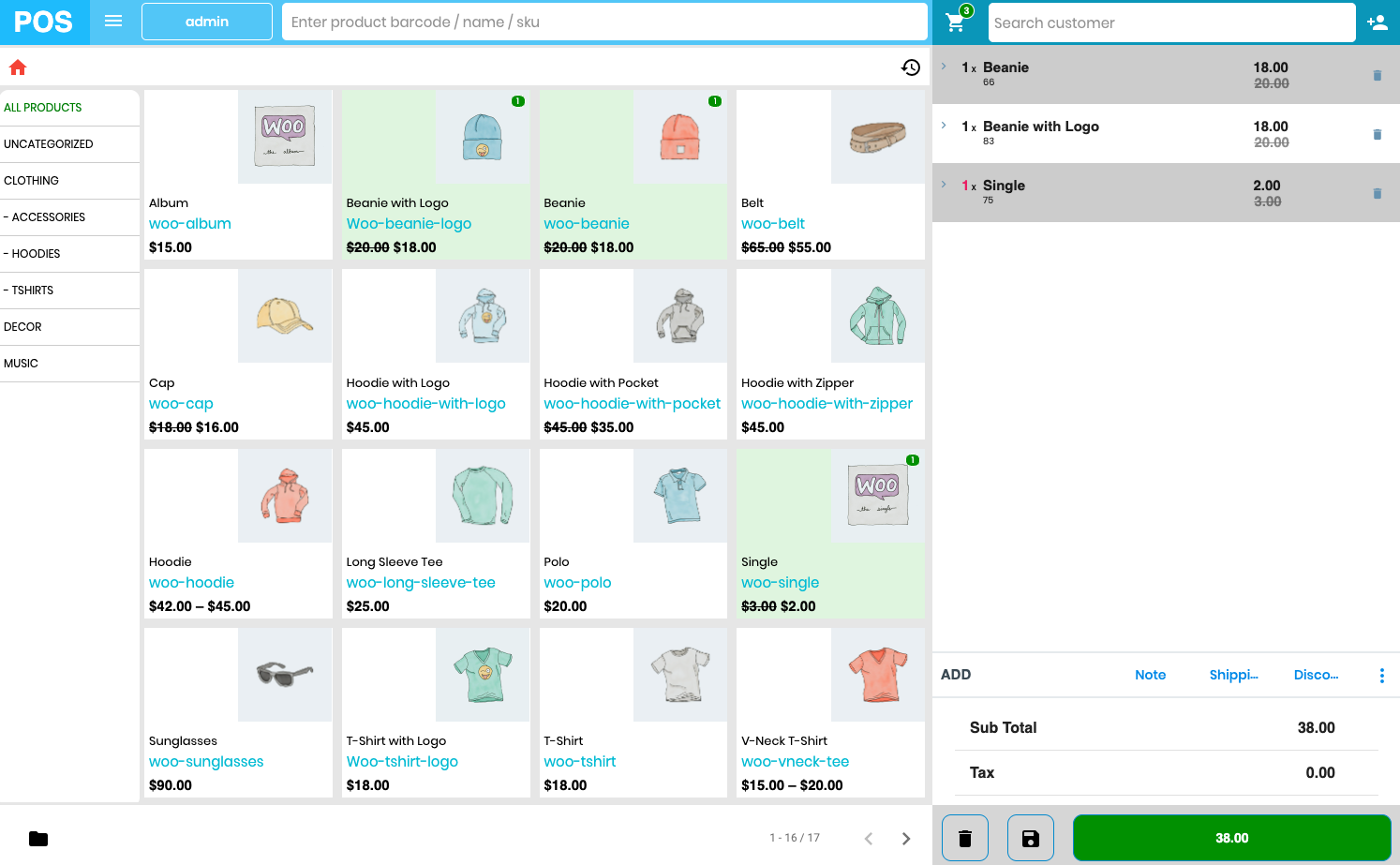
Main POS screen with products

Pos checkout
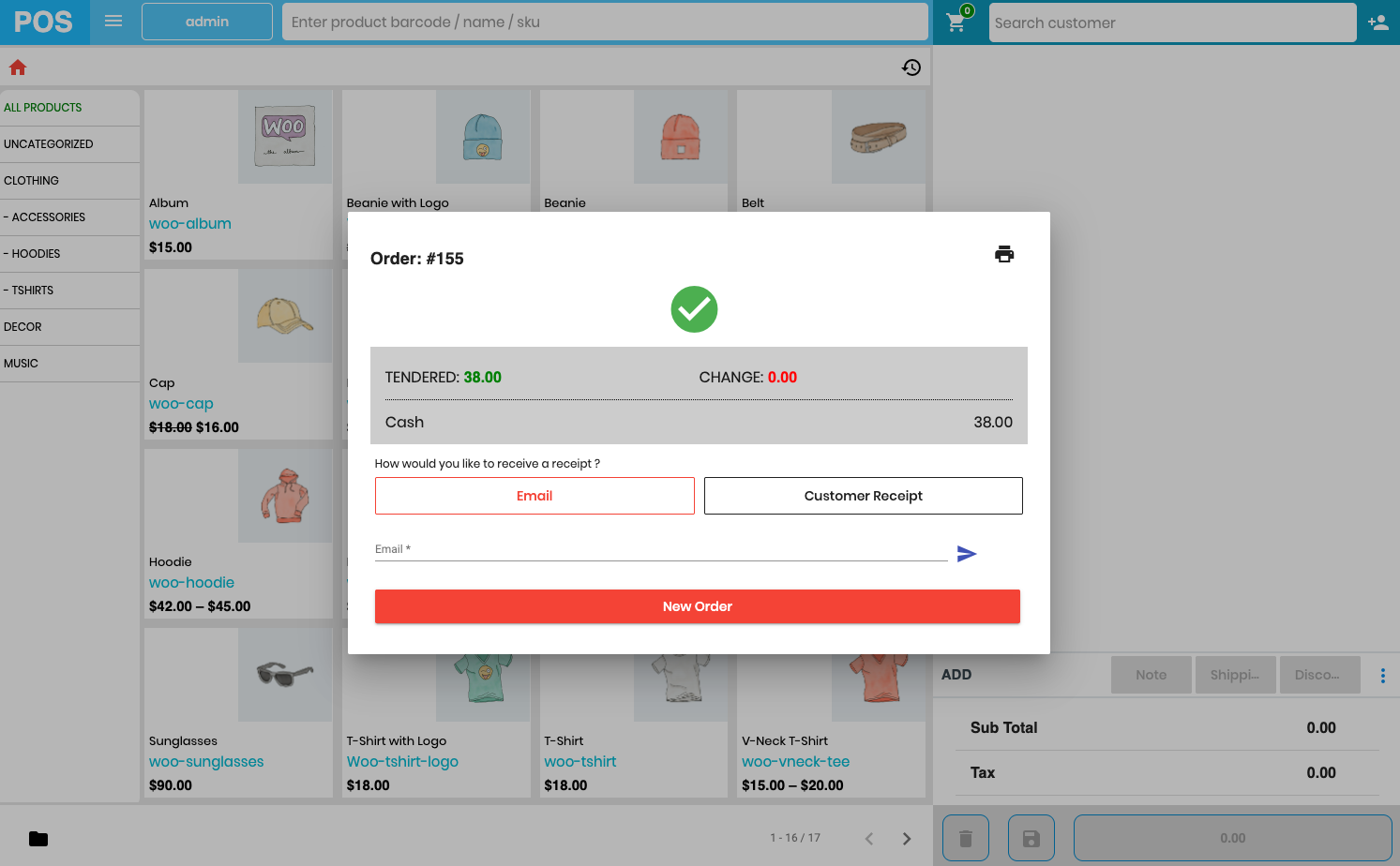
Pos checkout done

Admin POS Dashboard

POS Orders List – Orders made via POS
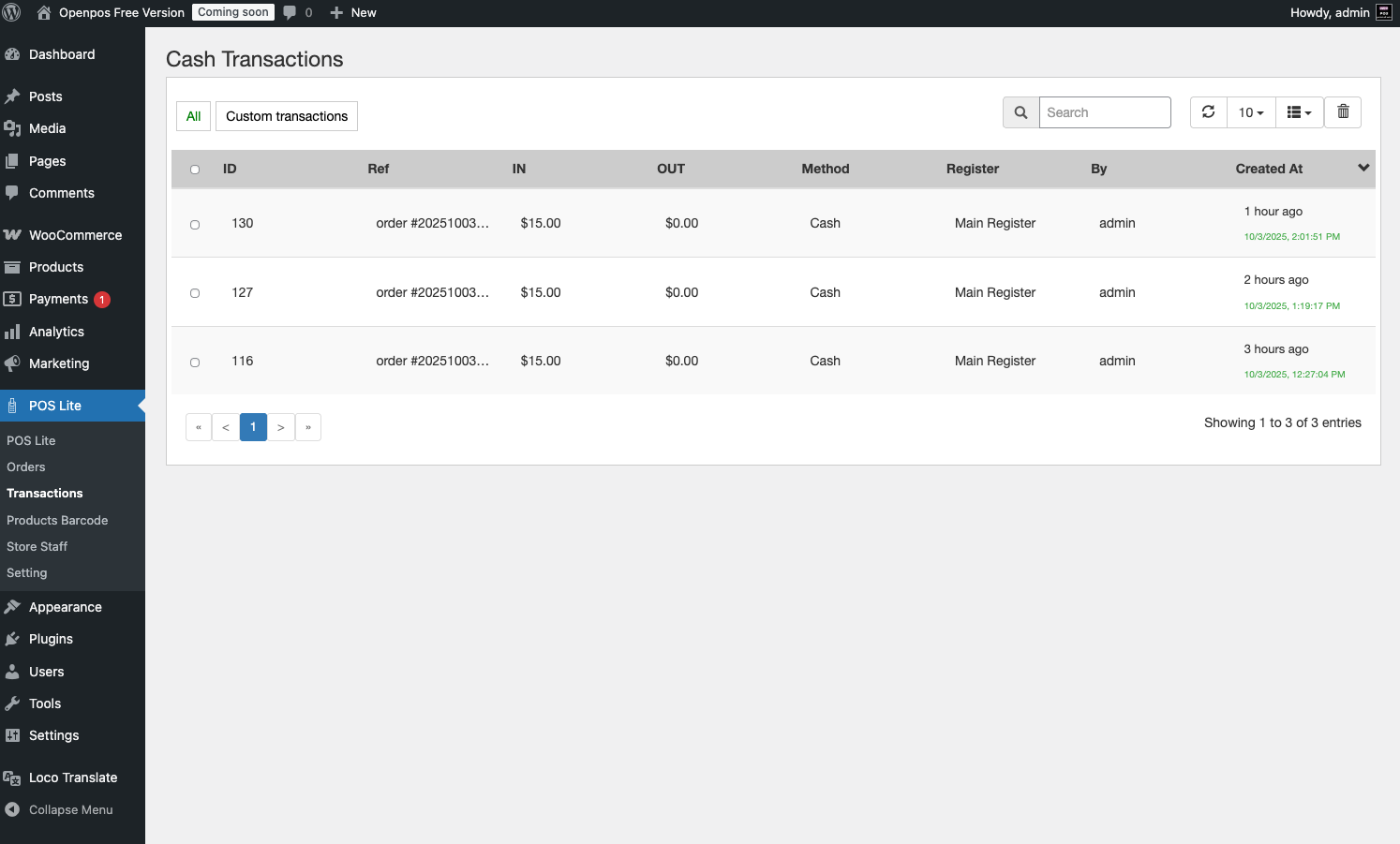
Cash Transactions – Track all POS cash flow

Product Barcode – Manage and print barcode labels

Store Staff – Manage POS access
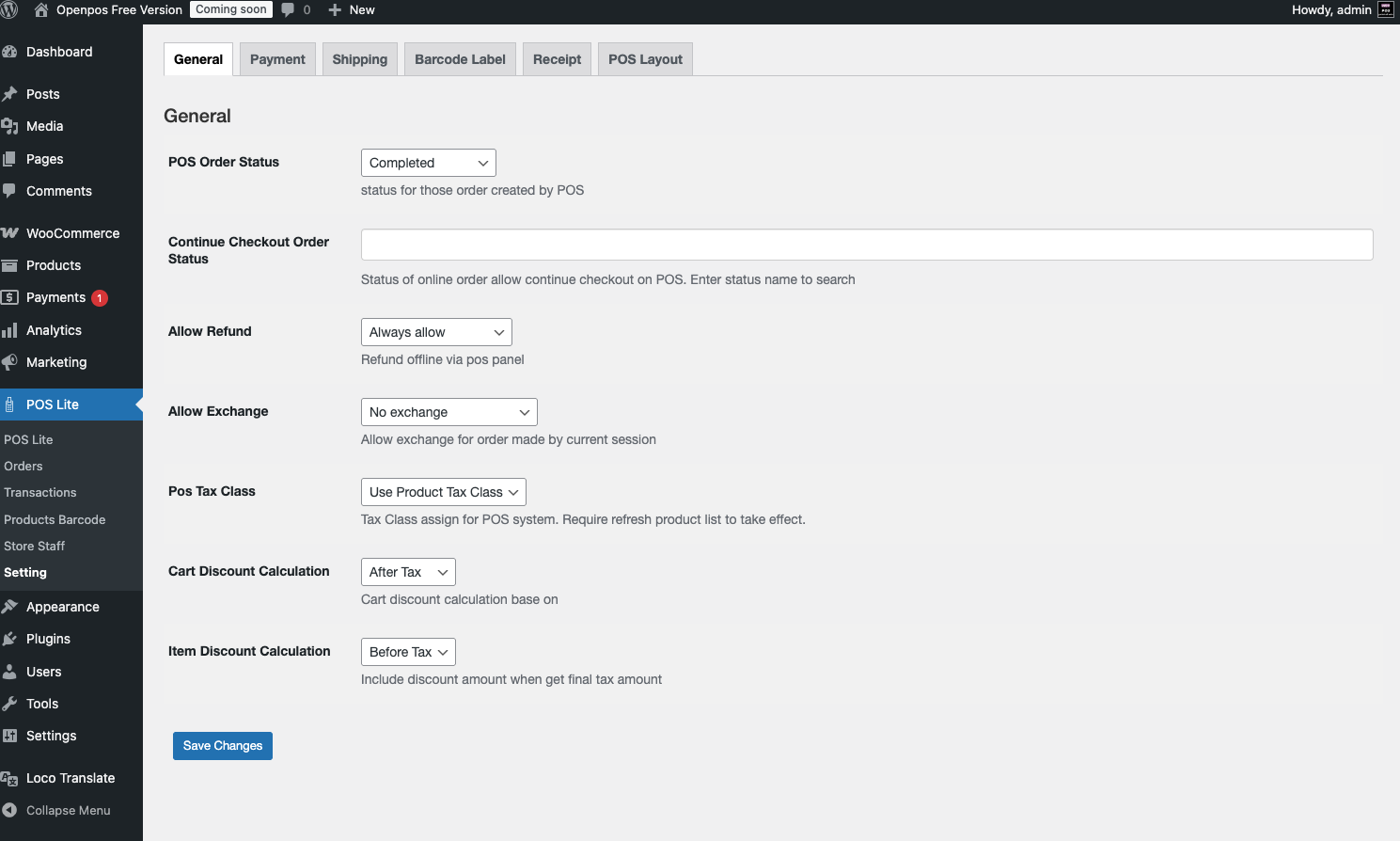
Settings – POS configuration panel
Changelog
3.0
- Initial release of OpenPOS Lite
- Core POS integration with WooCommerce
- Added barcode and QR code scanner
- Added cart management and real-time sync
- POS cloud login via pos.wpos.app