

WPRaiz Content API Tool
Create WordPress posts via REST API with custom SEO fields, image uploads, primary category assignment, and integration with major SEO plugins (SEOPre …
Plugin info
Maintenance & Compatibility
Maintenance score
Possibly abandoned • Last updated 367 days ago • 3 reviews
Is WPRaiz Content API Tool abandoned?
Possibly abandoned (last update 367 days ago).
Compatibility
Similar & Alternatives
Explore plugins with similar tags, and compare key metrics like downloads, ratings, updates, support, and WP/PHP compatibility.
Description
The WPRaiz Content API Tool is a powerful plugin that enables the creation of WordPress posts programmatically through a REST API. Ideal for developers and websites that need seamless content integration from external systems, this plugin supports:
- Integration with Major SEO Plugins: Set custom SEO fields for titles and descriptions, compatible with SEOPress, Yoast SEO, and Rank Math.
- Flexible Image Uploads: Accept images via URL, with automatic attachment as the featured image.
- Automatic Category Management: Assign an existing category or create a new one based on supplied category names.
- Installation Check Endpoint: Verify plugin installation, authentication, and detect the installed SEO plugin.
- Post Similarity Search: Find and return the top 10 most similar published posts by title for better content linking and duplication checks.
- Admin Interface: Dashboard section with copyable API endpoints for easy testing.
Authentication
To authenticate API requests, you must use an application password, which can be generated from your user profile in the WordPress admin dashboard.
- Generate Application Password: Go to Users > Profile in the WordPress dashboard and create an application password.
- Authorization Header: Pass the application password in a Base64-encoded
Authorizationheader in the formatBasic {base64_encode(username:application_password)}.
REST API Endpoints
-
Create Post Endpoint
- URL:
/wp-json/api-post-creator/v1/create-post - Method: POST
- Parameters:
title(required): Title of the post.content(required): Content of the post.status(optional): Post status (default: draft).primary_category(optional): Primary category name.seo_title(optional): SEO title.seo_desc(optional): SEO description.image_url(optional): URL for the featured image.
- URL:
-
Check Installation Endpoint
- URL:
/wp-json/api-post-creator/v1/check-status - Method: GET
- Purpose: Verifies plugin status and active SEO plugin.
- URL:
-
List Categories Endpoint
- URL:
/wp-json/api-post-creator/v1/get-categories - Method: GET
- Purpose: Returns all registered post categories.
- URL:
-
Similar Titles Search Endpoint
- URL:
/wp-json/api-post-creator/v1/search-similar-posts?title=Your+Title+Here - Method: GET
- Purpose: Returns the top 10 most similar published posts by title.
- URL:
License
Este plugin é licenciado sob a GPLv3. Veja GNU’s official site para detalhes.
Support
Para dúvidas ou suporte, visite WPRaiz Support.
Installation
- Download the plugin zip file.
- In your WordPress dashboard, go to Plugins > Add New.
- Click on Upload Plugin and choose the zip file you downloaded.
- Click Install Now and activate the plugin.
- Use the REST API endpoint
/wp-json/api-post-creator/v1/create-postto start creating posts programmatically.
Frequently Asked Questions
Use /wp-json/api-post-creator/v1/create-post with a POST request and appropriate parameters.
Use application passwords and pass them using the Basic Auth header.
SEOPress, Yoast SEO, and Rank Math. The plugin auto-updates the correct meta fields.
Yes! Use the /search-similar-posts endpoint to retrieve related posts for internal linking or avoiding duplicates.
Review feed
Screenshots
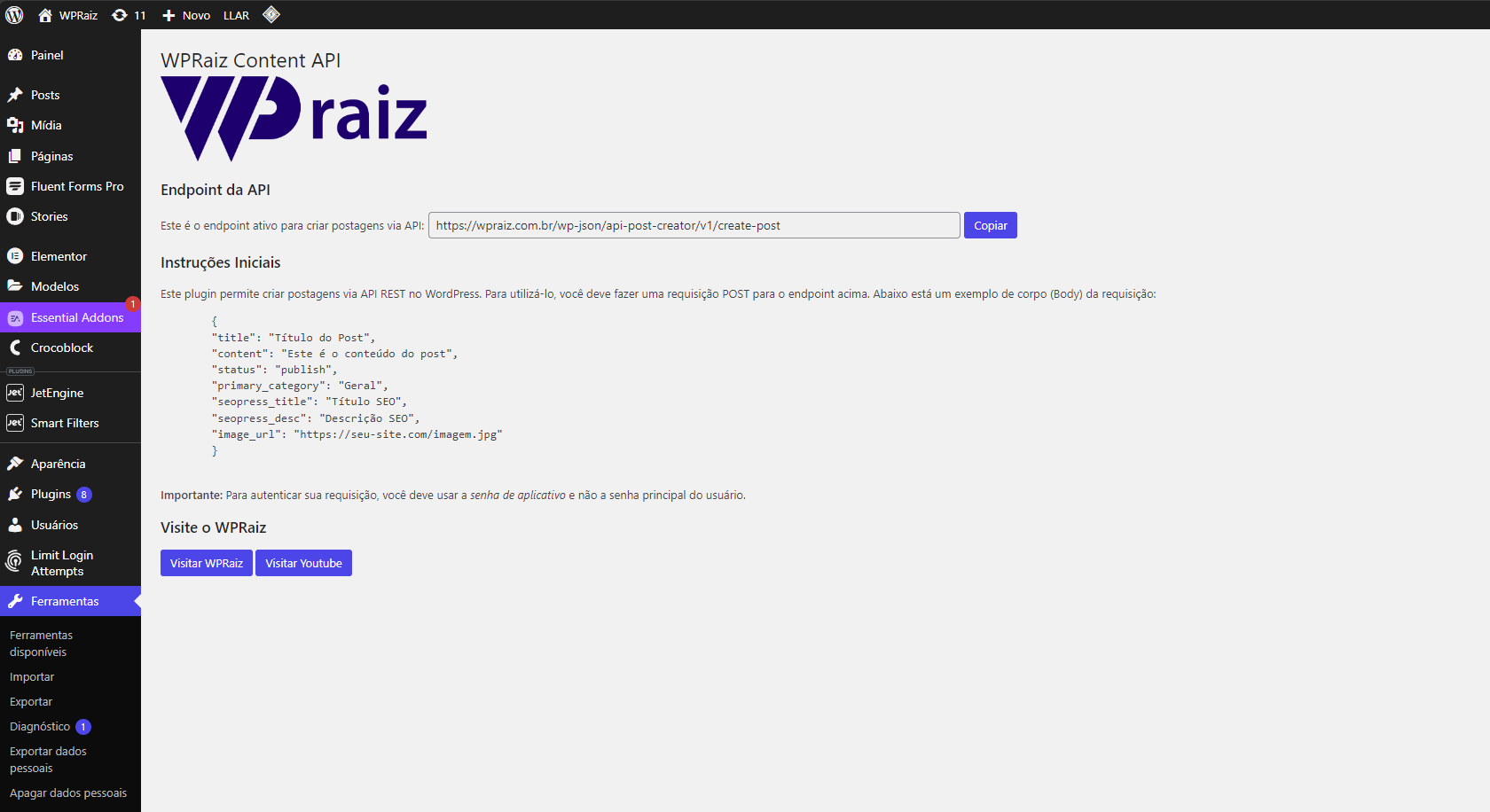
Admin Page Interface – Displays all endpoints with copy buttons.
Changelog
1.5
- Adicionada interface mais organizada para endpoints na página do admin.
- Novo endpoint
search-similar-postspara sugerir conteúdos semelhantes com score. - Otimizações de compatibilidade com WordPress 6.7.2.
- SEO fields agora são gravados diretamente em todos os plugins suportados.
1.4
- Added SEO metadata integration for SEOPress, Yoast SEO, and Rank Math.
- Introduced
/check-statusendpoint to verify installation and authentication. - Enhanced error handling and response messages.
1.3
- Improved compatibility with WordPress 6.6.
- Proper enqueuing of admin JavaScript and CSS files.
- Added support for automatic category creation.
- Enhanced image upload functionality.
1.2
- Added support for SEO metadata (SEOPress compatibility).
- Fixed image upload issues.
1.1
- Initial public release with basic post creation via REST API.