

Team Members Showcase
WordPress Team Members Showcase plugin – display staff or team profiles in grids, sliders, tables, or lists with filters, popups, drawers & panels.
Plugin info
Maintenance & Compatibility
Maintenance score
Maintained • Last updated 124 days ago • Support resolved 80% • 19 reviews
Is Team Members Showcase abandoned?
Likely maintained (last update 124 days ago).
Compatibility
Similar & Alternatives
Explore plugins with similar tags, and compare key metrics like downloads, ratings, updates, support, and WP/PHP compatibility.
Description
WordPress Team Members Showcase plugin – display staff or team profiles in grids, sliders, tables, or lists with filters, popups, drawers & panels.
🛠️ A powerful Team Showcase plugin with Live Shortcode Builder
The WPS Team Plugin is a powerful and📱responsive WordPress Team Plugin for displaying team members on your WordPress website. Whether you’re building a team showcase, a staff directory, or an “About Us” page, this plugin gives you everything you need — from photos and bios to departments and social links.
This flexible Team Members WordPress Plugin is ideal for:
✅ businesses, ✅ agencies, ✅ schools, and ✅ startups.
It lets you create a stylish, mobile-friendly team section using grid, slider, table, or filter layouts. You can build unlimited teams and showcase them using shortcodes or page builders.
Choose from multiple 🎨 themes, 1400+ Google Fonts, unlimited 🌈 colors, and responsive options — all within one feature-rich team showcase WordPress plugin.
With a visual shortcode builder, creating layouts is easier than ever ✨. The plugin works smoothly with all themes and supports 🌍 WPML, Polylang, and other multilingual tools.
👉 Plugin Demo | Get Pro Version | Documentation
This team members plugin for WordPress allows you to display profiles in Grid, Slider, Table, or Filter layouts (Filter in Pro). Whether you want a classic team section or a modern layout, this plugin gives you full flexibility and control.
Themes include Square, Circle, Horizontal, and Table styles. All are responsive and support Grid, Slider, and Filter layouts (Pro). Great for building a WordPress team directory, team carousel, or staff showcase.
With 50+ layout controls and 100+ style settings, it’s the most customizable WordPress team slider plugin available.
🏆 Exclusive Features of this WordPress Team Plugin
- Grid Layouts: Six responsive grid designs are available in the free version.
- Carousel Layouts: Create stunning team sliders with navigation, loop, and autoplay.
- Isotope Filter (PRO): Filter team members by group, location, or specialty.
- Pagination (Standard / AJAX) (PRO): Load more members via traditional or AJAX pagination.
- AJAX Load More (PRO): Show more team members without reloading the page.
- Infinite Scroll (PRO): Automatically load members on scroll.
- AJAX Carousel (PRO): Loop and fetch new members when the slider reaches the end.
- Modal & Popup (PRO): Open team member profiles in a responsive popup or modal.
- Side Panel (PRO): Show extended details in a sleek side panel on click.
- Drawer & Expand (PRO): Expand more info below the card with drawer effects.
- Two Custom URLs (PRO): Link name and image to different external or internal URLs.
- Gutter / Gap Control: Fine-tune spacing between items by device.
- Columns Control: Set column count for desktop, tablet, and mobile.
- Carousel Options: Adjust speed, loop, autoplay, arrows, and dots.
- Styling & Theming: 100+ styling options for cards, containers, and typography.
- Advanced Query Builder: 14+ filters for displaying targeted team members.
- Element Visibility: Toggle visibility for profile fields and sections.
- On-Demand Asset Loading: Only loads scripts where shortcodes are used, improving site performance.
💼 Key Features of WPS Team Plugin
- Fully responsive and mobile-optimized for all devices
- Unlimited team groups, members, and directories (staff directory, team directory, people directory)
- Team Builder: Easily create and manage your team showcases
- Shortcode builder for seamless integration on pages, posts, or custom sections
- Team Widget: Display team members in sidebars, footers, or any widget area
- Custom Post Type for team members with flexible fields
- Works perfectly with any WordPress theme
- Team Masonry and grid layouts for stylish, dynamic presentations
- Dedicated Meet The Team pages to introduce your staff, team, or collaborators
- Custom image sizes, colors, and typography options
- Unlimited social icons with an intuitive icon picker
- Custom fields for phone, email, designation, company, and more
- Advanced styling options: custom backgrounds, gradients, z-index, and CSS class (Pro)
- Filter team members by Group, Location, Role, Language, Specialty, and more
- Built-in drag-and-drop ordering for easy sorting
- Fully compatible with WPML, Polylang, and Loco Translate for multilingual sites
- SEO-friendly and lightweight for fast page loading
😎 Free Version Fields
- First & Last Name
- Short Bio & Detailed Bio
- Profile Photo & Gallery
- Designation / Role
- Email, Fax, Mobile, Telephone
- Website, Company Name, Education
- Years of Experience
- Ribbon / Badge / Tag
- Custom Colors
- Skills with custom labels
- Social Media Profiles
- Two Custom Links per member
🏷️ 10 Taxonomies & Groups
- Group
- Location
- Language
- Specialty
- Gender
- Extra One to Extra Five (rename and customize)
These taxonomies allow you to filter, include, or exclude team members from specific displays, making this the most dynamic WordPress team plugin for taxonomy-based filtering.
🎨 Available Themes
- 12+ Square themes – Clean grid styles for traditional layouts
- 6+ Circle themes – Modern look for team showcase
- 4+ Horizontal themes – Best for row-based card layouts
- 4+ Table styles – Ideal for listing team data in a tabular format
🖱️ Click Behavior Options
- None – Disable all click actions
- Single Page – Link to the team member’s single profile page
- Modal / Popup – Open a modal window with team details
- Drawer Expand – Expand an additional section beneath the card
- Side Panel – Show full profile in a slide-in panel
- External Link 1 & 2 – Redirect to any external or internal URL
🧱 Builders Support
Our plugin is fully compatible and integrates seamlessly with popular page builders, making it easy to display your team members anywhere on your website:
✅ Elementor – Team Widget
- Fully integrates with Elementor layouts and sections.
- Works with Elementor’s templates and dynamic content.
- Allows you to select created shortcodes directly via the widget.
- Compatible with both free and Pro versions.
✅ Gutenberg (WordPress Block Editor) – Team Block
- Works natively with Gutenberg blocks.
- Supports custom blocks for flexible team display.
- Allows you to select created shortcodes directly via the widget.
- Fully compatible with all block-based layouts.
✅ Divi – Team Module
- Integrates with Divi Builder’s modules and sections.
- Supports Divi layouts and visual editing.
- Allows you to select created shortcodes directly via the widget.
- Fully functional with the Divi theme and standalone builder.
✅ Who Can Use the WPS Team WordPress Plugin?
WPS Team is perfect for anyone who wants to showcase their team members, staff, or people beautifully and efficiently. It is suitable for:
👉 Businesses & Corporates: Display staff, management, or department teams in a staff directory or team directory.
👉 Agencies & Freelancers: Showcase project teams, partners, or collaborators in a people directory.
👉 Educational Institutions: Present teachers, faculty, or administrative staff in a team directory or contact directory.
👉 Healthcare & Medical Services: Highlight doctors, nurses, and clinic staff in a clear staff directory.
👉 Non-Profits & Organizations: Introduce volunteers, board members, or committee teams via a people directory.
👉 Creative Professionals & Studios: Display photographers, designers, or any creative teams in a team directory.
👉 Corporate Intranets: Utilize for internal staff listings, enhancing internal communication and engagement.
👉 Event Organizers: Showcase event staff, speakers, or coordinators in a dedicated directory.
👉 Community Groups: Present group leaders, volunteers, or coordinators in a community directory.
No matter your industry or organization size, WPS Team helps you create engaging staff, team, or people directories with ease.
🏆 A Top Free WordPress Team Plugin with 🛠️ Advanced Features inside
Thousands of users trust this responsive, feature-rich WordPress Team Members plugin to create modern, dynamic, and user-friendly team showcases.
WPS Team plugin helps you create the perfect layout for your needs, whether it’s a team slider, a filterable team directory, or a modal view of profiles.
Installation
🏆 Install and Activate
- Unzip the downloaded ‘wps-team’ zip file
- Upload the ‘wps-team’ folder to your ‘/wp-content/plugins/’ directory
- Activate ‘wps-team’ through the Plugins menu in WordPress
🏆 Requirements
WordPress version: >= 5.9
PHP version: >= 7.0
Frequently Asked Questions
✅ Yes. You can add unlimited social links using the built-in repeater field. This plugin supports all the icons for popular platforms like Facebook, LinkedIn, Twitter, Instagram, YouTube, and more. You can also customize the icon and the URL for each social link.
✅ Go to Dashboard WPS Team Add Member. Fill in the name, designation, detailed bio, and upload a high-quality photo. Assign the member to one or multiple groups if needed. You can also include social profiles, skill sets, and custom links to external profiles or portfolios.
✅ Yes, it does. You can add multiple skills for each member using a dynamic repeater field. Just enter the skill name (e.g., Web Design, SEO, Project Management) and assign a percentage or rating value to showcase proficiency. These skill bars look great on the frontend and help highlight your team’s capabilities.
✅ Absolutely! The plugin is built with wide theme compatibility in mind. It has been thoroughly tested with a range of popular WordPress themes — both free and premium — including Astra, OceanWP, Avada, Divi, and other themes from Elegant Themes. Whether you’re using a minimal, corporate, portfolio, or creative layout, the plugin integrates smoothly without requiring any custom coding or adjustments.
✅ There is no restriction on the number of members. You can create, manage, and display unlimited team members efficiently. Whether you’re a small startup or a large corporation with hundreds of staff, this plugin can handle your needs smoothly.
✅ Yes! You can easily reorder team members using a drag-and-drop interface within the WordPress admin dashboard.
✅ Yes, it does. You can display your team members in beautiful, responsive carousel and slider layouts. It comes with autoplay, navigation arrows, dots, speed controls, and various layout styles. Perfect for modern, interactive presentations.
✅ Yes, our plugin is fully compatible with WordPress Multisite installations. You can activate it network-wide or on individual subsites, making it perfect for agencies, schools, or organizations managing multiple domains.
✅ Yes. It supports full localization and works seamlessly with translation plugins like WPML, Polylang, and Loco Translate. You can easily translate all labels, settings, and frontend content into your desired language.
✅ You can report security bugs through the Patchstack Vulnerability Disclosure
Program. The Patchstack team helps validate, triage, and handle any security
vulnerabilities.
Report a security vulnerability.
✅ We’re here to help!
For the fastest and priority support, please use our official [WordPress Support Forum].(https://wordpress.org/support/plugin/wps-team/)
We actively monitor the forum and provide prompt, detailed help there.
If you prefer, you can also:
📧 Email us at: [email protected]
💬 Access live support 12 hours a day (response times may vary).
Using the WordPress.org support forum helps us assist you quickly and improves the plugin for everyone. Your satisfaction is our top priority!
Review feed
Screenshots
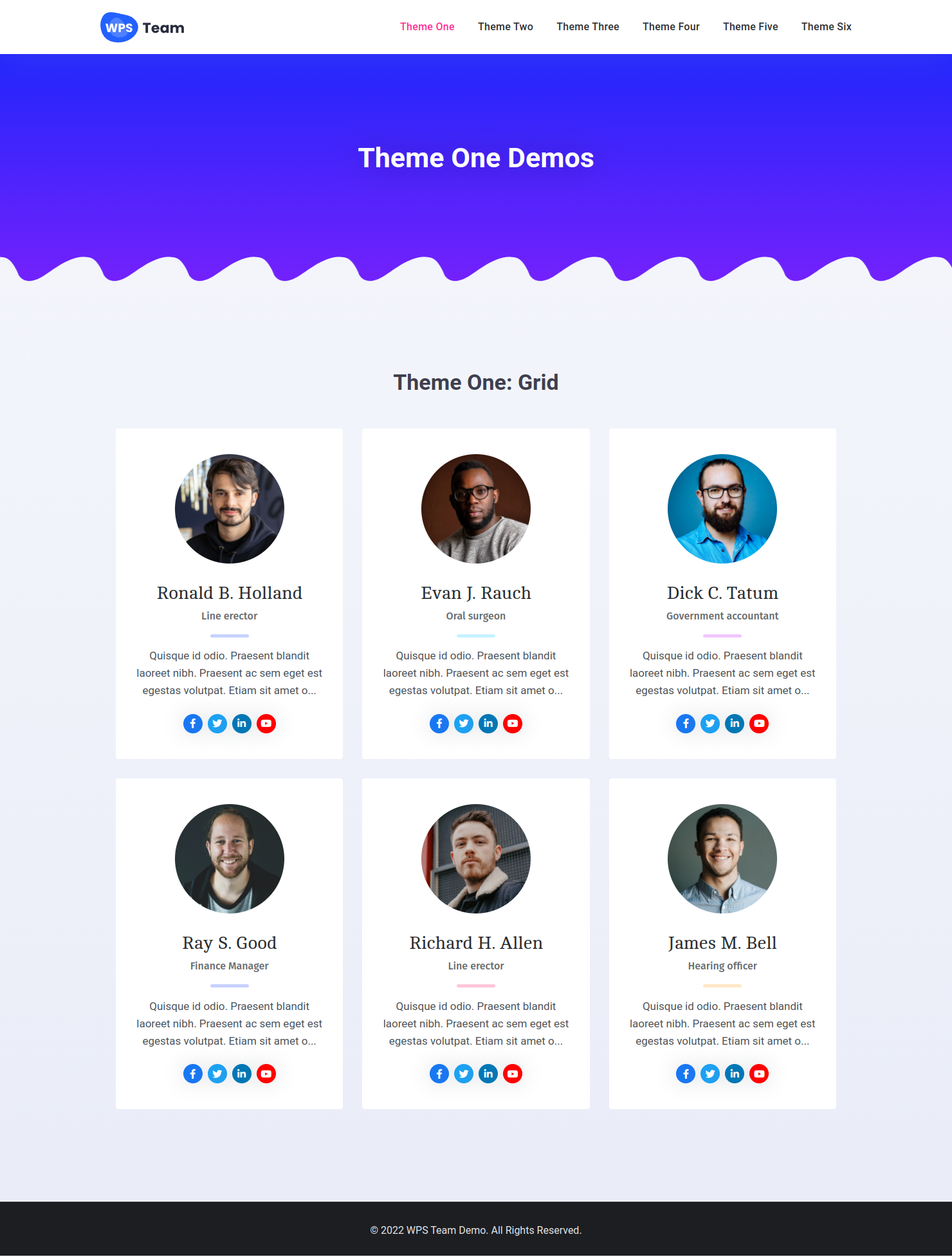
Theme One – Grid Layout of the WordPress Team Plugin
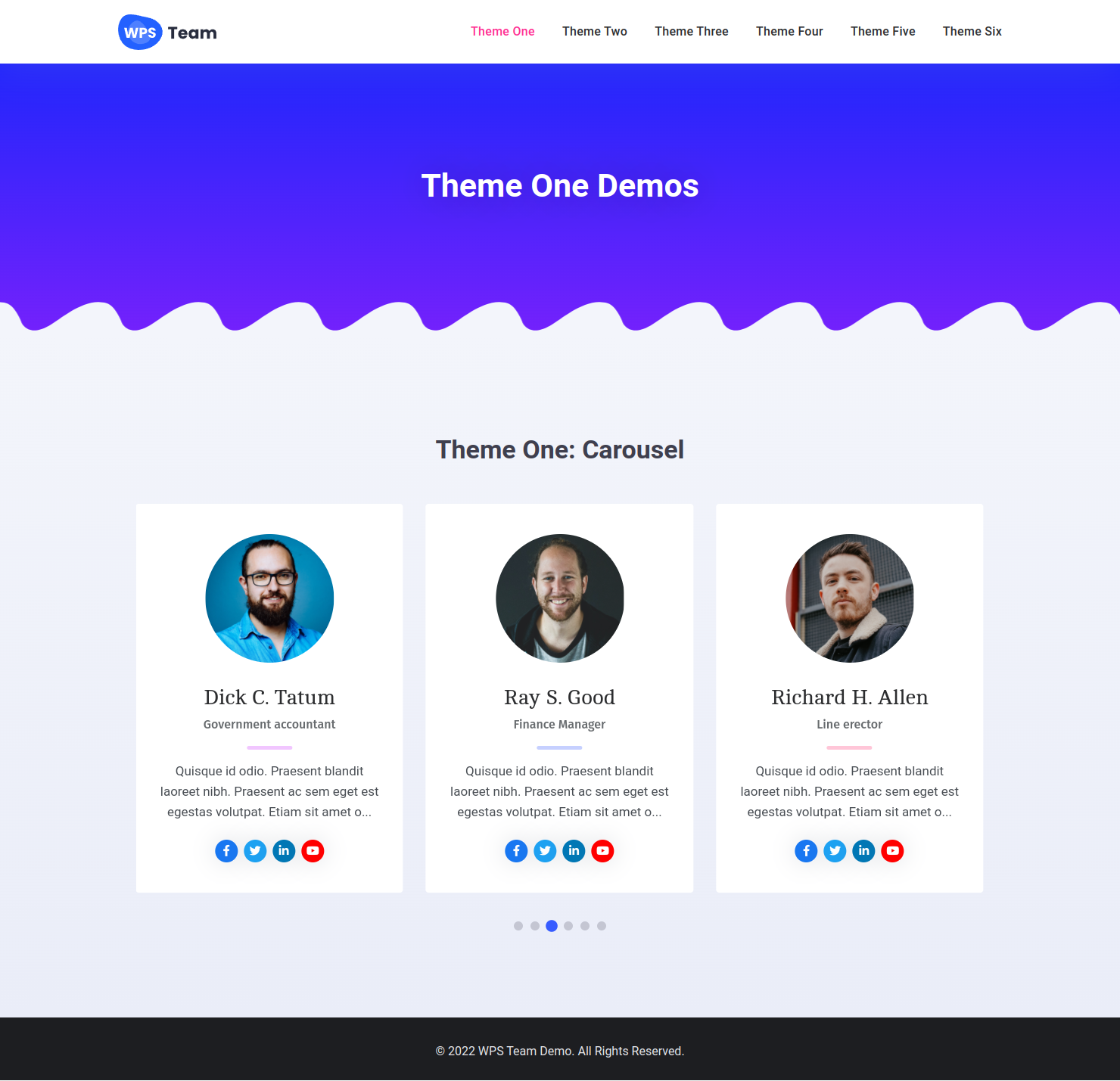
Theme One – Carousel Layout in the team slider plugin
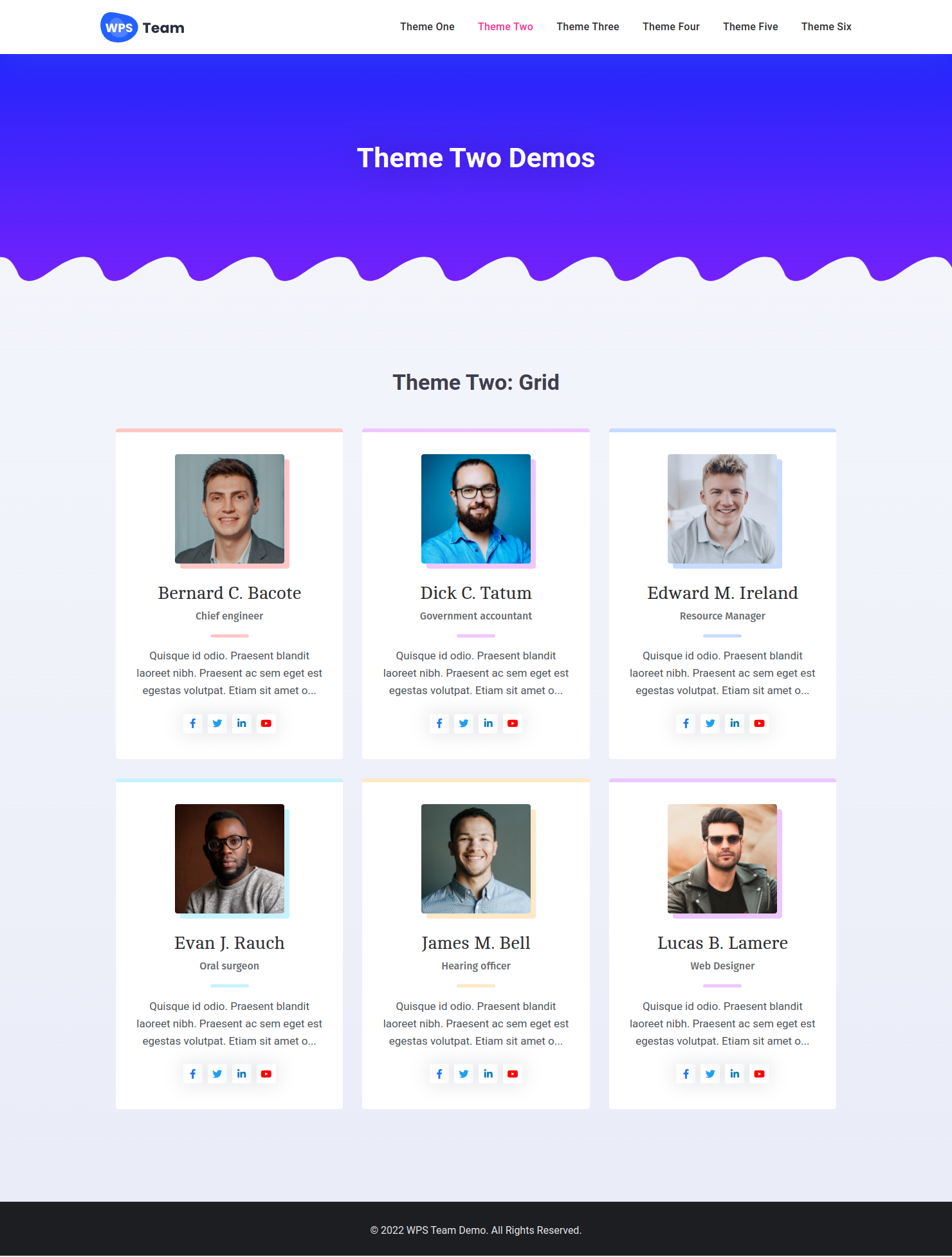
Theme Two – Grid team showcase layout for team members WordPress plugin
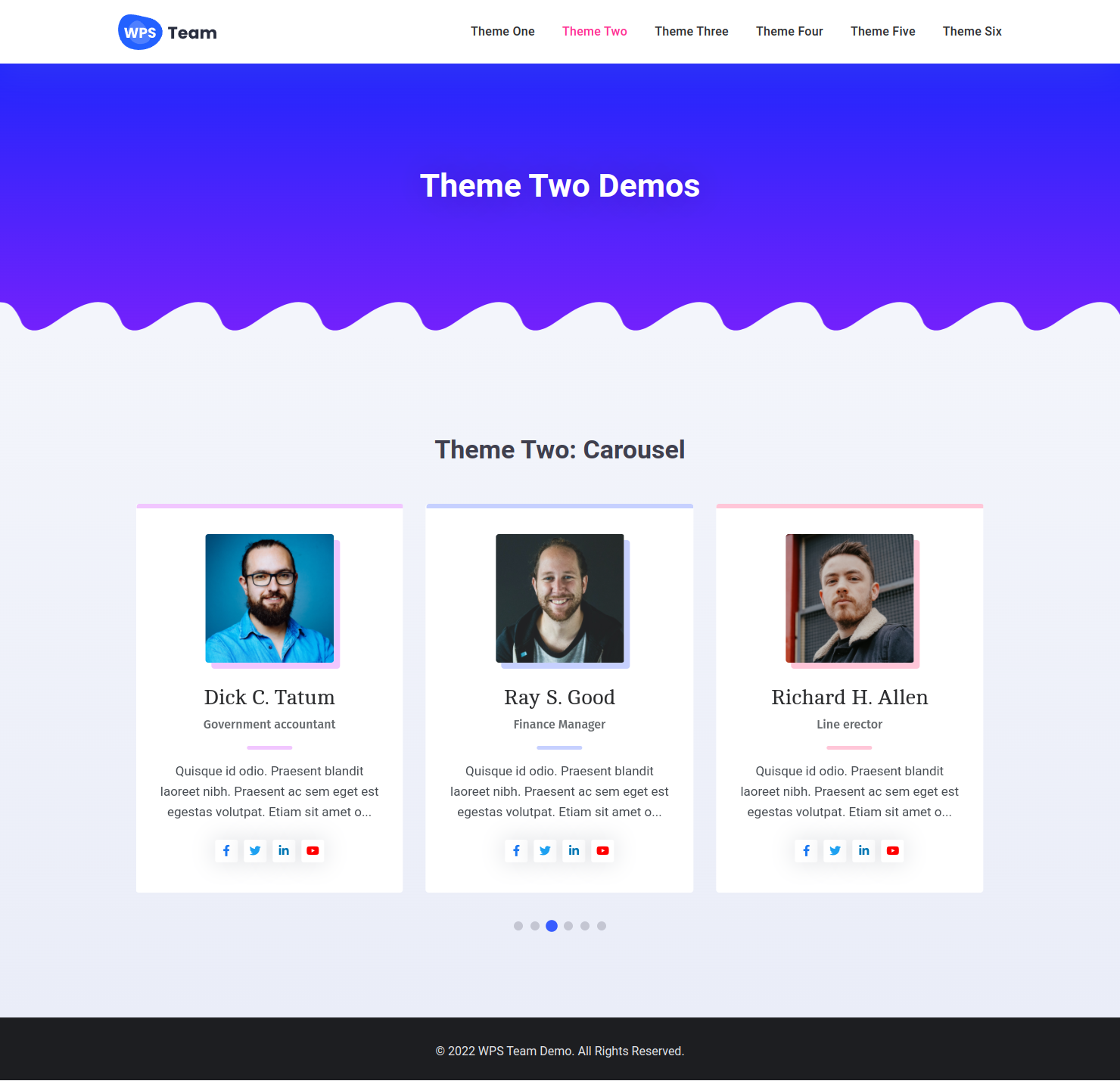
Theme Two – Carousel style layout for WordPress team showcase
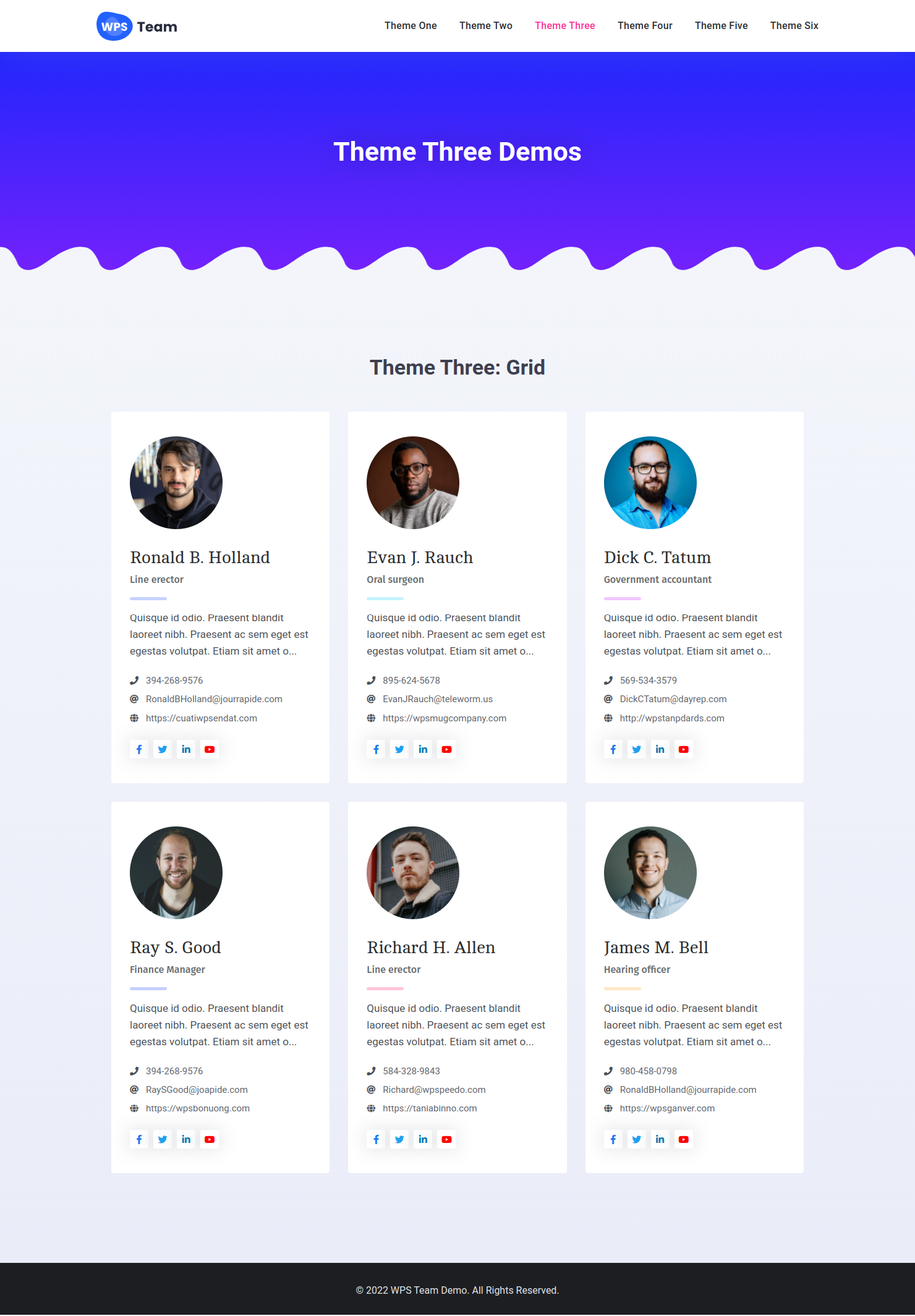
Theme Three – Responsive grid layout in the team showcase WordPress plugin
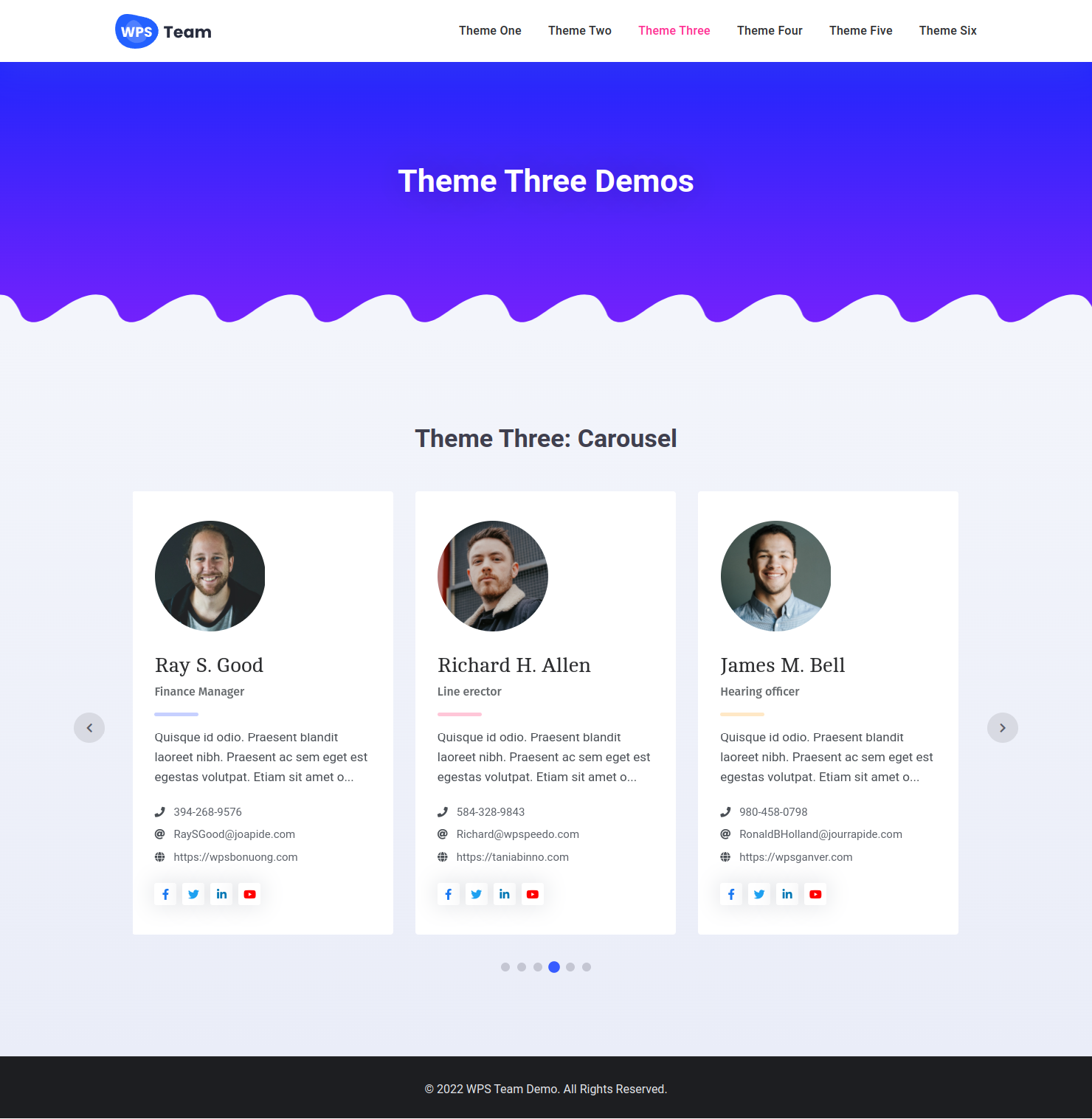
Theme Three – Team members displayed in a carousel using the team slider plugin
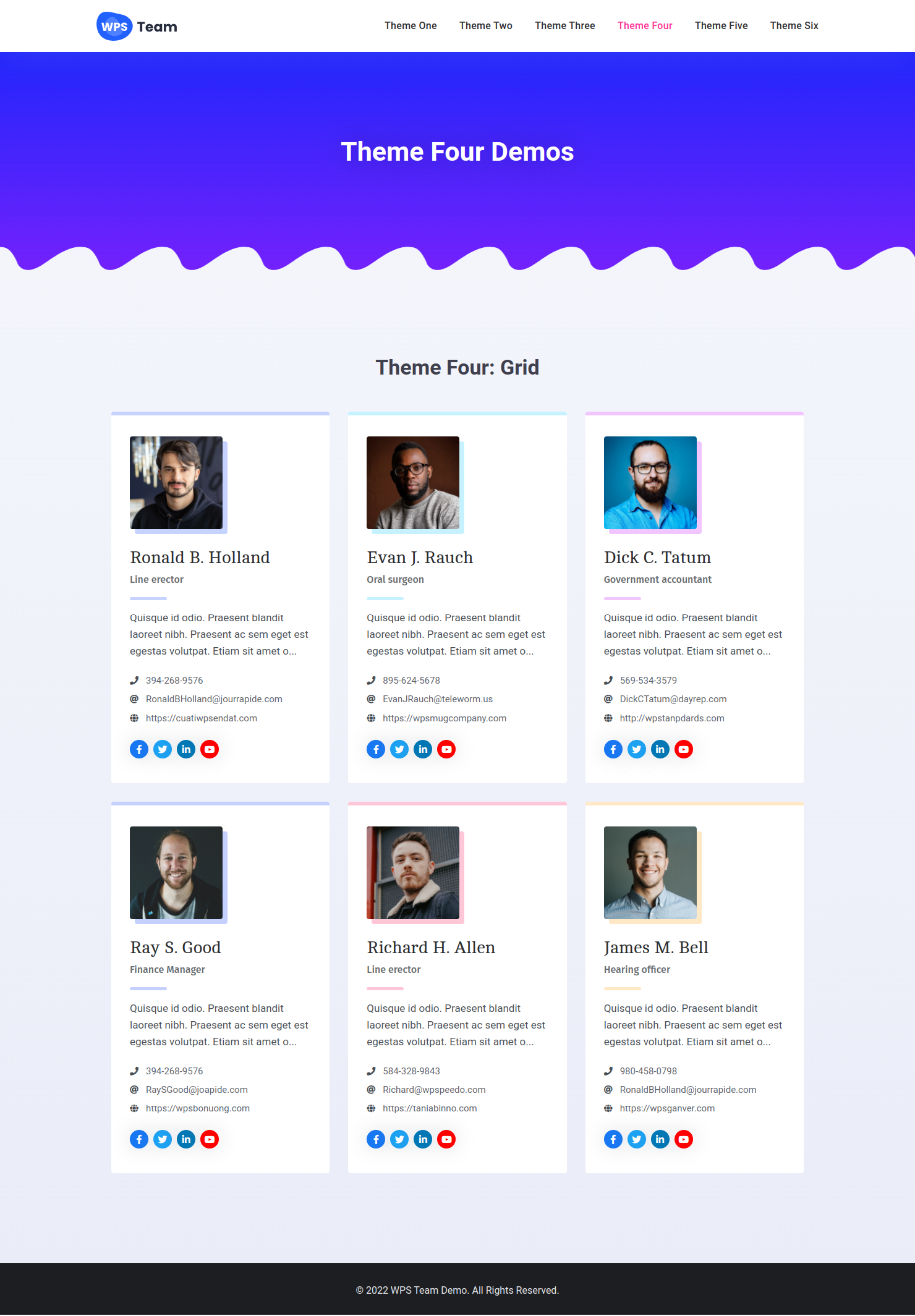
Theme Four – Classic grid layout of team members WordPress plugin
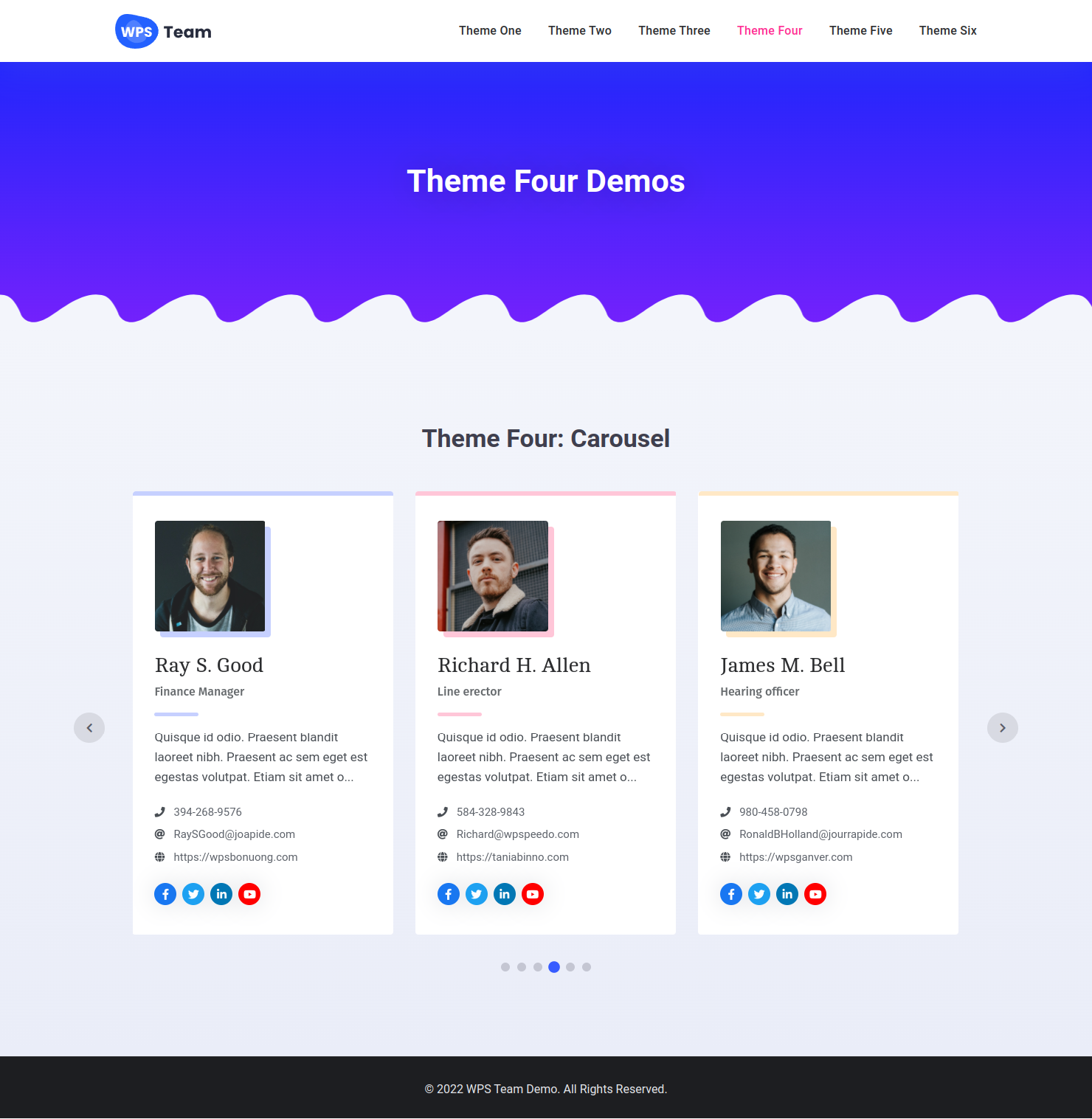
Theme Four – Interactive team slider with autoplay and navigation controls
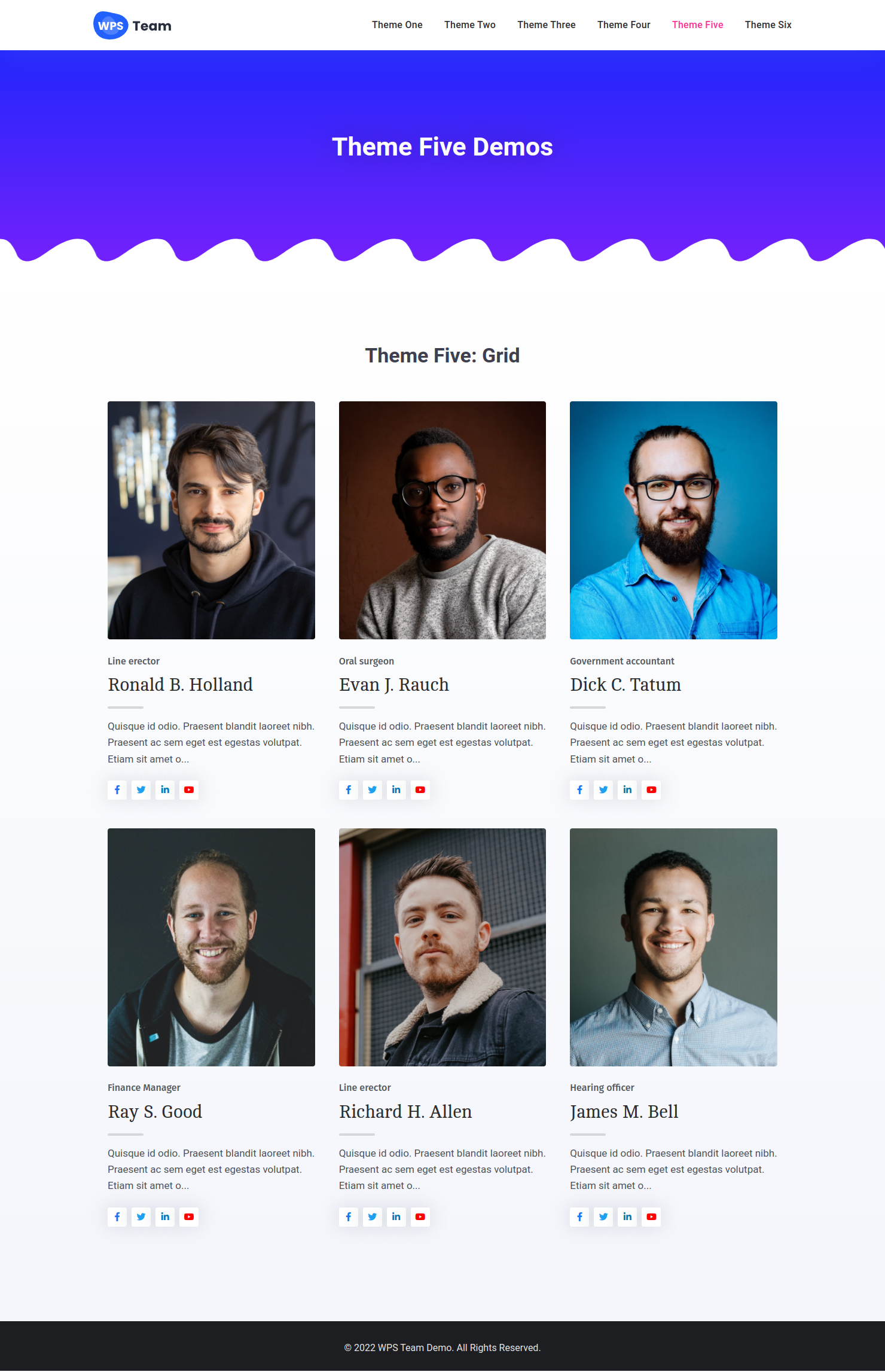
Theme Five – Modern team showcase grid layout in WordPress Team Plugin

Theme Five – Carousel layout for showcasing team profiles
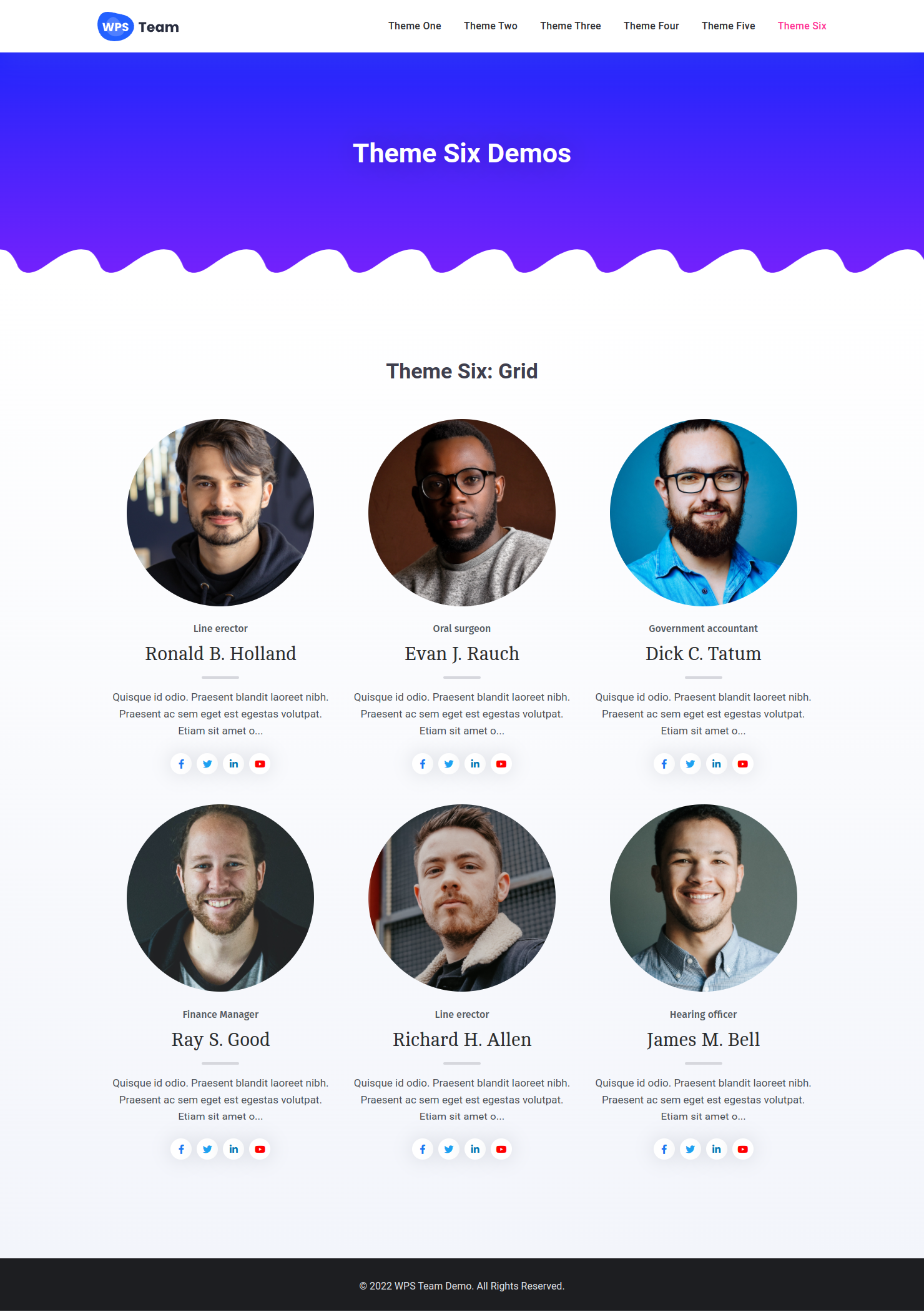
Theme Six – Grid-based team section plugin for WordPress
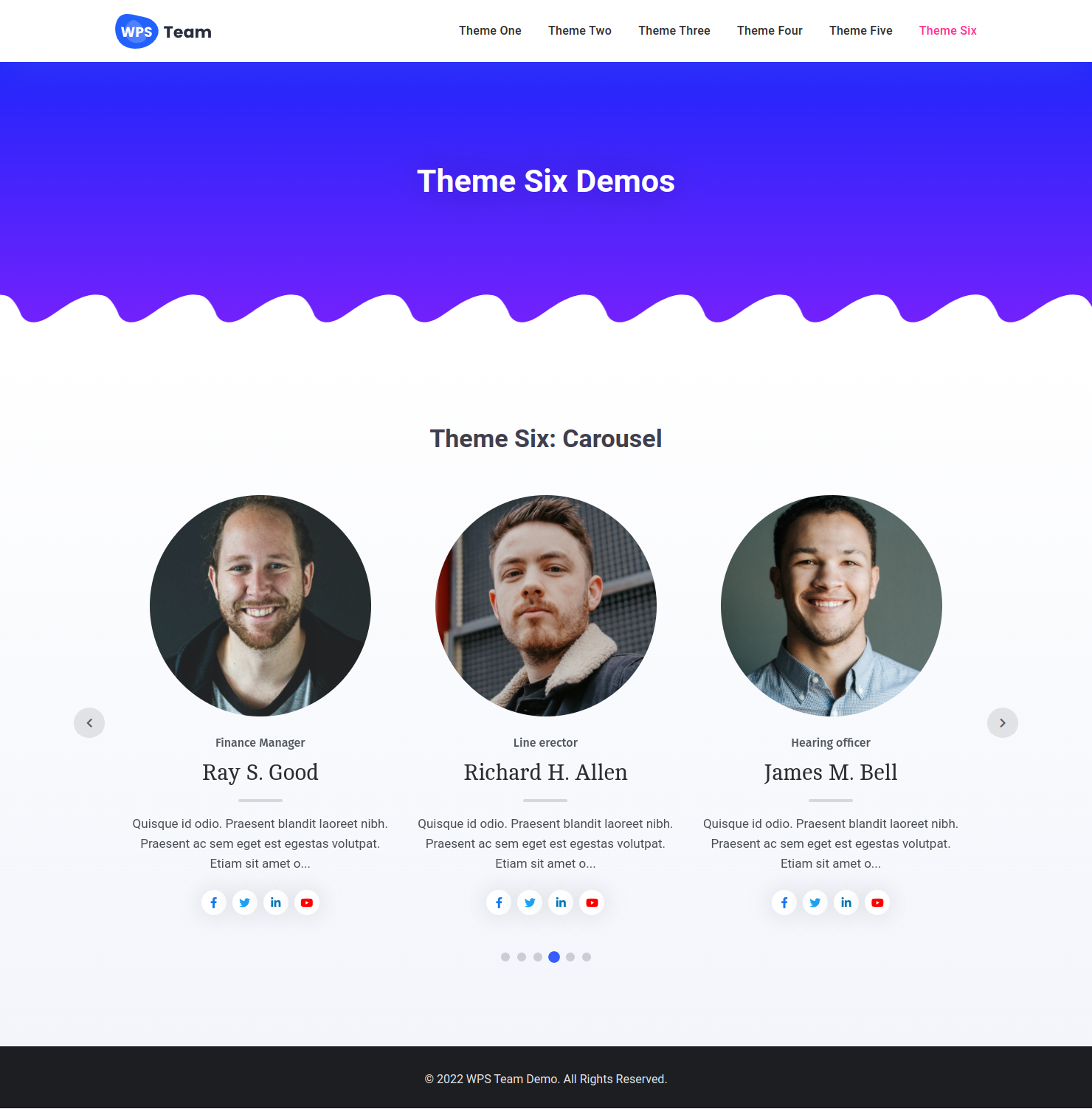
Theme Six – Smooth sliding layout with team carousel WordPress plugin
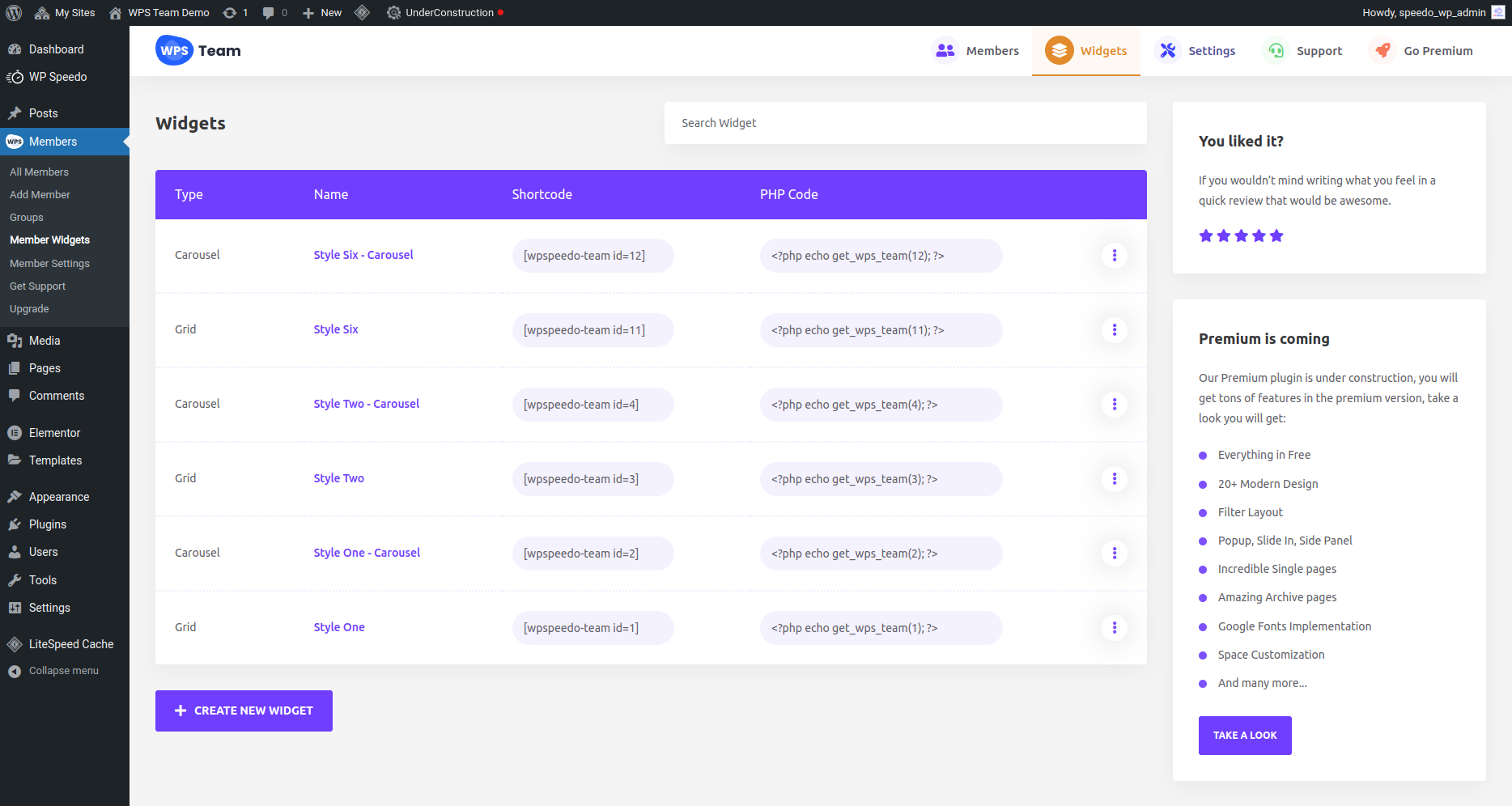
Shortcode List Page – Manage your team showcase shortcodes
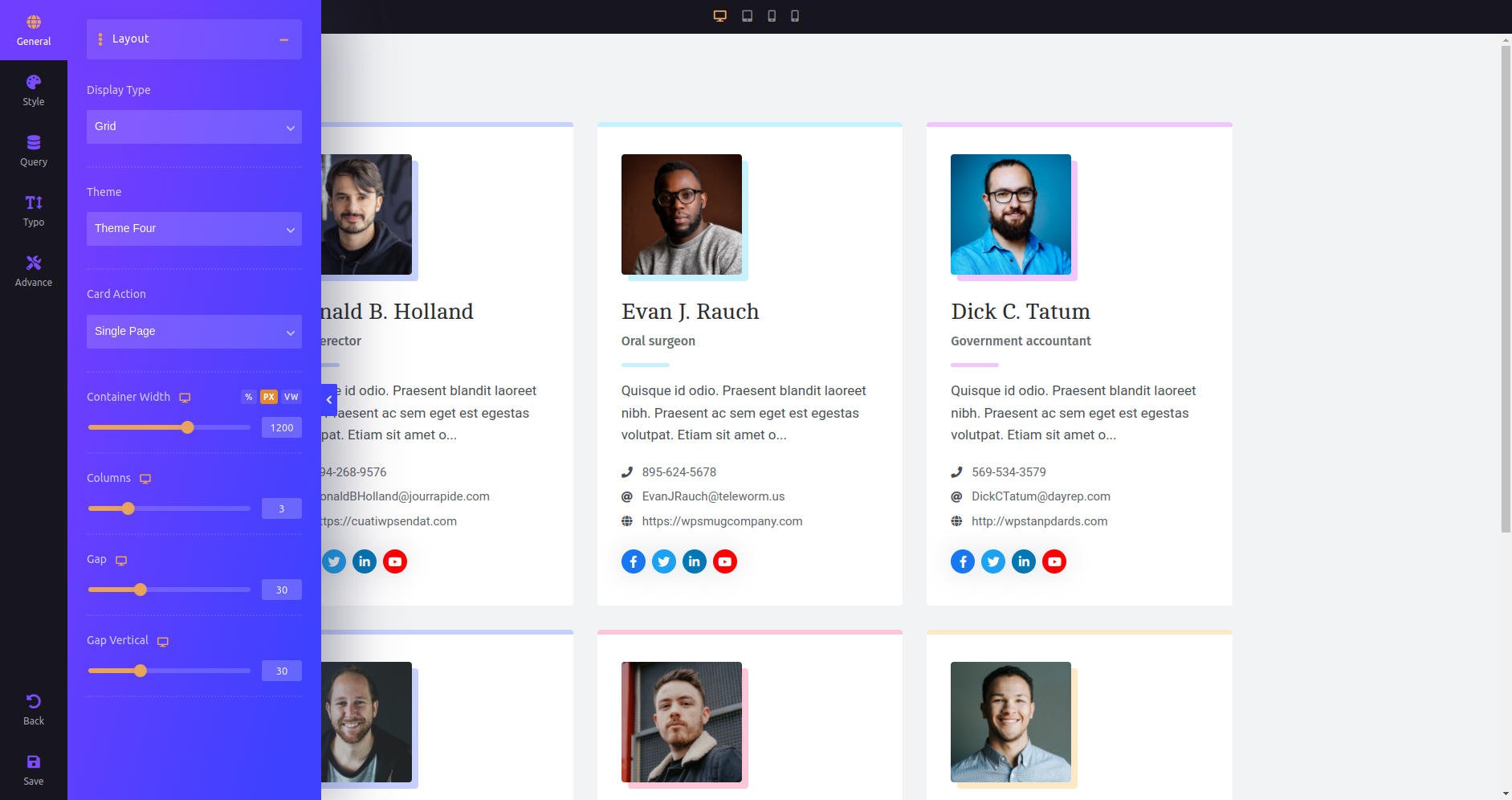
Shortcode Editor Interface – Customize your WordPress team section easily
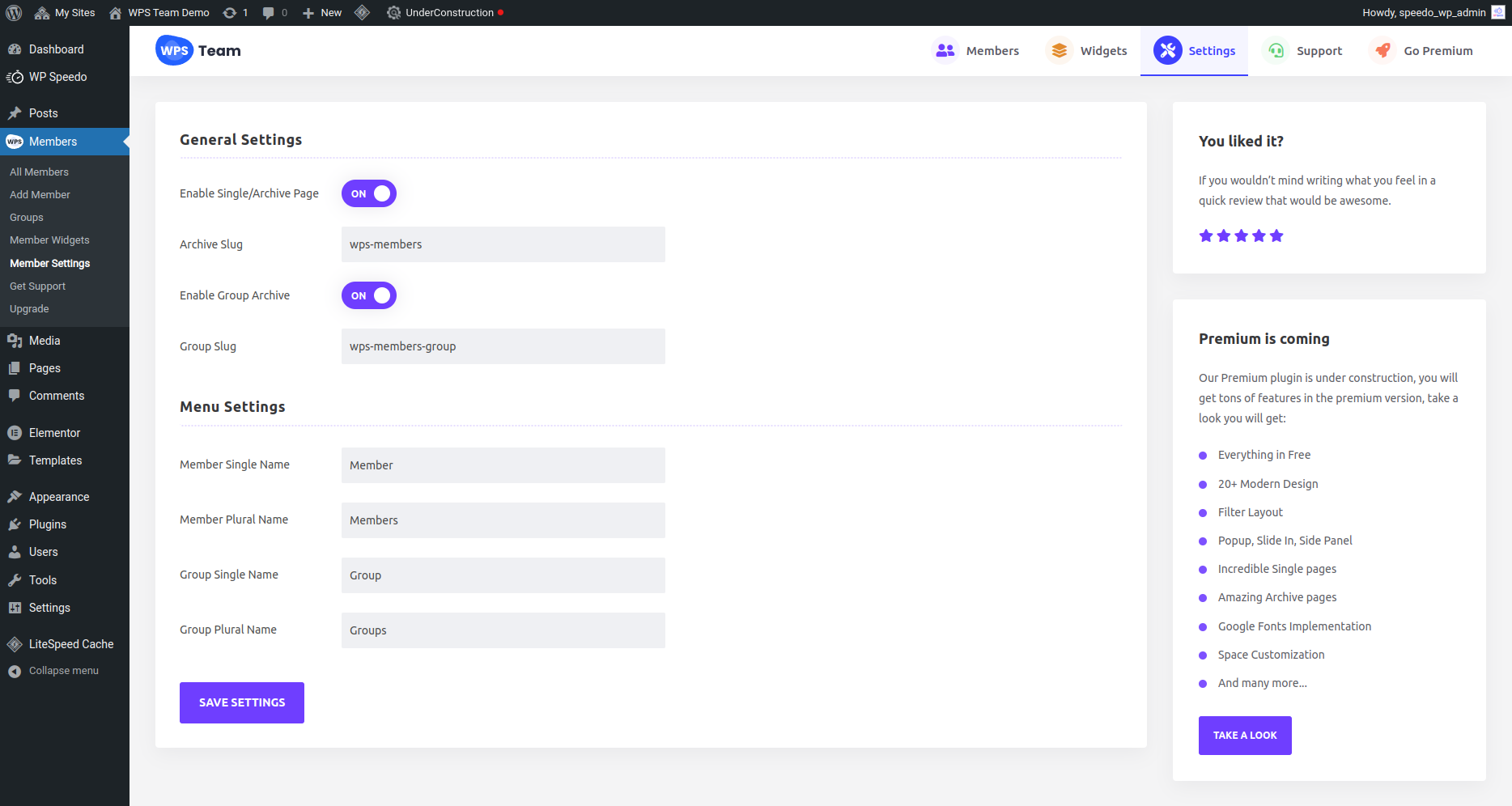
Plugin Settings Panel – Configure the Team Members WordPress plugin options
Changelog
3.5.5 – 30-11-2025
* Fixed: Single page formatting issues.
* Fixed: Compatibility issue with PHP 8.1 version.
3.5.4 – 27-11-2025
* Added: Pricing fields for pro users.
* Fixed: Social icons style on some themes.
* Tweak: Improved templates.
* Tweak: Improved AJAX loading compatibility with caching plugins.
3.5.3 – 04-11-2025
* Fixed: svg icon display issue.
3.5.2 – 04-11-2025
* Fixed: Search by Name in AJAX mode.
3.5.1 – 21-10-2025
* Fixed: include and exclude by category issues
* Fixed: caching issue
3.5.0 – 17-10-2025
* Added: Custom URL control for custom single team page
* Added: Compatibility with OceanWP theme
* Added: Hover BG Color option
* Added: New Square 13 theme
* Added: Full card linking
* Added: Typography for Read More link
* Added: Thumbnail spacing control
* Added: New Panel theme
* Added: Controls for animation speed, width, blur effect, body sliding effects for panels
* Added: Controls for panel BG, panel overlay BG and many more
* Added: More controls for social icons
* Added: Control for contact display formats in settings
* Fixed: Popup arrow and close icons conflict with other themes
* Fixed: Content alignment issue on some themes
* Fixed: Gallery in the popup and single page
* Fixed: Table themes and drawer expand
* Fixed: Popup Next/Prev duplication issue
* Fixed: AJAX pagination issues
* Fixed: Custom CSS not loading issue on preview
* Tweak: Improved typography CSS compatibility with other themes
* Tweak: Improved plugins security
* Tweak: Improved the settings UI and editor
* Tweak: Template improvements
3.4.7 – 22-08-2025
* Added: Ability to add Custom CSS
* Fixed: address field not displaying issue
* Fixed: Order by last name issue
3.4.6 – 09-07-2025
* Fixed: shortcodes disappear issues and fatal errors.
* Added: Support for basic HTML formatting in excerpts (bold, italic, links, etc.).
* Added: Typography controls for the detail view.
* Added: Custom text and icon color options for the detail view.
* Fixed: Displacement issue with the modal close button.
* Fixed: PHP Object Injection vulnerability patched for enhanced security.
3.4.4 – 26-06-2025
* Added: Support for single pages on block-enabled themes.
* Tweak: Improved the shortcodes page on the admin, added pagination.
* Fixed: Modal close button displacement issues.
* Fixed: Read more color and hover color issues.
* Tweak: Changed the education field to a native WordPress editor field.
* Fixed: Various security issues.
3.4.1 – 20-04-2025
* Added: Fax field.
* Added: Excerpt field.
* Fixed: Unexpected notices.
* Fixed: Theme conflicts with filter.
3.4.0 – 13-03-2025
* Added: Template-override support from the mu-plugins directory.
* Added: Drawer expands support for Filter layout.
* Added: Offset control for Drawer expands.
* Fixed: Fixed Avada theme swiper JS conflict.
* Fixed: Fixed the IOS image zooming issue.
* Fixed: Fixed carousel color conflict with other themes.
1.0 – 04-03-2022
* Initial Release