

Plugin info
Maintenance & Compatibility
Maintenance score
Possibly abandoned • Last updated 4090 days ago • 1 reviews
Is WP Sitemap abandoned?
Possibly abandoned (last update 4090 days ago).
Compatibility
Similar & Alternatives
Explore plugins with similar tags, and compare key metrics like downloads, ratings, updates, support, and WP/PHP compatibility.
Description
Full Shortcode
[sitemap type=”post” style=”1″ number=”-1″ order=”DESC” cat=”” cat_name=”” author=”” year=”” month=”” ignore_sticky=”1″ offset=””]
Major Features
- Use Shortcode
- More Customize
- 4 Style Layout
Shortcode
- Page list [sitemap type=”page” style=”1″]
-
Post List [sitemap] or [sitemap type=”post” style=”2″ number=”25″]
-
For more customize [sitemap type=”page/post/(post type)” style=”1/2/3/4″ number=”-1(unlimited),5,10,50…” order=”DESC/ASC” year=”2015/2014….” month=”1(Jan)/2/3….”]
Ex– [sitemap type=”post” style=”1″ number=”-1″ order=”DESC” cat=”” cat_name=”” author=”” year=”” month=”” ignore_sticky=”1″ offset=””]
Installation
Best is to install directly from WordPress. If manual installation is required, please make sure that the plugin files are in a folder named “wpsitemap” (not two nested folders) in the WordPress plugins folder, usually “wp-content/plugins”.
Frequently Asked Questions
Review feed
Screenshots
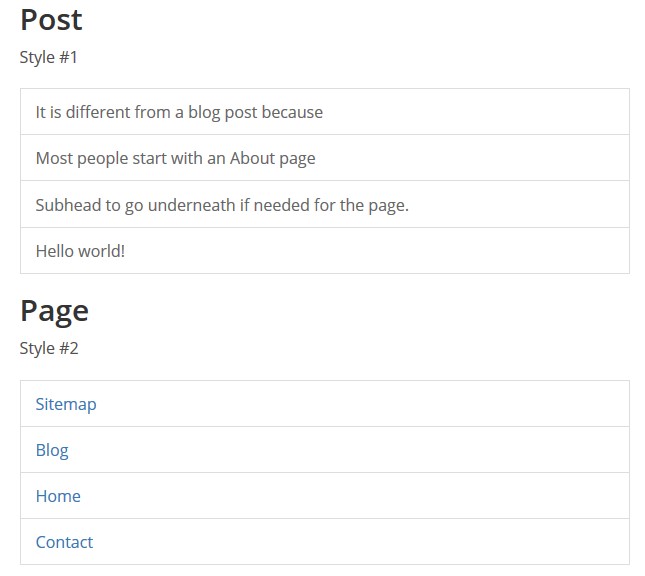
This screen shot description corresponds to screenshot-1.(png|jpg|jpeg|gif). Note that the screenshot is taken from the /assets directory or the directory that contains the stable readme.txt (tags or trunk). Screenshots in the /assets directory take precedence. For example,
/assets/screenshot-1.pngwould win over/tags/4.3/screenshot-1.png(or jpg, jpeg, gif).
This is the second screen shot1. Sitemap Style 1 & Style 2 and Page list & Post list
Changelog
1.0.0
- initial release