

WPSOLR — AI and keyword search with Docker
Docker AI Search powered by Weaviate and Vespa. Docker keyword search powered by Elasticsearch, OpenSearch, Apache Solr.
Plugin info
Maintenance & Compatibility
Maintenance score
Maintained • Last updated 120 days ago • Support resolved 0% • 2 reviews
Is WPSOLR — AI and keyword search with Docker abandoned?
Likely maintained (last update 120 days ago).
Compatibility
Similar & Alternatives
Explore plugins with similar tags, and compare key metrics like downloads, ratings, updates, support, and WP/PHP compatibility.
Description
Option 1 – Install a search engine on-premise with Docker
- Docker search for Weaviate AI (keywords/hybrid/vector)
- Docker search for Vespa.ai (keywords/hybrid/vector)
- Docker search for OpenSearch (keywords)
- Docker search for Apache Solr (keywords)
- Docker search for Elasticsearch (keywords)
Option 2 – Using Cloudways? Use their pre-installed search engine service for Elasticsearch 8.x or Opensearch2.x
- Cloudways WordPress search for OpenSearch (keywords)
- Cloudways WordPress search for Elasticsearch (keywords)
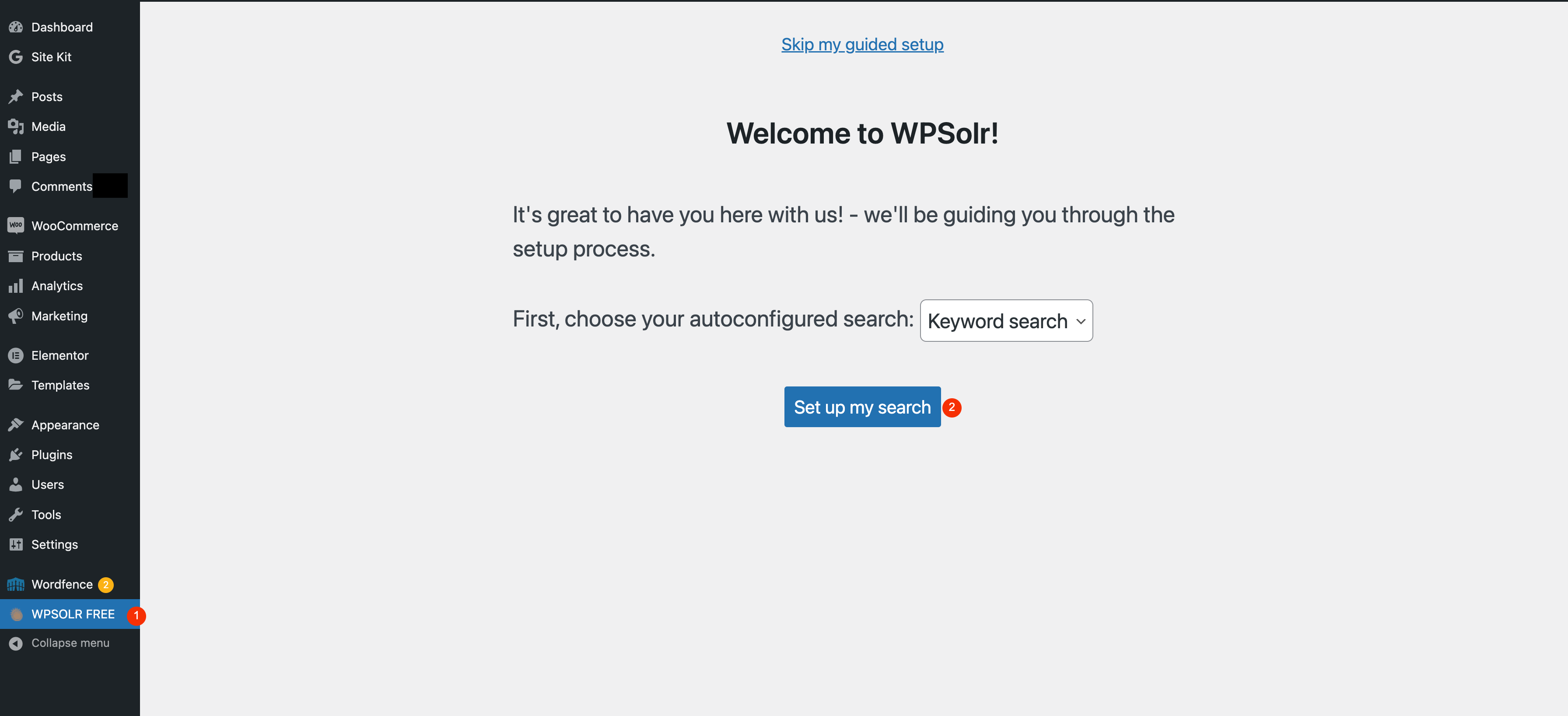
Option 3 – Alternatively, use the wizard to connect with OpenSolr
If you cannot install Docker search, our wizard will configure your WordPress search with:
– A trial Apache Solr index hosted by Opensolr
– Ajax search & autocompletion
– Facets (filters)
– Related posts.
Option 4 – More features with a subscription
Consider our flagship plugin WPSolr Enterprise
– WooCommerce In/out of stock, attribute variations, price variations, add to basket in suggestions, order/coupon search in back-end.
– AI connectors for RAG and ChatBots Export WordPress data to feed any AI system in real-time: AWS S3, Google Cloud Storage, Kafka, Amazon SQS, Google Cloud Pub/Sub, Google Cloud Run.
– Manage more than one engine. For instance, Elasticsearch for back-end search, Weaviate AI for front-end search, Solr for suggestions, Recombee for AI Recommendation widgets.
– AI search personalization Algolia AI search personalize, Google Retail search personalization.
– AI recommendations Algolia Recommend, Amazon Personalize, Recombee, Google Retail AI Personalization.
– Enterprise hosting providers Amazon Opensearch, Solr Opensolr, Solr Searchstax, Opensearch & Elasticsearch Bonsai, Algolia, Elasticsearch Elastic, Google Retail, Recombee.
– Advanced filters and facets Hierarchy tree, slider, range, select, select2, color picker, data picker.
– …
Installation
- Upload the wpsolr-free folder to the /wp-content/plugins/ directory
- Activate the plugin through the ‘Plugins’ menu in WordPress
Frequently Asked Questions
Yes, we added a 7 days trial for all packs (AI, bbPress, Woocommerce, WPML, Polylang, Types, ACF, ..). Download WPSOLR PRO trial, then follow https://www.wpsolr.com/knowledgebase/how-to-activate-a-license-pack/.
!!! Important: always reload the index in your Solr admin UI after each install/change of file schema.xml
A tutorial at WPSOLR: Solr 4.x
A tutorial at WordPress support: Windows, Solr 5.x/6.x
!!! Important: always reload the index in your Solr admin UI after each install/change of file schema.xml
A tutorial at WordPress support: Linux, Solr 4.x
A tutorial at Linode: Linux, Solr 4.x
For Linux, Solr 6.1.0 (tested). Replace 6.1.0 with your current Solr version.
wget http://archive.apache.org/dist/lucene/solr/6.1.0/solr-6.1.0.tgz
tar xvf solr-6.1.0.tgz
solr-6.1.0/bin/solr start
solr-6.1.0/bin/solr create -c wpsolr-6.1.0
(download solr 5.xx config files from https://www.wpsolr.com/kb/apache-solr/apache-solr-configuration-files)
cp solrconfig.xml schema.xml solr-6.1.0/server/solr/wpsolr-6.1.0/conf/
(reload index with solr admin UI)
(configure a new index in wpsolr admin UI:
Index name: wpsolr - local 6.1.0
Solr Protocol: http
Solr host: localhost
Solr port: 8983
Solr path: /solr/wpsolr-6.1.0
)
(index posts on wpsolr admin UI, including a pdf file)
(search in posts, retrieve the pdf)
PHP >= 8.1
Solr 9.x
Yes, on Gotosolr Solr hosting.
Gotosolr Solr hosting tutorial
sitepoint tutorial on Gotosolr Solr hosting with WPSOLR
Please refer to our detailed Installation Guide.
WPSOLR PRO plugin is compatible with the following Solr versions. But if you were going with a new installation, we would recommend installing Solr version 3.6.x or above.
You can raise a support question for our plugin from wordpress.org.
Review feed
Screenshots





Changelog
24.1
- (New) New Opensearch search hosting with WPSOLR support
24.0.2
- (fix) Remove Monolog from dependencies
24.0.1
- (fix) Security patch
- (fix) Fatal error due to Monolog incompatible version detected with WordPress 6.7.2
24.0
- (fix) OpenSearch shard and replication
- (fix) OpenSearch logs warning
23.9.1
- (new) Vespa.ai vector/hybrid/keywords search
23.9
- (new) 60 seconds configuration wizard with free opensolr.com hosting
23.8
- (new) Related posts with Weaviate: retrieve semantically similar posts, with extra filters.
- (new) Related posts with Elasticsearch: retrieve text similar posts (More Like This), with extra filters.
- (new) Related posts with OpenSearch: retrieve text similar posts (More Like This), with extra filters.
- (new) Related posts with Solr: retrieve text similar posts (More Like This), with extra filters.
- (fix) Fix missing $ajax_delay_ms initialization
23.7
- (new) Add settings to use any jQuery-Autocomplete option with suggestions
- (new) Add post excerpt to boosts
- (new) Index taxonomy’s featured image url for helping catalog discovery in external tools like Algolia
23.6
- (new) Index featured image url for helping catalog discovery in external tools
- (fix) real-time indexing not working on creation
- (fix) SQL full-text search should not be executed
- (fix) Random sort with Elasticsearch
- (fix) Deprecated parse_str()
23.5
- (Fix) Solr syntax error with facets containing ” and ”
- (Fix) Facets containing “:” are not selected
- (fix) Facets javascript error in backend search when several views
23.4
- (deprecation) Deprecated Elasticsearch server 7.x version. Requires Elasticsearch server 8.x version
- (php client) Update Elasticsearch PHP client from version 7. to version 8.
- (new) Weaviate GPT4All vectorizer
- (new) Self-signed node certificate setting for docker OpenSearch SSL
- (new) Self-signed node certificate setting for docker Elasticsearch SSL
- (new) Self-signed node certificate setting for docker Apache Solr SSL
- (new) Self-signed node certificate setting for docker Weaviate SSL
- (new) Button to clone index settings
- (fix) Option to switch Solarium client from http to curl
- (fix) Weaviate slider (numeric and dates),and range, facets
- (fix) Weaviate sort on archive taxonomies
23.3
- Tested with PHP 8.1 and WordPress 6.2.2
- (new) Rerank Weaviate search results with the local cross-encoder transformers.
- (Fix) Taxonomy archives with duplicate term names.
- (Fix) Weaviate maximum number of facet items
- (Fix) Weaviate alphabetical sort of facet items
23.1
- Tested with PHP 8.1 and WordPress 6.2.2
- (new) Set horizontal/vertical orientation on views’ facets. For instance, choose horizontal facets on admin search and vertical on front-end search.
- (fix) Boost categories does not work
- (fix) Wrong archive results with duplicated category names
- (fix) Filters are wrongly showing results with partial matching
- (Fix) Fix some “utf-8-middle-byte” errors with mb_substr()
23.0
- (fix) Tested with PHP8.1
- (fix) Apply property tokenization to Weaviate indices, to prevent tokenization on facets.
- (fix) OpenSolr credentials error.