

WP-TAB Tableau Public Viz Block
An easy way to embed Tableau Public Vizualizations into a WordPress page with basic embed options.
Plugin info
Maintenance & Compatibility
Maintenance score
Possibly abandoned • Last updated 1128 days ago
Is WP-TAB Tableau Public Viz Block abandoned?
Possibly abandoned (last update 1128 days ago).
Compatibility
Developers
Similar & Alternatives
Explore plugins with similar tags, and compare key metrics like downloads, ratings, updates, support, and WP/PHP compatibility.
Description
A Gutenberg Embed Block to embed Tableau Public Vizualizations into a WordPress page with basic options. Provides options to hide tabs, hide toolbar, set device and set dimensions of the Viz.
- This plugin will only work for Tableau Public Visualizations i.e. you need to have a viz hosted on Tableau Public (What is Tableau Public).
- This plugin uses the Tableau JS API to a)fetch and b)embed your Tableau Public Viz within your WordPress site.
- The Tableau Public Data policy can be viewed here. Data on Tableau Public is expected to be public.
- Tableau’s privacy policy can be viewed here
- This plugin does not store the data anywhere in any format. It simply provides a user friendly way to pull a viz hosted on http://public.tableau.com and embed it into the site hosting the plugin.
All you need is your Tableau Public url e.g ‘https://public.tableau.com/views/WorldIndicators/GDPpercapita’
Usage:
- Click Add Block
- Under the Embed category, select the Tableau Public Viz Block.
- Paste your url in the block e.g ‘https://public.tableau.com/views/WorldIndicators/GDPpercapita’
- Set options in the block options or leave as is for defaults
a. Toggle Hide tabs to hide tabs on the viz
b. Toggle Hide toolbar to hide the toolbar on the viz
c. Select Desktop/Tablet/Phone layout (must be actually available in the viz for this to work, see: https://help.tableau.com/current/pro/desktop/en-gb/dashboards_dsd_create.htm)
d. Manually set Height and Width of the viz - Optionally select the alignment from the block Toolbar
- Save and publish
Installation
- Upload
wptab-tableau-public-viz-blockfolder to the/wp-content/plugins/directory - Activate the plugin through the ‘Plugins’ menu in WordPress
Frequently Asked Questions
Coming soon.
Review feed
Screenshots
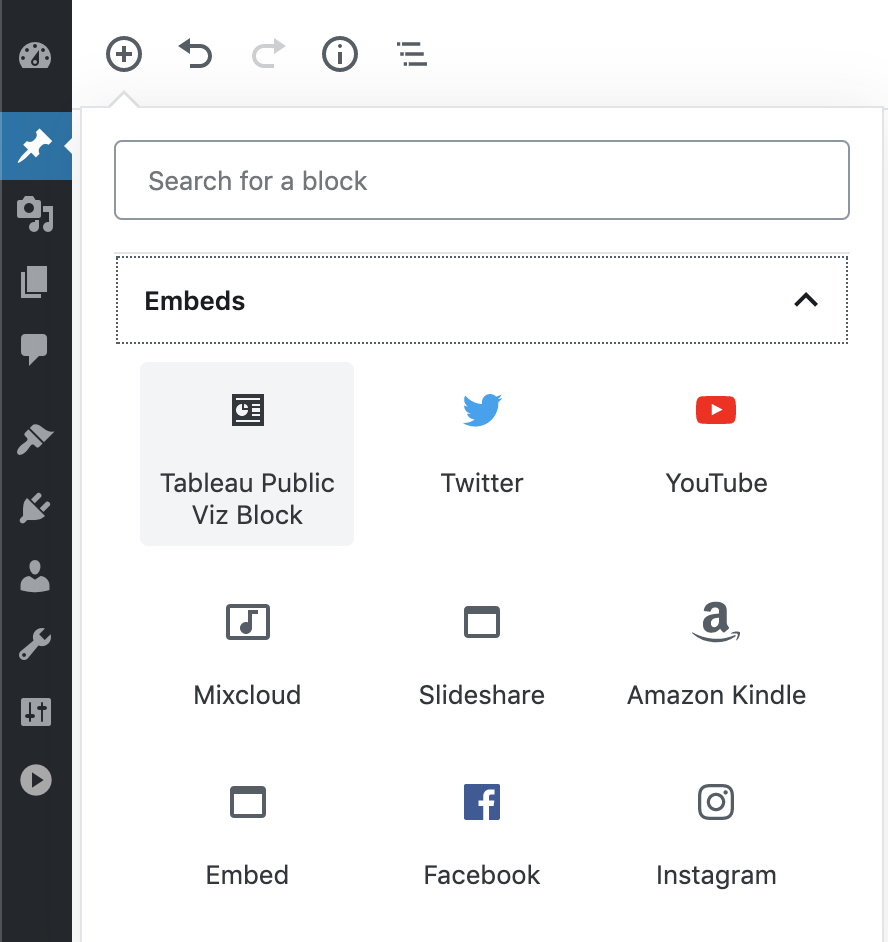
Find the block under Embeds
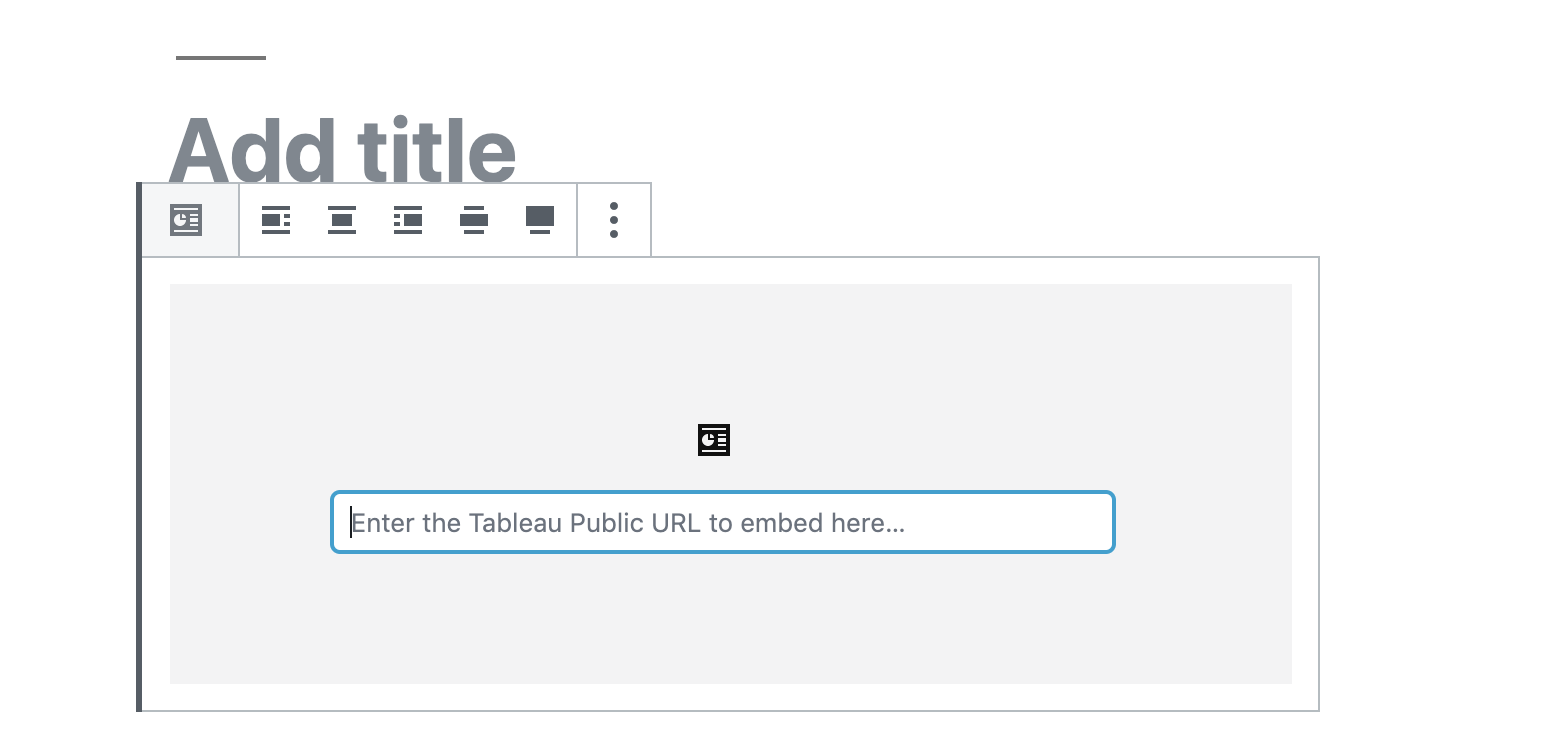
The main block input where you insert the Tableau Public URL
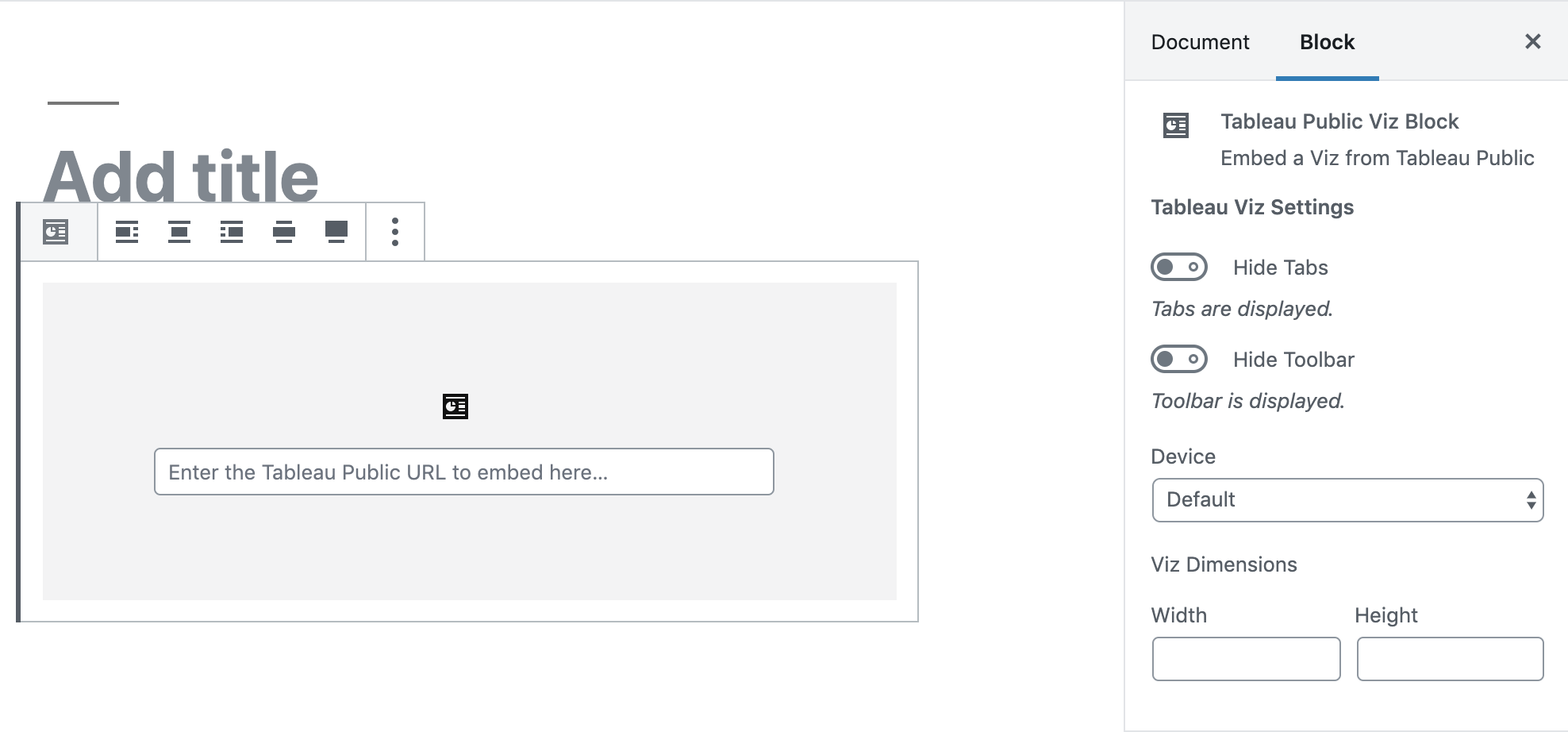
Available options
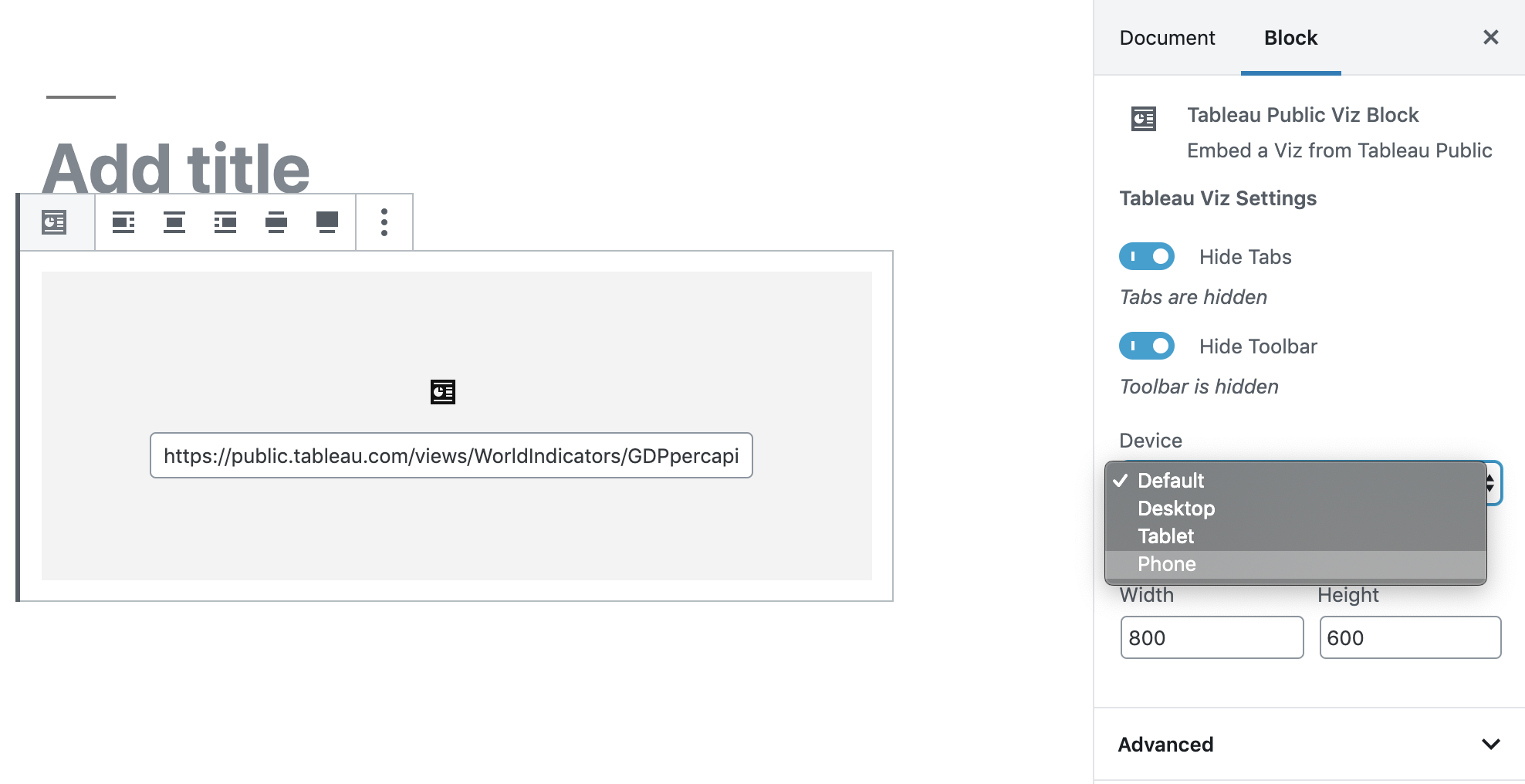
Selected options example
Changelog
1.3
- load tableau min js instead of normal to fix unexpected-response-error-upon-render
1.2
- js bug fixes for null containers
1.1
- Ability to add multiple blocks
- Tested for WP V5.3
1.0
- First release.