

WordPress To Android Plugin
Wordpress to Android is a plugin that allow you to convert your blog or WordPress site in to a Mobile App for Android Native.
Plugin info
Maintenance & Compatibility
Maintenance score
Possibly abandoned • Last updated 3066 days ago • 13 reviews
Is WordPress To Android Plugin abandoned?
Possibly abandoned (last update 3066 days ago).
Compatibility
Similar & Alternatives
Explore plugins with similar tags, and compare key metrics like downloads, ratings, updates, support, and WP/PHP compatibility.
Description
WordPress to Android is a plugin that allow you to convert your blog or WordPress site in to a Mobile App for Android Native. Now you can active as well plugins such as WooCommerce, BuddyPress, Anspress and Bbpress plugins (in the premium version).
Simply install the our mobile app plugin and complete the settings and the site will be instantly converted in to a mobile app.
This plugin will call a third party service (which we have created) which will gathered all the information and assemble it to create an APK in order taht we can send it to you. So we would like to tell you about this in order to be 100% transparent, we repeat, we own the third party site so there’s no need to be worry about security, etc. The services are called from http://free.wptoandroid.com/
Checkout the demo app in Demo app
Installation
Install the plugin via the plugin directory, or by uploading the files manually to your server.
For full-flavoured API support, you’ll need to be using pretty permalinks to use the plugin, as it uses custom rewrite rules to power the API.
1) Upload the files to the /wp-content/plugins/wptoandroid/ directory or install through WordPress directly.
2) Activate the “WordPress to Android” plugin through the ‘Plugins’ menu in WordPress
Frequently Asked Questions
Installation Instructions
Install the plugin via the plugin directory, or by uploading the files manually to your server.
For full-flavoured API support, you’ll need to be using pretty permalinks to use the plugin, as it uses custom rewrite rules to power the API.
1) Upload the files to the /wp-content/plugins/wptoandroid/ directory or install through WordPress directly.
2) Activate the “WordPress to Android” plugin through the ‘Plugins’ menu in WordPress
Review feed
Screenshots

Main and Color settings

Color settings example

Sample Icon uploads, splash or banner header.

Menu Settings changes.

Generate Page
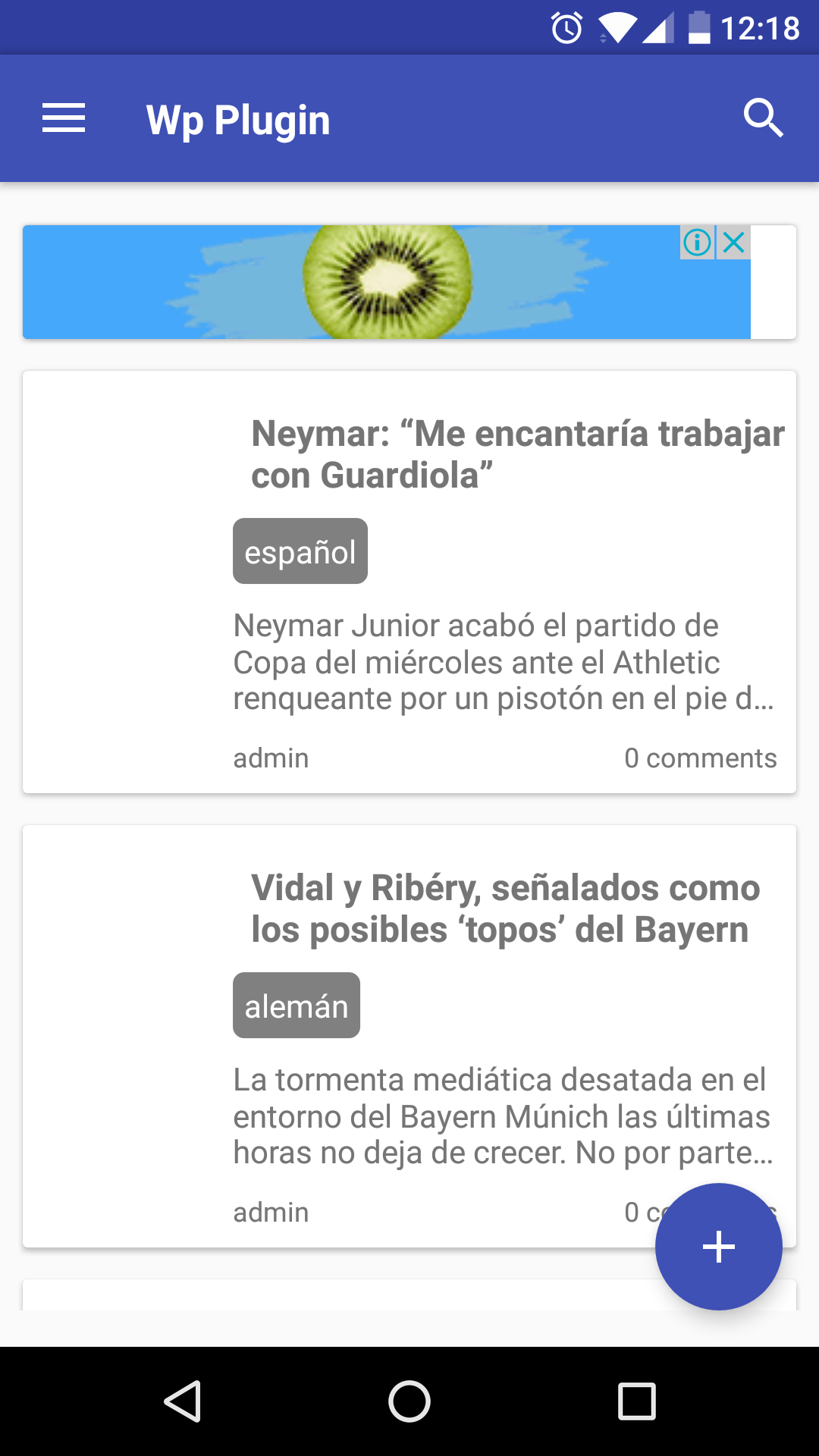
Demo pics

Demo pics

Demo pics

Demo pics