

Video Popup Block by WPZOOM
Easily add a Gutenberg block to create customizable Play icon that open popups with YouTube, YouTube Shorts, TikTok, Vimeo, or MP4 videos
Plugin info
Maintenance & Compatibility
Maintenance score
Maintained • Last updated 119 days ago • 6 reviews
Is Video Popup Block by WPZOOM abandoned?
Likely maintained (last update 119 days ago).
Compatibility
Developers
Similar & Alternatives
Explore plugins with similar tags, and compare key metrics like downloads, ratings, updates, support, and WP/PHP compatibility.
Description
Video Popup Block by WPZOOM – a simple yet powerful single-block WordPress plugin designed to enhance your website with engaging video content. This plugin adds a Gutenberg block to your WordPress editor, enabling you to effortlessly create customizable buttons that, when clicked, open a responsive popup containing a YouTube, YouTube Shorts, TikTok, Vimeo, or Self-Hosted (MP4) video.
Features
- Works with Vimeo & YouTube videos
- Supports YouTube Shorts videos in portrait orientation — NEW
- Supports TikTok videos in portrait orientation — NEW
- Supports self-hosted (MP4) videos
- Customize the Play button as you want
- Choose your Play icon
- Simple & Lightweight block
- Single-block plugin that can be installed directly in the editor. No bloat!
Perfect for Block Themes (FSE – Full Site Editing Themes)!
Recommended Themes & DEMO
Inspiro Blocks – NEW
Inspiro Lite
Inspiro Premium
Inspiro PRO – NEW
Quick Tips
Place this block inside a Cover block.
Read more –> How to add a Video Popup in the Header Hero in Inspiro Lite using Gutenberg
Additional Resources
Installation
This section describes how to install the plugin and get it working.
- Go to Plugins > Add New
- Search for plugin name
- Install & Activate.
In the Block editor click on the “+” button to add a new button. Search for “Video Popup Block” to add the block in the editor.
Frequently Asked Questions
Review feed
Screenshots
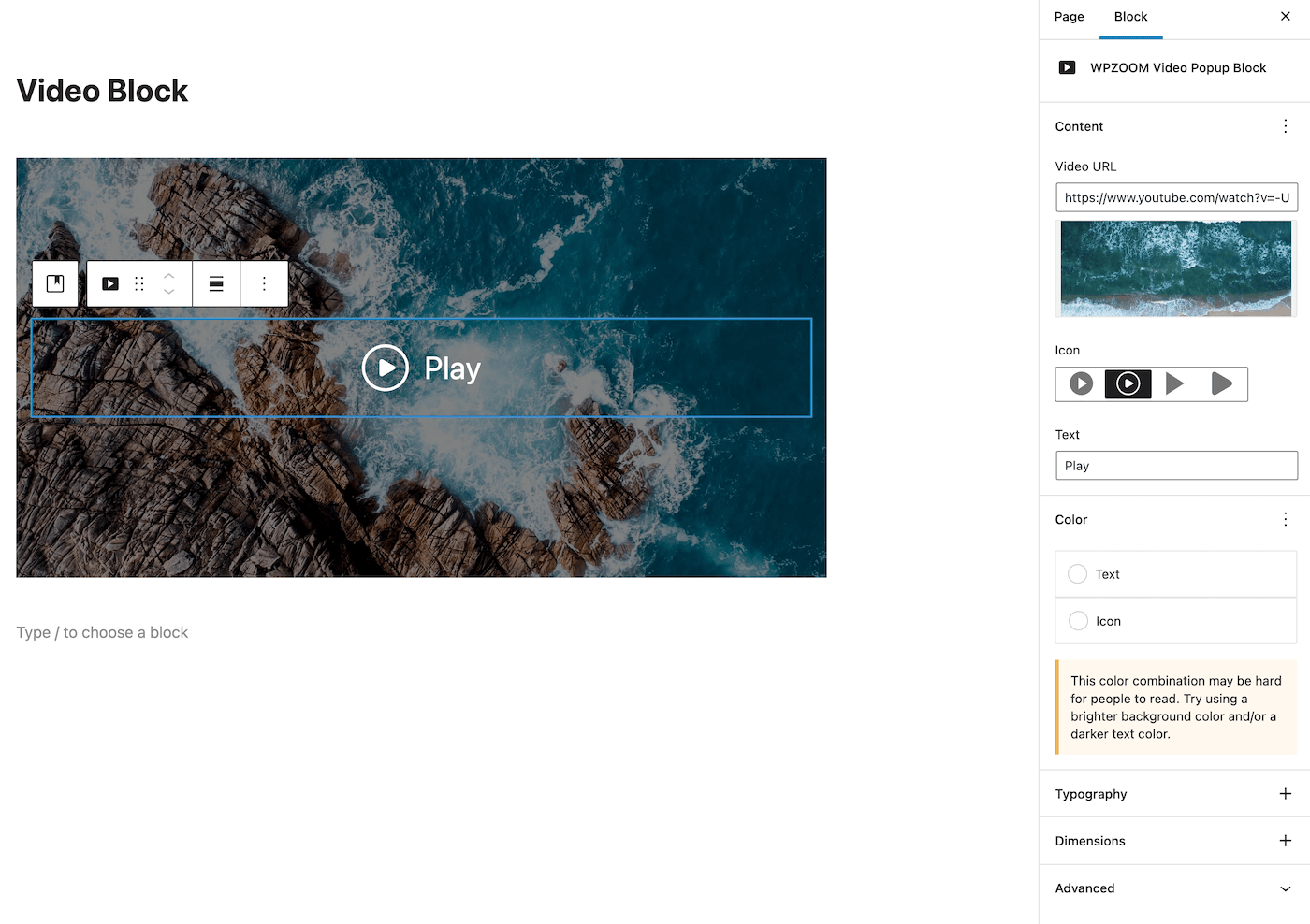
Block settings
Changelog
1.1.4
- Added support for TikTok videos with portrait orientation
- Added support for YouTube Shorts URLs with portrait orientation
1.1.3
- Bug fix with the Close icon not showing
1.1.2
- Added a new option to control the size of the popup
- Minor bug fixes
1.1.1
- Added preview for self-hosted videos
1.1.0
- Added the ability to use self-hosted videos
1.0.0
- Initial plugin release