

WriteShare Writing Community Platform
WriteShare will turn WordPress into a full featured writing community, not just a blogging community. Site members can post books with chapters.
Plugin info
Maintenance & Compatibility
Maintenance score
Possibly abandoned • Last updated 2605 days ago • 18 reviews
Is WriteShare Writing Community Platform abandoned?
Possibly abandoned (last update 2605 days ago).
Compatibility
Developers
Similar & Alternatives
Explore plugins with similar tags, and compare key metrics like downloads, ratings, updates, support, and WP/PHP compatibility.
Description
There is more to writing on WordPress than blogging.
WriteShare plugin will give you books with chapters. Turn WordPress into a full featured writing community.
With WriteShare, site admins get a writing platform. It’s easy to set up full on writing communities for education. Classes and courses using various Learning Management Systems (LMS) like LearnDash, LifterLMS, Namaste, Sensei, WP Courseware, WP LMS, LearnPress, will find the WP WriteShare plugin a must for all writing and course work submissions.
Fanfiction, recipe, journalism/news, longread… hell, any site that invites writers or members to submit text, graphics, or both will want to use WriteShare.
WriteShare uses advanced taxonomy features which offer flexibility in how content is organized for both writers and readers, making your WordPress more of a writing platform than a blogging site.
Writers will upload their submissions in a simple yet organized format. Writings will be easily searched by not just author and date (that’s the blogging way), but with more search options.
WP WriteShare is going to be super easy to use and set up, lightweight, flexible.
Videos:
WriteShare Overview – Site Admin Dashboard and Front End: https://youtu.be/n__S16KyRac
Adding Books with Chapters: https://youtu.be/ZHn9JqThcXc
Installation
Install and activate like all plugins.
There will be two additions to your Dashboard:
- WriteShare
- Content
WriteShare > Settings
Select your content type. This selection will change 2. Content to your selection.
- Note these URLS for when you create your menus:
- Submit Writings: /write/
- Editing: via Edit links in Profile
- Search and Archives: /content/ … this will be whatever you select for content such as /fanfic/ or /poetry/ or /essays/
- Login/registration: /wp-admin/
- Profile: /profile/
Setup Instructions:
- Quick Setup (this is all most of you will need)- http://wpwriteshare.com/setup-instructions/
- Detailed Setup – http://wpwriteshare.com/setup-instructions/setup-instructions-full-detail/
- If you want to require writer’s to request writing privileges on your site, see New Writers Registration and Approval Instructions – http://wpwriteshare.com/setup-instructions/request-writer-status/
- Posting/Editing is very straightforward, but there are a few notes on that page – http://wpwriteshare.com/setup-instructions/posting-and-editing-instructions/
- Show me how to quickly set up the plugin to use on an education site: Academic Setup – http://wpwriteshare.com/academic-setup/
- Show me how to quickly set up the plugin to use on a fanfic site: Fanfic Setup – http://wpwriteshare.com/fanfic-setup/
If you need extensive setup instructions, please go to http://wpwriteshare.com/setup-instructions/setup-instructions-full-detail/
Videos:
WriteShare Overview – Site Admin Dashboard and Front End: https://youtu.be/n__S16KyRac
Adding Books with Chapters: https://youtu.be/ZHn9JqThcXc
Frequently Asked Questions
Does your plugin work with BuddyPress and bbPress?
Yes. It’s ideal for education communities using LMS like LearnDash, Namaste, Sensei, WP Courseware, Lifter LMS, and all social networking sites using BuddyPress.
Can your plugin be used for XYZ kind of writing?
Yes, you can easily change Taxonomy labels in Dashboard > WriteShare > Settings to easily adapt it to any and all kinds of writings.
Does your plugin allow for books with chapter?
Yes, and you can easily jump between chapters using the drop down menu that lists the chapters submitted.
Is posting via front end?
Yes, and editing, too.
My plugin won’t install – or – I am getting an error when installing. What is wrong?
You must be using PHP 5.3 or higher. Please note, any earlier versions are outdated and not supported. Recommended version is 5.6+.
Are you open to feedback and suggestions?
Absolutely, [email protected]. Please let us know your thoughts. This is a super early version of this plugin, and many enhancements and additional functionality will be coming throughout 2016. Let us know what you’re looking for so we can determine which elements to work on first.
Where can I find setup videos?
WriteShare Overview – Site Admin Dashboard and Front End: https://youtu.be/n__S16KyRac
Adding Books with Chapters: https://youtu.be/ZHn9JqThcXc
Review feed
Flexible frontend content management
Screenshots
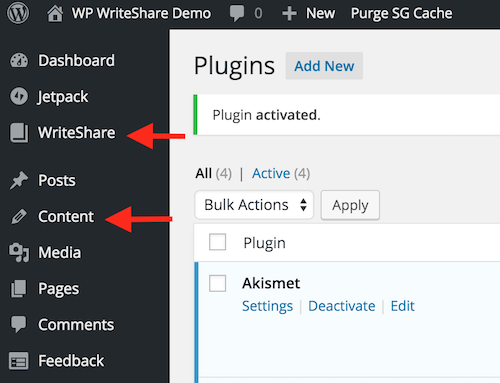
Dashboard
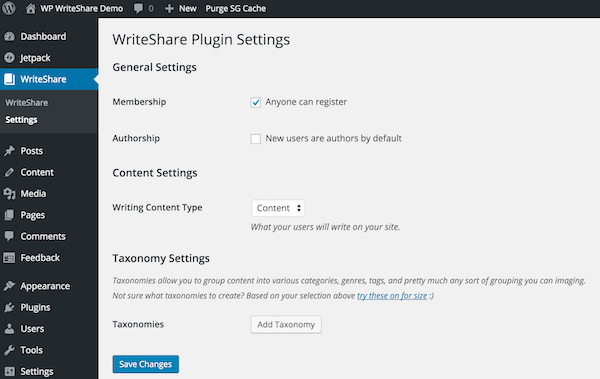
Settings
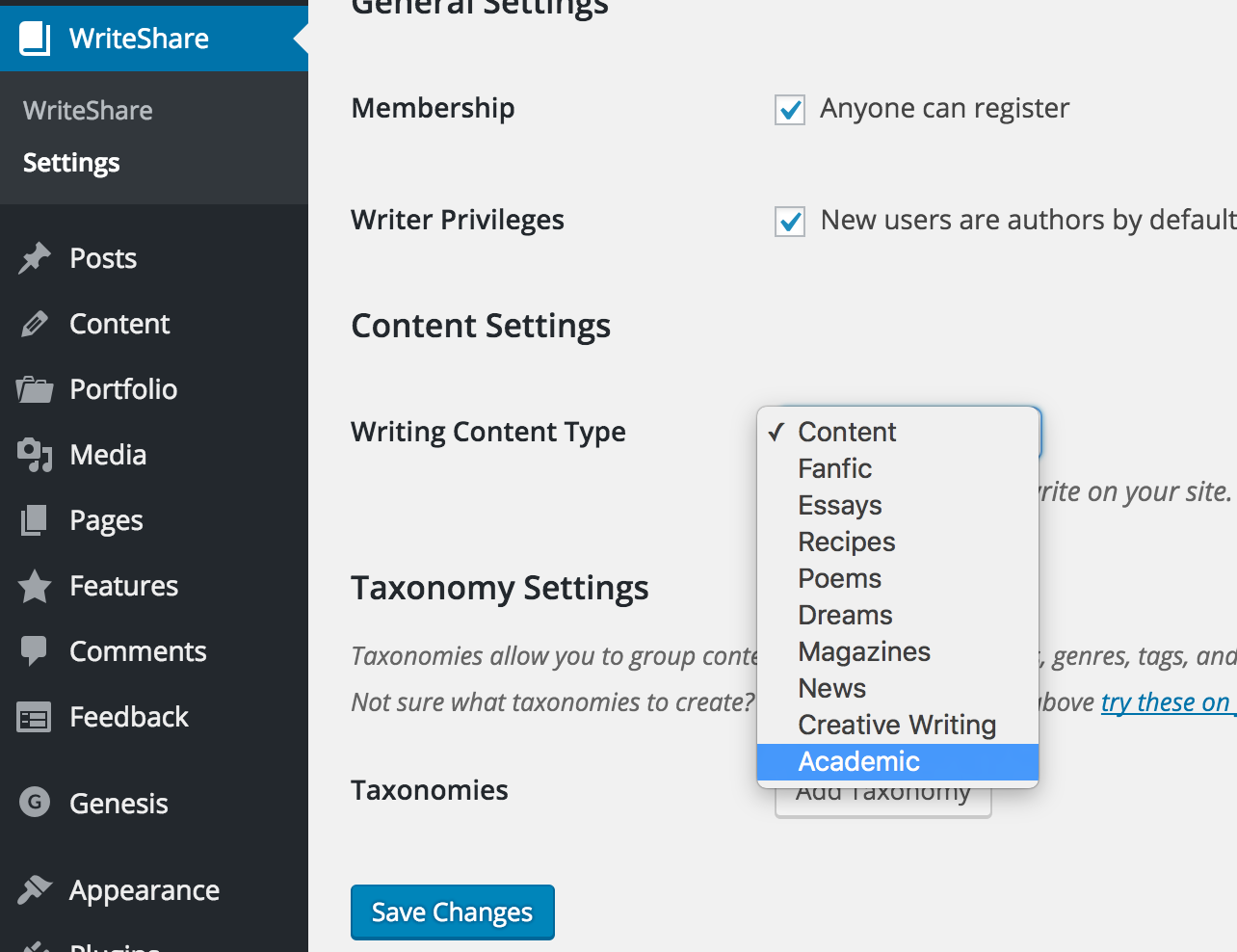
Content Types
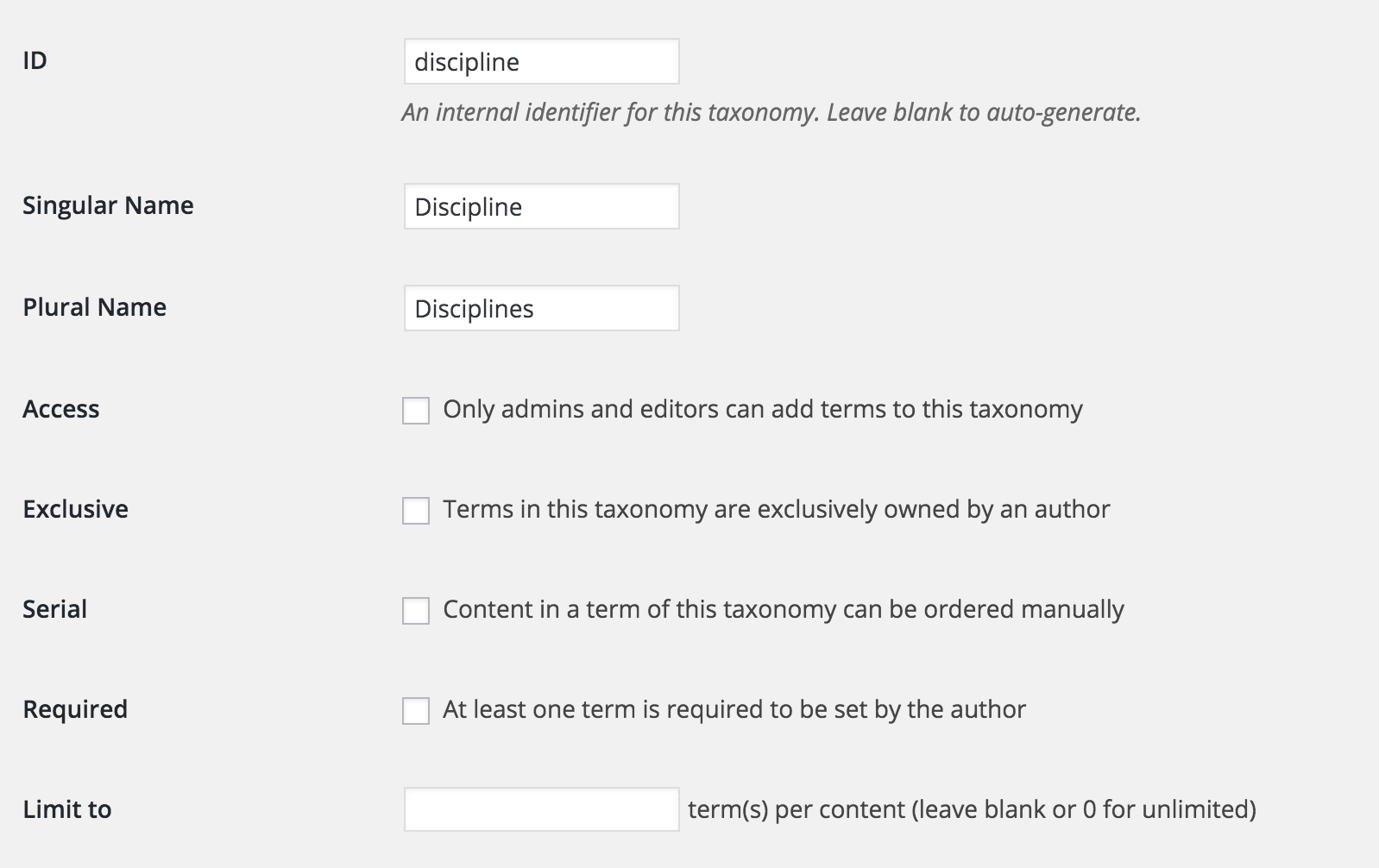
Taxonomies
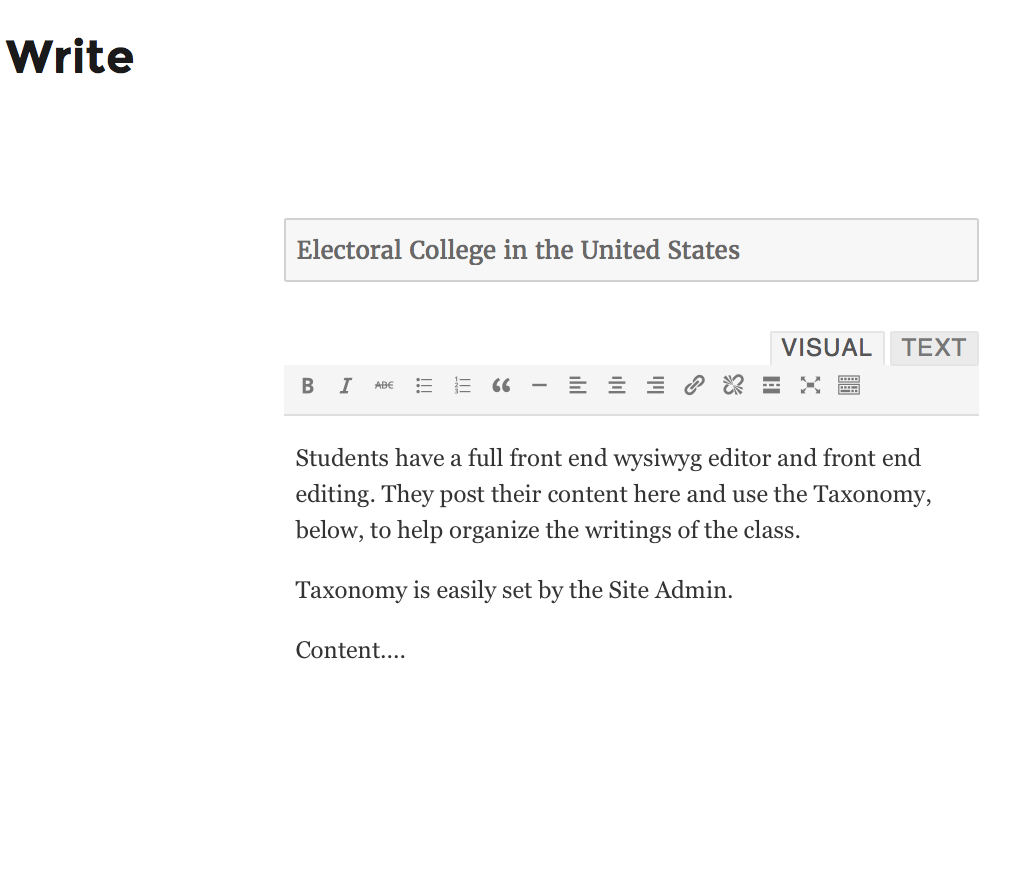
Writing
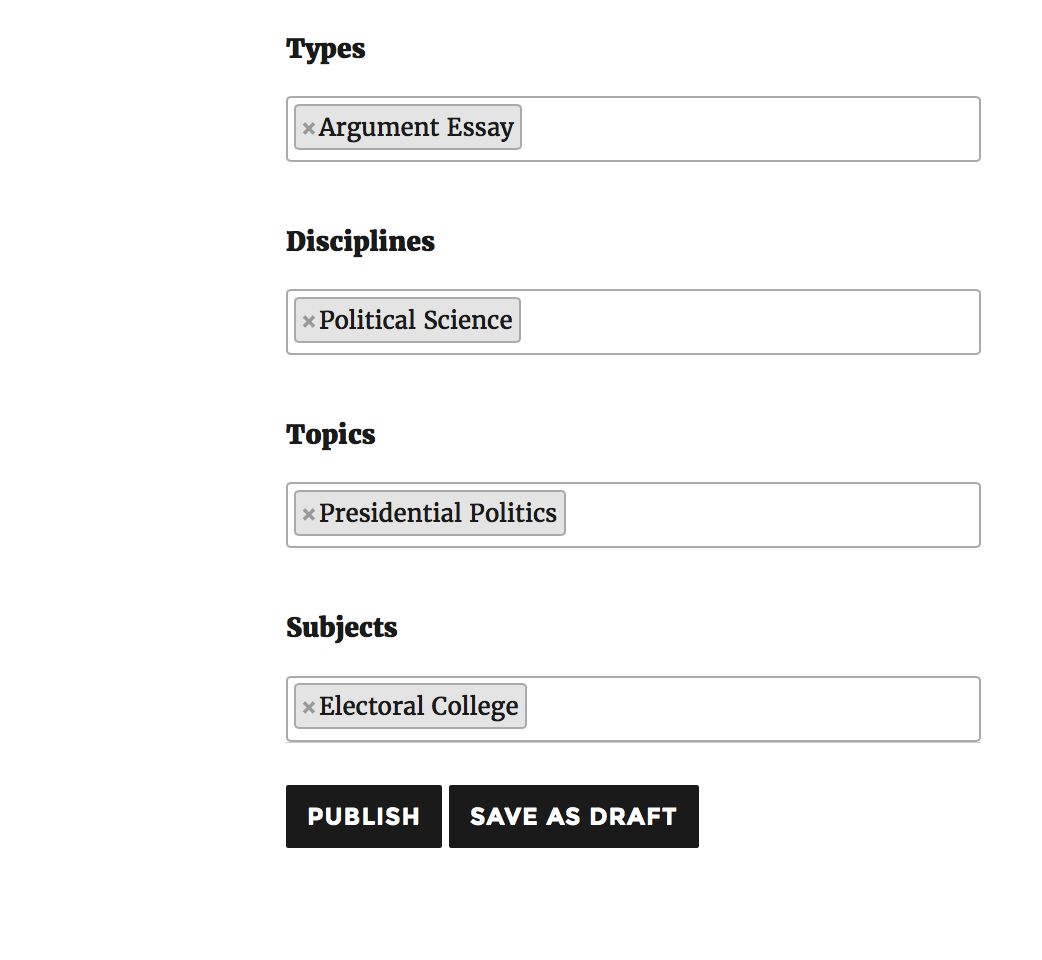
Categorizing
Changelog
1.1.19 Noted update for WordPress 5.0. Note: Gutenberg editor is NOT used in WriteShare Custom Post types.
1.1.18 Fixed 1 bug: 1) author profile page was breaking if the author’s name had a space or special character it and the author was a user level of editor, author, or contributor.
1.1.17 Fixed 2 bugs: 1) author profile page was breaking if the author’s name had a space or special character it. 2) members couldn’t upload media if BuddyPress was installed.
1.1.15 We removed user names from the author drop down list for security purposes. Only display names will appear on that drop down. Additionally, we made adjustments so that the plugin is fully translatable. It has been fully translated to Dutch. We welcome all other languages.