

Maintenance 62/100126d since update
Active installs
30,000
Downloads
321,714
Reviews
9
Age
10.2y
Plugin info
Total downloads: 321,714
Active installs: 30,000
Total reviews: 9
Average rating: 5
Support threads opened: 1
Support threads resolved: 1 (100%)
Available in: 2 language(s)
Contributors: 2
Last updated: 11/28/2025 (126 days ago)
Added to WordPress: 1/18/2016 (10 years old)
Minimum WordPress version: 4.9
Tested up to WordPress version: 6.9
Minimum PHP version: 5.6
Maintenance & Compatibility
Maintenance score
Maintained • Last updated 126 days ago • Support resolved 100% • 9 reviews
62/100
Is XO Security abandoned?
Likely maintained (last update 126 days ago).
Compatibility
Requires WordPress: 4.9
Tested up to: 6.9
Requires PHP: 5.6
Similar & Alternatives
Explore plugins with similar tags, and compare key metrics like downloads, ratings, updates, support, and WP/PHP compatibility.
SiteGuard WP Plugin
Rating 4.3/5 (15 reviews) • Active installs 500,000
Disable XML-RPC-API
Rating 4.1/5 (42 reviews) • Active installs 100,000
Disable XML-RPC Pingback
Rating 3.9/5 (14 reviews) • Active installs 60,000
No Self Ping
Rating 4.3/5 (15 reviews) • Active installs 10,000
Remove & Disable XML-RPC Pingback
Rating 3.0/5 (6 reviews) • Active installs 9,000
stop XML-RPC Attacks
Rating 5.0/5 (4 reviews) • Active installs 6,000
Description
XO Security is a plugin to enhance login related security.
This plugin does not write to .htaccess file. Besides Apache, LiteSpeed, Nginx and IIS also work.
Functions
- Record login log.
- Limit login attempts.
- Add Captcha to the login form and comment form.
- Change the URL of the login page.
- Enable two-factor authentication (2FA) for login.
- Login Alert.
- Disable login by mail address.
- Disable login by user name.
- Change login error message.
- Disable XML-RPC and XML-RPC Pingback.
- Disable REST API.
- Disable author archive page.
- Remove comment author class of comments list.
- Remove the username from the oEmbed response data.
- WooCommerce login page protection.
- Anti-spam comment.
- Hide WordPress version information.
- Edit the author slug.
- Disable RSS and Atom feeds.
- Activate maintenance mode.
- Delete the readme.html file.
WordPress multisite considerations
If you set the login page separately for the main site and the subsite, you will not be able to use the password loss function of the subsite. We recommend that you set the login page to be common to all sites.
Installation
- Upload the
XO-Securityfolder to the/wp-content/plugins/directory. - Activate the plugin through the Plugins menu in WordPress.
- Go to “Settings” -> “XO Security” and customize behaviour as needed.
Frequently Asked Questions
Please initialize the settings.
- In wp_options table, the value of the option_name field (column) is to remove the record of “xo_security_options”.
- If you have set the login page, please delete the file.
Please install mbstring and GD module.
Review feed
Ko Takagi
Awesome!
This is awesome plugin!
It has all the features I need and is very easy to use.
mainichiweb
とても良い
長年、SiteGuardを使っていましたが、たまにログインできなくなってプラグインをサーバーから削除とかしたりだったので、こちらのプラグインを使い始めました。
設定画面もわかりやすく、作動も安定していて、ログイン試行履歴とかも見れます(結構不正ログインされようとしているのがわかって楽しい)、随時他のサイトのセキュリティプラグインもこちらに切り替えていこうと思っています。感謝感謝
Katsushi Kawamori
This one is all you need !
This one plugin completes my security measures. Thanks !!
Screenshots
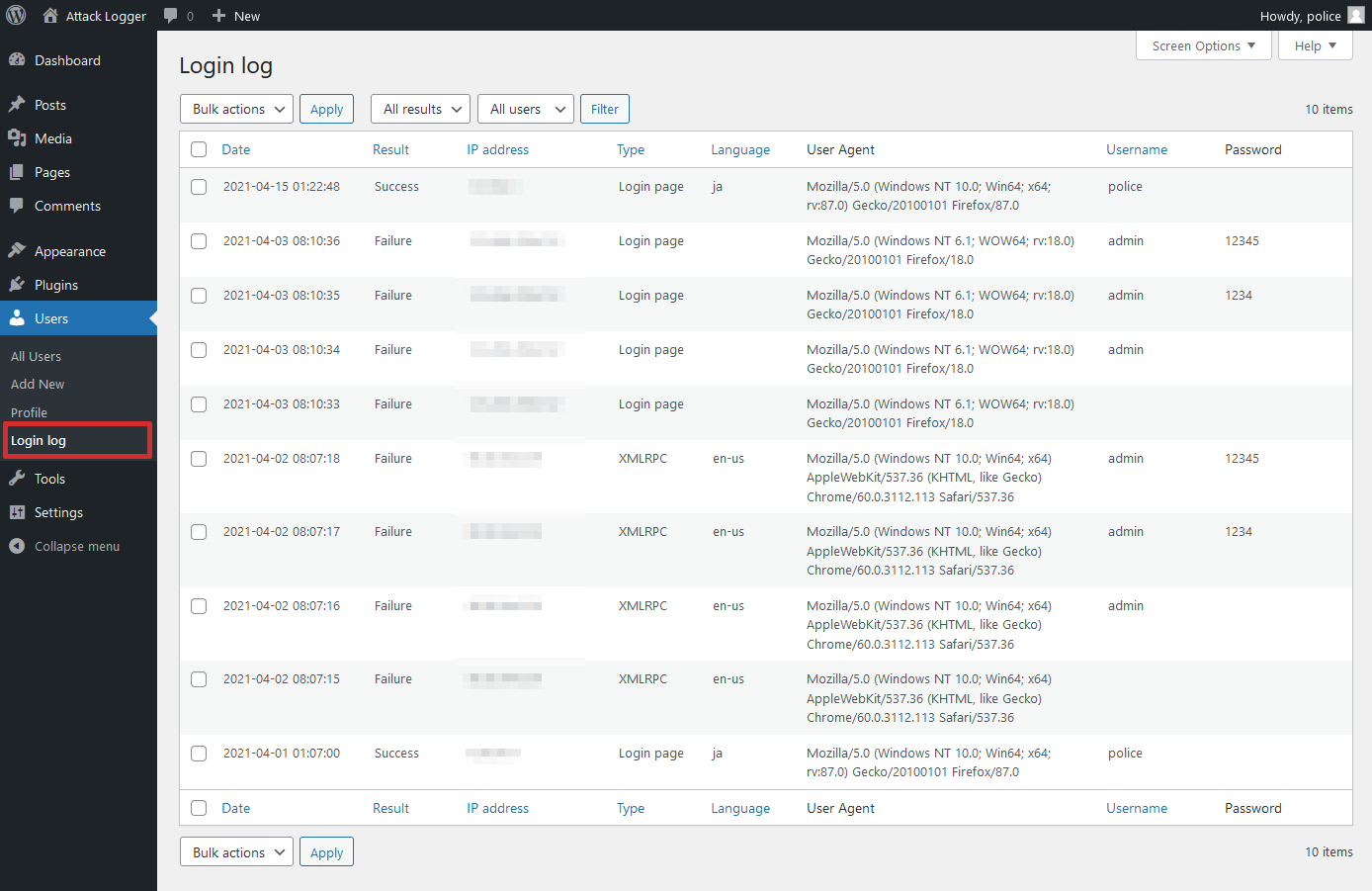
Login log page.

Status page.
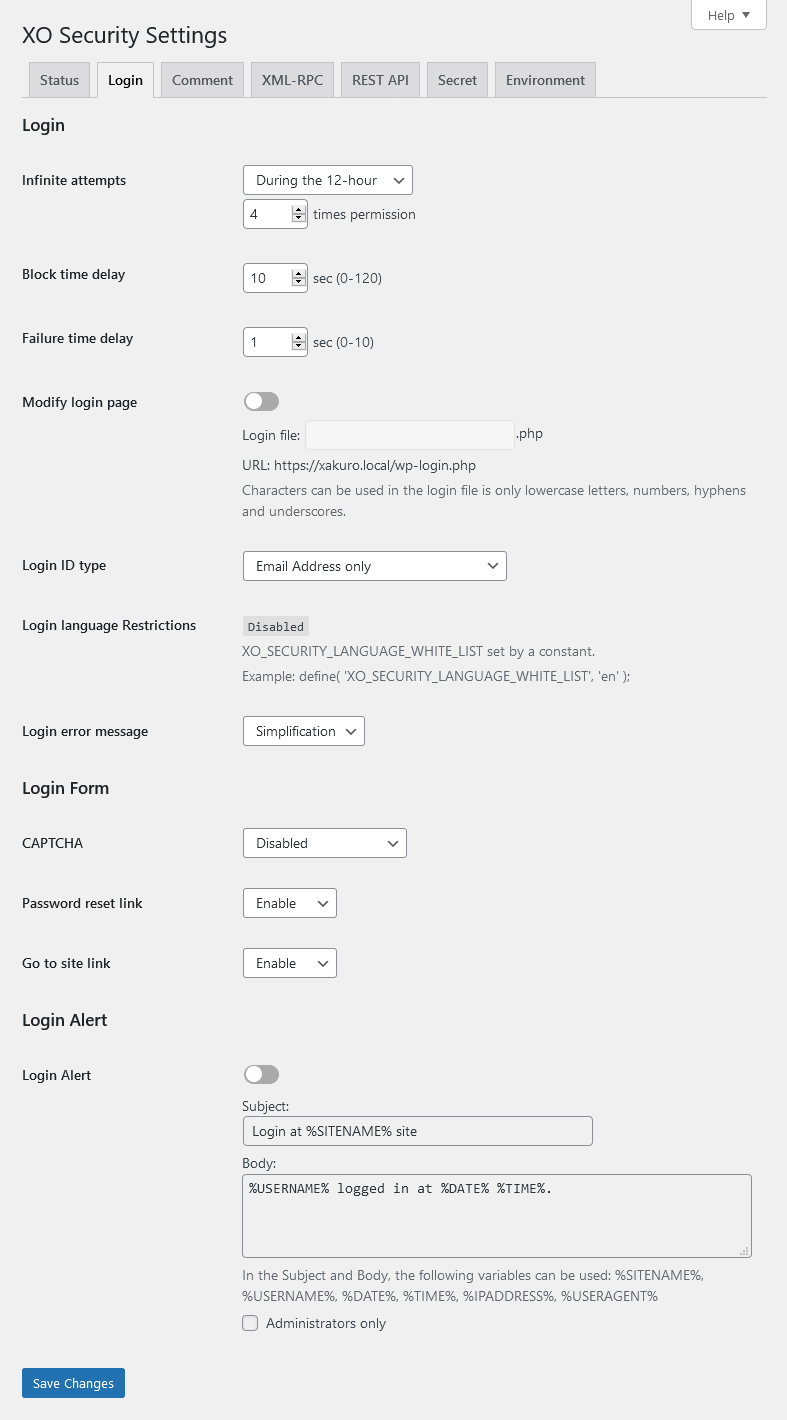
Login setting page.

Profile page.
Changelog
3.10.7
- Fixed a mistake in version 3.10.6.
3.10.6
- Fixed an issue where the URL in the email sent when resetting a password was incorrect when changing the login page.
3.10.5
- Supported WordPress 6.9.
- Fixed a bug that sometimes prevented access to the login page.
3.10.4
- Supported WordPress 6.6.
3.10.3
- Supported CAPTCHA for login form using ajax.
3.10.2
- Fixed a mistake in version 3.10.1.
3.10.1
- Fixed a bug that sometimes prevented login with two-factor authentication.
- Enhanced the judgment of comment bots.
3.10.0
- Added option to change author base.
- Added option to select CAPTCHA type.
- Enhanced the judgment of comment bots.
3.9.1
- Fixed a bug where an error message was displayed on the admin screen in PHP 8.2 or higher.
3.9.0
- Added two-factor authentication function.
- Fixed a bug where the login page file created by changing the login page may not be deleted during uninstallation.
- The REST API URL change feature has been deprecated. If it is currently in use, you can continue to use it, but you cannot use it newly.
3.8.1
- Supported WordPress 6.5.
- Added ability to delete readme.html file.
- Tweaked wording on the admin page.
- Tweaked CSS on the admin page.
3.8.0
- Added maintenance mode.