
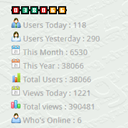
XT Visitor Counter
XT Visitor Counter is a widgets which will display the Visitor counter and traffic statistics on WordPress. Some of the features offered include Today …
Plugin info
Maintenance & Compatibility
Maintenance score
Possibly abandoned • Last updated 1113 days ago • 5 reviews
Is XT Visitor Counter abandoned?
Possibly abandoned (last update 1113 days ago).
Compatibility
Developers
Similar & Alternatives
Explore plugins with similar tags, and compare key metrics like downloads, ratings, updates, support, and WP/PHP compatibility.
Description
XT Visitor Counter is a widgets which will display the Visitor counter and traffic statistics on WordPress.Some of the features offered include Today Visitor, Today Hits, Total Hits, Total Visit, Who’s Online and IP Address Visitors.
Upload and Install XT Visitor Counter Plugins, Activate and Drag the Widgets in to your WordPress Sidebar. And this plugins will useless for a thousands of websites. If you were here, download and install it, you’ll like it.
Arbitrary section
Refer Installation and FAQ section for all required information
A brief Markdown Example
Ordered list:
- Most simple plugin available so far
- Do not remove developer plugins link
Installation
This section describes how to install the plugin and get it working.
- Upload
xt-visitor-counter.zipto the/wp-content/plugins/directory. You can do this using ‘Upload’ functionality provided in plugins section of your wordpress dashboard - Activate the plugin through the
Pluginsmenu in WordPress - Go to
Appearance>>Widgetsand dragXT - Visitor Counterin to your WordPress sidebar - Save
- You are done.
Frequently Asked Questions
As of now, adding another counter images, you can do to access the folder “styles/image/” on the installation of plugins
Review feed
Screenshots
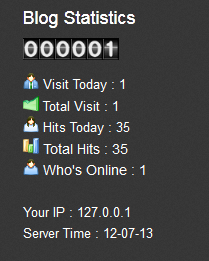
Sample display
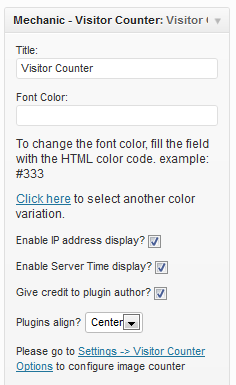
Widget options
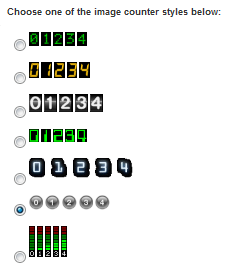
Image counter options
Changelog
Plug-in is now compatible upto wordpress version 4.5.3