
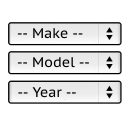
Year Make Model Search for WooCommerce
It will find products for selected make and model.
Plugin info
Maintenance & Compatibility
Maintenance score
Maintained • Last updated 131 days ago • Support resolved 0% • 34 reviews
Is Year Make Model Search for WooCommerce abandoned?
Likely maintained (last update 131 days ago).
Compatibility
Developers
Similar & Alternatives
Explore plugins with similar tags, and compare key metrics like downloads, ratings, updates, support, and WP/PHP compatibility.
Description
It has fixed number and the sort order of the drop-down selects:
— Make —
— Model —
— Year —
Product restrictions are used for searching and for drop-downs options in the search box.
So if you set a restriction like:
Acura, CL, 1997, 1998
for a product.
The “Acura CL 1997” will be already selectable in the search box on the front-end.
Main Features:
- Search for products on the home page
- Filter products on category pages
- List applicable vehicles on the front-end product view page
- CSV import / export for product restrictions
You can check the demo website here:
DEMO Website
You can read the installation instructions here:
README
Simple Code Idea:
The idea of this plugin is to keep the base version as simple as possible.
And to add the new features as modifications.
This plugin has just 28 files to make it easy to use and customize. If you need more features check the modifications page hottons.com/ymm_modifications
Contact me by email [email protected] if you have questions or need help.
Other plugins
If you like this plugin check also:
-
Attribute Search (PAID)
For tyre and rim search. -
Exploded View Filter
Displays a diagram image with links to filter products.
Translators
Available Languages
- English (Default)
Documentation
Full documentation is available here.
Installation
Requires WordPress 4.7 and WooCommerce 3.0 or greater.
- Unzip the downloaded zip file.
- Upload the plugin folder into the
wp-content/plugins/directory of your WordPress site. - Activate
YMM Searchfrom Plugins page. - Add
YMM Searchwidget to the sidebar in WordPress admin panel > Appearance > Widgets - Set restriction to any product in the YMM tab of the Edit Product page.
Contact me by email pektsekye@gmail.com if you have questions or need help.
Frequently Asked Questions
Review feed
Excellent plugin!
Screenshots
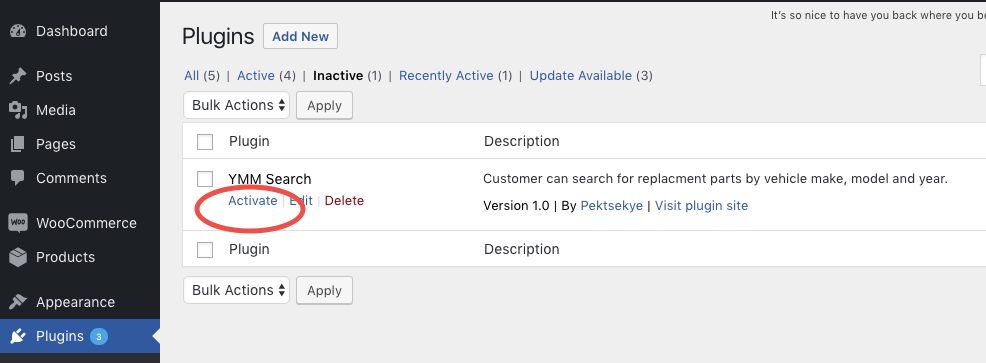
Activate plugin
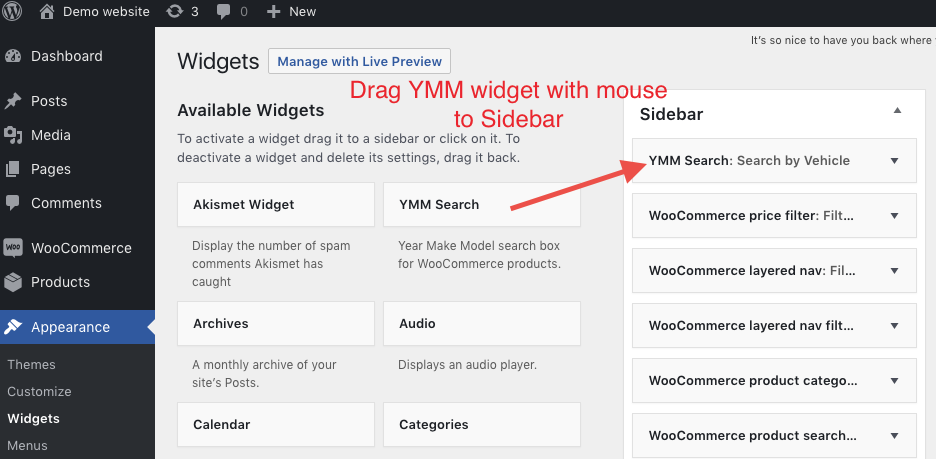
Add YMM widget to sidebar
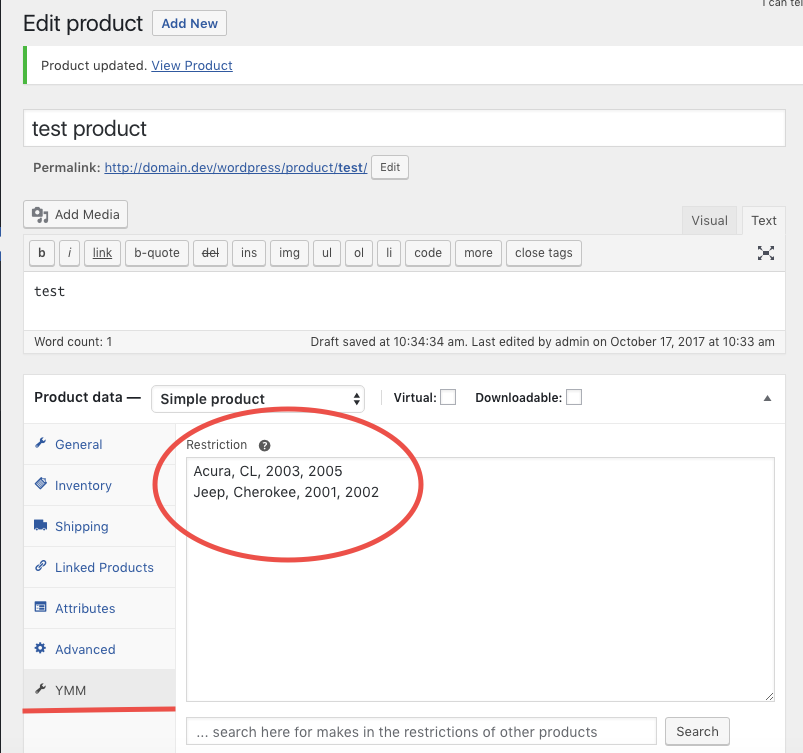
Set a restriction for a product
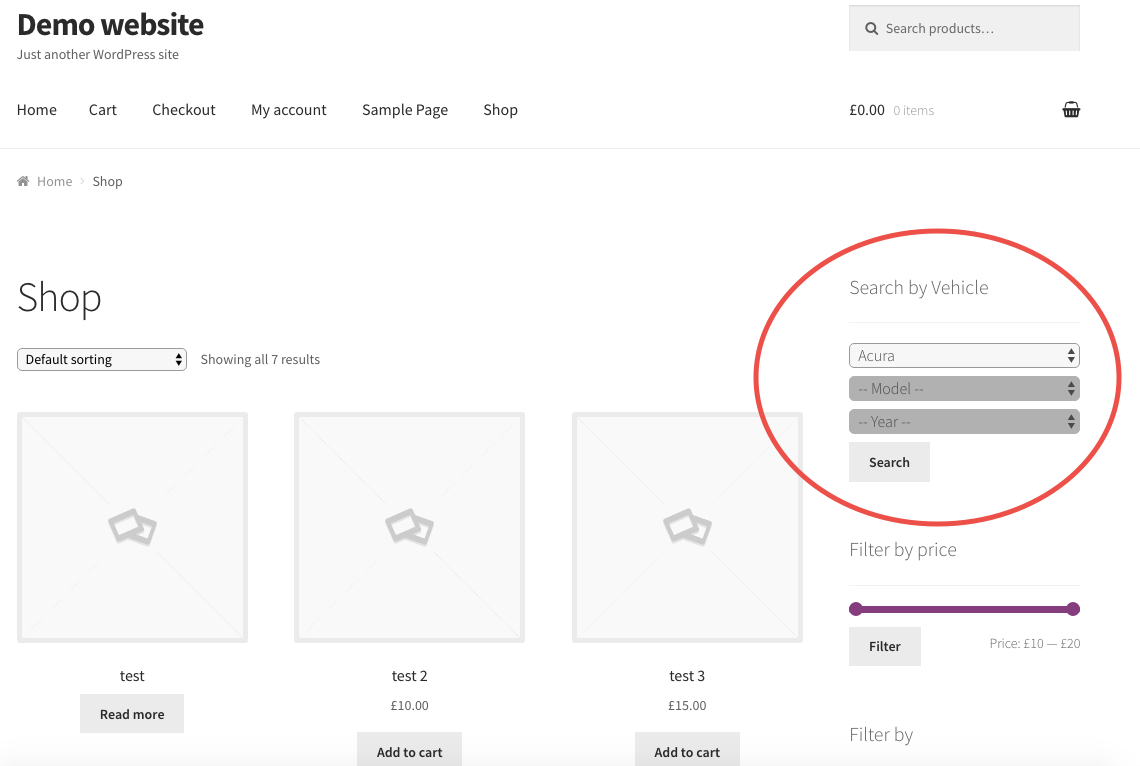
YMM search box on frontend
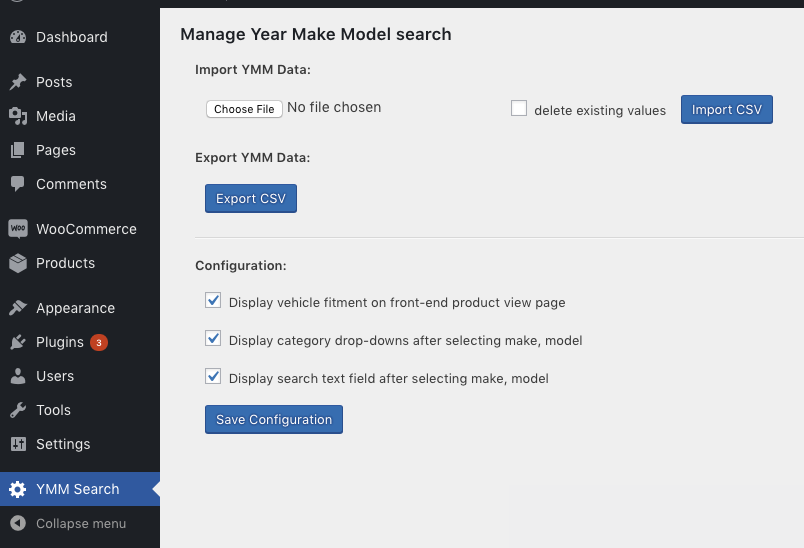
Import / Export and the configurations page
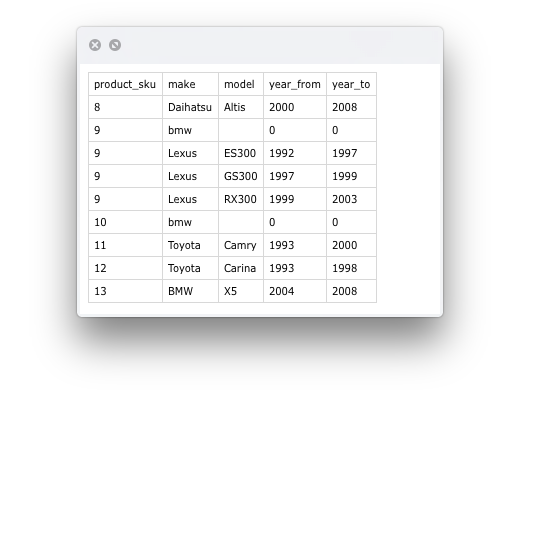
Sample .csv file
Changelog
1.0.12 – Released: May, 10 – 2025
- Minor correction. patchstack sugested to add nonce verification to the settings page. Otherwise someone with admin login can change settings of this plugin from another page.
Just two files changed:
wp-content/plugins/ymm-search/Controller/Adminhtml/Ymm/Selector.php
line 32
wp-content/plugins/ymm-search/view/adminhtml/templates/ymm/selector.php
lines 25, 36, 44
1.0.11 – Released: Apr, 29 – 2025
- Minor correction. patchstack reported that possible to change the plugin settings without an administrator login.
Just one line changed:
wp-content/plugins/ymm-search/Controller/Adminhtml/Ymm/Selector.php
line 32
1.0.10 – Released: Feb, 24 – 2019
- To make it compatible with WordPress 5.1
- Other code corrections.
1.0.9 – Released: Jan, 22 – 2018
Before upgrading to this version export your YMM vehicles as .csv file to not lose data!
- Main file was renamed from ymm.php to ymm-search.php . You may need to deactivate / activate this plugin to make it work with the new file.
- Text Domain was changed to “ymm-search” in all files to make this plugin use translations from translate.wordpress.org
- Template files were renamed to make translation programs find all strings for translation.
- A template file with all strings for translation was added. wp-content/plugins/ymm-search/i18n/languages/ymm-search.pot
- Code corrections.
1.0.8 – Released: Dec, 5 – 2017
- Bug fixed when WooCommerce menu is displayed wrong on the YMM results page.
- Code corrections.
1.0.7 – Released: Nov, 8 – 2017
- Add selected vehicle to the category page HTML title tag.
- Code corrections.
1.0.6 – Released: Nov, 6 – 2017
- Fixed installation code.
1.0.5 – Released: Nov, 5 – 2017
- Bug fixed: WordPress pages and posts are not available to edit or view when plugin is enabled.
- Code corrections.
1.0.4 – Released: Oct, 29 – 2017
- Faster AJAX requests for category drop-downs.
1.0.3 – Released: Oct, 28 – 2017
- The “search for restrictions” feature updated to not show values that already exist in the restriction text area.
- Show years in descending order.
- Custom PHP file for faster AJAX requests.
1.0.2 – Released: Oct, 23 – 2017
- Code corrected to make “search for restrictions” feature work when creating a new product.
1.0.1 – Released: Oct, 23 – 2017
- JavaScript corrected. New product restrictions were not saved.
1.0.0 – Released: Oct, 16 – 2017
- Initial release