
Conditional Cart Messages for WooCommerce – YourPlugins.com
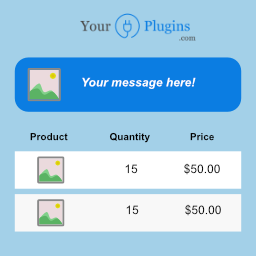
Show cart messages or notices in your WooCommerce cart by using conditional rules! Made with love by yourplugins.com
Plugin info
Maintenance & Compatibility
Maintenance score
Possibly abandoned • Last updated 1011 days ago • 4 reviews
Is Conditional Cart Messages for WooCommerce – YourPlugins.com abandoned?
Possibly abandoned (last update 1011 days ago).
Compatibility
Similar & Alternatives
Explore plugins with similar tags, and compare key metrics like downloads, ratings, updates, support, and WP/PHP compatibility.
Description
Show cart messages in WooCommerce cart based on conditional rules
Adding cart notices to your e-commerce cart? Very easy with Conditional Cart Messages.
A more dynamic way to show a message or a notice in your WooCommerce cart!
- You can set different rules to make the message appear, such as the total price of the cart or the product price.
- Combine the rules to make the message appear at specific conditions, for example: If the total price of the cart is greater than $ 100 and the quantity in the cart is less than 5 show the message.
- Use the AND or OR operators to combine rules. You can also create rule groups.
You can find the official documentation here.
Looking for more features?
- Display a message also in the checkout, product, shop or any other page
- Get more conditions: Price, Products, Categories, User Roles, User Types, Billing and Shipping Country, Start and End Date, Product Quantity, Total Quantity, Total Amount, Total Net Amount, Total Taxes, Shipping Total, Total Coupon Discount Amount, Referrer URL
- Create unlimited message templates
- Add an icon to your message
- Add a button to your message
- Choose the background color (also on hover), the border color (also on hover), and the text color of your message
- Choose the background color, the border color, and the text color of your button
Check all the other premium features here.
A brief Markdown Example
- From your WordPress back-end click on “YourPlugins > WooCommerce Conditional Cart Notices”
- Click on “New Notice” and type in a “Name”
- Click on “Add rule” and set the following condition: “Price” “greater or equal” “100”
- Set “Show Notice In” = “Cart” and add a message inside the field “Notice Message”
- Click on “Save”.
- Create a WooCommerce Product with a price greater then 100.
- Add the created product to cart and check your cart: A message should appear.
Installation
- From the back-end of your website click on Plugins > Add new and search for Conditional Cart Messages for WooCommerce – YourPlugins.com
- Click on Install Now
- Click on Activate
- To get started follow the instructions here: https://yourplugins.com/documentation/your-woocommerce-conditional-cart-notices/getting-started
Frequently Asked Questions
Review feed
Screenshots


Changelog
-
1.2.9 [22/06/2023]:
- Bugfixes for PHP 8.1
-
1.2.7 [31/05/2022]:
- Bugfixes
-
1.2.6 [07/04/2022]:
- Bugfixes
-
1.2.5 [07/04/2022]:
- Adding List_Form_Field and bootstrap 5
-
1.2.4 [07/04/2022]:
- Adding ajax url
-
1.2.3 [01/04/2022]:
- Adding filters: ‘yps_wc_conditional_cart_notices/notice/view/notice::notice_message’ and ‘yps_wc_conditional_cart_notices/notice/view/notice::button_text’
-
1.2.2 [09/12/2021]:
- Bug fixes
-
1.2.1 [09/12/2021]:
- Reduce the number of scripts used on front-end
-
1.2.0 [07/12/2021]:
- Bug fixes
-
1.1.2 [11/11/2021]:
- Bugfixes
-
1.1.1 [11/11/2021]:
- Framework fixes
-
1.1.0 [11/11/2021]:
- Framework fixes
-
1.0.9 [05/11/2021]:
- Bugfixes and adding filters
-
1.0.8 [05/11/2021]:
- Bugfixes
-
1.0.7 [04/11/2021]:
- Bugfixes
-
1.0.6 [09/07/2021]:
- Adding italian language
-
1.0.5 [09/07/2021]:
- Changing labels
-
1.0.4 [01/05/2021]:
- First stable release