

Zeaks Snippets
A simple, lightweight code snippet plugin with 4 color schemes that displays code in posts similar to how Wordpress.org does.
Plugin info
Maintenance & Compatibility
Maintenance score
Possibly abandoned • Last updated 5251 days ago • 1 reviews
Is Zeaks Snippets abandoned?
Possibly abandoned (last update 5251 days ago).
Compatibility
Similar & Alternatives
Explore plugins with similar tags, and compare key metrics like downloads, ratings, updates, support, and WP/PHP compatibility.
Description
A simple code snippet plugin for anyone who wants to post any type of code on their site. It’s what I’ve used on Zeaks.org for a while, and highly based off of Danny Van Kooten’s Simple Quote Code Snippets plugin. It’s lightweight, uses no JavaScript, comes with 4 editable color schemes and very easy to use.
Note Does not highlight code, simply displays it in a nice way and allows posting of any code.
Use [code] Your Code [/code] in any post.
Installation
- Upload
zeaks-snippetsto the/wp-content/plugins/directory - Activate the plugin through the ‘Plugins’ menu in WordPress
- Visit Settings > Snippet Options to select your style.
Frequently Asked Questions
How do I use it?
Wrap your code in [code] [/code] tags
How to I change the look?
Visit ‘/wp-content/plugins/zeaks-snippets/colors/’ and edit the custom style (or whichever you prefer)
Where can I get support
Visit our Forums
Review feed
Screenshots
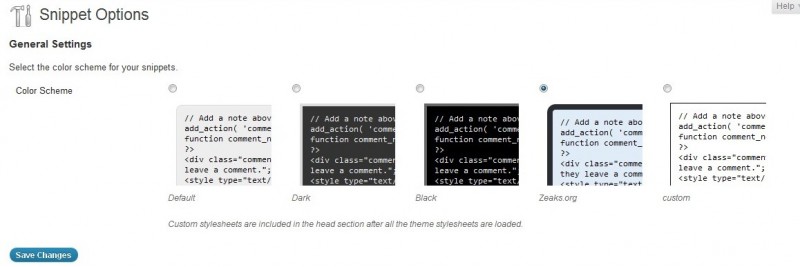
Screenshot of the plugin options.
Changelog
1.0
- Initial release