
Zeno – AI-Powered Chatbot
An AI-powered WordPress automation chatbot plugin that helps you automate support, engage visitors, and answer questions using OpenAI or Google Gemini
Plugin info
Maintenance & Compatibility
Maintenance score
Maintained • Last updated 123 days ago • 1 reviews
Is Zeno – AI-Powered Chatbot abandoned?
Likely maintained (last update 123 days ago).
Compatibility
Similar & Alternatives
Explore plugins with similar tags, and compare key metrics like downloads, ratings, updates, support, and WP/PHP compatibility.
Description
Zeno Chatbot: Revolutionize Your WordPress Site with AI-Powered Support
Key Features and Intelligent Learning
Zeno Chatbot is an advanced AI-powered WordPress chatbot plugin. This innovative tool empowers you to seamlessly integrate a fully customizable chatbot into your WordPress site, harnessing the power of cutting-edge OpenAI (GPT-5 Mini and others) or Google Gemini models for intelligent, human-like interactions.
What sets Zeno Chatbot apart is its ability to learn directly from your WordPress pages, posts, and other data sources—including upcoming PDF uploads for external training. This transforms your site’s content into a dynamic, interactive knowledge base, delivering precise, context-aware responses without any coding required.
- 24/7 Automated Customer Support: Provide instant, round-the-clock assistance to keep your visitors engaged and satisfied.
- User-Friendly Setup: Secure, intuitive installation from your WordPress dashboard—deploy in minutes, no technical expertise needed.
- Advanced Monitoring & Analytics: Track conversations, customer satisfaction, and emerging issues via a comprehensive dashboard.
- Seamless Email Integration: Convert chats into trackable email threads for effortless follow-up.
Ideal for Diverse Websites
Whether you’re running a blog, SaaS tools, or eCommerce stores, Zeno Chatbot excels at handling FAQs, offering real-time guidance, and streamlining user journeys. It reduces support workload, boosts engagement, and elevates your site’s overall user experience—all while maintaining your brand’s voice through super customizable widgets (colors, styles, and visualizations).
Why Choose Zeno Chatbot?
Built exclusively for the WordPress community, this free plugin (with premium features on the horizon) ensures fast, accurate, and friendly conversations that feel truly personalized. Say goodbye to generic bots and hello to a virtual assistant that anticipates needs and resolves queries on autopilot.
Discover Zeno Chatbot today and unlock the future of effortless, AI-driven customer engagement!
🚀 Why Use Zeno Chatbot?
- Reduce your support workload with instant, 24/7 AI assistance.
- Train the chatbot using your own WordPress content.
- Fully customizable widget to match your site’s brand.
- Choose from OpenAI GPT or Google Gemini for response generation.
- Secure and easy setup directly from your WordPress dashboard.
Key Features of Zeno Chatbot
-
AI-Powered by Leading Models
Powered by OpenAI (GPT-5 Mini and others) or Google Gemini for smart, human-like conversations -
Trains Directly on Your Content
Automatically learns from your WordPress pages, posts, and other data sources (PDF upload training coming soon) -
100% No-Code Setup
Easy installation and configuration directly from your WordPress dashboard -
Fully Customizable Chat Widget
Match your brand with complete control over colors, styles, position, avatars, and welcome messages -
24/7 Automated Customer Support
Instant answers to FAQs, product questions, and visitor inquiries anytime -
Context-Aware & Accurate Responses
Understands your site content deeply for relevant, on-brand replies -
Advanced Analytics Dashboard
Monitor conversations, track customer satisfaction, and identify common issues -
Chat-to-Email Integration
Seamlessly convert ongoing chats into trackable email threads for follow-up -
Perfect for Any WordPress Site
Ideal for blogs, SaaS sites, eCommerce stores, agencies, and membership sites -
Secure & Privacy-Focused
No external third-party dependencies that compromise your data -
Free to Start
Core plugin is completely free, with premium features in development
🧠 LLM Integration
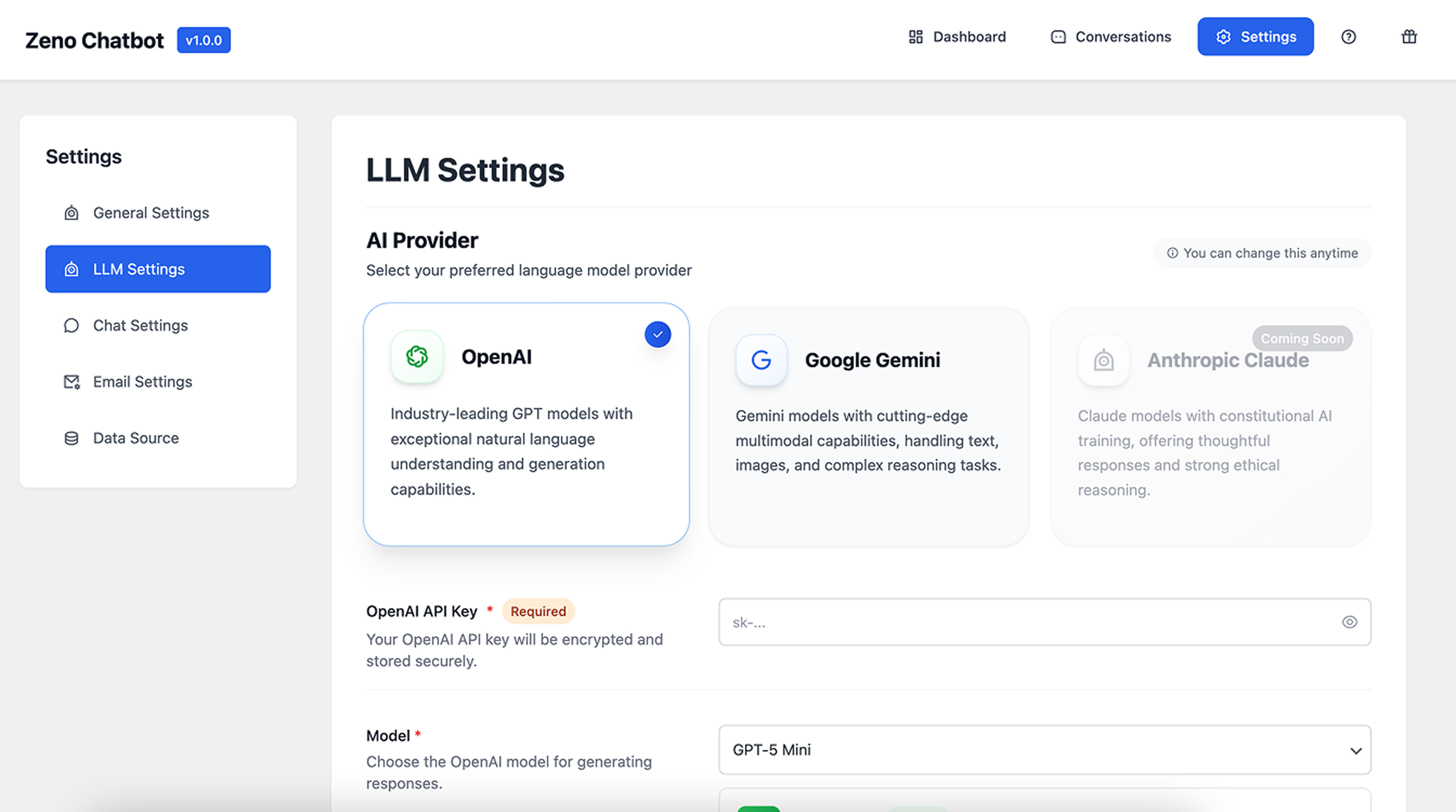
- Choose your preferred AI provider: OpenAI, Google Gemini, or Anthropic Claude (coming soon).
- Supports advanced models like GPT-5 Mini.
- Store and encrypt your API key securely.
- Adjust model selection for cost-performance balance.
💬 Customizable Chat Widget
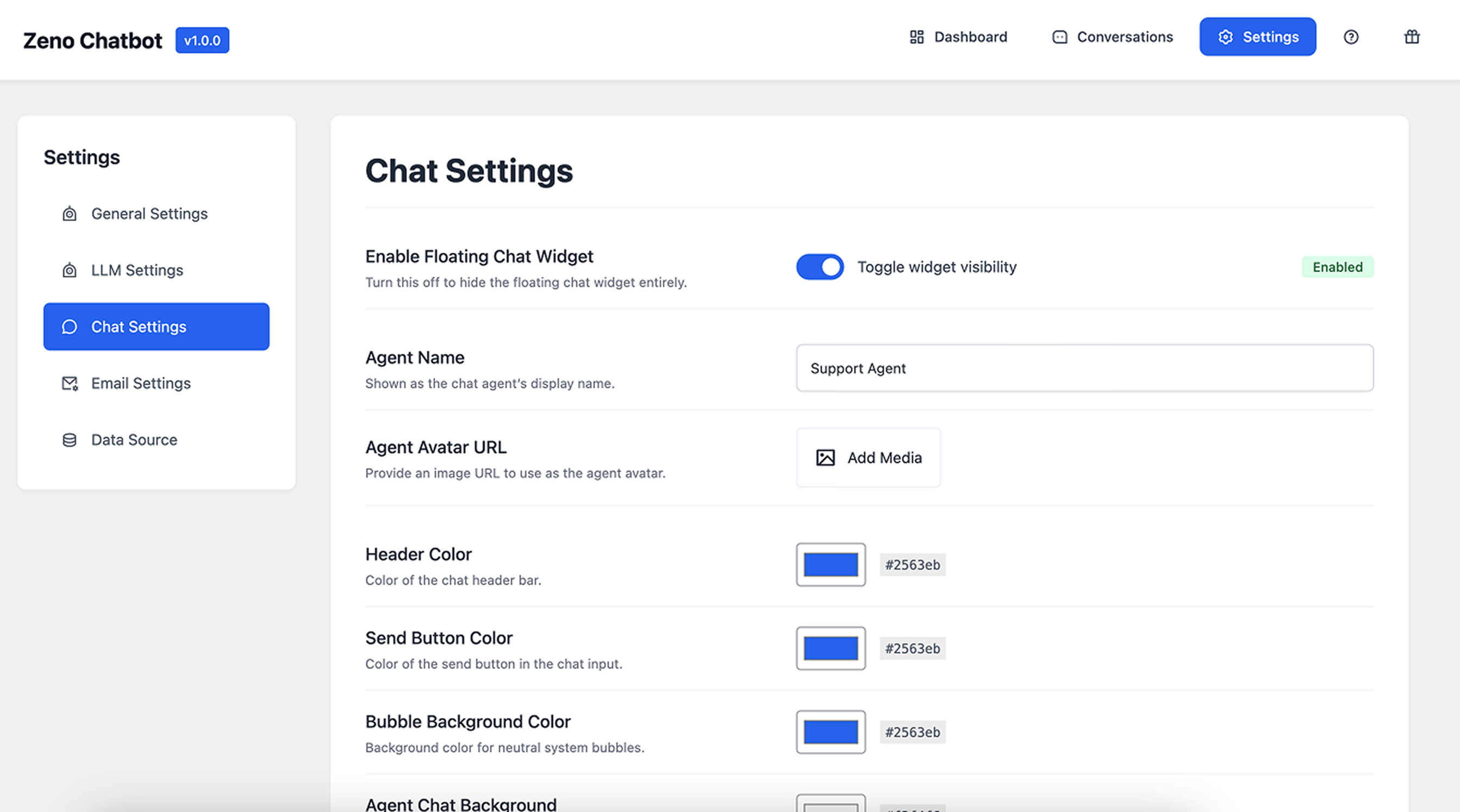
- Enable or disable floating widget visibility.
- Add custom agent name, avatar, and chat design.
- Personalize colors (header, send button, chat bubbles).
- Works seamlessly with any WordPress theme.
⚙️ General & System Settings
- Define your chatbot’s tone, behavior, and system prompts.
- Customize fallback or error messages.
- Manage all settings through an elegant, modern UI.
📧 Email Notifications
- Configure outbound email settings for chat transcripts and alerts.
- Set From Name, From Email, and Reply-To fields.
- Compatible with WordPress mail and SMTP plugins.
📚 Knowledge Base Integration
- Train the chatbot with internal content (Pages, Posts).
- Option to rebuild or clear your content index anytime.
- Enable automatic updates when content changes.
- (Upcoming) Connect external documents and resources.
📊 Smart Dashboard & Analytics
- Monitor total conversations, response time, and user satisfaction.
- View chat performance analytics over the last 14 days.
- Quick insights to measure and improve engagement.
🧩 Built-in Help & Guide
- Learn setup and usage directly inside the plugin:
- Why Zeno Chatbot
- How to Use
- Setting up LLM & API Key
- Options at a Glance
- Credits
Alternative to:
Roadmap
v1.1.0 – Advanced Knowledge Base Integration
- Upload and train chatbot with custom documents (PDF, DOCX, TXT)
- Content priority and relevance scoring
- Real-time content indexing and updates
v1.2.0 – Enhanced Analytics & Insights
- Vector-based semantic search
- Sentiment and intent analysis
- Conversion tracking and popular topic dashboard
- Real-time analytics and report export (CSV, PDF)
v1.3.0 – Multilingual Support & Localization
- Auto-detect and respond in the visitor’s language
- Support for 50+ languages including RTL (Right-to-Left)
- Custom translations for widget UI
- Language-specific AI model selection
Troubleshooting
If your chatbot shows:
“I apologize, but I encountered an issue processing your request.”
Please check the following:
1. Ensure a valid OpenAI API key is entered.
2. Verify your Data Source is indexed.
3. Review System Prompts for formatting errors.
4. Try rebuilding the index and saving settings again.
If the issue persists, please contact our support team.
License
This plugin is licensed under the GPL-2.0+ license.
You are free to modify, extend, and redistribute under the same terms.
Installation
-
Upload Plugin – Upload the
zeno-chatbot.zipfile via Plugins Add New Upload Plugin. Or search “Zeno Chatbot” in the WordPress Plugin Directory. -
Activate – Click Activate after installation.
-
Set Up AI Provider – Go to Settings LLM Settings. – Choose OpenAI or Google Gemini. – Enter your API Key and select your model.
-
Configure Data Source – Go to Settings Data Source. – Select Pages and Posts to train your chatbot. – Click Rebuild Index to start indexing.
-
Customize Chat Widget – Adjust agent name, avatar, and colors under Chat Settings. – Ensure Floating Chat Widget is enabled.
-
Save Settings – Save changes and test your chatbot live.
Frequently Asked Questions
Zeno supports OpenAI or Google Gemini LLMs to generate responses. Your API keys are encrypted and securely stored.
Yes. Zeno Chatbot can use your WordPress posts and pages as a knowledge base to answer questions contextually.
Yes. The chatbot widget is lightweight and works seamlessly with any modern theme.
Absolutely. You can edit the chat header color, bubble color, button color, agent name, avatar, and background.
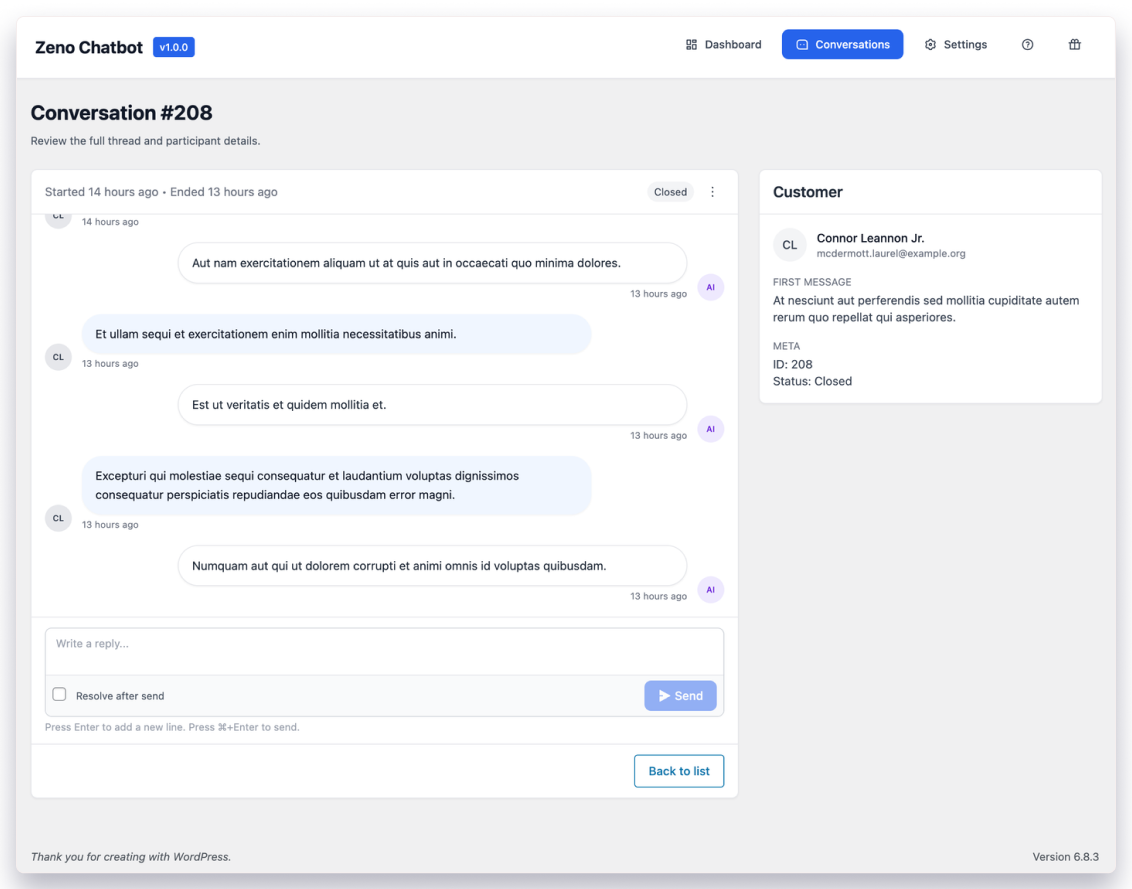
Definitely. A built-in analytics dashboard shows conversation history, satisfaction ratings, most-asked questions, and unresolved topics
Review feed
Screenshots
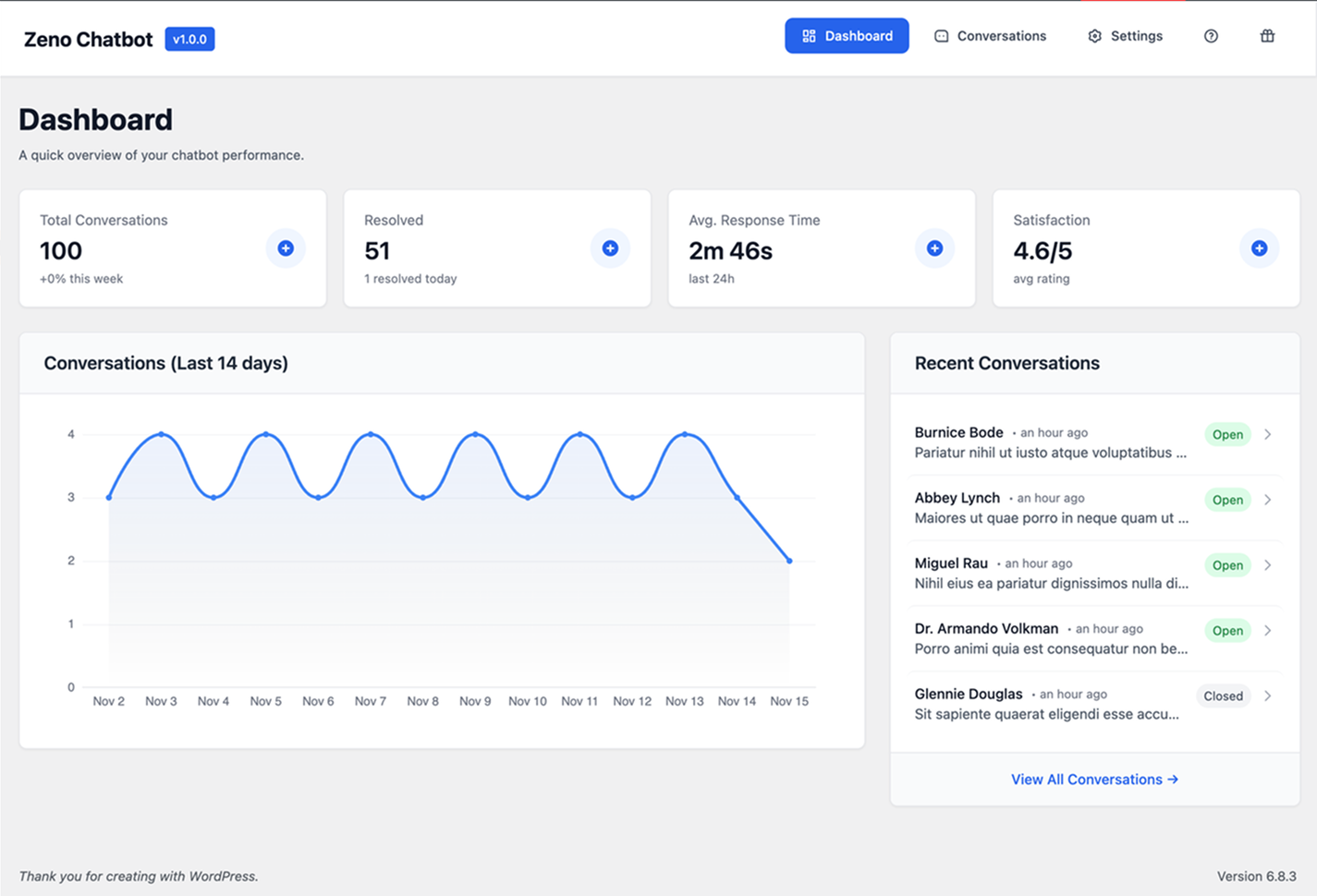
Dashboard Overview – Monitor total conversations, performance, and satisfaction score.
LLM Settings – Choose your preferred AI model and securely add your API key.
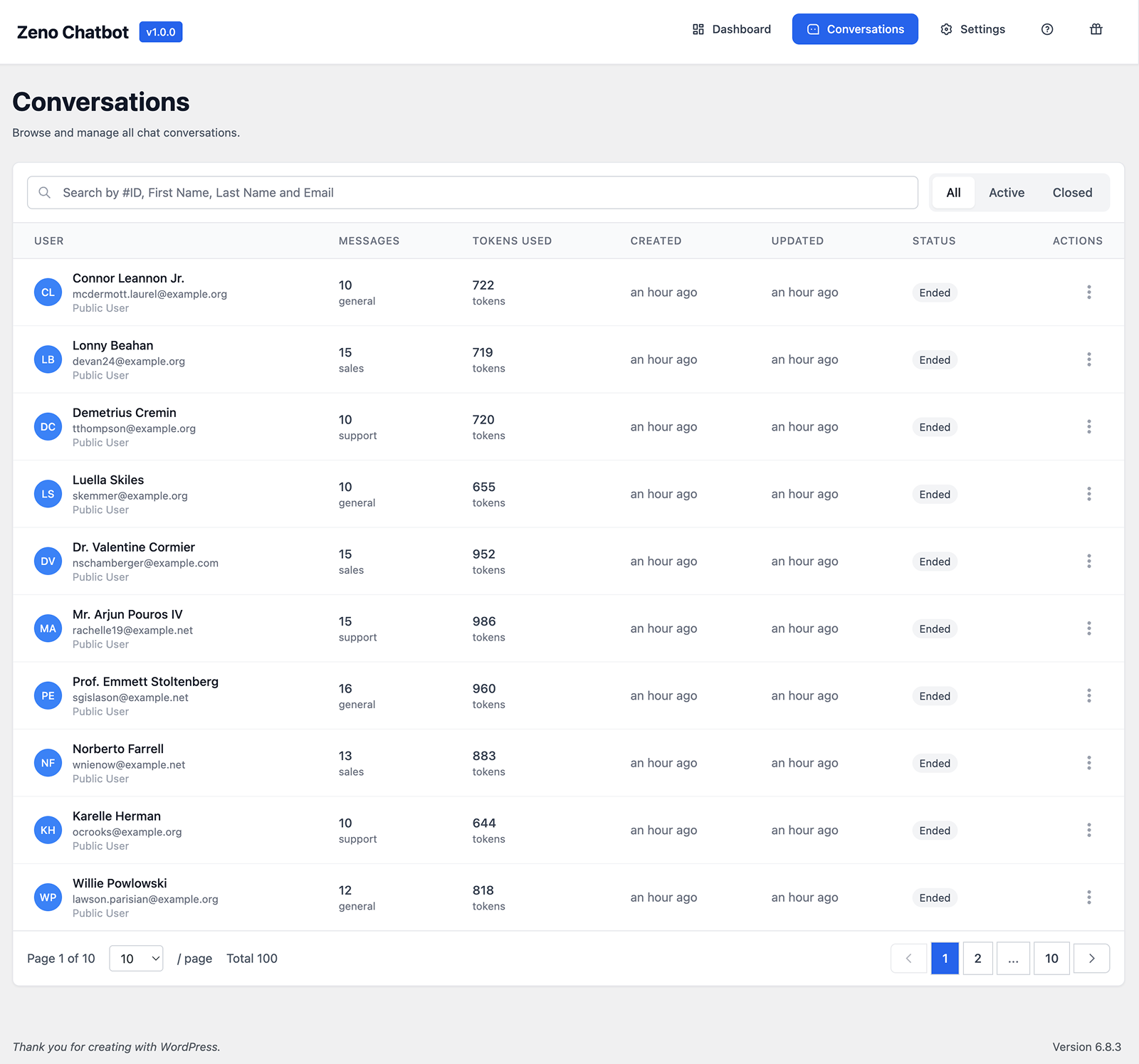
Chat Settings – Customize the widget design, colors, and agent details.
Email Settings – Configure outgoing emails and notifications.
Data Source Settings – Index pages and posts for chatbot training.
Changelog
1.0.0 (Date: December 1, 2025)
- Initial Launch