

ZeroState
Reset your WordPress site to a clean, default state or perform targeted resets with user-friendly interface. 🧹 ZeroState helps you get back to a blank …
Plugin info
Maintenance & Compatibility
Maintenance score
Stale • Last updated 273 days ago
Is ZeroState abandoned?
Likely maintained (last update 273 days ago).
Compatibility
Similar & Alternatives
Explore plugins with similar tags, and compare key metrics like downloads, ratings, updates, support, and WP/PHP compatibility.
Description
ZeroState is a secure plugin that lets admins reset or selectively reset their WordPress site to a fresh “zero state.” 🚀
Key Features
- Full Site Reset 🗑️: Completely reset your WordPress site. This deletes all posts, pages, comments, media (database entries and files in uploads), plugins, themes, and custom database tables. Your current admin account, core WordPress files are preserved.
- Partial Reset Tools (PREMIUM FEATURES) 🔧:
- Delete Transients: Removes all transient database entries (temporary cache). 🕒
- Reset Theme Options: Resets theme customizations made via the Customizer (theme mods). 🎨
- Delete Inactive Themes: Deletes all themes. 🖼️
- Delete Inactive Plugins: Deactivates and deletes all plugins. 🔌
- Clean Uploads Folder: Deletes all files and folders inside the
/wp-content/uploads/directory. 📁 - Empty Custom Tables: Empties (TRUNCATE) all custom database tables that are not part of the WordPress core. 🗄️
- Delete Custom Tables: Deletes (DROP) all custom database tables that are not part of the WordPress core. 🗄️
- Delete .htaccess File: Deletes the main
.htaccessfile from the WordPress root directory. WordPress typically regenerates this. 📜
- Backup Warnings & Confirmations ⚠️: Clear warnings and confirmation steps (like a confirmation slider) before performing destructive actions.
WARNING ⚠️: Reset actions are irreversible. Always back up your site (database and files) before using this plugin.
Installation
- Download and Install 📥:
- Upload the
zerostatefolder (the unzipped plugin folder) to the/wp-content/plugins/directory via FTP. - OR, go to ‘Plugins > Add New’ in your WordPress admin, click ‘Upload Plugin’, and upload the
zerostate.zipfile.
- Upload the
- Activate ✅:
- Activate the plugin through the ‘Plugins’ screen in WordPress.
- Access Reset Tools 🛠️:
- Navigate to Tools > ZeroState Reset in the WordPress admin menu.
- Backup First! 💾:
- CRITICAL STEP: Before performing any reset, create a complete backup of your WordPress database and all files. Use a reliable backup plugin or your hosting provider’s backup tools.
- Use the Tools 🎯:
- Choose between a Full Site Reset or use the Partial Reset Tools to clean specific components. Read all warnings carefully.
Frequently Asked Questions
The Full Site Reset deletes all site content (posts, pages, comments), media library entries and files, custom database tables, and deactivates/deletes plugins and themes. It aims to return your site to a state similar to a fresh WordPress installation but preserves:
* Your current administrator account (login, password, email).
* Core WordPress files and directories.
* Your wp-config.php file.
* The default WordPress theme (e.g., Twenty Twenty-Four).
* The ZeroState plugin itself.
* The .htaccess file (unless specifically deleted using the partial tool).
No, all reset actions performed by ZeroState are irreversible. There is no undo button. This is why backing up your site before using the plugin is extremely important.
Transients are a form of temporary data storage (caching) used by WordPress and plugins. Deleting them is generally safe and can sometimes resolve issues caused by outdated cached data. WordPress and plugins will regenerate them as needed.
Yes, the Partial Reset Tools are designed for this. You can target specific components like inactive themes, inactive plugins, the uploads folder, theme options, transients, custom database tables, or the .htaccess file without affecting the entire site (premium Feature).
Your current administrator account (the one performing the reset) is preserved. You will remain logged in, and your username, password, and email will not be changed.
- Database: All core WordPress content tables are dropped and recreated (posts, terms, comments, etc.). Custom tables are dropped. Options are reset to default, with some key site settings (like site URL, admin user) preserved.
Review feed
Screenshots
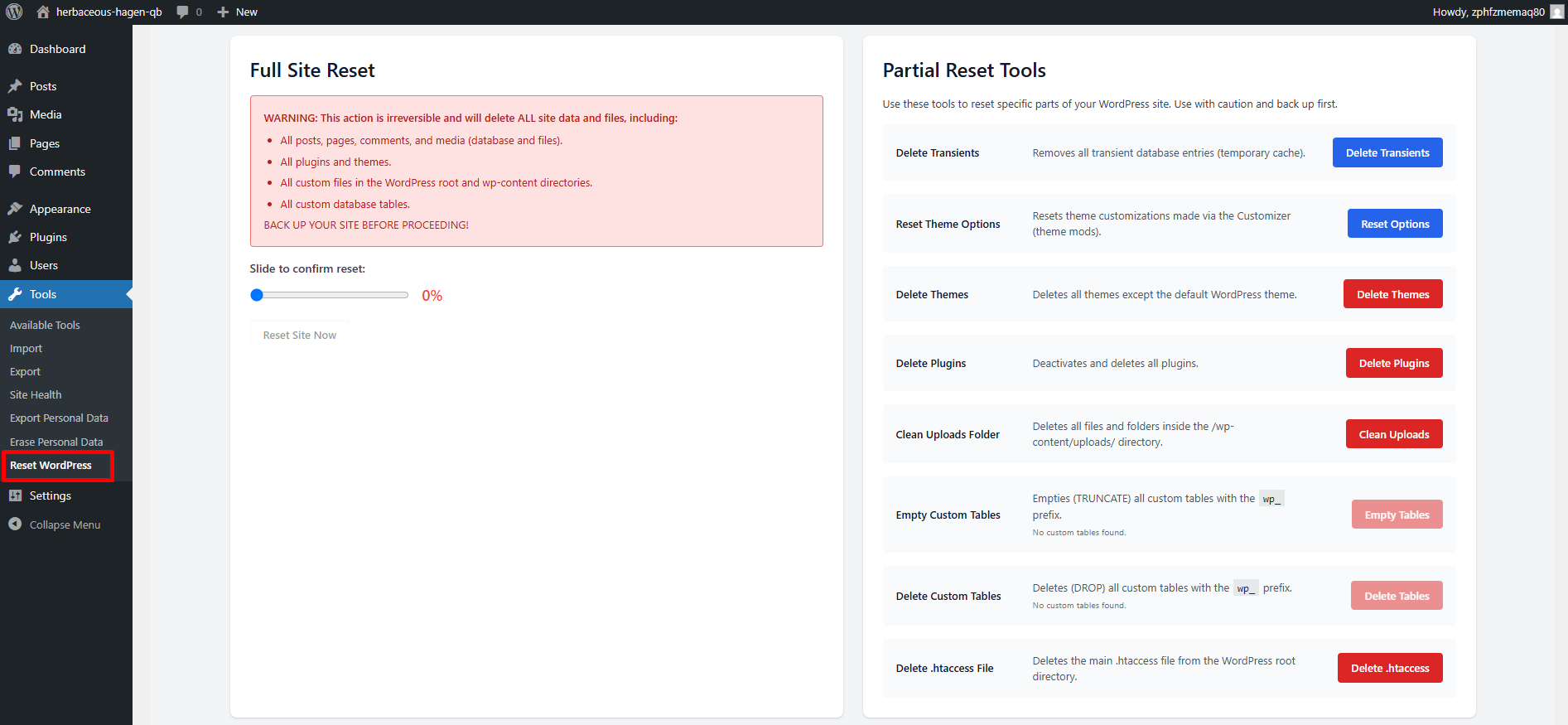
ZeroState Dashboard: The modern, responsive interface in light mode, showing Full Site Reset and Partial Reset Tools.
Changelog
1.0.3
*UI and Styling Improvements.
1.0.2
*Minor changes.
1.0.1
- Plugin renamed to “ZeroState”.
- Addressed all feedback from the WordPress plugin review team.
- Minor UI and styling improvements.
1.0.0
- Initial release (as ResetWP).
- Added Full Site Reset functionality.
- Added Partial Reset Tools for transients, themes, plugins, uploads, custom tables, and
.htaccess.