

Zoom image simple script
Zoom image simple script is a simple wordpress plugin that overlays an big (high resolution) image directly on top of the small (thumbnail) image.
Plugin info
Maintenance & Compatibility
Maintenance score
Possibly abandoned • Last updated 1218 days ago
Is Zoom image simple script abandoned?
Possibly abandoned (last update 1218 days ago).
Compatibility
Similar & Alternatives
Explore plugins with similar tags, and compare key metrics like downloads, ratings, updates, support, and WP/PHP compatibility.
Description
Zoom image simple script is a simple wordpress plugin that overlays an big (high resolution) image directly on top of the small (thumbnail) image. This feature help users to get a closer look at image.
Check official website for live demo http://www.gopiplus.com/work/2021/03/21/zoom-image-wordpress-plugin/
Users simply mouse over to get up the big (high resolution) image then be explored by moving the mouse all direction. On mobile devices, users tap the image to get up the big (high resolution) image then be dragged around. we have two option in this plugin. First option, takes the big (high resolution) image and show in the fixed dimensions (same as thumbnail size) when mouse over. Second option, takes the big (high resolution) image and show in the wider dimensions (bigger then thumbnail size) when mouse over.
How to configure
-
Install and activate the Zoom image simple script plugin.
-
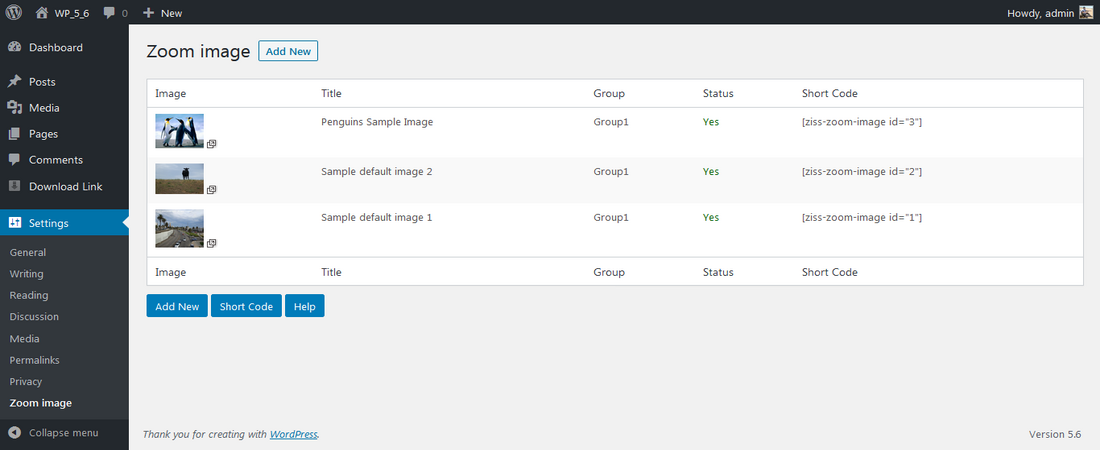
During activation it create 2 default records in the plugin admin.
-
Go to Settings >> Zoom image >> Add New in your WordPress admin to add and update the details.
-
To add the Zoom image plugin in the page or post, copy the below given plugin short and use it in your post.
-
If you want to add in the widget, you can drag and drop the Zoom image widget in to your sidebar.
Installation
Install Plugin using WordPress Plugin Search
Go to your WordPress admin area and click on Plugins >> Add New. Search “Zoom image simple script” plugin using search option. Find the plugin and click Install Now link. Finally click activate plugin link to activate the plugin.
Install Plugin using the WordPress Admin Plugin Upload
Download the plugin zoom-image-simple-script.zip from download location. Go to Plugins >> Add New in your WordPress admin. Select upload plugin button. Upload the available zoom-image-simple-script.zip file and click Install Now. Finally click activate plugin link to activate the plugin.
Frequently Asked Questions
Q1. How to upload images?
Q2. How to disable the image temporarily from the display?
Q3. How to display random images in the zoom?
Q4. How to change the width of the image?
Q5. How to set up the zoom image on widget?
Review feed
Screenshots
Front Page

Admin
Changelog
1.0
- First version
1.1
- Tested upto 5.8
1.2
- Tested up to 5.9