

Plugin info
Maintenance & Compatibility
Maintenance score
Possibly abandoned • Last updated 3956 days ago
Is Zoomph abandoned?
Possibly abandoned (last update 3956 days ago).
Compatibility
Similar & Alternatives
Explore plugins with similar tags, and compare key metrics like downloads, ratings, updates, support, and WP/PHP compatibility.
Description
Zoomph is a real-time engagement platform that collects and ranks social media content to provide powerful analytics, insight, and digital displays.
Zoomph is dedicated to amplifying digital marketing efforts for brands of all shapes and sizes by making social content meaningful for brands and its fans.
With over 17,000 digital properties and 300+ brands trusting in Zoomph for real-time audience discovery and digital activation, Zoomph will drive a competitive edge to your business.
Installation
Getting Started with Zooomph
- Register for an account at https://zoomph.com/pricing. We have different free and paid plans to meet your specific needs.
- Create a feed to start searching social media networks.
- Create and customize a visual to your liking.
- From the dashboard, select the “Embed” link next to the visual you want to display in Zoomph.
- Take note of the visual id at the top of the Embed page. This will be needed to add the visual to WordPress.
Installing the Plugin
- Add the plugin to your WordPress site by either:
- Downloading the plugin and extracting it to the
/wp-content/pluginsdirectory. - Searching “Zoomph” through the plugin directory and installing it.
- Downloading the plugin and extracting it to the
- Activate the plugin through the “Plugins” page in WordPress.
Adding a Sidebar Widget
- Go to the Admin > Widgets page in the WordPress admin site.
- Drag the Zoomph widget into the widget area of your choice.
- Paste in the visual’s id.
- The height should be a number, in pixels, for how tall the widget should be.
Adding a Visual to a Post
- Edit the post you want to add a visual to.
- Place the cursor at the location you want the visual to be inserted into.
- In the toolbar for the editor, click on the “Zoomph Visual” button.
- Visual Id: Paste in the visual’s id.
- Width: If auto width is selected, the visual will take up 100% of the post width. Otherwise you can specify a width in pixels.
- Height: You can specify a height for the visual in pixels. This will default to 400 if left blank.
- Whe you click ok, a Zoomph shortcode will be generated and inserted into your post. You can now update and view your post.
Zoomph Shortcode
While shortcodes are automatically generated by by the post editor, you can edit them manually as well. They have the following format:
[zoomph id={string:required} width={int:optional} height={int:optional}]
Frequently Asked Questions
What is Zoomph?
Zoomph is today’s leading Influencer Engagement Platform (IEP), designed to optimize the way you track, view, and leverage social media. Streamlining content from Twitter, Facebook, Instagram, and Google + all in real-time, Zoomph is the only platform today that helps you measure your success through levels of engagement.
Who should use Zoomph?
Zoomph can be used by companies and individuals alike, and has already been deployed in hundreds of businesses across the world. Best of all, Zoomph is a comprehensive user package —meaning that there is a perfect plan that works for you.
What can I use Zoomph for?
Connect any Zoomph social media feeds, including hashtags and Zoomph will display your social media content onto one a pristine visual on your website.
What are ZPoints™?
ZPoints™ is a complex ranking algorithm that makes it easy to pinpoint and engage your biggest influencers in social media, and is a huge part of what separates Zoomph from generic social marketing solutions. As Zoomph’s evolutionary influencer ranking system, ZPoints measures exactly who and what are driving conversations—all in real-time.
What does Zoomph’s plug in cost?
Your first born child. Just kidding 😉 The plug in is free to any user with a pre-existing Zoomph account. Don’t have a Zoomph account? Sign up here!
Eek I need help!
Feel free to reach out to [email protected], send us a tweet @zoomph, or +1-855-693-8100
Review feed
Screenshots

Zoomph has a wide variety of social widgets ready for you to embed in your site.
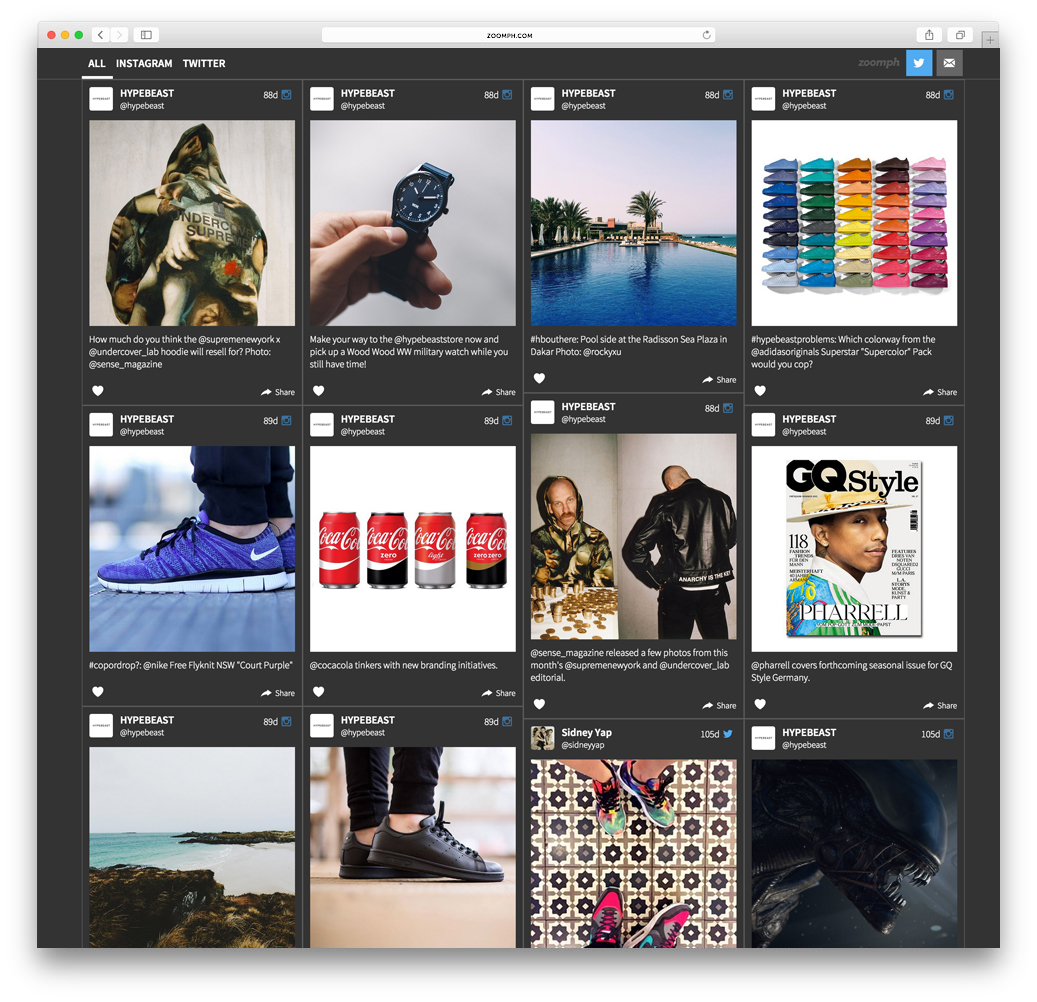
Social hubs are great way to showcase your social engagement.
Changelog
1.0
- Initial release