

Add multiple products to cart via url for Woocommerce
Add multiple products to WooCommerce cart with native add-to-cart parameters.
Plugin info
Maintenance & Compatibility
Maintenance score
Possibly abandoned • Last updated 460 days ago • 2 reviews
Is Add multiple products to cart via url for Woocommerce abandoned?
Possibly abandoned (last update 460 days ago).
Compatibility
Similar & Alternatives
Explore plugins with similar tags, and compare key metrics like downloads, ratings, updates, support, and WP/PHP compatibility.
Description
This plugin allows adding multiple simple (not variable or grouped) products to the WooCommerce cart using URL parameters. While WooCommerce natively supports adding a single product to the cart via a URL parameter like add-to-cart=product_id&quantity=quantity, this plugin extends that functionality to support multiple products in a single URL.
How it works:
- URL Format:
?add-to-cart=product_id:quantity,product_id:quantity,product_id:quantity - Single Quantity: If the quantity is not specified (eg.
?add-to-cart=product_id,product_id:quantity), the product is added with a quantity of 1.
Examples:
- Adding multiple products with specific quantities:
example.com/cart/?add-to-cart=12:2,34:1,56:5 - Adding multiple products with default quantity:
example.com/cart/?add-to-cart=12,34:2,56
Installation
This section describes how to install the plugin and get it working.
- Upload
add-multiple-product-wc-cart.zipto the/wp-content/plugins/directory. - Activate the plugin through the ‘Plugins’ menu in WordPress.
- Use the provided URL format to add multiple products to the cart.
Frequently Asked Questions
Use the URL format: ?add-to-cart=product_id:quantity,product_id:quantity
If no quantity is specified, the product will be added with a quantity of 1.
Review feed
Best plugin!
Screenshots
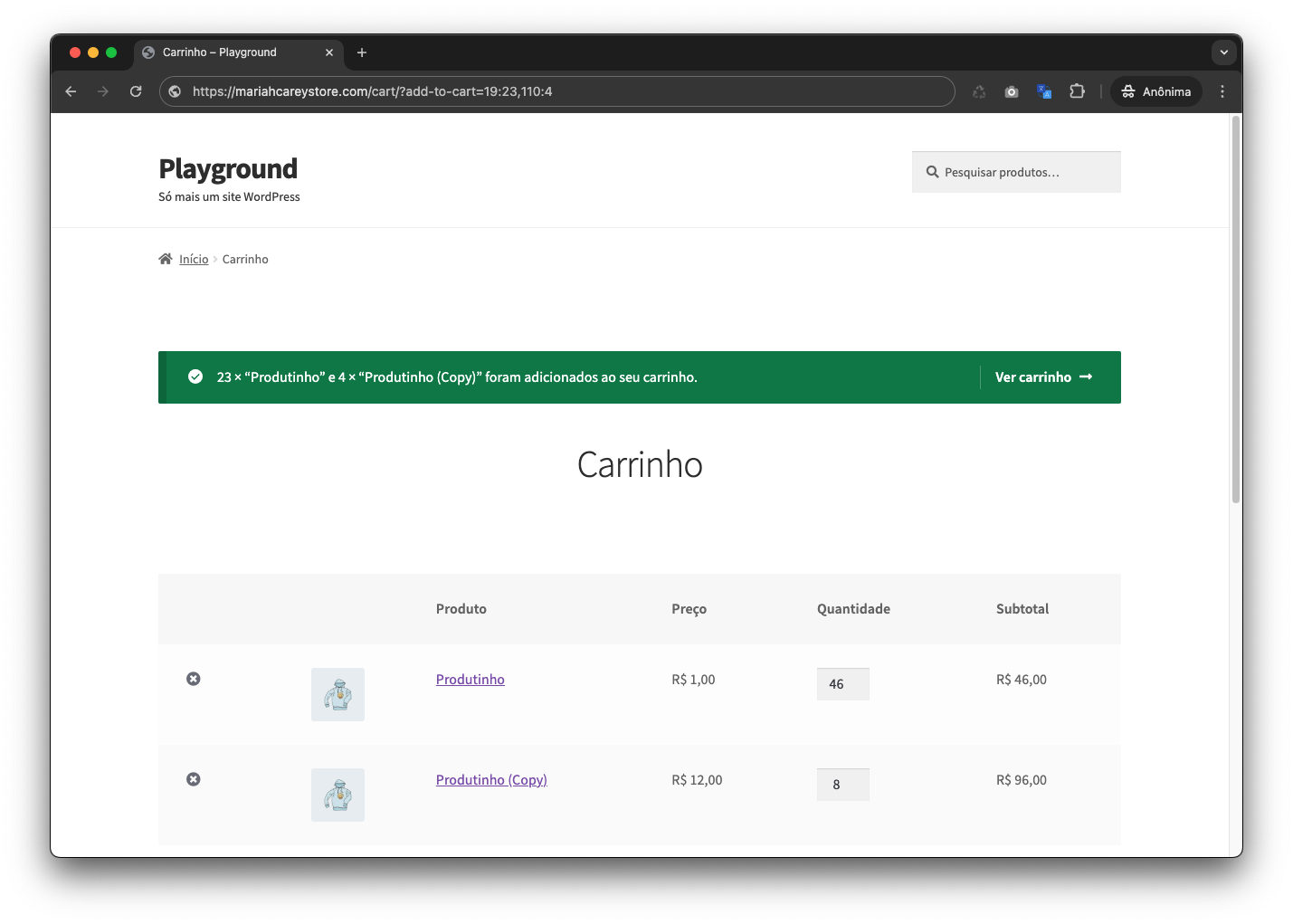
Example of URL format with multiple products.
Changelog
1.0
- Initial release.