
Admin Page Notes
Gives administrators the ability to add notes to posts of any post type (including pages) that are prominently displayed for users editing the site.
Plugin info
Maintenance & Compatibility
Maintenance score
Possibly abandoned • Last updated 560 days ago • 9 reviews
Is Admin Page Notes abandoned?
Possibly abandoned (last update 560 days ago).
Compatibility
Developers
Similar & Alternatives
Explore plugins with similar tags, and compare key metrics like downloads, ratings, updates, support, and WP/PHP compatibility.
Description
Have you ever created a page template that just aggregated posts of a custom post type? Pretty cool huh?
Well, your client won’t think it’s that cool 2 months from now when they’re editing their site. They click “edit page” and it’s blank!.
Now you can add notes and links on these pages that will give your clients, authors or other editors, clear directions when editing their site. Check out the screenshots to see it in action.
Installation
Using The WordPress Dashboard
- Navigate to the ‘Add New’ in the plugins dashboard
- Search for ‘Admin Page Notes’
- Click ‘Install Now’
- Activate the plugin on the Plugin dashboard
Uploading in WordPress Dashboard
- Navigate to the ‘Add New’ in the plugins dashboard
- Navigate to the ‘Upload’ area
- Select
admin-page-notes.zipfrom your computer - Click ‘Install Now’
- Activate the plugin in the Plugin dashboard
Using FTP
- Download
admin-page-notes.zip - Extract the
admin-page-notesdirectory to your computer - Upload the
admin-page-notesdirectory to the/wp-content/plugins/directory - Activate the plugin in the Plugin dashboard
Frequently Asked Questions
If you hover the cursor over the “Add Page Notes” title, the cursor should change to four arrows. You can then drag it to another location. You might want to use the arrow on the upper right to collapse it to make it easier to move.
You update the post and it will add the notes to the post or page.
Review feed
Screenshots
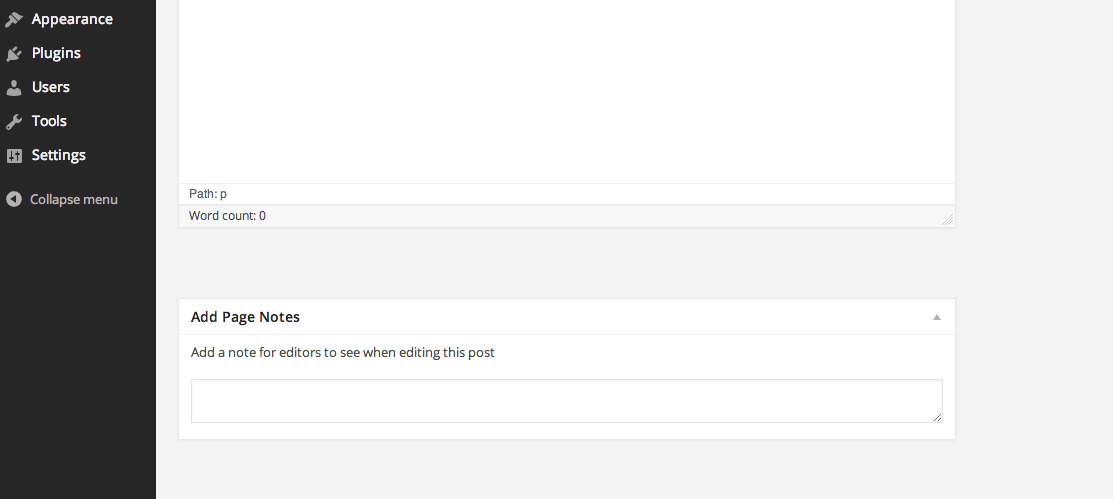
Admin box for inputting page notes on the Gutenberg Editor

Notes prominently displayed for users when editing. Meta box for inputting notes are not visible/accessible to any users except administrators

Admin box for inputting page notes on the Classic Editor
Changelog
2.1.7
- Fixed error in contributors
2.1.6
- Tested for the latest versions of WordPress
- Fixed issue of html being stripped from notes
2.1.5
- Added additional screenshots
- Added a donations link. Thank you!
2.1.4
- Tested for updated WordPress version 6.4.1
2.1.3
- Updated tags
2.1.2
- Icon change and update
2.1.1
- Updated for compatibility with WordPress 6.2
= 2.1.0=
* Removed deprecated php code
* Corrected bug from comment – https://wordpress.org/support/topic/critical-error-after-update-18/
* Added column in admin display for posts and pages that display first 15 words of any notes per comment – https://wordpress.org/support/topic/notes-in-post-list-column/
= 2.0.0=
* Change in ownership (as of May 11, 2022)
* Clarified how to save notes (responding to comment – https://wordpress.org/support/topic/posting-notes/)
* Implemented current WordPress repository security standards
* Changed header of meta box on post editor to clarify purpose for authors
1.1.0
- Made the textarea larger
- Added translation support. via knutsp
1.0.2
- Update readme.txt and add banner & screenshots
1.0.1
- Fix botched deployment from Github
1.0.0
- Initial Commit