

AdminNotes
Adds an admin notes block to post and page editing screens with formatted text support and user notifications.
Plugin info
Maintenance & Compatibility
Maintenance score
Possibly abandoned • Last updated 451 days ago
Is AdminNotes abandoned?
Possibly abandoned (last update 451 days ago).
Compatibility
Similar & Alternatives
Explore plugins with similar tags, and compare key metrics like downloads, ratings, updates, support, and WP/PHP compatibility.
Description
AdminNotes allows administrators and editors to add formatted notes to posts and pages. These notes can serve as reminders, tasks, or recommendations for content editors. Additionally, when enabled, users are notified to read these admin notes before editing the content.
Features:
– Add formatted notes using a rich text editor in both Classic and Gutenberg editors.
– Display a notification message to users when editing a post or page if admin notes are present.
– Option to enable or disable the notification on a per-post/page basis.
Installation
- Upload the
admin-notesfolder to the/wp-content/plugins/directory. - Activate the plugin through the ‘Plugins’ menu in WordPress.
- Navigate to the post or page editing screen to add admin notes and configure notifications.
Frequently Asked Questions
After activating the plugin, edit a post or page. Scroll down to the Admin Notes meta box where you can add your notes using the rich text editor.
In the Admin Notes meta box, check the box labeled “Show admin notes notification when editing” to enable the notification message for that specific post or page.
Review feed
Screenshots
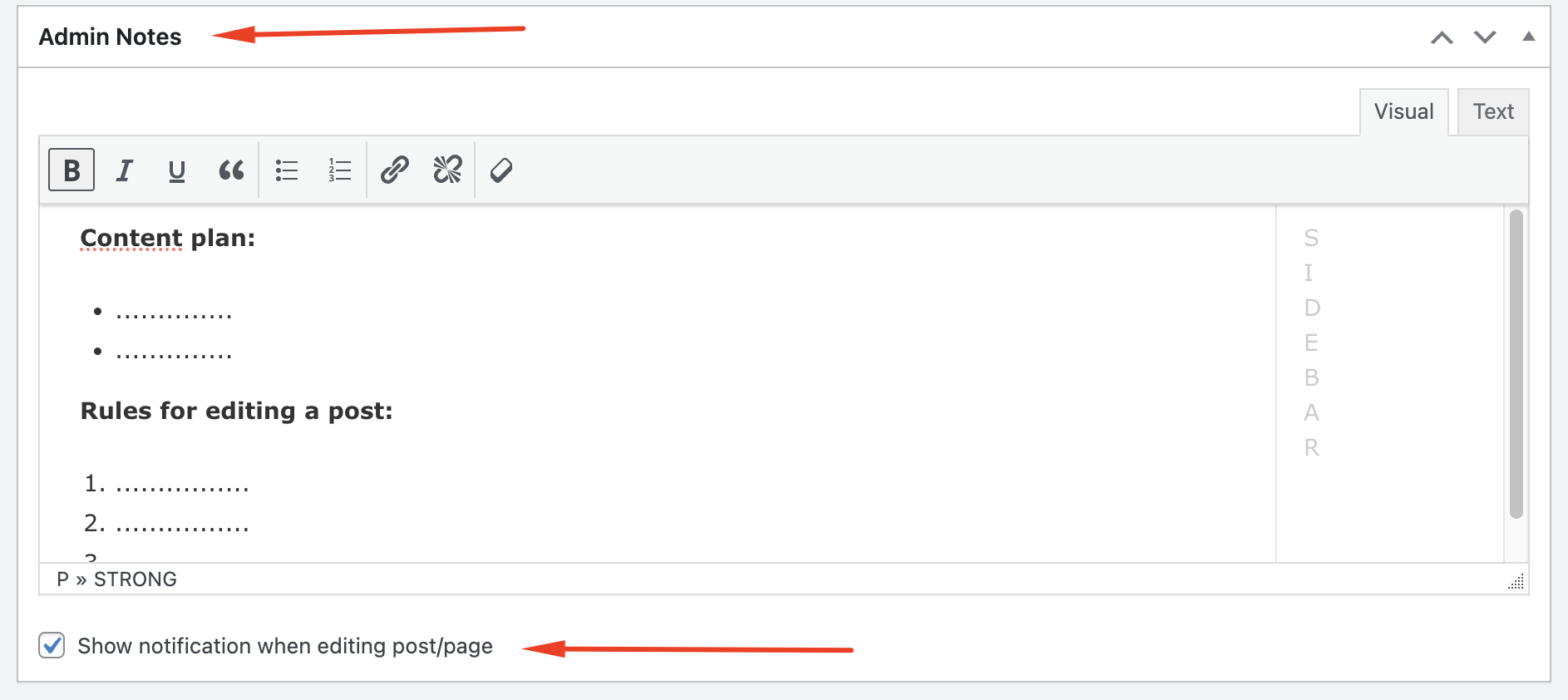
Admin Notes meta box in the Classic Editor.

Notification message displayed to users when editing a post with admin notes.
Changelog
1.0
- Initial release.