

Airdrie Media Posts for Bluesky
Airdrie Media Posts for Bluesky allows you to embed your Bluesky feed into your Wordpress site via a shortcode.
Plugin info
Maintenance & Compatibility
Maintenance score
Stale • Last updated 252 days ago
Is Airdrie Media Posts for Bluesky abandoned?
Likely maintained (last update 252 days ago).
Compatibility
Similar & Alternatives
Explore plugins with similar tags, and compare key metrics like downloads, ratings, updates, support, and WP/PHP compatibility.
Description
Airdrie Media Posts for Bluesky allows you to embed your Bluesky feed into your WordPress site via a shortcode. You can also create a Bluesky post from your WordPress posts (premium feature).
External Services
This plugin makes use of the Bluesky API to retrieve the requested Bluesky posts. It sends the specified Bluesky ID and App Password. The terms of service can be found at https://bsky.social/about/support/tos
Installation
1) Have your Bluesky information ready. You will need to know your Bluesky user ID (the one that has the “@” symbol in it, not the display name) as well as your (free) Bluesky API key. To obtain an API key, log into your Bluesky account, go to “Settings” and then, under the “Advanced” heading, select “App passwords”.
2) Install and activate BlueskyFeed plug-in.
3) Under settings->BlueskyFeed, enter your user ID and API key. These are the only required entries on the settings field.
4) Create a WordPress page with a shortcode, eg: [bluesky-posts]
5) See www.airdriemedia.com/airdriemedia-posts-for-bluesky for more options.
Frequently Asked Questions
Review feed
Screenshots

Bluesky post - desktop

Bluesky post - mobile
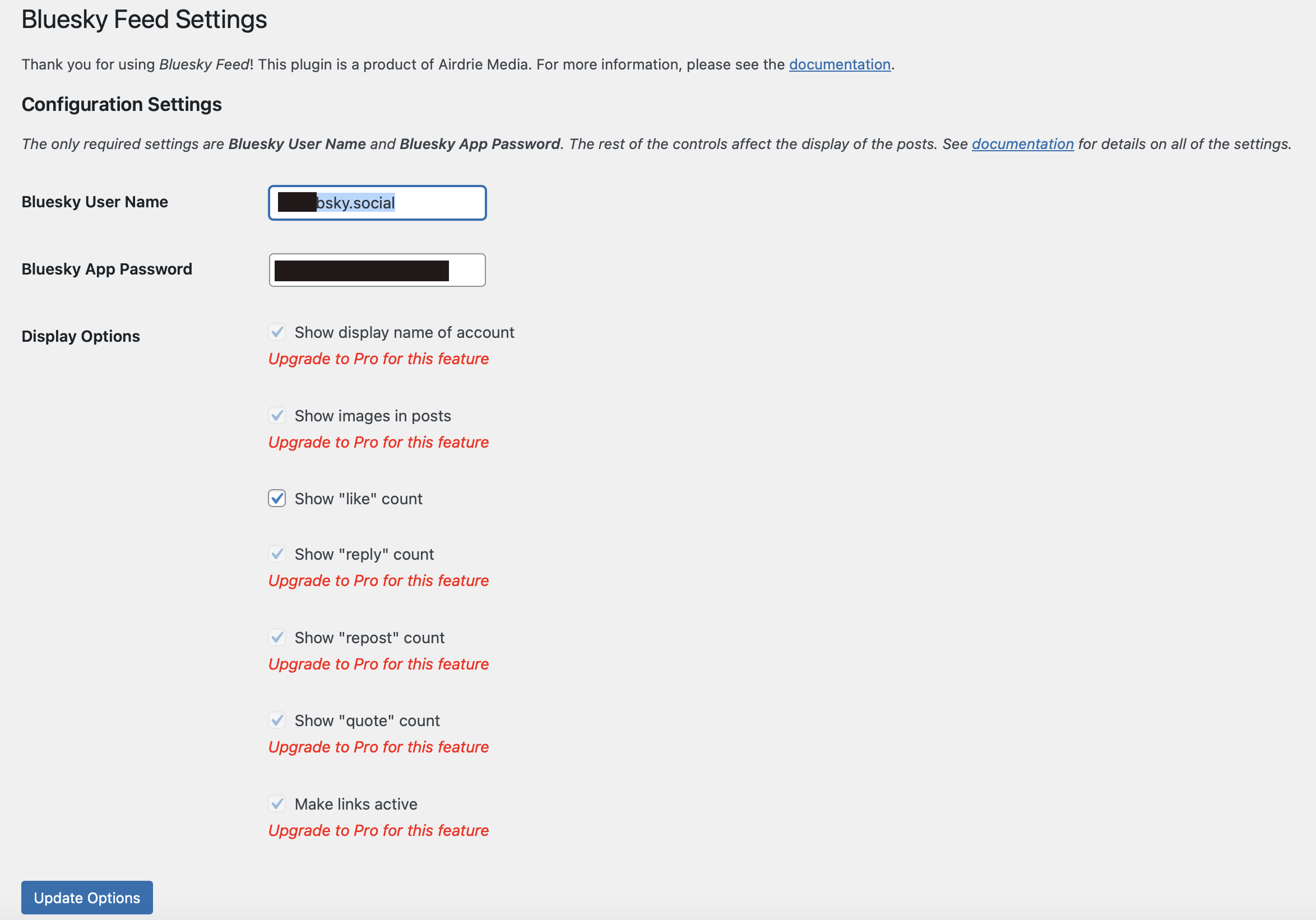
Settings page
Changelog
Version 1.3:
1) Allows posting to Bluesky the excerpt of any new WordPress posts.
Version 1.2:
1) Fixed bug that would allow some overwriting of stylesheets.
2) Fixed documentation link on the admin page.
Version 1.1:
1) Added show/hide options
Version 1.0:
Initial production version.