

Alt Text Generator- Automatically generate alt text for images using AI
Automatically generate alt text for images using AI. Create descriptive alternative text to boost SEO and improve visibility.
Plugin info
Maintenance & Compatibility
Maintenance score
Stale • Last updated 234 days ago
Is Alt Text Generator- Automatically generate alt text for images using AI abandoned?
Likely maintained (last update 234 days ago).
Compatibility
Similar & Alternatives
Explore plugins with similar tags, and compare key metrics like downloads, ratings, updates, support, and WP/PHP compatibility.
Description
Alt Text Generator automatically generates descriptive alt text for images using AI to help you rank faster on Google.
Rank faster on search engines with SEO optimized alt text descriptions and increase visibility.
Get a free API key at Alt Text Generator Dashboard to start generating alt text today!
Features
Automatic: Alt text is automatically added to every image uploaded on the site.
Customizable: Manually update and edit the AI generated alt text. You can also click on the Generate Alt Text button to generate alt text for each image.
Easy to Set Up: Just choose a plan from our pricing page and start generating alt text for free.
Free Credits: Get 2 free credits upon sign up.
Extensive Image Support: Supports the following image types: JPEG, JPG, PNG, SVG, GIF, and WEBP.
Extensive Language Support: Supports the following languages: English, Arabic, Bulgarian, Chinese, Croatian, Czech, Danish, Dutch, Finnish, French, German, Greek, Hebrew, Hindi, Hungarian, Indonesian, Italian, Japanese, Korean, Malay, Norwegian, Polish, Portuguese, Romanian, Russian, Serbian, Spanish, Swedish, Thai, Turkish, Ukrainian, Vietnamese.
WooCommerce Integration: Built-in WooCommerce integration.
1.10.3
New promo video.
1.10.2
New screenshots and fixed small info text.
1.10.1
Improved styling and added bulk feature.
1.10.0
Changed listing information.
1.0.9
Edited listing features.
1.0.8
Added feature to generate alt text in 35 different languages.
1.0.7
Added SVG support.
1.0.6
Moved “Generate Alt Text” button below alt text field.
1.0.5
Fixed bugs.
1.0.4
Moved button to be positioned below alt text content area.
1.0.3
Fixed styling for generate alt text button.
1.0.2
New button added to generate alt text from media section.
1.0.1
Tested up to WordPress 6.6.
1.0.0
Initial version.
Installation
- Go to
Plugins > Add New - Search for
Alt Text Generator by Bryam Loaiza - Install and Activate the plugin from your plugins page.
- Visit https://alttextgeneratorai.com/dashboard to get a free API key.
- Copy your API key into the Alt Text Generator plugin settings page on the side bar.
- Done! Upload an image to have alt text generated automatically using AI.
Frequently Asked Questions
Alt text, or alternative text, is a brief description that makes your images accessible to visually impaired users and improves SEO.
Alt stands for ‘alternative’ and refers to the descriptive text displayed when an image fails to load. It’s essential for accessibility and SEO.
Alt text is essential for SEO as it helps search engines understand image content and improve accessibility to rank faster.
Yes, our plugin generates alt text automatically upon image upload and can generate alt text in bulk as well.
Yes, our plugin supports 35+ languages.
Yes, you can edit the generated alt text.
You can follow our WordPress tutorial here
See our full FAQ for answers to more questions.
Review feed
Screenshots
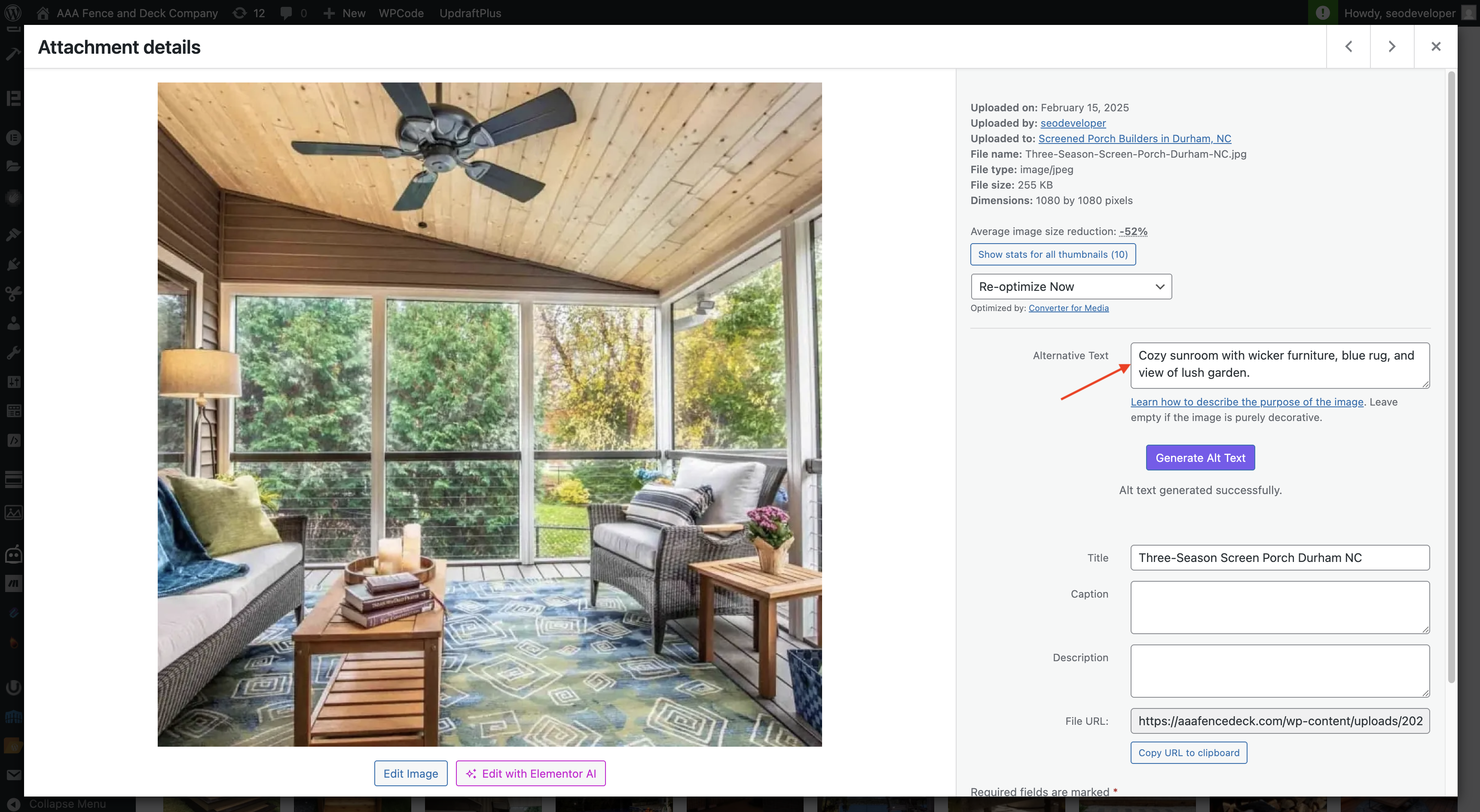
When you upload an image, alt text is automatically generated for that image.
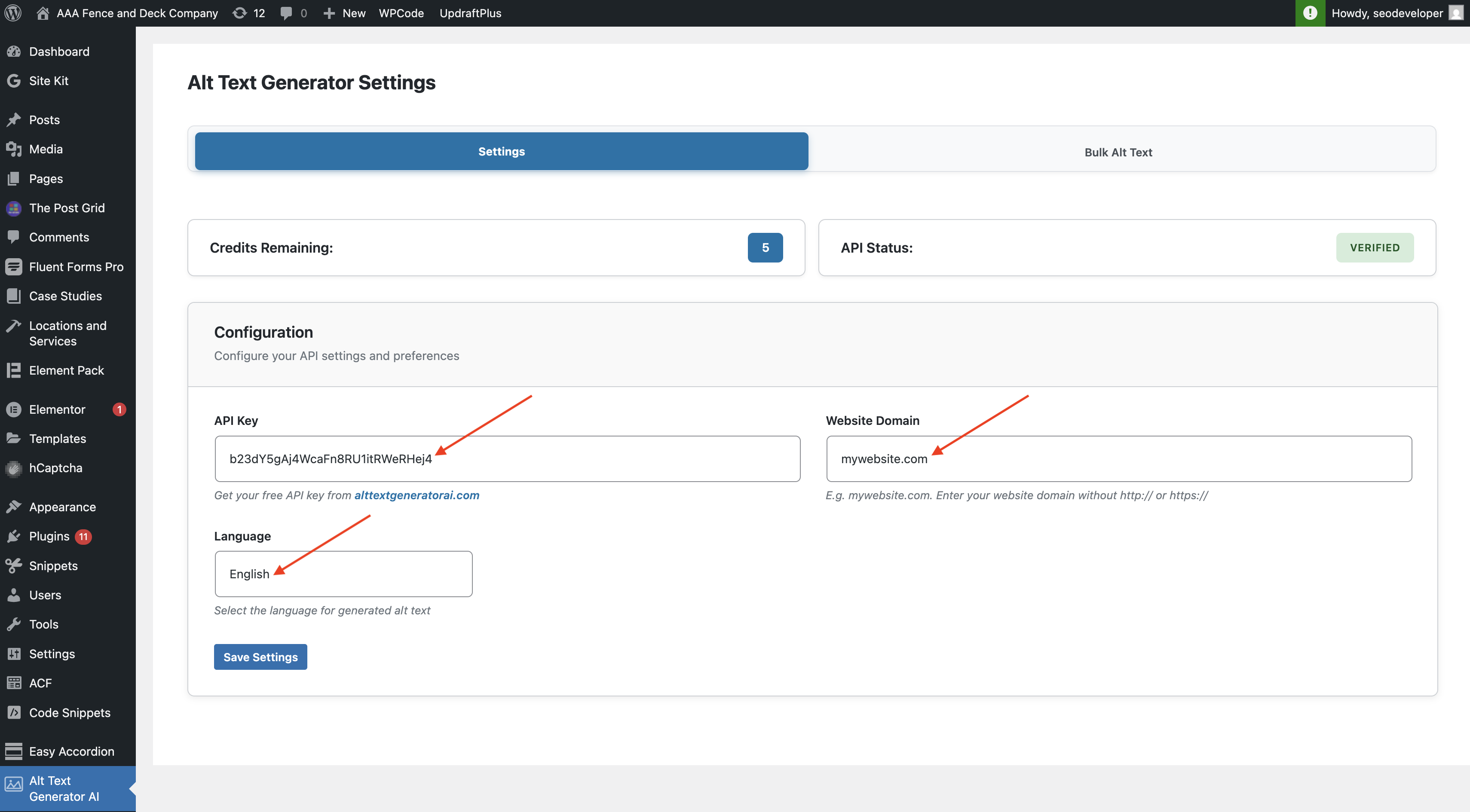
Add your API key and configure other settings on the plugin settings page. You will also see your available credits.
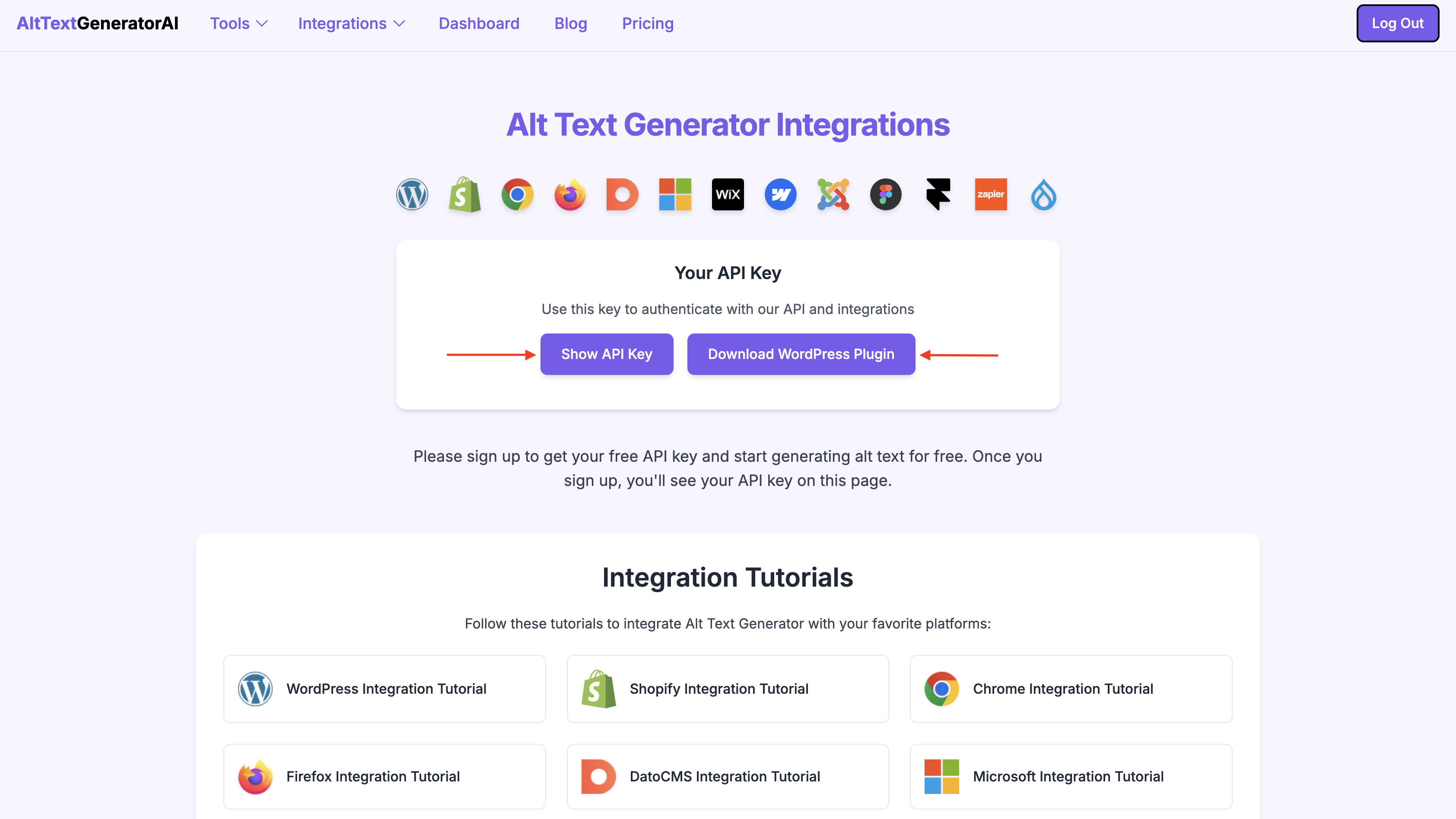
Visit Alt Text Generator AI dashboard to find API key and download WordPress plugin zip file if needed.
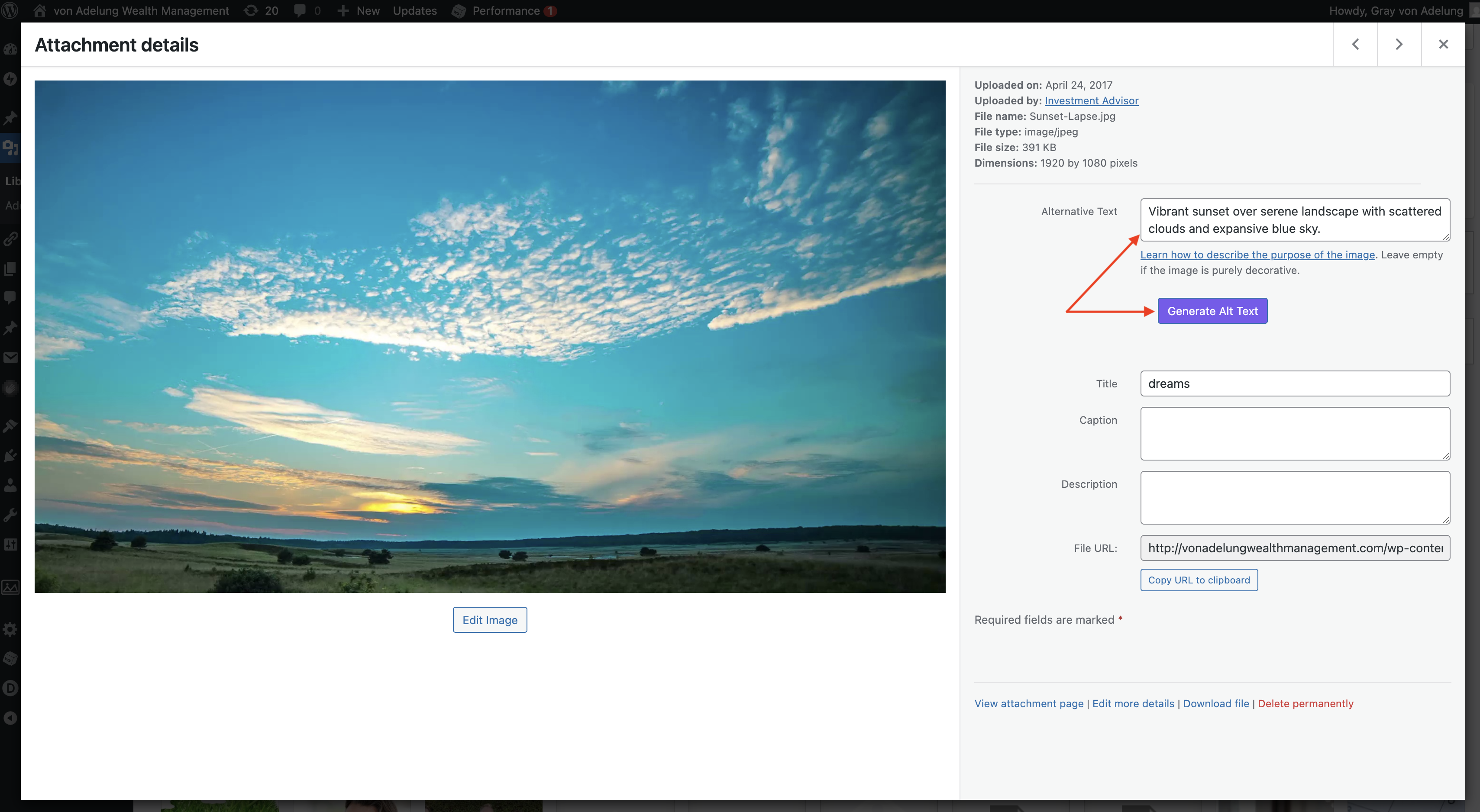
Generate alt text for your images manually from the media section.
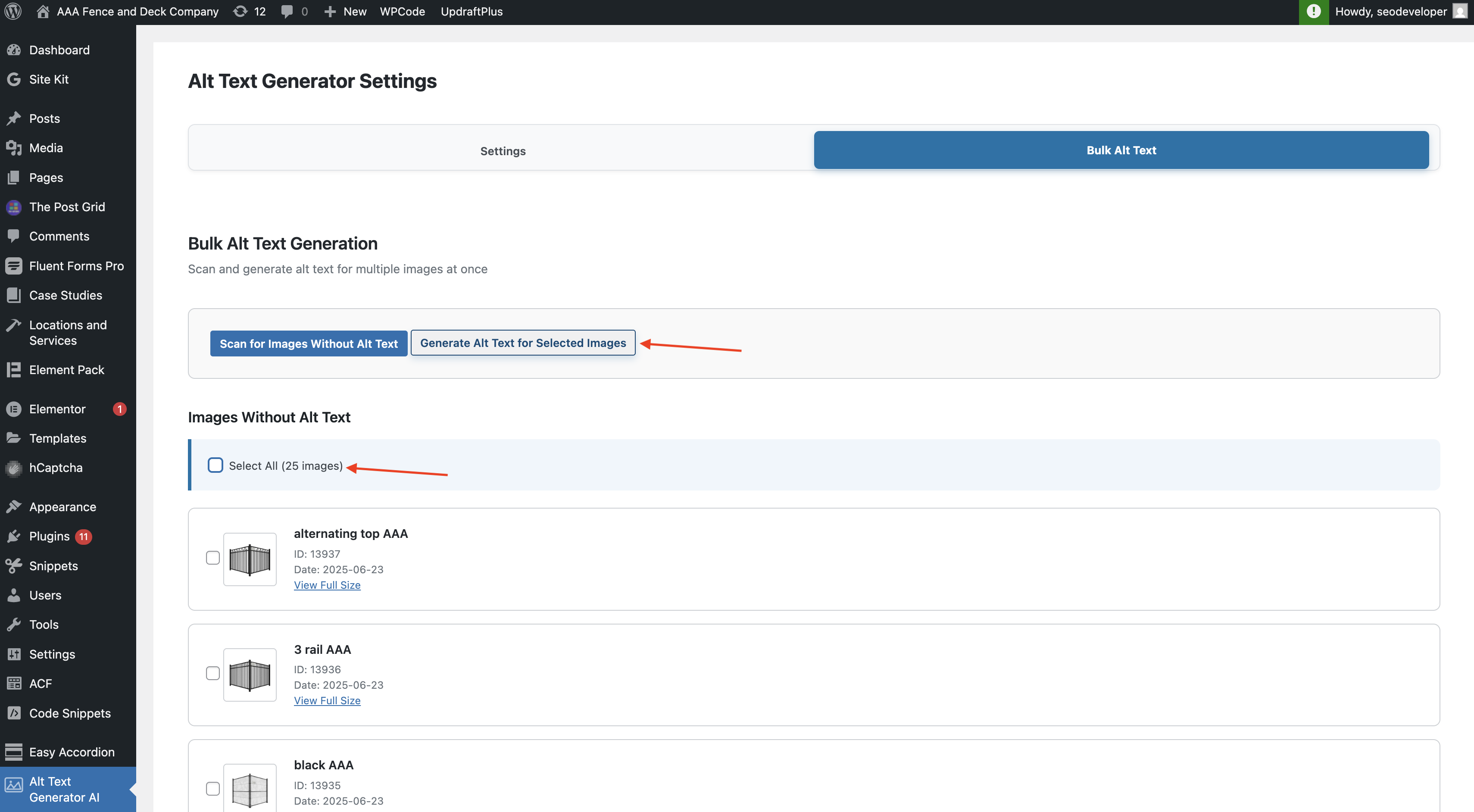
Scan and generate alt text for your images in bulk by using our alt text bulk feature.
Changelog
1.0.9
Edited listing features.
1.0.8
Added feature to generate alt text in 35 different languages.
1.0.7
Added SVG support.
1.0.6
Moved “Generate Alt Text” button below alt text field.
1.0.5
Fixed bugs.
1.0.4
Moved button to be positioned below alt text content area.
1.0.3
Fixed styling for generate alt text button.
1.0.2
New button added to generate alt text from media section.
1.0.1
Tested up to WordPress 6.6.
1.0.0
Initial version.