

attachmentAV – Antivirus for WordPress
Protect your blog from malware. Scan attachments for viruses, worms, and trojans by sending them to the attachmentAV API powered by Sophos.
Plugin info
Maintenance & Compatibility
Maintenance score
Maintained • Last updated 149 days ago • 1 reviews
Is attachmentAV – Antivirus for WordPress abandoned?
Likely maintained (last update 149 days ago).
Compatibility
Similar & Alternatives
Explore plugins with similar tags, and compare key metrics like downloads, ratings, updates, support, and WP/PHP compatibility.
Description
The plugin protects your blog from malware like viruses, worms, and trojans.
- The user uploads an attachment.
- The plugin sends the uploaded file to the attachmentAV API.
- The attachmentAV API scans the file for malware by using the Sophos engine.
- In the case of an infected file, the plugin blocks the upload.
Also works with the popular file upload plugins WPForms, Formidable Forms, WordPress File Upload, Contact Form 7, and Drag and Drop Multiple File Upload for Contact Form 7.
An API key and subscription for the 3rd party service attachmentAV are required. To scan user uploads for malware, the plugin sends the files to the API endpoint https://eu.developer.attachmentav.com/v1/scan/sync/binary.
Would you like to see attachmentAV in action? Check out the demo video.
Installation
- Install attachmentAV either via the WordPress.org plugin repository or by uploading the files to your server. (See instructions on how to install a WordPress plugin)
- Activate attachmentAV.
- Open the attachmentAV plugin settings tab.
- Create a subscription for the attachmentAV API and enter the API key.
Go to attachmentAV for WordPress Setup Guide for more detailed setup instructions.
Frequently Asked Questions
attachmentAV scans all file types. The maximum file size is 10 MB.
attachmentAV scans all files uploaded via:
- The core Media Library
- The plugin WPForms
- The plugin Formidable Forms
- The plugin WordPress File Upload
- The plugin Contact Form 7
- The plugin Drag and Drop Multiple File Upload for Contact Form 7
Review feed
Screenshots
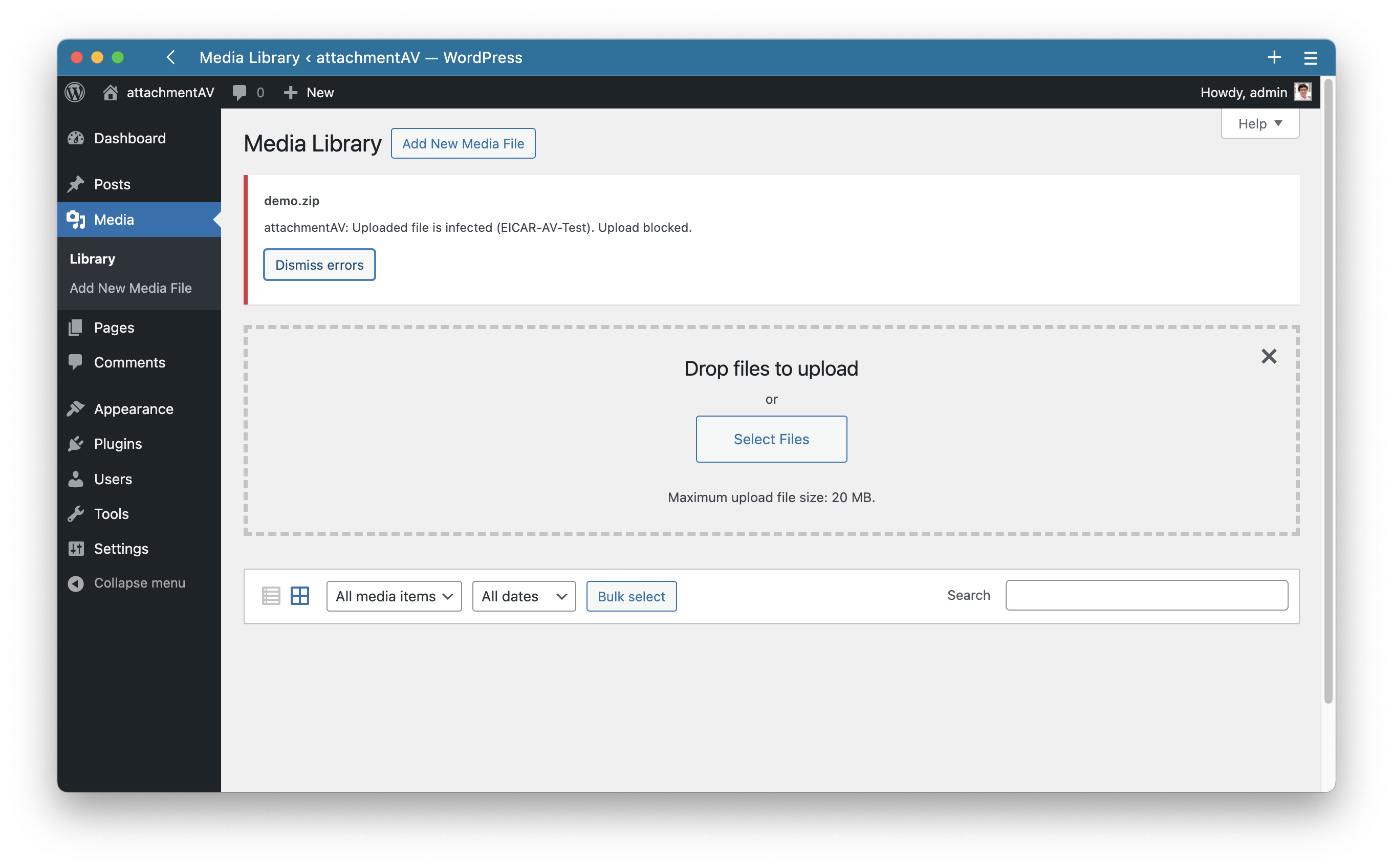
attachmentAV blocks uploads of infected files.

attachmentAV scan status shown for each media file.
Changelog
1.5.2
- Minor improvements
1.5.1
- Small fixes
1.5.0
- Support for plugin Drag and Drop Multiple File Upload for Contact Form 7 added
1.4.0
- Support for plugin Contact Form 7 added
1.3.0
- Support WordPress 6.8
1.2.1
- Minor fixes
1.2.0
- Support for plugin Formidable Forms added
1.1.2
- Small fixes
1.1.1
- Small fixes
1.1.0
- Support for plugin WPForms added
- Support for plugin WordPress File Upload added
1.0.5
- Adding scan results to metadata
1.0.4
- Small fixes
1.0.3
- Small fixes
1.0.2
- Small fixes
1.0.1
- Small fixes
1.0
- Initial Release