

Attribution Query String Manager
This plugin will help manage query string variables to ensure that desired variables are always included on certain domains.
Plugin info
Maintenance & Compatibility
Maintenance score
Possibly abandoned • Last updated 4324 days ago
Is Attribution Query String Manager abandoned?
Possibly abandoned (last update 4324 days ago).
Compatibility
Similar & Alternatives
Explore plugins with similar tags, and compare key metrics like downloads, ratings, updates, support, and WP/PHP compatibility.
Description
This tool will scan links with the specified domains for the query string variables listed below and ensure that they are updated with the appropriate values. These valued can be defined by:
- Post/Page settings
- URL
- Client Side Cookie
- Server Session Cache
- Defaults (in the global admin)
The list above indicates the order of override – in short, settings for a post/page will cause mismatching values set via url to be ignored. Note: This processing will only apply to material output via the_content() (this includes pages & posts).
For example – if the domain is www.wordpress.org and the query string variables defined are “affiliateID” and “trafficSource”, any links to www.wordpress.org would have the affiliateID & trafficSource query string variables appended. If they are already in the link’s url, it will update those variables to the correct values.
Requirements
Installation
- Upload the folder
attribution-query-string-managerto the/wp-content/plugins/directory - Activate the plugin through the ‘Plugins’ menu in WordPress
- Add query string variable names and domains in the admin settings panel “Query String Manager”
Frequently Asked Questions
Review feed
Screenshots
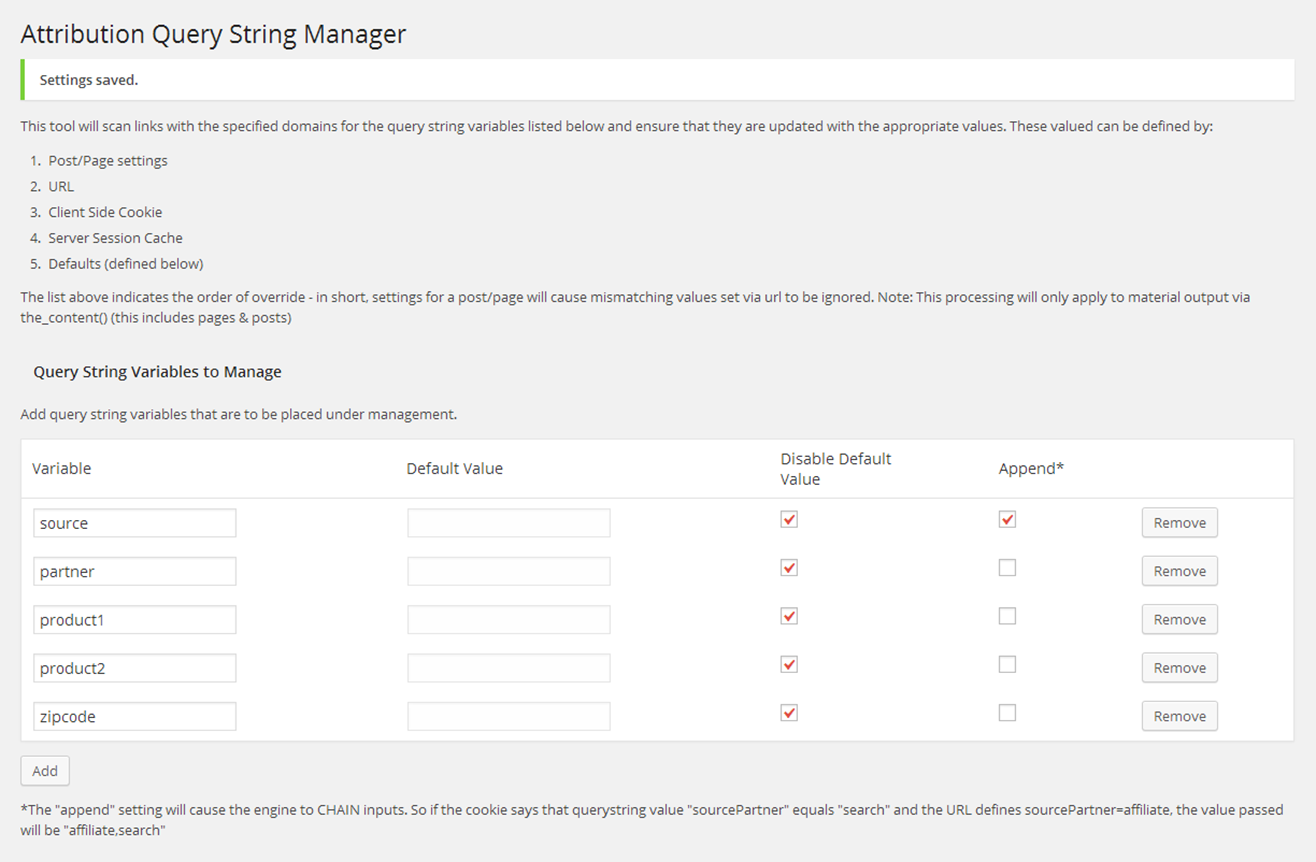
This is an example of the administrative panel.
Changelog
= 0.1.1 (2014-05-04)
* Patch to prevent duplication of inputs when urls managed are substrings of eachother
0.1.0 (2013-12-10)
- Beta version