

Awesome Fontawesome Collection
By Using fontawesome icon plugin you can demonstrate icons in your pages and widget area.
Plugin info
Maintenance & Compatibility
Maintenance score
Possibly abandoned • Last updated 2326 days ago • 2 reviews
Is Awesome Fontawesome Collection abandoned?
Possibly abandoned (last update 2326 days ago).
Compatibility
Similar & Alternatives
Explore plugins with similar tags, and compare key metrics like downloads, ratings, updates, support, and WP/PHP compatibility.
Description
By Using fontawesome icon plugin you can demonstrate icons in your pages and widget area.
Fontawesome icon plugin can be used in various ways like by using HTML, Fontawesome icon picker in Tiny MCE editor or by adding shortcodes.
Features:
- You can use fontawesome icons to display the icons and texts in pages and widget area.
- Widget- Font awesome can be viewed on widget by adding ‘Phoeniixx icons with text’.
- Awesome font awesome plugin gives you icons that can instantly be customized.
- You can display the icons just by selecting the icons from Fontawesome icon picker in Tiny MCE editor visual mode.
- You can display the icons by adding shortcodes in text mode of the page.
- You can display the icons in different size and styles using HTML in text mode.
- Plugin is compatible with siteorign page builder plugin.
- Advance styling options like different colors, different sizes of the font.
-
300 icons library.
-
Credit : http://mjolnic.com/fontawesome-iconpicker/
Premium WordPress Themes
Here is our premium wordpress theme
Our Website
Support Email
NOTE
- Our plugin support the Multisite Network.
Installation
- Install WordPress
- Go to your WordPress admin panel, and then to Plugins. Click on “Add New” and then upload the zip file of the plugin using the “Upload Plugin” button you can find on top of the screen.
Frequently Asked Questions
Review feed
Some things need attentions
Screenshots
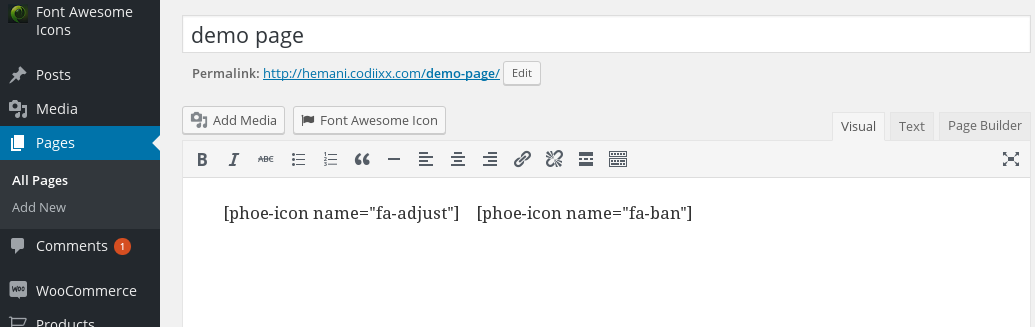
Admin view: You can add icons from grid in visual mode.

Admin view: 'Phoeniixx Icons with Texts' can be added in the widget area to display the icons and texts in the widget area.

Admin view: You can add icons with the page builder.

Frontend view: Frontend view with icon and text in the page and widget area.
Changelog
1.4 – 19/11/2019
- compatible with latest version of wordpress
1.3 – 13/05/2019
- compatible with latest version of wordpress
1.2 – 14/02/2018
- compatible with latest version of wordpress
1.1 – 14/12/2018
- compatible with latest version of wordpress
1.0
- Initial release.